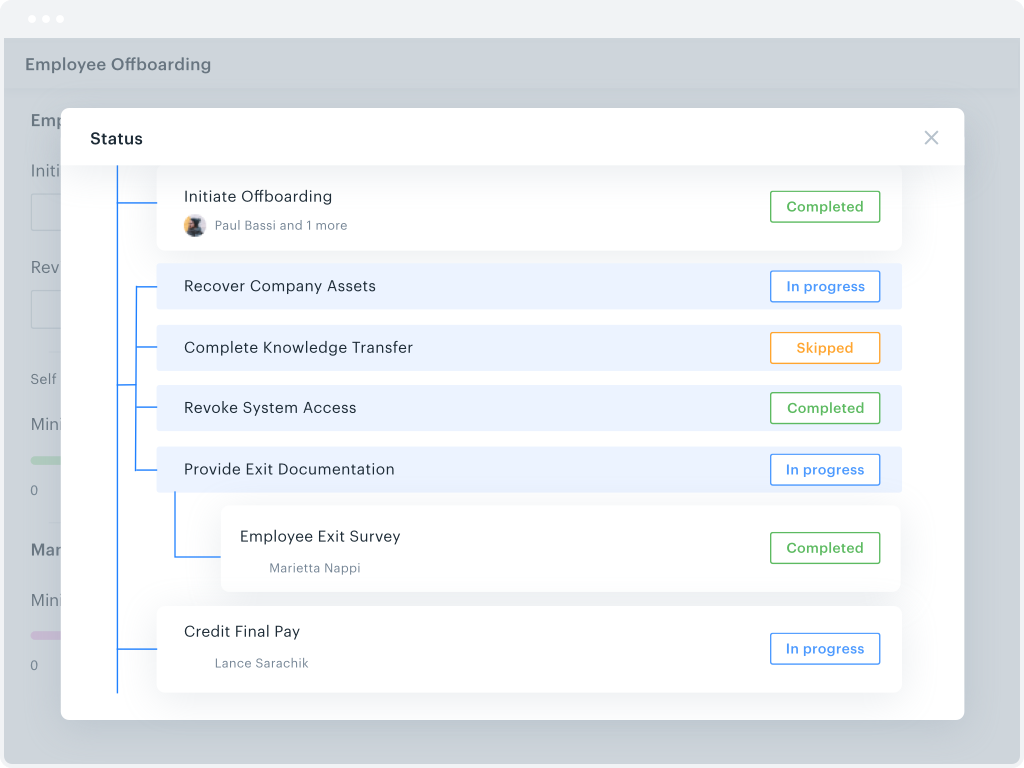
Kissflow is a low-code platform for custom application development tailored to business operations. Kissflow empowers process owners and IT developers to automate and build processes and applications for internal business operations.
$1,500
per month 50 Users
SSIS
Score 7.6 out of 10
N/A
Microsoft's SQL Server Integration Services (SSIS) is a data integration solution.
N/A
Pricing
Kissflow
SQL Server Integration Services (SSIS)
Editions & Modules
Small Business
$1500
per month
No answers on this topic
Offerings
Pricing Offerings
Kissflow
SSIS
Free Trial
Yes
No
Free/Freemium Version
No
No
Premium Consulting/Integration Services
Yes
No
Entry-level Setup Fee
No setup fee
No setup fee
Additional Details
—
—
More Pricing Information
Community Pulse
Kissflow
SQL Server Integration Services (SSIS)
Features
Kissflow
SQL Server Integration Services (SSIS)
Low-Code Development
Comparison of Low-Code Development features of Product A and Product B
Kissflow
7.9
2 Ratings
6% below category average
SQL Server Integration Services (SSIS)
-
Ratings
Drag-and-drop Interfaces
8.02 Ratings
00 Ratings
Platform Security
8.72 Ratings
00 Ratings
Platform User Management
7.42 Ratings
00 Ratings
Reusability
8.02 Ratings
00 Ratings
Platform Scalability
7.42 Ratings
00 Ratings
Data Source Connection
Comparison of Data Source Connection features of Product A and Product B
Kissflow
-
Ratings
SQL Server Integration Services (SSIS)
7.0
56 Ratings
16% below category average
Connect to traditional data sources
00 Ratings
9.056 Ratings
Connecto to Big Data and NoSQL
00 Ratings
5.043 Ratings
Data Transformations
Comparison of Data Transformations features of Product A and Product B
Kissflow
-
Ratings
SQL Server Integration Services (SSIS)
6.8
56 Ratings
17% below category average
Simple transformations
00 Ratings
9.056 Ratings
Complex transformations
00 Ratings
4.755 Ratings
Data Modeling
Comparison of Data Modeling features of Product A and Product B
Kissflow
-
Ratings
SQL Server Integration Services (SSIS)
7.5
54 Ratings
4% below category average
Data model creation
00 Ratings
9.028 Ratings
Metadata management
00 Ratings
6.035 Ratings
Business rules and workflow
00 Ratings
7.045 Ratings
Collaboration
00 Ratings
9.040 Ratings
Testing and debugging
00 Ratings
6.351 Ratings
Data Governance
Comparison of Data Governance features of Product A and Product B
We've used Kissflow [School Cloud] in order to track parent requests for transportation in the SpEd department. It has been user friendly for parents to input a request and staff to review, double check school sites and locations, and set up specific routes to meet the needs of students and communicate the info back to parents.
As I mentioned earlier SQL Server Integration Services is suitable if you want to manage data from different applications. It really helps in fetching the data and generating reports. Its automation make it very easy and time efficient. It works well with large database as well. But it doesn't work well with real time data, it will take some time to gather the real time data. I would not recommend using it in a real time/fast-paced environment.
They know what they are. You aren't going to get a Workflow program that also wants to be a CRM. You will get the equivalent of an electronic assistant going from station to station, taking care of business and giving you the end result.
Paper. It reduces the amount of paper needed for menial tasks tremendously. You can automate an entire process. As an educational institution, you may still need paper copies, but you aren't waiting for John Doe to sign Line 3, then Jane Doe to initial, and so on and so on with a paper form.
Tracking. If you need to know where things are in the process, the fact that this program is dedicated to workflow makes it incredibly easy to identify where people are in the sales flow.
Customer appreciation. When your workflow is stronger, faster, and better, the customers feel it. They feel like you are right there with them and getting things moving.
Workflow Design: There isn't a copy/paste function when creating the workflow, and you can't move a workflow task between parallel branches. This becomes a pain point when an item has 98% of what you need, but you can't copy it and place it in another branch to make the last tweaks. Instead, it needs to be completely recreated
Interface: While I like the current design features, which make it easy for an end-user to find their tasks and items, it would be nice to also have some flexibility within the platform. Things like being able to groups apps under a category or tailoring the look and feel of the page a little more would be a welcome addition.
Connection managers for online data sources can be tricky to configure.
Performance tuning is an art form and trialing different data flow task options can be cumbersome. SSIS can do a better job of providing performance data including historical for monitoring.
Mapping destination using OLE DB command is difficult as destination columns are unnamed.
Excel or flat file connections are limited by version and type.
Some features should be revised or improved, some tools (using it with Visual Studio) of the toolbox should be less schematic and somewhat more flexible. Using for example, the CSV data import is still very old-fashioned and if the data format changes it requires a bit of manual labor to accept the new data structure
The system has room to grow as it's limited by not being able to edit POs after they've been approved. The system is great for registrations and syncing to other systems while including the attachments. The reporting from Kissflow is also easy to setup to link to other platforms such as Looker
SSIS is a great tool for most ETL needs. It has the 90% (or more) use cases covered and even in many of the use cases where it is not ideal SSIS can be extended via a .NET language to do the job well in a supportable way for almost any performance workload.
SQL Server Integration Services performance is dependent directly upon the resources provided to the system. In our environment, we allocated 6 nodes of 4 CPUs, 64GB each, running in parallel. Unfortunately, we had to ramp-up to such a robust environment to get the performance to where we needed it. Most of the reports are completed in a reasonable timeframe. However, in the case of slow running reports, it is often difficult if not impossible to cancel the report without killing the report instance or stopping the service.
I haven't encountered a need for support with KiSSFLOW. It's not a perfect platform, but it's functional, dependable, and reasonably intuitive. I can't fault a support team just because their product works!
The support, when necessary, is excellent. But beyond that, it is very rarely necessary because the user community is so large, vibrant and knowledgable, a simple Google query or forum question can answer almost everything you want to know. You can also get prewritten script tasks with a variety of functionality that saves a lot of time.
The implementation may be different in each case, it is important to properly analyze all the existing infrastructure to understand the kind of work needed, the type of software used and the compatibility between these, the features that you want to exploit, to understand what is possible and which ones require integration with third-party tools
KiSSFLOW is much easier to set up, less coding and easier to explain to those that are being trained. The company already had SharePoint, but it is a very difficult system to set up. A class had to be taken, along with getting books in order to understand the process of the workflow. With KiSSFLOW, it is simple to understand, the helpdesk is quick with their response, help topics are laid out simply and you can even talk with someone on that side to ask your questions. Overall, KiSSFLOW is a much easier workflow and system to use.
I think SQL Server Integration Services is better suited for on-premises data movement and ADF is more suited for the cloud. Though ADF has more connectors, SQL Server Integration Services is more robust and has better functionality just because it has been around much longer
The only real hard number savings that we have had with KiSSFLOW is the money we have saved in forms being printed, especially multi-part forms. So for a small college like us that it probably in the $5000 to $10000 per year range. We have certainly saved money in increased efficiencies of the processes that we have moved to KiSSFLOW. But that is harder to calculate.
Without this, we would have to manually update a spreadsheet of our SQL Server inventory
We would also have poor alerting; if an instance was down we wouldn't know until it was reported by a user
We only have one other person who uses SQL Server Integration Services , he's the expert. It would fall to me without him and I would not enjoy being responsible for it.