
Billie Pascual
Principal Consultant
Chose Kure
Kure can optimize the process. The other items are tools used as part of the process.

| Product | Rating | Most Used By | Product Summary | Starting Price |
|---|---|---|---|---|
 Kure | N/A | Kure is a web-based app that helps teams collaborate to complete process optimization projects. The Kure app is powered by the Process Optimization Path™. The Process Optimization Path (POP) is powered by artificial intelligence that guides users step-by-step – through improving any process – so teams are empowered to efficiently and effectively scale business improvements and create growth for the user's organization. | $49 per month per user | |
 Trello | N/A | Trello from Atlassian is a project management tool based on a Kanban framework. Trello is ideal for task-management in a to-do list format. It supports sharing boards and cards across users or teams. The product offers a free version, and paid versions add greater automation, collaboration, and administrative control. | $6 per month per user |
| Kure | Trello | |||||||||||||||
|---|---|---|---|---|---|---|---|---|---|---|---|---|---|---|---|---|
| Editions & Modules |
|
| ||||||||||||||
| Offerings |
| |||||||||||||||
| Entry-level Setup Fee | No setup fee | No setup fee | ||||||||||||||
| Additional Details | — | A discount is offered for annual billing and for larger numbers of users. | ||||||||||||||
| More Pricing Information | ||||||||||||||||
| Kure | Trello | |
|---|---|---|
| Considered Both Products |  Kure Billie Pascual Principal Consultant Chose Kure Kure can optimize the process. The other items are tools used as part of the process.  Melissa Clary Managing Member Chose Kure Trello didn't allow us to assign as many tasks or upload images as easily as Kure. The cards in which you create are small so it's hard to put as much detail on those in order to completely communicate with the team. The organization of the cards got a little overwhelming and … |  Trello  Ellen Valdez, CMP Event Manager Chose Trello Our business ended up using Monday due to the holistic nature of the tool. It allows us to collaborate amongst teams and see the project as a whole easier. Trello is for personal usage and task management. I use Monday to organize my overarching needs, and then put specific …  Nick Butler Trainer and coach Chose Trello Trello is more visual than Todoist and MS To Do. For me, the major advantage of Trello is its functionality around creating Kanban Boards—there is not the same flexibility or options in either of the other two products. I was also able to seek advice from colleagues who were …  Muhammad Rohan Director Chose Trello Asana is awesome but it comes with a price. For a startup pricing hurts. ClickUp is so vast and has a lot of areas to get lost in, if you don't set some standards there are many ways to do it wrong. Slack is just a communication platform, you can collaborate and stuff but not …  Courtney Wolf Founder Chose Trello Trello is more simple and not as "robust" as the other tools, but it's easier to use and manage and understand and ACTUALLY get stuff done with. It's simplicity is part of the beauty of using it. You don't need a million options that nobody uses, you just need to get stuff done.  Fahim Haque Software Engineer Chose Trello Trello provides precise goal setting, targets, and activity tracking with minimal human intervention, while Trello provides tags and tasks to add users and communicate visual task organization. Trello also offers real-time updates, team collaboration, and project progress …  Rehan Kanuga Data Analyst Chose Trello Airtable  Smeetha Singh Founder Chose Trello I have been able to use the free version of Trello for many years and for the free version, this platform offers incredible value. I have not yet found such value in other free versions of similar platforms. This platform is also very easy to use as a first time user.  Guy Stephane Waffo Software Engineering Chose Trello Trello is better than Gitlab CI and other tools because it provides a very simple way of managing project with just lists and draggable components. Also, thanks to Mobile version, it is really easy for a team lead to manage his projects at anytime of a day. So I widely …  Namandeep Bhatia Co Founder & Chief Technology Officer Chose Trello Trello has a better and easy UI, very quick learning curve. Flexibility to add plugins. |
| Kure | Trello | |||||||||||||||||||||||||||||||||||||||||||||
|---|---|---|---|---|---|---|---|---|---|---|---|---|---|---|---|---|---|---|---|---|---|---|---|---|---|---|---|---|---|---|---|---|---|---|---|---|---|---|---|---|---|---|---|---|---|---|
| Project Management |
| |||||||||||||||||||||||||||||||||||||||||||||
| Professional Services Automation |
|
| Kure | Trello | |
|---|---|---|
| Small Businesses |  Stackby Score 8.9 out of 10 | Stackby Score 8.9 out of 10 |
| Medium-sized Companies |  InEight Score 8.2 out of 10 | InEight Score 8.2 out of 10 |
| Enterprises | InEight Score 8.2 out of 10 | InEight Score 8.2 out of 10 |
| All Alternatives | View all alternatives | View all alternatives |
| Kure | Trello | |
|---|---|---|
| Likelihood to Recommend | 8.8 (0 ratings) | 9.3 (0 ratings) |
| Likelihood to Renew | - (0 ratings) | 10.0 (0 ratings) |
| Usability | - (0 ratings) | 9.3 (0 ratings) |
| Availability | - (0 ratings) | 10.0 (0 ratings) |
| Performance | - (0 ratings) | 10.0 (0 ratings) |
| Support Rating | - (0 ratings) | 9.9 (0 ratings) |
| In-Person Training | - (0 ratings) | 10.0 (0 ratings) |
| Implementation Rating | - (0 ratings) | 8.0 (0 ratings) |
| Configurability | - (0 ratings) | 5.0 (0 ratings) |
| Product Scalability | - (0 ratings) | 10.0 (0 ratings) |
| Vendor post-sale | - (0 ratings) | 10.0 (0 ratings) |
| Kure | Trello | |
|---|---|---|
| Likelihood to Recommend |
|
|
| Pros |
|
|
| Cons |
Melissa Clary Managing Member |
Nick Butler Trainer and coach |
| Likelihood to Renew | No answers on this topic |
 Sahr Saffa CXO |
| Usability | No answers on this topic |
Courtney Wolf Founder |
| Reliability and Availability | No answers on this topic |
|
| Performance | No answers on this topic |
|
| Support Rating | No answers on this topic |
 Sarah Meerschaert Business Operations Manager |
| In-Person Training | No answers on this topic |
|
| Implementation Rating | No answers on this topic |
 Raylene Wall Owner |
| Alternatives Considered |
Melissa Clary Managing Member |
Ellen Valdez, CMP Event Manager |
| Scalability | No answers on this topic |
|
| Return on Investment |
Billie Pascual Principal Consultant |
 Jared DeLong Onboarding & Services Manager |
| ScreenShots | Kure Screenshots 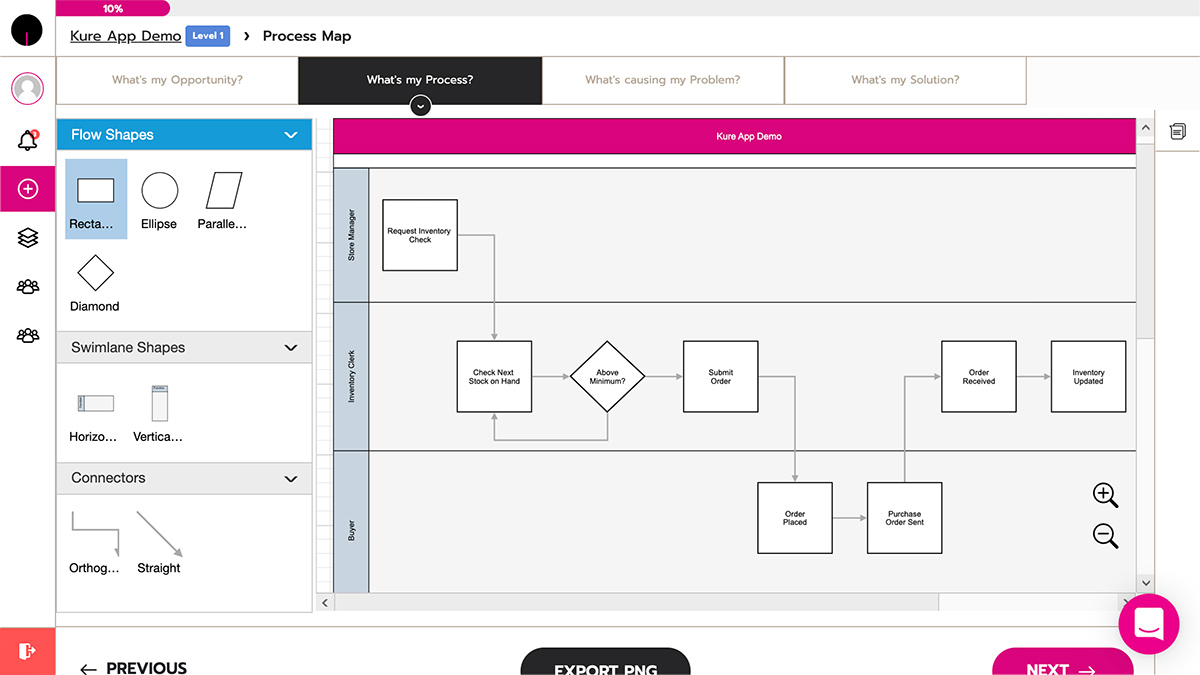  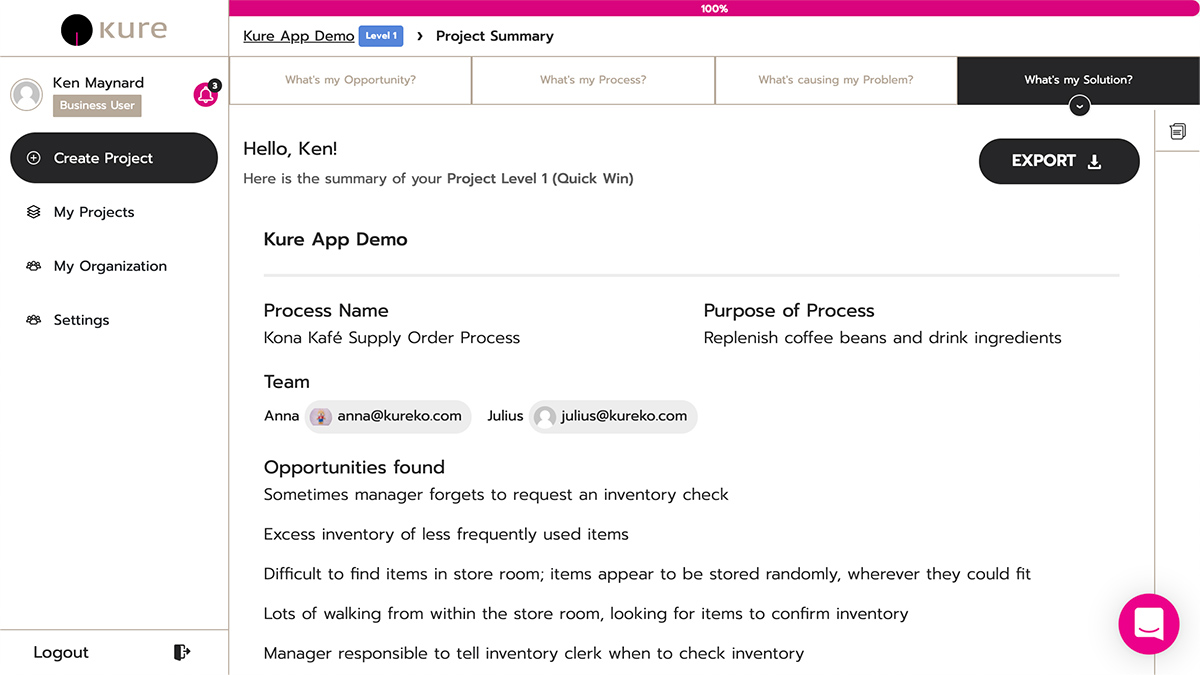 |