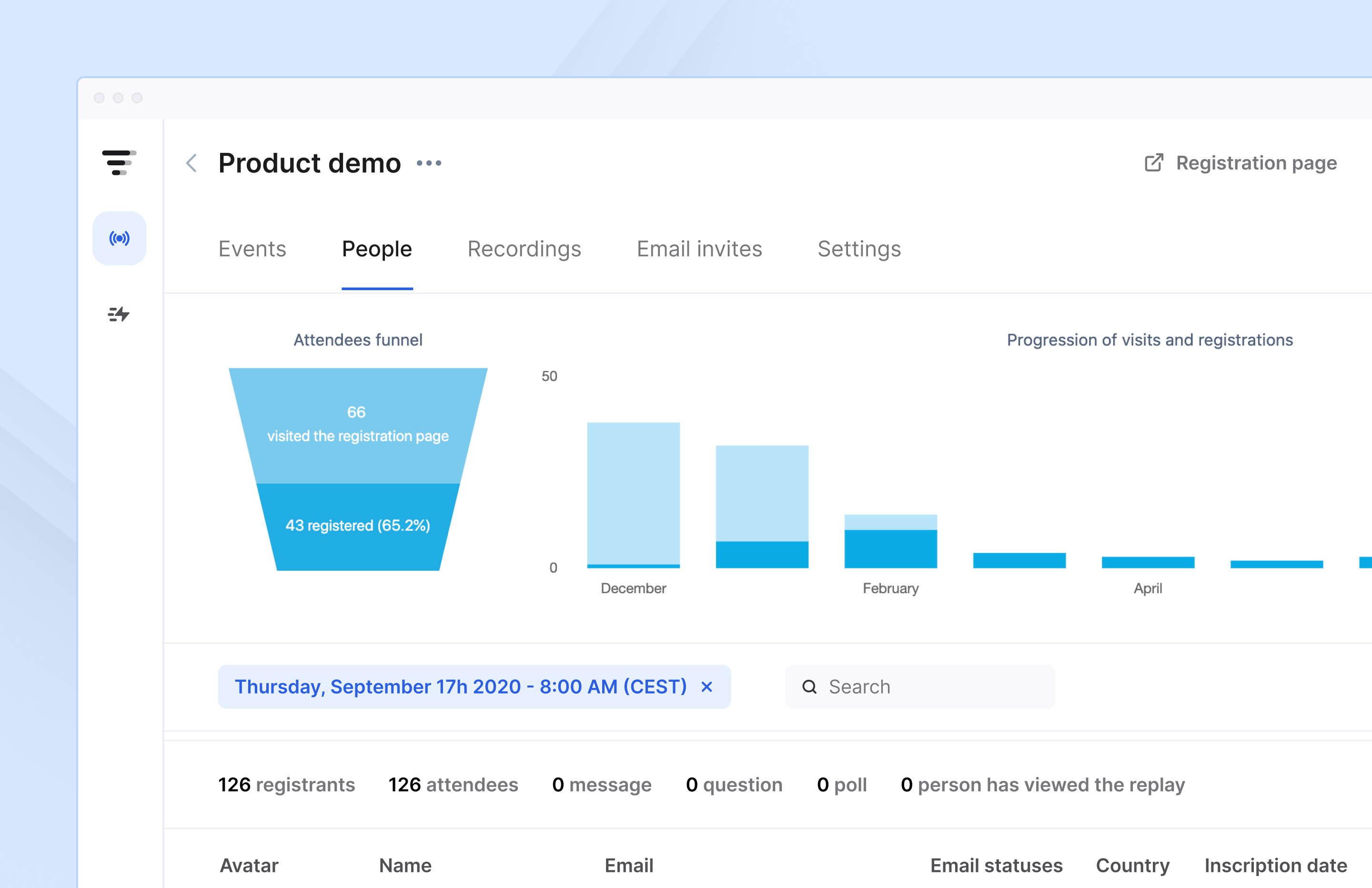
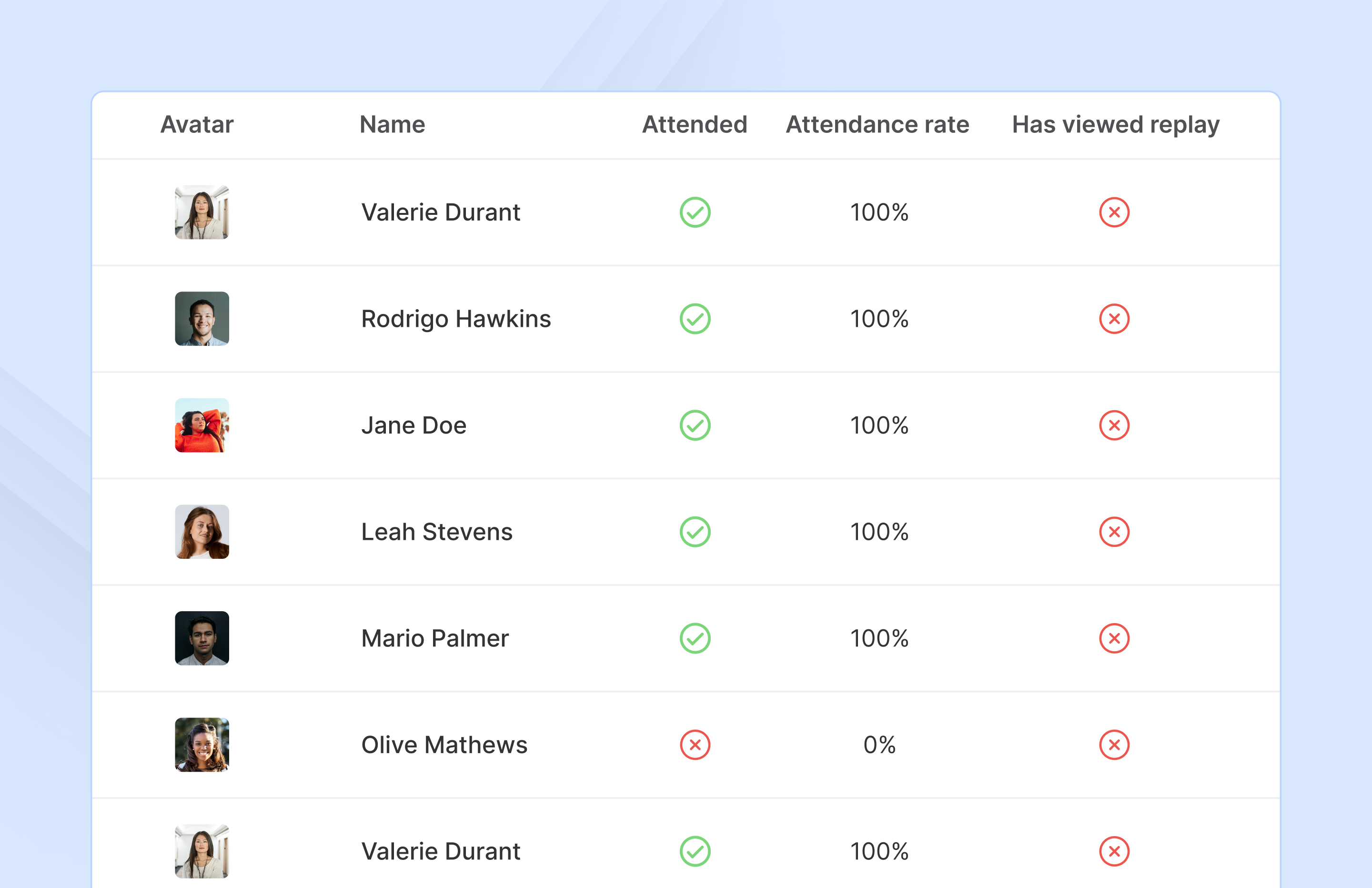
French company Livestorm offers their webinar platform which integrates with many other enterprise applications via Zapier and features polling, session recording and sharing, and webinar data collection and tracking.
$0
A free plan to discover Livestorm. All features included, such as unlimited webinars and instant meetings. Up to 20 minutes per webinar and up to 10 registrants per webinar.
Zoho Meeting
Score 8.6 out of 10
N/A
Zoho Meeting is a web-based online meeting solution.
$3
per month
Pricing
Livestorm
Zoho Meeting
Editions & Modules
Webinar Basic
$0.00
A free plan to discover Livestorm. All features included, such as unlimited webinars and instant meetings. Up to 20 minutes per webinar and up to 10 registrants per webinar.
Meet Basic
$0.00
Limited Instant and Scheduled Meetings for up to four participants
Meet Premium
$31.00
Full features for Instant and Scheduled Meetings.
Webinar Premium
$99.00
A premium experience with removed limitations to get the full benefits of Livestorm for up to 100 seats. + $99 to add 250 seats, + $209 to add 1,000 seats.
Enterprise
Contact sales
An enterprise-grade experience with premium service.
MEETING - 10
$3
per month
MEETING - 50
$9
per month
MEETING-100
$12
per month
MEETING - 250
$18
per month
Webinar -25
$19
per month
Webinar - 50
$29
per month
Webinar - 100
$39
per month
Webinar - 250
$79
per month
Webinar - 500
$125
per month
Webinar - 1000
$200
per month
Offerings
Pricing Offerings
Livestorm
Zoho Meeting
Free Trial
Yes
Yes
Free/Freemium Version
Yes
Yes
Premium Consulting/Integration Services
No
No
Entry-level Setup Fee
No setup fee
No setup fee
Additional Details
—
You can also get the toll-free add-on at $20/month and additional storage space for 200 sessions recording at $20/month for your organization.
More Pricing Information
Community Pulse
Livestorm
Zoho Meeting
Features
Livestorm
Zoho Meeting
Reporting & Analytics
Comparison of Reporting & Analytics features of Product A and Product B
Livestorm
10.0
3 Ratings
26% above category average
Zoho Meeting
-
Ratings
Dashboards
10.02 Ratings
00 Ratings
Data exportability
10.03 Ratings
00 Ratings
Performance & Compatibility of Online Events Software
Comparison of Performance & Compatibility of Online Events Software features of Product A and Product B
Livestorm
9.5
3 Ratings
15% above category average
Zoho Meeting
8.5
11 Ratings
7% above category average
High quality audio
9.03 Ratings
8.811 Ratings
Mobile support
10.02 Ratings
8.811 Ratings
Low bandwidth requirements
00 Ratings
8.011 Ratings
Online Meetings / Events
Comparison of Online Meetings / Events features of Product A and Product B
Livestorm
9.4
3 Ratings
14% above category average
Zoho Meeting
8.9
11 Ratings
9% above category average
Calendar integration
10.02 Ratings
9.011 Ratings
Record meetings / events
7.53 Ratings
9.011 Ratings
Slideshows
10.02 Ratings
00 Ratings
Event registration
10.03 Ratings
00 Ratings
Meeting initiation
00 Ratings
8.711 Ratings
Online Events Collaboration
Comparison of Online Events Collaboration features of Product A and Product B
Livestorm
10.0
3 Ratings
17% above category average
Zoho Meeting
8.5
10 Ratings
5% above category average
Audience polling
10.03 Ratings
8.510 Ratings
Q&A
10.03 Ratings
8.59 Ratings
Live chat
00 Ratings
8.59 Ratings
Online Events Security
Comparison of Online Events Security features of Product A and Product B
Livestorm
10.0
3 Ratings
18% above category average
Zoho Meeting
8.6
10 Ratings
7% above category average
Participant roles & permissions
10.03 Ratings
8.610 Ratings
Confidential attendee list
10.03 Ratings
8.79 Ratings
User authentication
00 Ratings
8.69 Ratings
Online Events Marketing
Comparison of Online Events Marketing features of Product A and Product B
Livestorm
10.0
3 Ratings
23% above category average
Zoho Meeting
-
Ratings
Branding options
10.03 Ratings
00 Ratings
Integration to Marketing Automation
10.03 Ratings
00 Ratings
Screen Sharing
Comparison of Screen Sharing features of Product A and Product B
Livestorm is well suited to use when you need to reach a group of more than ten people. It wouldn't be a good solution if you wanted interaction from the audience in more than the form of chat.
Anyone who needs assistance with a work-related issue can take advantage of this service. Because of this, the entire company benefits from increased effectiveness, openness, and output in all areas. Sharing a computer's screen has been an enormous help. Stability issues increase when a major meeting occurs. Make sure you buy the paid version because you won't find a good free version.
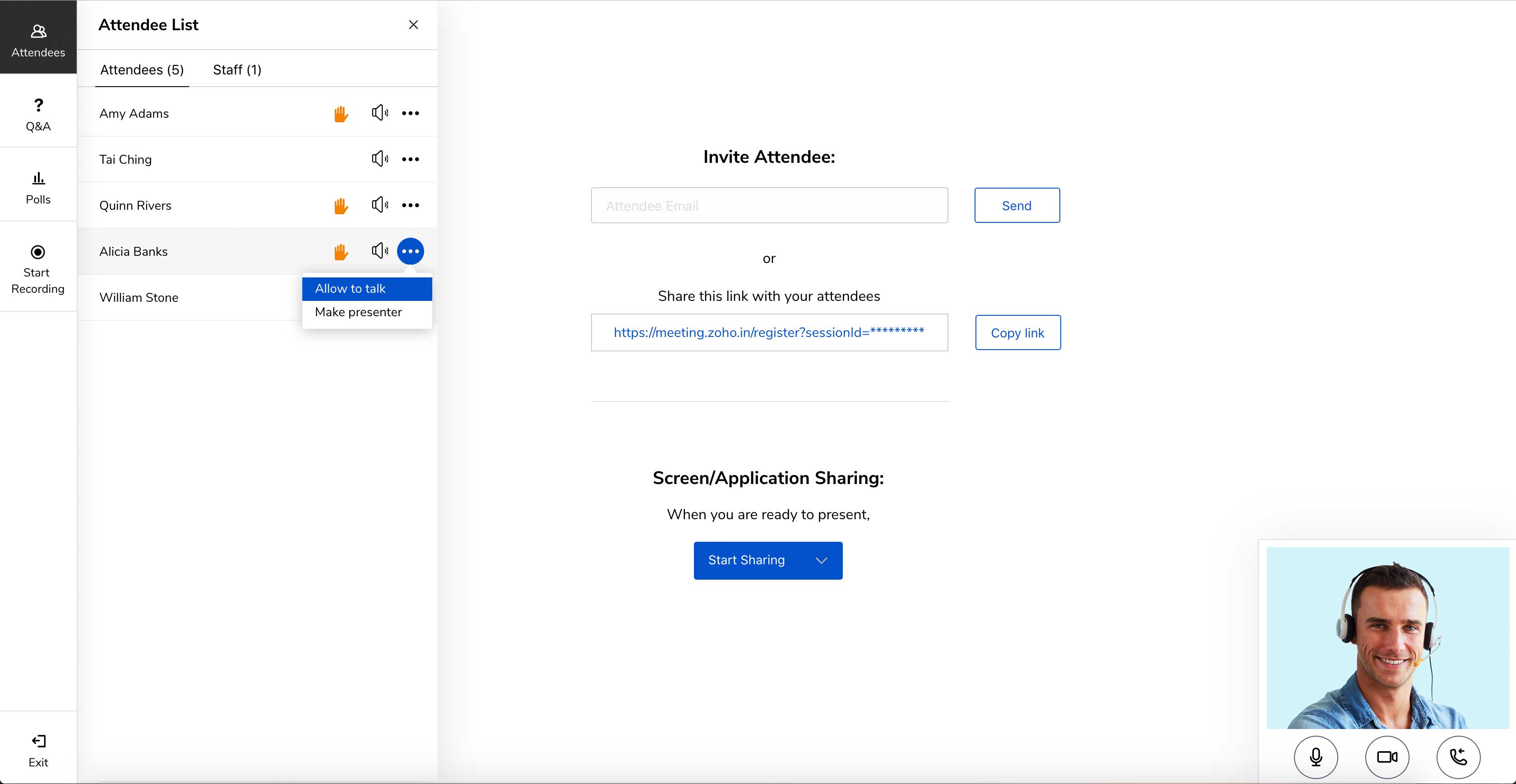
Embed meeting link feature- The feature is unique to Zoho Meeting and helps attach meeting link to website, thus anyone accessing [the] website can join the meeting with just one click of a button.
Surveys and questions are prepared pretty seamlessly in Zoho Meeting as compared to other video conferencing applications.
As mentioned earlier, webinar analytics i.e. the way all the questions and surveys data is presented in .csv file is very easy to understand and helps the team lead a lot in understanding and getting to know the team better.
Making sure the permission settings for your camera, microphone or browser can sometimes be tricky. If we have a guest, we always have to double-check these. It's also not super intuitive that you need to "Get on Stage" from the webinar page.
Zoho Meeting is very easy to use and very effective collaborating tool. If I say about the usability, this application is highly usable because oaf it's cost effective nature, user friendly interface, empathetic customer services and amazing application features. Most importantly, it ensures data security for the company. Overall, the usability of the application is trustworthy.
The customer service representatives are extremely attentive. They do an excellent job of trying to understand the scope of the issue and follow it through until it has been resolved. When I have provided them with recommendations for improvement they have taken them to heart and many times implemented them. I trust that if I ever have a problem they will be there to help
Zoho Meeting's support team was always good their response time. Many of their customers come to them with a complete lack of knowledge and I think they're well aware of that. they were friendly and knowledgeable so it was always a good experience contacting them. but I think it's better if they can open a hotline for their paying customers
Zoho Meeting is very affordable and it suits better for the small business like ours. In addition to these, it offers the same features Microsoft Teams does. It has better adaptability compared to teams both in desktop and mobile applications. Moreover, it ensures data security as they do not rely on 3rd party