Goverlan Reach vs. ManageEngine Remote Access Plus

Overview
ProductRatingMost Used ByProduct SummaryStarting Price
Goverlan Reach
Score 8.0 out of 10
Enterprise companies (1,001+ employees)
The Goverlan Remote Administration Suite from Goverlan is remote administration software for IT management.
$648
per year
ManageEngine Remote Access Plus
Score 6.8 out of 10
Mid-Size Companies (51-1,000 employees)
Remote Access Plus is a secure and comprehensive enterprise troubleshooting solution that helps system administrators and IT help desk technicians to remotely resolve troubleshooting requests. The vendor says this solution provides powerful remote desktop sharing, over 12 diagnostic tools, wake on LAN, remote shutdown and precise reporting system, which enables users to seamlessly access and rescue computers at lightning speed. According to the vendor key features and business…
$145
access for 5 techs and 50 computers billed annually
Pricing
Goverlan ReachManageEngine Remote Access Plus
Editions & Modules
Standard
$648
per year
Professional
$1,428
per year
Enterprise
$2,772
per year
Standard
$145
access for 5 techs and 50 computers billed annually
Professional
$195
access for 5 techs and 50 computers billed annually
Standard
200$
access for 5 techs and 50 computers billed annually
Professional
300$
access for 5 techs and 50 computers billed annually
Offerings
Pricing Offerings
Goverlan ReachManageEngine Remote Access Plus
Free Trial
YesYes
Free/Freemium Version
NoYes
Premium Consulting/Integration Services
NoYes
Entry-level Setup FeeNo setup feeNo setup fee
Additional Details* Each operator license allows the remote management and support of an unlimited number of INTERNAL endpoints * Each license includes between 10 to 20 manageable EXTERNAL endpoints (based on edition). Additional external endpoint licence is $5 per node per year (volume discount available) * Operator licenses can be purchased on a perpetual or subscription basisRemote Access Plus comes free with access up to 10 computers. Pricing options are determined by the number of technicians and the computer range needed. Pricing represented here allows for 5 technicians and a computer range of 50. Additional technician licenses can be purchased at an additional cost.
More Pricing Information
Community Pulse
Goverlan ReachManageEngine Remote Access Plus
Features
Goverlan ReachManageEngine Remote Access Plus
Remote Administration
Comparison of Remote Administration features of Product A and Product B
Goverlan Reach
8.5
2 Ratings
7% above category average
ManageEngine Remote Access Plus
5.8
7 Ratings
31% below category average
File transfer8.02 Ratings4.87 Ratings
Instant message9.02 Ratings5.37 Ratings
Access to sleeping/powered-off computers3.12 Ratings7.66 Ratings
Over-the-Internet remote session10.01 Ratings8.06 Ratings
Remote management of servers & workstations10.02 Ratings5.57 Ratings
Remote Active Directory® management10.02 Ratings00 Ratings
Centralized management dashboard9.02 Ratings5.47 Ratings
Session record9.01 Ratings2.75 Ratings
Monitoring and Alerts7.02 Ratings5.55 Ratings
Multi-platform remote control10.02 Ratings5.47 Ratings
Screen sharing00 Ratings6.37 Ratings
Secure remote access with Smart Card authentication00 Ratings7.73 Ratings
Best Alternatives
Goverlan ReachManageEngine Remote Access Plus
Small Businesses
Getscreen.me
Getscreen.me
Score 9.6 out of 10
Getscreen.me
Getscreen.me
Score 9.6 out of 10
Medium-sized Companies
Remote Desktop Manager
Score 9.5 out of 10
Remote Desktop Manager
Score 9.5 out of 10
Enterprises
Remote Desktop Manager
Score 9.5 out of 10
Remote Desktop Manager
Score 9.5 out of 10
All AlternativesView all alternativesView all alternatives
User Ratings
Goverlan ReachManageEngine Remote Access Plus
Likelihood to Recommend
10.0
(2 ratings)
8.2
(6 ratings)
User Testimonials
Goverlan ReachManageEngine Remote Access Plus
Likelihood to Recommend
Goverlan, Inc
This product is a must for any help desk that is supporting an active directory based network. Scope action capabilities also make it valuable to systems administrators etc.
Read full review
ManageEngine, A Div of Zoho Corporation Pvt Ltd
Remote Access Plus works well within the LAN, but it's a bit slower outside of it. Its ease of connection is a plus. It is not very suitable for connection through the APP, and consumes too much RAM during the connection, sometimes even causing the endpoint to freeze.You can access the CMD and perform tests without disturbing the user, or review the underlying services.
Read full review
Pros
Goverlan, Inc
  • Good configurable dashboard that can be personalized per audience
  • Built in packages for monitoring standard applications that can be personalized easily
  • Simple, easy to use update deployment configuration.
Read full review
ManageEngine, A Div of Zoho Corporation Pvt Ltd
  • It is embedded with great features like voice support, video assistance, and even text support, which provides a great user experience.
  • It provides features like remotely shut down the end system, renaming the endpoints, full list of applications running, process use, memory consumption, disk usage which are very beneficial.
  • We can even uninstall unwanted applications, delete malicious files, kill heavily used process, modify registry values.
  • It helps in to keep track of windows event that occurs in the system, it also provides report in desired format.
Read full review
Cons
Goverlan, Inc
  • Machines must be online for actions to be performed, scopes allow you to rerun them against failed objects only but really a much better option would be for client agent to check in at power on for open jobs.
  • Newest version of Reach is glitchy on Windows 10 requiring the occasional restart of the application.
Read full review
ManageEngine, A Div of Zoho Corporation Pvt Ltd
  • The mobile app is not very functional and causes a lot of problems.
  • The bandwidth it consumes on each connection is a lot.
  • It consumes too much RAM during connection.
  • The keyboard, and basic functions like pasting or transferring files are more complicated.
Read full review
Usability
Goverlan, Inc
No answers on this topic
ManageEngine, A Div of Zoho Corporation Pvt Ltd
My rating is due to the fact that there are still many things to improve, and things that could be opened up a little more to allow the administrator to have greater control, such as being able to have one more endpoint in a custom group, which is essential and cannot be done.
Read full review
Alternatives Considered
Goverlan, Inc
Not as full featured for Microsoft products but better at cross platform uses. Agent-less option works better in Goverlan.
Read full review
ManageEngine, A Div of Zoho Corporation Pvt Ltd
Remote Access Plus is a lot more user friendly and can easily be used by junior IT staff efficiently.
It is also a lot more powerful with a range of additional features and functions
Read full review
Return on Investment
Goverlan, Inc
  • With a product like this it is entirely possible that you will see large increase in Help Desk efficiency for those who are willing to take the time to fully explore its possibilities.
  • Much more robust that any other remote support product I have used while still extremely cheap compared to competing products. This can bring enterprise level support options to those that may normally not be able to afford it.
  • Reporting features are invaluable to anyone wanting to truly know what is happening on their network.
Read full review
ManageEngine, A Div of Zoho Corporation Pvt Ltd
  • Faster recovery of issues from screen sharing
  • managing patches without manual intervention
  • deploying software to multiple workstations at the same time
Read full review
ScreenShots

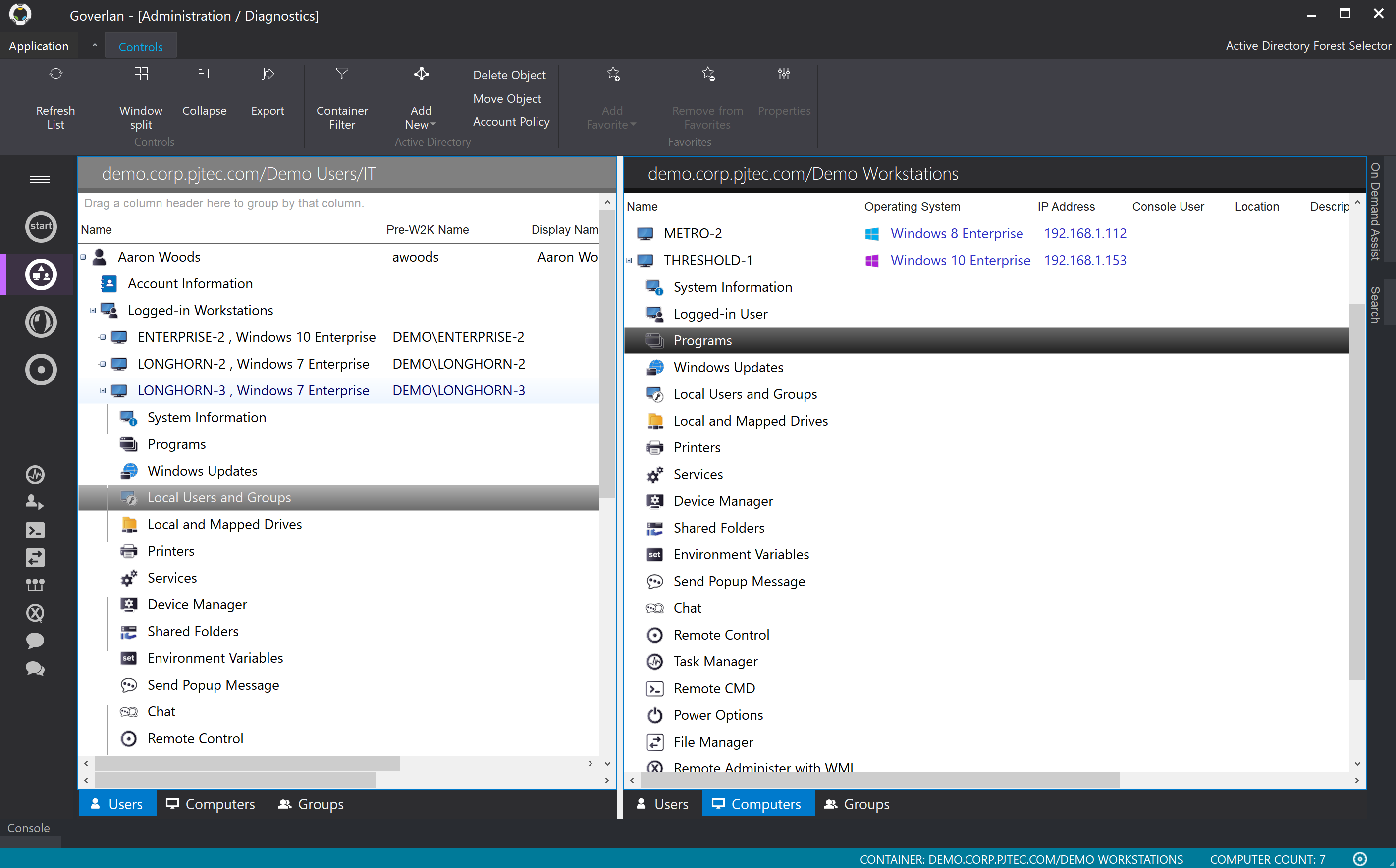
Goverlan Reach Screenshots

Screenshot of Real-time user and machine management and supportScreenshot of Global IT Process AutomationScreenshot of Goverlan File Manager

ManageEngine Remote Access Plus Screenshots

Screenshot of One tap access to remote computers, with over 12 diagnostic toolsScreenshot of Seamlessly control multiple monitors connected to remote computersScreenshot of Integrated tools to perform administrative tasks in just clicksScreenshot of Perceive audit-ready and real-time reports