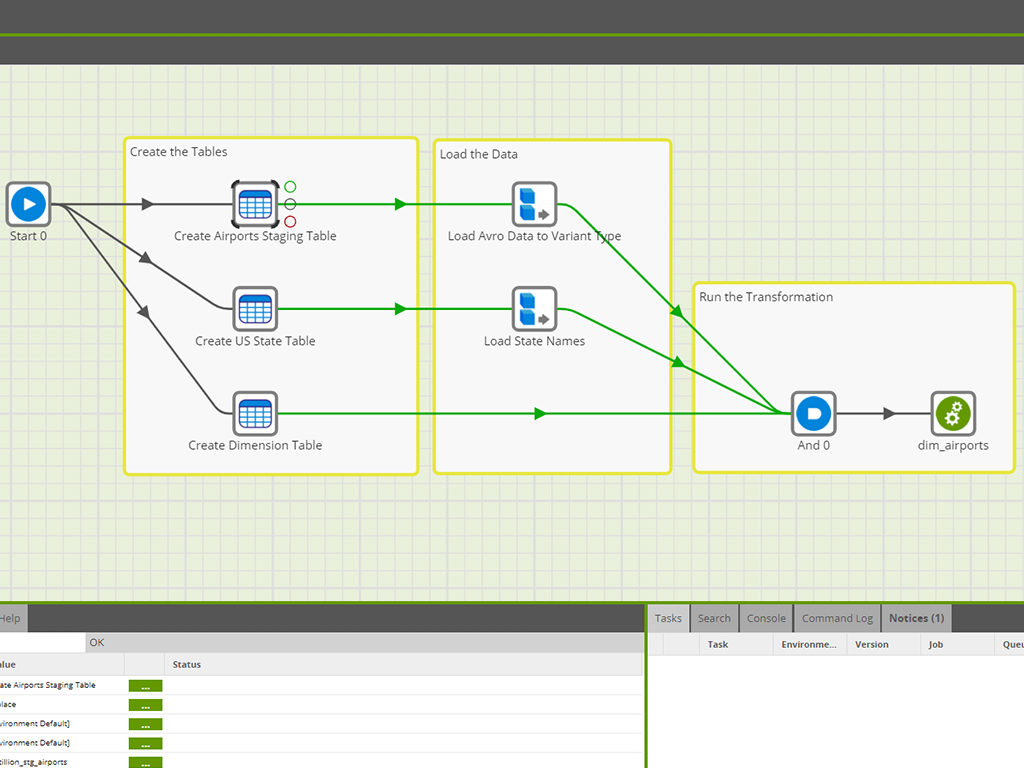
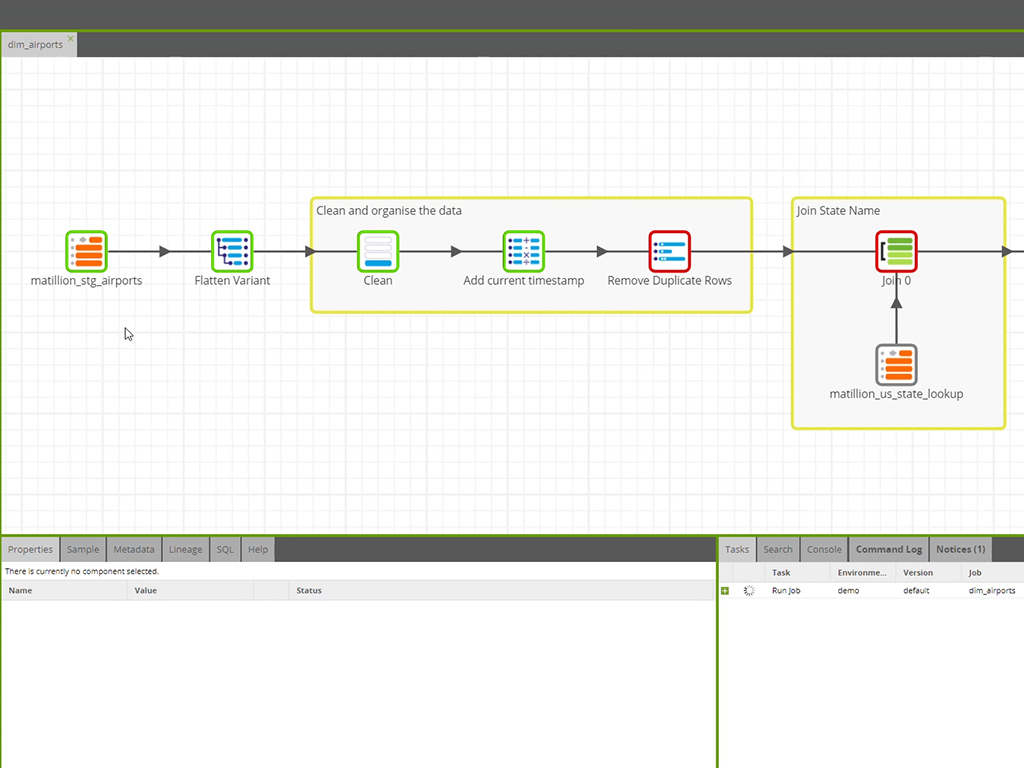
Maia by Matillion is an autonomous data engineering platform designed to automate the lifecycle of data pipelines through AI-driven orchestration. The solution functions as an enterprise "digital workforce" that translates natural language requirements into production-ready DataPipelines, leveraging a Pushdown Architecture to execute transformations natively within cloud data warehouses.
N/A
Tableau Prep
Score6.5 out of 10
N/A
Tableau Prep enables users to get to the analysis phase faster by helping them quickly combine, shape, and clean their data. According to the vendor, a direct and visual experience helps provide users with a deeper understanding of their data, smart features make data preparation simple, and integration with the Tableau analytical workflow allows for faster speed to insight. Tableau Prep allows users to connect to data on-premises or in the cloud, whether it’s a database or a…
$15
per month billed annually per user
Pricing
Maia by Matillion
Tableau Prep
Editions & Modules
No answers on this topic
Viewer
$15
per month billed annually per user
Explorer
$42
per month billed annually per user
Creator
$70
per month billed annually per user
Offerings
Pricing Offerings
Maia by Matillion
Tableau Prep
Free Trial
Yes
No
Free/Freemium Version
No
No
Premium Consulting/Integration Services
Yes
No
Entry-level Setup Fee
No setup fee
No setup fee
Additional Details
Billed directly via cloud marketplace on an hourly basis, with annual subscriptions available depending on the customer's cloud data warehouse provider.
A de minimis incentive was given to thank the reviewer for their time. The incentive was not used to bias or drive a particular response, nor was the incentive contingent on a positive endorsement. More Info
Great: Need to query simpler APIs, or utilize well known services such as GSheets etc.? Matillion has got some of the best and easiest to use connectors out there. Not so great: Do you need have a competent CI/CD flow that you will be able to update / compare from Matillion as well as other sources at the same time? Good luck, you will need to be extra careful, as you might have to have a deeper dive into your servers Terminal each time you have a git conflict.
A de minimis incentive was given to thank the reviewer for their time. The incentive was not used to bias or drive a particular response, nor was the incentive contingent on a positive endorsement. TR verified that a representative sample of customers was invited. More Info
If your data sets are coming in without much stewardship then Tableau Prep can help to clean the data before you start trying to create visualizations for your end users. You will save a lot of time this way - rather than seeing problems once you are creating dashboards. If you don't have large data sets or your data is relatively simple, then Tableau Prep may not be needed.
A de minimis incentive was given to thank the reviewer for their time. The incentive was not used to bias or drive a particular response, nor was the incentive contingent on a positive endorsement. More Info
A de minimis incentive was given to thank the reviewer for their time. The incentive was not used to bias or drive a particular response, nor was the incentive contingent on a positive endorsement. TR verified that a representative sample of customers was invited. More Info
A de minimis incentive was given to thank the reviewer for their time. The incentive was not used to bias or drive a particular response, nor was the incentive contingent on a positive endorsement. More Info
Matillion is brilliant at importing data -- it would be amazing to have more ways to export data, from emailed exports to API pushes.
Any Python that takes more than a few lines of code requires an external server to run it. It would be great to have more integration (perhaps in a connected virtual environment) to easily integrate customized code.
Troubleshooting server logs requires quite a bit of technical expertise. More human readable detailed error handling would be greatly appreciated.
A de minimis incentive was given to thank the reviewer for their time. The incentive was not used to bias or drive a particular response, nor was the incentive contingent on a positive endorsement. TR verified that a representative sample of customers was invited. More Info
A de minimis incentive was given to thank the reviewer for their time. The incentive was not used to bias or drive a particular response, nor was the incentive contingent on a positive endorsement. More Info
With the current experience of Matillion, we are likely to renew with the current feature option but will also look for improvement in various areas including scalability and dependability. 1. Connectors: It offers various connectors option but isn't full proof which we will be looking forward as we grow. 2. Scalability: As usage increase, we want Matillion system to be more stable.
A de minimis incentive was given to thank the reviewer for their time. The incentive was not used to bias or drive a particular response, nor was the incentive contingent on a positive endorsement. More Info
A de minimis incentive was given to thank the reviewer for their time. The incentive was not used to bias or drive a particular response, nor was the incentive contingent on a positive endorsement. More Info
We are able to bring on new resources and teach them how to use Matillion without having to invest a significant amount of time. We prefer looking for resources with any type of ETL skill-set and feel that they can learn Matillion without problem. In addition, the prebuilt objects cover more than 95% of our use cases and we do not have to build much from scratch.
A de minimis incentive was given to thank the reviewer for their time. The incentive was not used to bias or drive a particular response, nor was the incentive contingent on a positive endorsement. More Info
Overall, I've found Matillion to be responsive and considerate. I feel like they value us as a customer even when I know they have customers who spend more on the product than we do. That speaks to a motive higher than money. They want to make a good product and a good experience for their customers. If I have any complaint, it's that support sometimes feels community-oriented. It isn't always immediately clear to me that my support requests are going to a support engineer and not to the community at large. Usually, though, after a bit of conversation, it's clear that Matillion is watching and responding. And responses are generally quick in coming.
A de minimis incentive was given to thank the reviewer for their time. The incentive was not used to bias or drive a particular response, nor was the incentive contingent on a positive endorsement. More Info
I have not really had to reach out for any kind of customer support for Tableau Prep, so I can't really say. However, the support that Tableau has given for their other products has been great, so I would assume it would be the same here. They are also constantly adding new features and providing software updates, and that is always a plus.
A de minimis incentive was given to thank the reviewer for their time. The incentive was not used to bias or drive a particular response, nor was the incentive contingent on a positive endorsement. More Info
A de minimis incentive was given to thank the reviewer for their time. The incentive was not used to bias or drive a particular response, nor was the incentive contingent on a positive endorsement. More Info
Live connections to cloud services (Google Sheets for example) and cloud hosted databases (cloud hosted SIS for example) for scheduled flows are not supported
A de minimis incentive was given to thank the reviewer for their time. The incentive was not used to bias or drive a particular response, nor was the incentive contingent on a positive endorsement. More Info
Fivetran offers a managed service and pre-configured schemas/models for data loading, which means much less administrative work for initial setup and ongoing maintenance. But it comes at a much higher price tag. So, knowing where your sweet spot is in the build vs. buy spectrum is essential to deciding which tool fits better. For the transformation part, dbt is purely (SQL-) code-based. So, it is mainly whether your developers prefer a GUI or code-based approach.
A de minimis incentive was given to thank the reviewer for their time. The incentive was not used to bias or drive a particular response, nor was the incentive contingent on a positive endorsement. TR verified that a representative sample of customers was invited. More Info
Before Prep, we had to do all the data joining and connecting in a Tableau Workbook. Not only did this cause workbooks connected with live data to run frustratingly slowly, a new connection and set-up had to be established every time a new workbook as created, even if you were working with the same data. The extracts produced by Prep allow several workbooks to be working from the same data set-up without any additional work, saving time and stress.
A de minimis incentive was given to thank the reviewer for their time. The incentive was not used to bias or drive a particular response, nor was the incentive contingent on a positive endorsement. More Info
We're using Matillion on EC2 instances, and we have about 20 projects for our clients in the same instance. Sometimes, we're struggling to manage schedules for all projects because thread management is not visible, and we can't see the process at the instance level.
A de minimis incentive was given to thank the reviewer for their time. The incentive was not used to bias or drive a particular response, nor was the incentive contingent on a positive endorsement. More Info
A de minimis incentive was given to thank the reviewer for their time. The incentive was not used to bias or drive a particular response, nor was the incentive contingent on a positive endorsement. TR verified that a representative sample of customers was invited. More Info
A de minimis incentive was given to thank the reviewer for their time. The incentive was not used to bias or drive a particular response, nor was the incentive contingent on a positive endorsement. More Info