Edgar is a social media management solution from Roeder Studios built primarily to provide users with optimized post scheduling to maximize post visibility across social media channels.
$24.91
per month
Sendible
Score7.2 out of 10
N/A
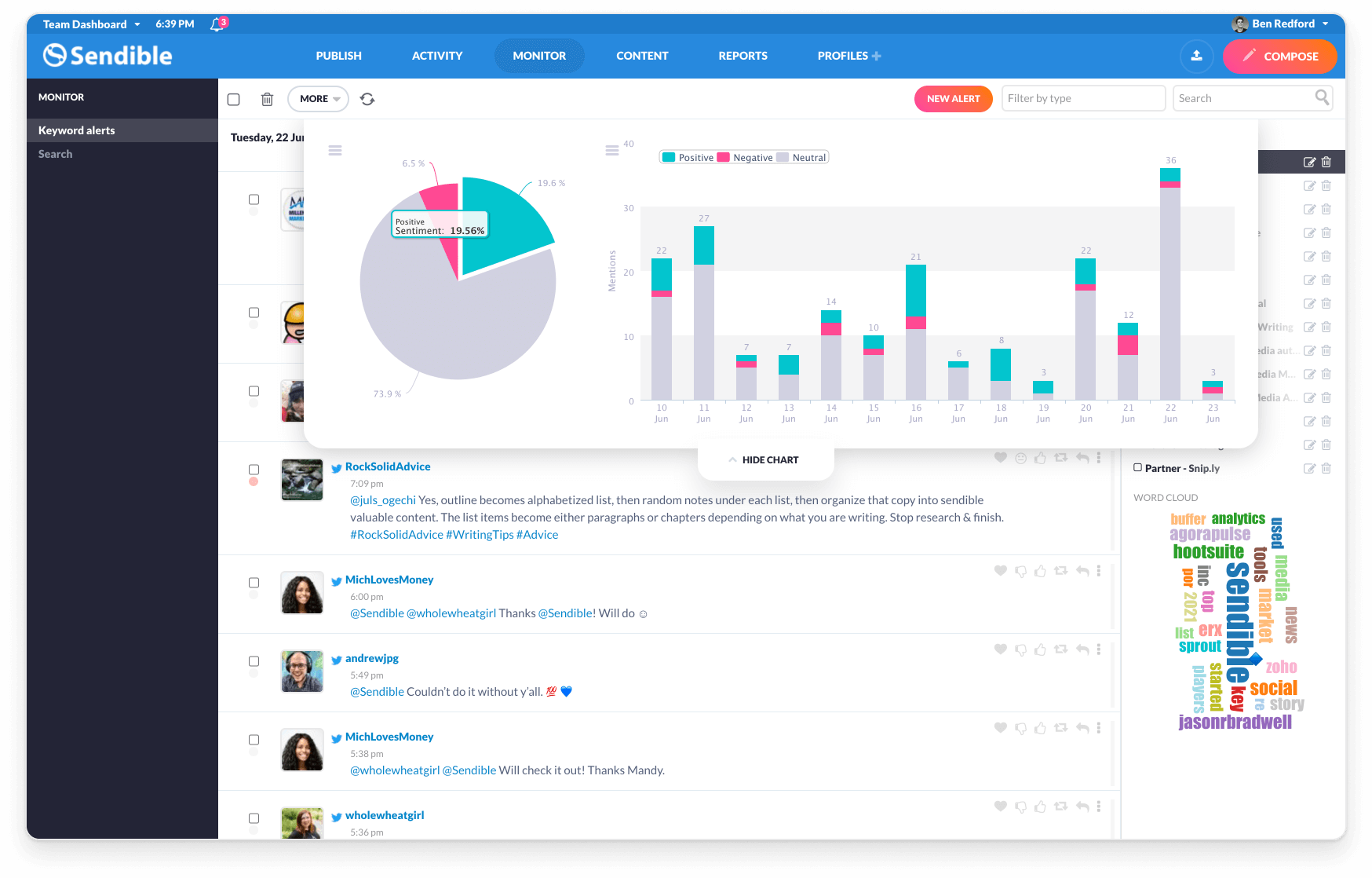
Sendible is a social media marketing platform that allows users to engage with their audience and track results across multiple social media channels at any time.
$29
per month 1 user and 6 profiles
Pricing
MeetEdgar
Sendible
Editions & Modules
Eddie Annual Plan
$24.91
per month
Eddie Monthly Plan
$29.99
per month
Edgar Annual Plan
$41.58
per month
Edgar Monthly Plan
$49.99
per month
Creator
$29
per month 1 user and 6 profiles
Traction
$89
per month 4 users and 24 profiles
Scale
$199
per month 7 users and 49 profiles
Advanced
$299
per month 20 users and 100 profiles
Enterprise
$750
per month 80 users and 400 profiles
Offerings
Pricing Offerings
MeetEdgar
Sendible
Free Trial
Yes
Yes
Free/Freemium Version
No
No
Premium Consulting/Integration Services
No
No
Entry-level Setup Fee
No setup fee
No setup fee
Additional Details
—
15% discount if paying annually.
15% monthly discount or 25% annual discount offered to non-profits.
Founder and Chief Editor in Social Media at Social Positives (Internet, 1-10 employees)
Chose Sendible
We have used Hootsuite since 2013, but their pricing is high and we can't afford that since we are a small team. Then we tried Buffer, but Buffer is limiting the number of social media platforms that you can manage. Buffer doesn't have a lot of functions and their analytics …
A de minimis incentive was given to thank the reviewer for their time. The incentive was not used to bias or drive a particular response, nor was the incentive contingent on a positive endorsement. More Info
Edgar works best if you already have enough (or plan on keep adding more) evergreen content to avoid too much repetition. This will of course be dependent on the frequency of your schedule as well as how refined your categories are.
Edgar works for Facebook, Twitter, and LinkedIn currently, and it doesn't seem like they will be adding more networks in the near future.
A de minimis incentive was given to thank the reviewer for their time. The incentive was not used to bias or drive a particular response, nor was the incentive contingent on a positive endorsement. More Info
I have a fairly straightforward use case for Sendible and it meets almost all of my needs. If you are a small company that needs a collaborative solution to social media content creation, and likely has a small team (or no team) to manage social media postings, I think Sendible is likely a great tool to schedule posts and largely automate social media marketing. A larger company or more involved marketing team could still use Sendible to schedule and collaborate on posts. However, there may be additional features they may want or need (like the ability to promote posts) that may not be available with Sendible.
A de minimis incentive was given to thank the reviewer for their time. The incentive was not used to bias or drive a particular response, nor was the incentive contingent on a positive endorsement. More Info
A de minimis incentive was given to thank the reviewer for their time. The incentive was not used to bias or drive a particular response, nor was the incentive contingent on a positive endorsement. More Info
Easy to schedule and post to all of your social media platforms.
Customer support is very accommodating and always there to help. I have never had an issue with reaching someone whether it was for a quick question or to demo other features.
They have an awesome affiliate program (example: I earned over $600 from one company clicking through an signing up from my affiliate link - yay!)
Compared to other social media platforms, Sendible has been the most robust with features and ease of use.
They are always making advances and upgrades to their service offerings to better meet the needs of their customers.
A de minimis incentive was given to thank the reviewer for their time. The incentive was not used to bias or drive a particular response, nor was the incentive contingent on a positive endorsement. More Info
Inbox. The inbox of incoming messages/posts is very clunky. Threads are separated into individual messages, making it difficult to follow conversations.
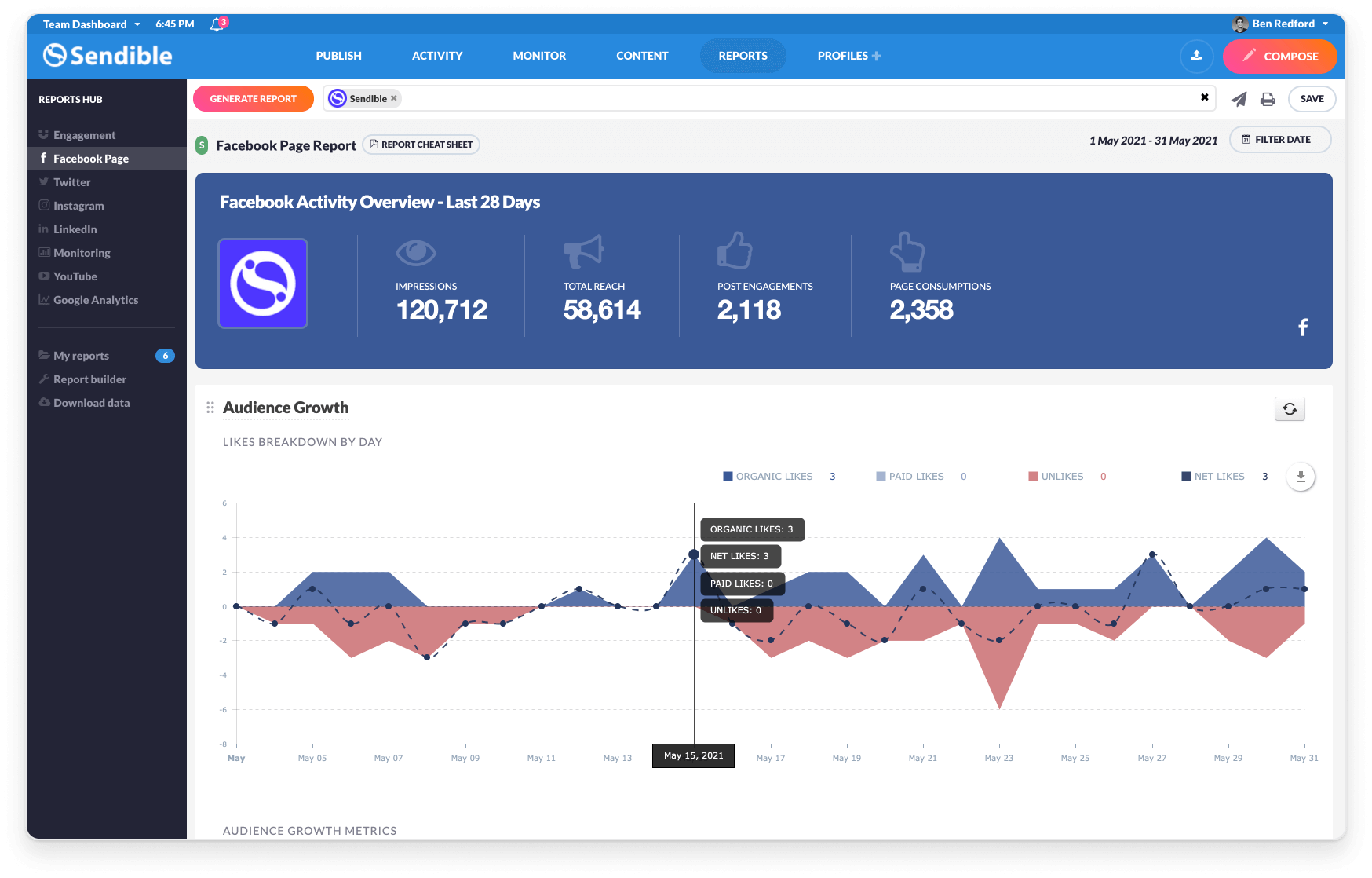
Reporting. The included reporting features are limited and don't allow for enough customization to be worth using.
Hashtags. When discussing the 10 most common mistakes (or whatever the title might be), we are unable to say "You won't believe #3" because the system reads this as a hashtag to link rather than just a number. It adds on editing time when approving posts.
Default settings. As a Social Media Manager, it is annoying to have myself set as default when looking at the content calendar. I don't write the posts, just approved and schedule them, so manually entering in my writers' names in the filters could be made easier by making this an editable feature.
Instagram. You cannot post multiple images in a single Instagram post from Sendible.
Service Lists. They are supposed to be helpful in grouping your services (we do this by brand), however, these lists don't pull the information you put on individual services. So if I have a list with Facebook, Instagram, and Pinterest for Brand A, you can't just add the Brand A Service List filter onto the calendar and see all of those posts that are scheduled. They don't seem to have much purpose at all.
A de minimis incentive was given to thank the reviewer for their time. The incentive was not used to bias or drive a particular response, nor was the incentive contingent on a positive endorsement. More Info
If I am given a larger budget to work with then I'd like a program that tracks and collects my PR hits, as well as sends me important info to respond to. I realy like the way New Brand Analytics tracks my Trip Advisor,etc ratings
A de minimis incentive was given to thank the reviewer for their time. The incentive was not used to bias or drive a particular response, nor was the incentive contingent on a positive endorsement. More Info
Sendible is 100% web based so managing social media platforms can be done from anywhere with internet connectivity. During registration, Sendible takes its users on a tour of its main features. The sleek design was engineered by professionals who have great interest in social media marketing. There is ample support in case users get lost and there is no learning curve.
A de minimis incentive was given to thank the reviewer for their time. The incentive was not used to bias or drive a particular response, nor was the incentive contingent on a positive endorsement. More Info
Sendible has a great resource center which I have used multiple times throughout my year using the platform. There are plenty of troubleshooting articles and guides that make it easy to uncover the root of any small issues I may have.
A de minimis incentive was given to thank the reviewer for their time. The incentive was not used to bias or drive a particular response, nor was the incentive contingent on a positive endorsement. More Info
In terms of evergreen content promotion, Buffer and AgoraPulse offer very basic functionalities in this regard. We were looking for something that would enable us to categorize our evergreen content and Edgar is the only product on the market then that does this. We no longer need to manually re-post anything and only need to focus on content-creation. It is worth noting that we are still using Buffer in conjunction with MeetEdgar, where the former takes care of our new content while the latter will continually share the best content of the bunch.
A de minimis incentive was given to thank the reviewer for their time. The incentive was not used to bias or drive a particular response, nor was the incentive contingent on a positive endorsement. More Info
While lacking in some features compared to those big alternatives, Sendible doesn't stop releasing new features every few months and doesn't cost nearly as much monthly as they do for the amount of profiles they allow to manage. Overall I'd say it's a solid competitor if they keep the updates coming and optimize the platform a little
A de minimis incentive was given to thank the reviewer for their time. The incentive was not used to bias or drive a particular response, nor was the incentive contingent on a positive endorsement. More Info
Takes out so much of the guesswork of posting at the best times. It uses the best general times and then uses your own post data to adjust to optimal times specifically for your business.
Measures engagement on your posts so that you know what content is the most effective
Helps me track my measurement goals through reporting.
A de minimis incentive was given to thank the reviewer for their time. The incentive was not used to bias or drive a particular response, nor was the incentive contingent on a positive endorsement. More Info
A de minimis incentive was given to thank the reviewer for their time. The incentive was not used to bias or drive a particular response, nor was the incentive contingent on a positive endorsement. More Info