TrustRadius: an HG Insights company

Save this comparison

Save this comparison

Add Product

Recommended Comparisons

    Overview
    ProductRatingMost Used ByProduct SummaryStarting Price

    Microsoft Power BI Embedded

    Score8 out of 10
    N/AA solution from Microsoft to provide customer-facing reports, dashboards, and analytics in applications by using and branding Power BI as one's own. Designed to reduce developer resources by automating the monitoring, management, and deployment of analytics, while getting full control of Power BI features and intelligent analytics.N/A

    SAP Crystal

    Score7.1 out of 10
    N/ASAP Crystal is an analytics and reporting software solution for SMBs. SAP Crystal comprises Crystal Reports for pixel-perfect reporting, and SAP Crystal Server for automated distribution and self-service access to reports, dashboards and data exploration.

    $295

    per single user license

    Pricing
    Microsoft Power BI EmbeddedSAP Crystal
    Editions & Modules
    No answers on this topic
    Upgrade Version to SAP Crystal Reports 2020
    $295
    per single user license
    SAP Crystal Reports 2020 64-Bit
    $495
    per single user license
    SAP Crystal Reports 2016 32-Bit
    $495
    per single user license
    SAP Crystal Server 2020 1 NUL
    $869
    per user license + first year maintenance to be added
    SAP Crystal Server 2020 5 CAL
    $8,744
    5 concurrent users + first year maintenance to be added
    Offerings
    Pricing Offerings
    Microsoft Power BI EmbeddedSAP Crystal
    Free Trial
    NoYes
    Free/Freemium Version
    NoYes
    Premium Consulting/Integration Services
    NoYes
    Entry-level Setup FeeNo setup feeOptional
    Additional Details* SAP Crystal Reports 2020 Viewer allows you to view static data within a SAP Crystal Reports file. * SAP Crystal Reports 2020 - Full version allows you to create powerful, richly formatted, and dynamic reports from virtually any data source, delivered in dozens of formats, in up to 28 languages. If you already have an older version of Crystal Reports, buy a license for SAP Crystal Reports 2020 - Upgrade at a discounted, upgrade price. * SAP Crystal Server 2020, 1 NUL includes 1 license of: SAP Crystal Reports 2020 - SAP Crystal Server 2020. * As an add-on to SAP Crystal Server 2020 1 NUL, SAP Crystal Server 2020 5 CAL allows you to support a wider, intermittent audience of end users, up to five logged on at the same time.
    More Pricing Information
    Community Pulse
    Microsoft Power BI EmbeddedSAP Crystal
    Considered Both Products
    Microsoft
    No answer on this topic
    SAP
    No answer on this topic
    Key User Insights
    Would buy again
    100%
    Would buy again
    13 Answers
    91%
    Would buy again
    10 Answers
    Delivers good value for the price
    92%
    Delivers good value for the price
    11 Answers
    100%
    Delivers good value for the price
    10 Answers
    Happy with the feature set
    92%
    Happy with the feature set
    12 Answers
    100%
    Happy with the feature set
    11 Answers
    Lived up to sales and marketing promises
    100%
    Lived up to sales and marketing promises
    6 Answers
    100%
    Lived up to sales and marketing promises
    6 Answers
    Implementation went as expected
    100%
    Implementation went as expected
    8 Answers
    90%
    Implementation went as expected
    9 Answers
    Features
    Microsoft Power BI EmbeddedSAP Crystal
    BI Standard Reporting
    Comparison of BI Standard Reporting features of Microsoft Power BI Embedded and SAP Crystal
    Feature
    Microsoft Power BI Embedded
    7.5
    2 Ratings
    4% above category average
    SAP Crystal
    7.7
    124 Ratings
    6% below category average
    Pixel Perfect reports6.52 Ratings8.0113 Ratings
    Customizable dashboards8.02 Ratings6.8100 Ratings
    Report Formatting Templates8.02 Ratings8.4117 Ratings
    Ad-hoc Reporting
    Comparison of Ad-hoc Reporting features of Microsoft Power BI Embedded and SAP Crystal
    Feature
    Microsoft Power BI Embedded
    7.3
    1 Ratings
    7% below category average
    SAP Crystal
    8.3
    136 Ratings
    3% above category average
    Drill-down analysis7.01 Ratings9.0117 Ratings
    Formatting capabilities6.01 Ratings8.8135 Ratings
    Report sharing and collaboration9.01 Ratings8.6120 Ratings
    Integration with R or other statistical packages00 Ratings6.964 Ratings
    Data Discovery and Visualization
    Comparison of Data Discovery and Visualization features of Microsoft Power BI Embedded and SAP Crystal
    Feature
    Microsoft Power BI Embedded
    9.0
    1 Ratings
    15% above category average
    SAP Crystal
    7.6
    89 Ratings
    5% below category average
    Pre-built visualization formats (heatmaps, scatter plots etc.)10.01 Ratings7.650 Ratings
    Location Analytics / Geographic Visualization8.01 Ratings7.576 Ratings
    Predictive Analytics00 Ratings7.841 Ratings
    Access Control and Security
    Comparison of Access Control and Security features of Microsoft Power BI Embedded and SAP Crystal
    Feature
    Microsoft Power BI Embedded
    8.0
    1 Ratings
    5% above category average
    SAP Crystal
    8.5
    88 Ratings
    0% above category average
    Multi-User Support (named login)7.01 Ratings8.481 Ratings
    Role-Based Security Model7.01 Ratings8.480 Ratings
    Single Sign-On (SSO)10.01 Ratings8.940 Ratings
    Multiple Access Permission Levels (Create, Read, Delete)00 Ratings8.480 Ratings
    Report-Level Access Control00 Ratings8.43 Ratings
    Application Program Interfaces (APIs) / Embedding
    Comparison of Application Program Interfaces (APIs) / Embedding features of Microsoft Power BI Embedded and SAP Crystal
    Feature
    Microsoft Power BI Embedded
    7.0
    1 Ratings
    3% below category average
    SAP Crystal
    7.8
    45 Ratings
    1% above category average
    REST API8.01 Ratings7.48 Ratings
    Javascript API8.01 Ratings8.437 Ratings
    iFrames8.01 Ratings7.18 Ratings
    Java API8.01 Ratings8.437 Ratings
    Customizable Platform (Open Source)3.01 Ratings8.433 Ratings
    Themeable User Interface (UI)00 Ratings7.439 Ratings
    Report Output and Scheduling
    Comparison of Report Output and Scheduling features of Microsoft Power BI Embedded and SAP Crystal
    Feature
    Microsoft Power BI Embedded
    -
    Ratings
    SAP Crystal
    8.7
    136 Ratings
    6% above category average
    Publish to Web00 Ratings9.191 Ratings
    Publish to PDF00 Ratings9.4133 Ratings
    Report Versioning00 Ratings7.994 Ratings
    Report Delivery Scheduling00 Ratings8.997 Ratings
    Delivery to Remote Servers00 Ratings8.454 Ratings
    Mobile Capabilities
    Comparison of Mobile Capabilities features of Microsoft Power BI Embedded and SAP Crystal
    Feature
    Microsoft Power BI Embedded
    -
    Ratings
    SAP Crystal
    6.6
    65 Ratings
    16% below category average
    Responsive Design for Web Access00 Ratings6.163 Ratings
    Mobile Application00 Ratings5.946 Ratings
    Dashboard / Report / Visualization Interactivity on Mobile00 Ratings6.060 Ratings
    Best Alternatives
    Microsoft Power BI EmbeddedSAP Crystal
    Small Businesses
    GoodData.AI
    Score8.8 out of 10
    Cyfe
    Score4 out of 10
    Medium-sized Companies
    Reveal
    Score10 out of 10
    Qlik Cloud Analytics (Qlik Sense)
    Score8.2 out of 10
    Enterprises
    GoodData.AI
    Score8.8 out of 10
    Jaspersoft Community Edition
    Score7 out of 10
    All AlternativesView all alternativesView all alternatives
    User Ratings
    Microsoft Power BI EmbeddedSAP Crystal
    Likelihood to Recommend
    8.0
    (13 ratings)
    6.8
    (159 ratings)
    Likelihood to Renew
    -
    (0 ratings)
    10.0
    (19 ratings)
    Usability
    6.0
    (2 ratings)
    7.1
    (31 ratings)
    Availability
    -
    (0 ratings)
    8.0
    (1 ratings)
    Performance
    -
    (0 ratings)
    8.0
    (1 ratings)
    Support Rating
    -
    (0 ratings)
    8.6
    (21 ratings)
    In-Person Training
    -
    (0 ratings)
    10.0
    (1 ratings)
    Implementation Rating
    -
    (0 ratings)
    8.8
    (14 ratings)
    Configurability
    -
    (0 ratings)
    8.0
    (1 ratings)
    Data Sharing and Collaboration
    -
    (0 ratings)
    8.8
    (124 ratings)
    Data Sources
    -
    (0 ratings)
    9.2
    (129 ratings)
    Ease of integration
    -
    (0 ratings)
    7.0
    (1 ratings)
    Product Scalability
    -
    (0 ratings)
    7.0
    (1 ratings)
    Vendor post-sale
    -
    (0 ratings)
    8.0
    (1 ratings)
    Vendor pre-sale
    -
    (0 ratings)
    7.0
    (1 ratings)
    User Testimonials
    Microsoft Power BI EmbeddedSAP Crystal
    Likelihood to Recommend
    Microsoft
    This product is very convenient to use and implement and is considered a "de facto" standard in the Business Intelligence sphere. First of all, it contains numerous features in terms of visualization, data provisioning, data source integration which makes it a perfect tool for the development of BI analytics. Secondly, it provides great capabilities for the development of data markets for the whole development team. Thirdly, the sharing capabilities of dashboards that are updated in a real-time manner provides great incentives for end-users
    Read full review
    SAP
    Generation of templated reports is the strong suit of SAP Crystal. Allows users to change formats in templates bases on requirement with minimal effort. Automated report delivery requires the user to be aware of sql which cannot be expected from all users. Should support more document export formats and improve the UI for SAP B1 Users
    Incentivized
    Read full review
    Pros
    Microsoft
    • It is very easy to connect multiple data sources for a single report. You can use CSV, Excel, database integration, etc.
    • Power Bi supports Python as well, which makes it a lot easier for us as it is known by most of our team.
    Incentivized
    Read full review
    SAP
    • Crystal Reports allows us to create a consistent template for all of our reports.
    • Crystal Reports and Server allows us to house a repository for all of our reports to make them easy to find and update when necessary.
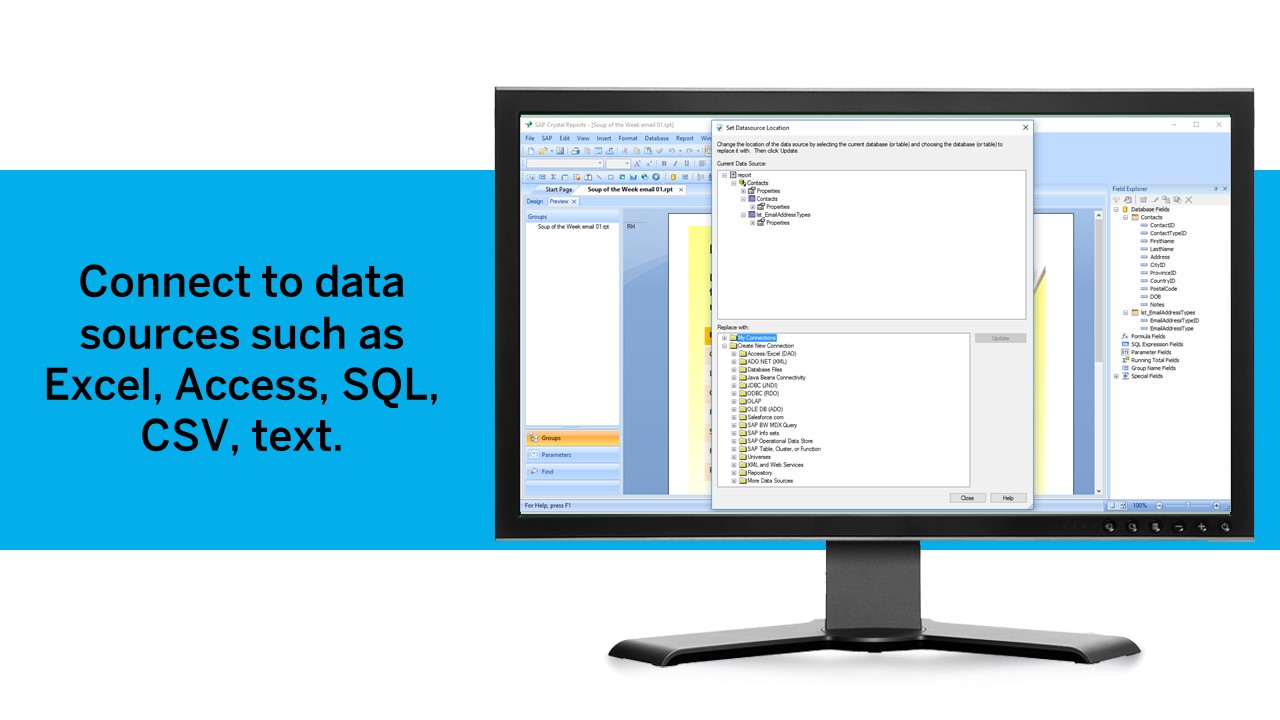
    • Crystal Reports can connect to a wide variety of data sources.
    • Crystal Reports can be a little daunting when first implementing. There are a lot of nuances in learning how to truly master this software and it can be frustrating at times.
    Incentivized
    Read full review
    Cons
    Microsoft
    • Similar to how Excel has VBA, Microsoft Power BI uses PowerQuery (M/DAX). Though DAX is similar to Excel in terms of how it is written, I just think it's something that would be difficult for new users to figure out.
    • Something I would like to see done differently in Microsoft Power BI is the ability to have presets for sorting/arranging of visualizations. Though it is nice to arrange the dashboard freely, it would also be nice to have preset arrangements based on visualizations (for those of us bad at making dashboards look appealing).
    • With Microsoft Power BI, it is hard to show others your dashboard using the free platform (unless you show them from your computer/account). This can cause issues if your firm is trialing Microsoft Power BI before purchase.
    Incentivized
    Read full review
    SAP
    • The export of reports to Excel is very cumbersome and the results are difficult to format.
    • The design of reports and the graphical features (e.g. charts) feel quite rigid.
    • The learning curve for a non-programmer is incredibly steep, making Crystal a specialty tool.
    Incentivized
    Read full review
    Likelihood to Renew
    Microsoft
    No answers on this topic
    SAP
    We have been using this product for so many years and it has truly become a cornerstone to our business processes when it comes to developing and distributing information via reports. We currently have over 500 reports developed to date over about 30 systems and that will continue to grow as user needs change.
    Read full review
    Usability
    Microsoft
    It's easy to use for what is presented in the reports that have been developed and presented. It's not so easy to customize those reports, "make them your own" and save them for later reuse.
    Incentivized
    Read full review
    SAP
    Crystal is very robust, but not always easy to use. It create wonderful looking reports, and so deserves a high rating. However, I have to take a couple of points off for the simple fact that I cannot hand it to a user and expect them to be able to do development with it.
    Incentivized
    Read full review
    Support Rating
    Microsoft
    No answers on this topic
    SAP
    The support community can be difficult to navigate. I've also run into issues with my login. The SAP system has a bizarre mechanism for validating users that requires users to have what is called an S-ID. A basic ID may not give you access to all the features in the portal. The limitation may include not being able to perform a simple task like downloading patches and updates. This isn't a big deal for single user license but for teams it can be a pain.
    Incentivized
    Read full review
    In-Person Training
    Microsoft
    No answers on this topic
    SAP
    Trainer was patient and thorough in going through the basics and willing to answer questions by email after the initial training
    Incentivized
    Read full review
    Implementation Rating
    Microsoft
    No answers on this topic
    SAP
    Just like any other implementation: When designing the differing reports, get end users' input, make sure to design the reports so that they display the information that the company requires, in the best and clearest way possible.
    Test, test, test, revise when needed, and, particularly, do sufficient training so users are comfortable using Crystal Reports!
    Incentivized
    Read full review
    Alternatives Considered
    Microsoft
    I haven’t used any other software that can be compared to this and that is a good thing as this means that this software is the best one on the market. Tough other apps may exist we only use Microsoft Power BI because it is simply the best app out there.
    Incentivized
    Read full review
    SAP
    Crystal reports is useful in case we want to import data from data base . We can write queries in it but Google Charts require to be implemented in our application using code so crystal reports is better than Google Charts.
    Incentivized
    Read full review
    Return on Investment
    Microsoft
    • Saved a significant amount of time for reporting current rollout status to project stakeholders
    • Project stakeholders were able to view the live dashboards at any time so felt they had a better understanding of the rollout status
    • Project stakeholders found it beneficial that they were able to set their own filters. For example, to view rollout status for their own departments.
    Incentivized
    Read full review
    SAP
    • It is a decent buy for specific departments in terms of reporting capabilities but updates and cost (frequent) demands are higher with the benefits offered.
    • So long as the requirements are not ever changing, with scheduling functionality, it's a handsome tool.
    Incentivized
    Read full review
    ScreenShots

    SAP Crystal Screenshots

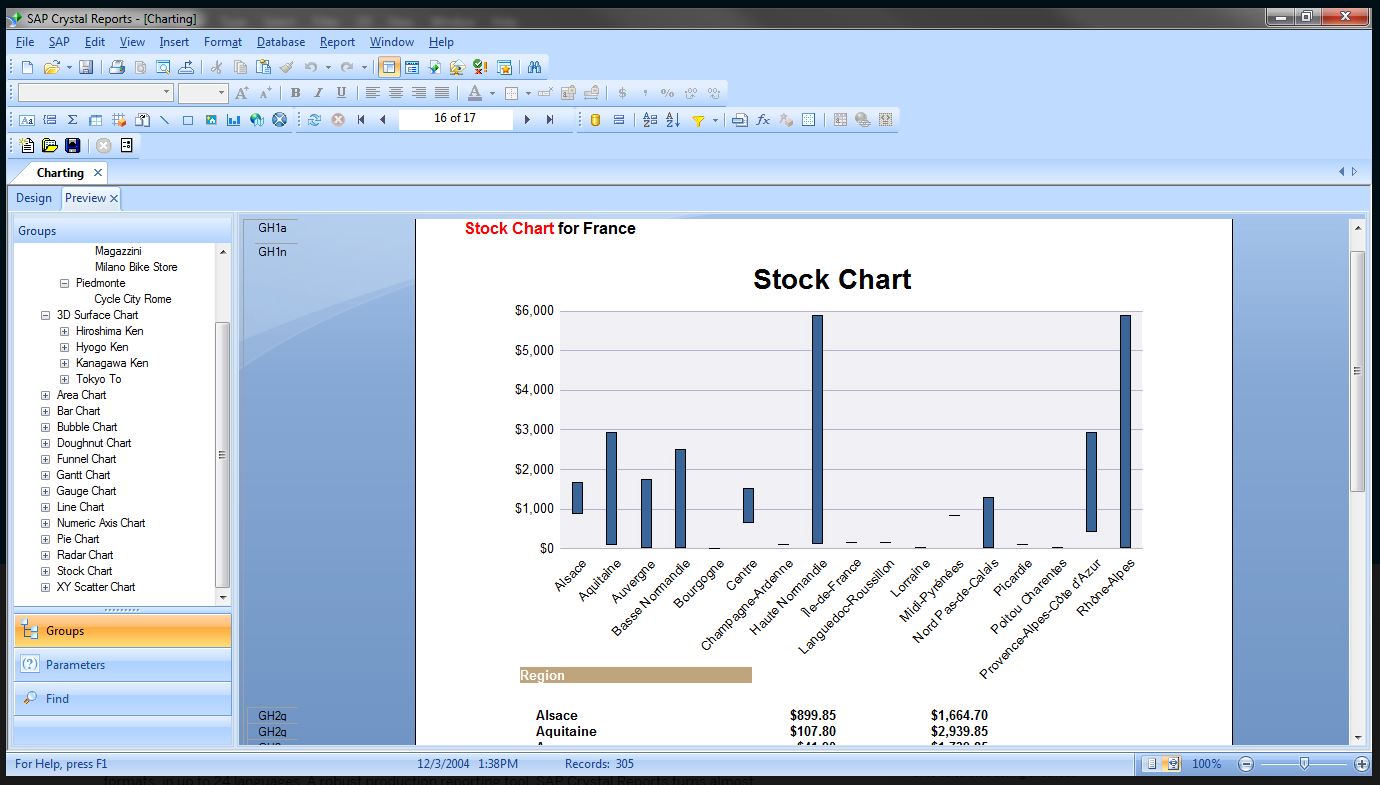
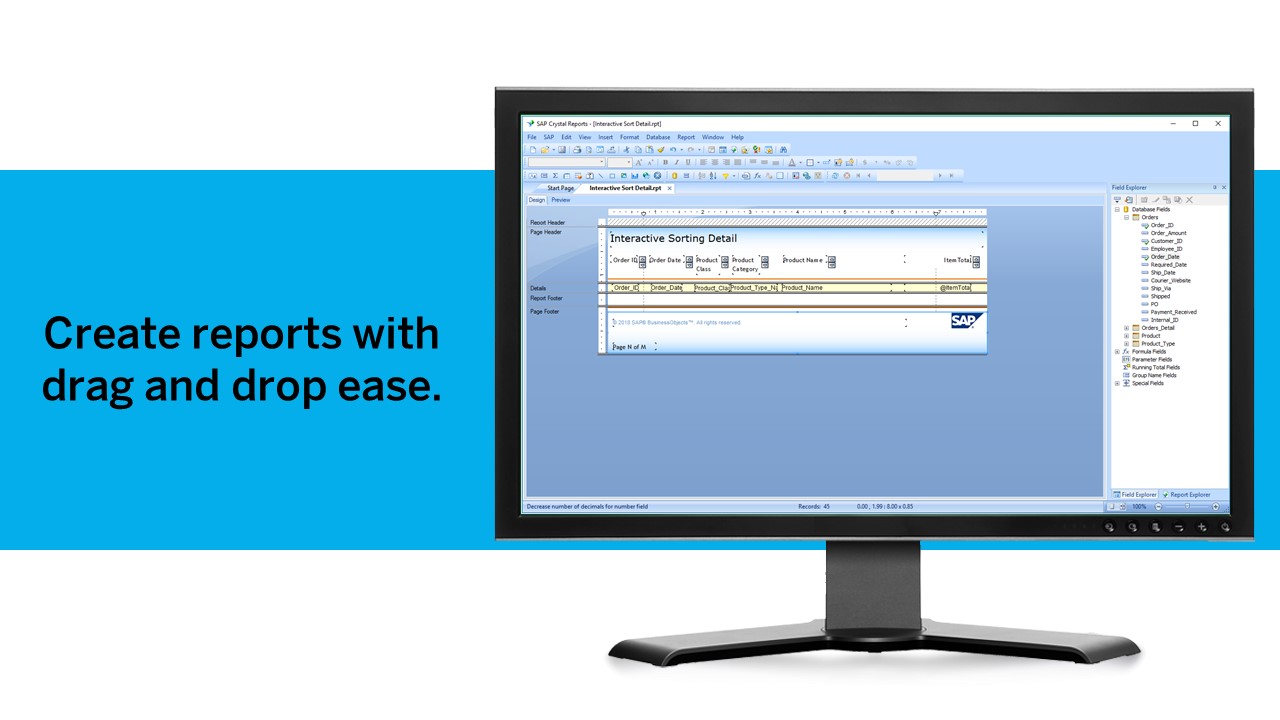
    Screenshot of Pixel-perfect reporting solutionScreenshot of Refresh with a clickScreenshot of Build pixel-perfect documentsScreenshot of Connect to all data sourcesScreenshot of Use drag and dropScreenshot of Build interactive reports