TrustRadius: an HG Insights company

Movavi Screen Recorder vs. Socialtext (discontinued) vs. UiPath Task Capture

Save this comparison

Save this comparison

Add Product

Recommended Comparisons

    Overview
    ProductRatingMost Used ByProduct SummaryStarting Price

    Movavi Screen Recorder

    Score7 out of 10
    Small Businesses (1-50 employees)
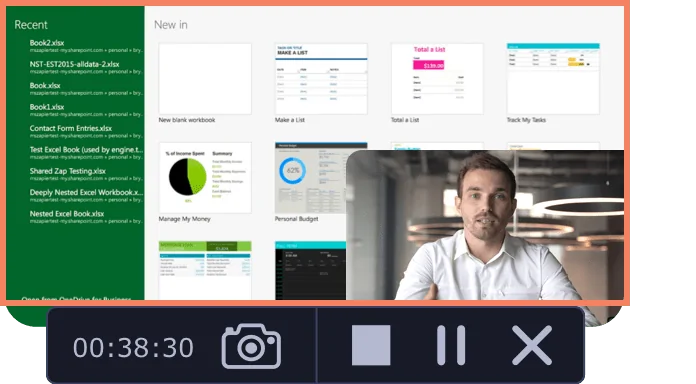
    Movavi Screen Recorder lets the user grab any screen video, audio, system sounds and web-cam from a computer with a single button click. Capture webinars, live streams, Skype chats, and anything else. The user can create GIFs from movie scenes and share them with collegues. Carry Out App Reviews and Software Demos Adjust the capture area Add captions and voice-over comments with mic Split audio and video into multiple segments Do video…

    $39.95

    per user

    Socialtext (discontinued)

    Score10 out of 10
    N/ASocial Text was a tool that focused on social learning and includes Twitter-like microblogging capabilities. The product competed with MindTouch,Confluence, Jive Team Collaboration and other collaboration platforms. It was acquired by PeopleFluent in 2012 and is no longer available as a separate product, though similar capabilities are supplied by the PeopleFluent platform.

    $1

    Starting Price Per Month

    UiPath Task Capture

    Score9.9 out of 10
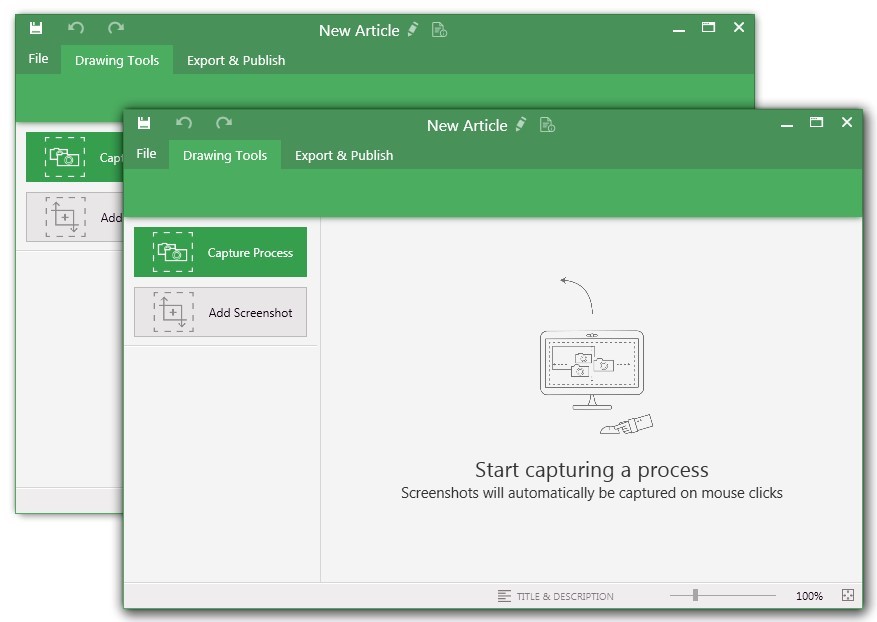
    N/AUiPath Task Capture (formerly StepShot, acquired October 2019) is a tool designed for quick and easy step-by-step documentation. During a recording mode, the software creates a separate screenshot on every click, groups them into a manual with automatically added metadata. Users can annotate captured images and structure documents in the way they want them to look.N/A
    Pricing
    Movavi Screen RecorderSocialtext (discontinued)UiPath Task Capture
    Editions & Modules
    Movavi Screen Recorder (lifetime license)
    $39.95
    per user
    Video Suite
    $79.95
    per user
    Screen Recorder + Video Editor Plus
    $99.99
    per user
    Socialtext
    $1.00
    Starting Price Per Month
    No answers on this topic
    Offerings
    Pricing Offerings
    Movavi Screen RecorderSocialtext (discontinued)UiPath Task Capture
    Free Trial
    YesNoYes
    Free/Freemium Version
    NoNoYes
    Premium Consulting/Integration Services
    NoNoYes
    Entry-level Setup FeeNo setup feeNo setup feeNo setup fee
    Additional Details——We have some discounts available all the time depending on the amount of ordered licenses.
    More Pricing Information
    Features
    Movavi Screen RecorderSocialtext (discontinued)UiPath Task Capture
    Project Management
    Comparison of Project Management features of Movavi Screen Recorder and Socialtext (discontinued) and UiPath Task Capture
    Feature
    Movavi Screen Recorder
    -
    Ratings
    Socialtext (discontinued)
    7.6
    1 Ratings
    1% below category average
    UiPath Task Capture
    -
    Ratings
    Task Management00 Ratings8.01 Ratings00 Ratings
    Gantt Charts00 Ratings7.01 Ratings00 Ratings
    Scheduling00 Ratings9.01 Ratings00 Ratings
    Workflow Automation00 Ratings8.01 Ratings00 Ratings
    Mobile Access00 Ratings4.01 Ratings00 Ratings
    Search00 Ratings9.01 Ratings00 Ratings
    Visual planning tools00 Ratings8.01 Ratings00 Ratings
    Communication
    Comparison of Communication features of Movavi Screen Recorder and Socialtext (discontinued) and UiPath Task Capture
    Feature
    Movavi Screen Recorder
    -
    Ratings
    Socialtext (discontinued)
    7.2
    1 Ratings
    10% below category average
    UiPath Task Capture
    -
    Ratings
    Chat00 Ratings7.01 Ratings00 Ratings
    Notifications00 Ratings6.01 Ratings00 Ratings
    Discussions00 Ratings9.01 Ratings00 Ratings
    Surveys00 Ratings4.01 Ratings00 Ratings
    Internal knowledgebase00 Ratings10.01 Ratings00 Ratings
    Best Alternatives
    Movavi Screen RecorderSocialtext (discontinued)UiPath Task Capture
    Small Businesses
    Sendspark
    Score10 out of 10
    Flock
    Score9.5 out of 10
    Sendspark
    Score10 out of 10
    Medium-sized Companies
    Snagit
    Score9.7 out of 10
    Troop Messenger
    Score9.8 out of 10
    Snagit
    Score9.7 out of 10
    Enterprises
    Snagit
    Score9.7 out of 10
    Cisco Business Edition 7000 (discontinued)
    Score9 out of 10
    Snagit
    Score9.7 out of 10
    All AlternativesView all alternativesView all alternativesView all alternatives
    User Ratings
    Movavi Screen RecorderSocialtext (discontinued)UiPath Task Capture
    Likelihood to Recommend
    10.0
    (1 ratings)
    10.0
    (2 ratings)
    8.0
    (6 ratings)
    Likelihood to Renew
    -
    (0 ratings)
    6.0
    (1 ratings)
    -
    (0 ratings)
    Support Rating
    -
    (0 ratings)
    -
    (0 ratings)
    10.0
    (1 ratings)
    User Testimonials
    Movavi Screen RecorderSocialtext (discontinued)UiPath Task Capture
    Likelihood to Recommend
    Movavi
    Mainly used for content creation in social media platforms where video works well, creating testimonials, Company Intro maker.
    Incentivized
    Read full review
    Discontinued Products
    We use Social Text as a platform to air our issues with different departments. We voice our concerns and suggestions so we can help find a solution to the problems we incur on a daily basis. We need to have social text as an app so we can communicate in real time not only during work hours.
    Read full review
    UiPath
    StepShot is perfect for showing your audience how they are supposed to navigate a new system you have implemented. You can take them from a login screen all the way through any technical process you want them to follow. The product is not ideal, however, for documenting a process that does not have tangible steps. For example, a process we have created includes some reflective thinking about alignment or outcomes in order to work, this can be articulated in the text area of the screen captures but doesn't really capture our message.
    Incentivized
    Read full review
    Pros
    Movavi
    • Video Editing
    • Custom Animation
    • Custom Templates
    Incentivized
    Read full review
    Discontinued Products
    • Version history - Always keeps the edited versions and one can revert back any time
    • Creating and Editing an article is very easy and intutive
    • Sharing the articles with peers
    Read full review
    UiPath
    • Easily capture process as you're going through it
    • Easily edit the captured process
    • Add new steps/slides into the process as needed after it's captured
    Incentivized
    Read full review
    Cons
    Movavi
    • Adding more custom editing features like imovie
    • Improving the processing time of the video.
    Incentivized
    Read full review
    Discontinued Products
    • Search needs a ton of improvements. It was very slow a year ago
    • Search result quality was also not that good
    • I know they have improved their UI recently but when i used it last year it did not really have any design elements which could be used to make the articles look more presentable. It was important for us as we used it for external communication as well.
    Read full review
    UiPath
    • The "export & publish" button is kind of tiny and tucked away. It should be more prominent. After not using it for a couple weeks, I always forget where it is.
    • Updates aren't as frequent. Which is fine, since I haven't come across many bugs, it would just be cool to see some added features/functionality a bit more often.
    • The blur looks fine in the preview mode, but when exported, it's not the best.
    Incentivized
    Read full review
    Likelihood to Renew
    Movavi
    No answers on this topic
    Discontinued Products
    We have a lot of info in Socialtext already. It would be hard to get all that info out and port it to a different system
    Read full review
    UiPath
    No answers on this topic
    Support Rating
    Movavi
    No answers on this topic
    Discontinued Products
    No answers on this topic
    UiPath
    I have only run into an issue once, which I believe was due to a newly released feature (cloud storage). I was running into issues with the functionality on my Mac. The team was incredibly helpful in both troubleshooting the issue by jumping on screen sharing sessions, as well as providing multiple releases for me to test to fix the problem!
    Incentivized
    Read full review
    Alternatives Considered
    Movavi
    The pricing is very high for the Adobe products can't afford at this moment and requires high technical skills to make quality video generation.
    Incentivized
    Read full review
    Discontinued Products
    I frankly like Confluence better than socialtext because of the speed and the quality of search. They also have better design elements which can help make the articles pleasant to the eyes.
    Read full review
    UiPath
    • UiPath Task capture helped me in my requirement gathering in a project.
    • Helped to record the process
    • Capture the Screen
    • Process recording for future reference while developing the tasks
    Incentivized
    Read full review
    Return on Investment
    Movavi
    • Where able to create good testimonial for the company which increased the sales.
    • Pricing might be little above for the startups to afford on the early stages.
    Incentivized
    Read full review
    Discontinued Products
    • We get solutions to concerns much faster
    • We promote interactions with the other depts
    • We listen and have discussions
    Read full review
    UiPath
    • This has saved us MANY HOURS in either walking clients through processes in person or having to create a one-off guide through taking screenshots and creating our own documents with the screenshots hand placed.
    • Client satisfaction is high when they receive these guides. It is documentation that they can refer to at anytime that is personalized to their use or individual needs.
    Incentivized
    Read full review
    ScreenShots

    Movavi Screen Recorder Screenshots

    Product screenshotProduct screenshotProduct screenshot

    UiPath Task Capture Screenshots

    Screenshot of You may record the needed area of take a separate screenshotScreenshot of Open menu (1) to be able to save this document to another location, share or publish it somewhere on your computer or remote service.
To create your documentation, use recording buttons (2) (discussed in "Recording" article later). All recorded steps and single screenshots are displayed in the outline panel (3). To group steps into sections, right click on empty space inside the outline panel and click on "Add section" option.
Annotate the selected step image (5) with drawings (7). Then update step title and description (6) to tell the user what he/she needs to do.Screenshot of Create manuals that contain guidesScreenshot of Exporting options. Choose the template (1) and set export settings such as quality and image size (2). Then export the document (3) to a specific location. 
Export settings are the same for all export formats.