NETSCOUT TruView is a unified network monitoring and APM tool. TruView is deployed as hardware on-premises, and it can automate capacity planning and environment discovery and configuration.
N/A
SolarWinds Engineer's Toolset
Score7.6 out of 10
N/A
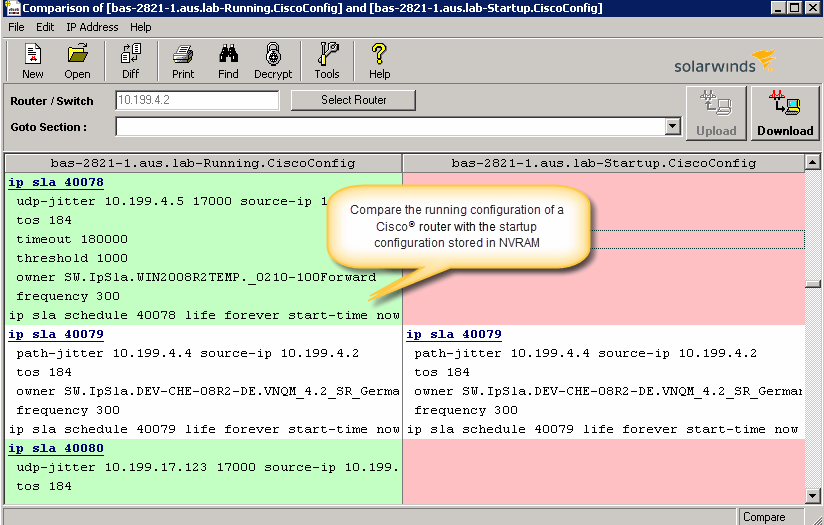
SolarWinds® Engineer’s Toolset (ETS) helps users monitor and troubleshoot a network with over 60 tools for network management. ETS allows users to monitor and receive alerts in real time on network availability and health, and perform network diagnostics for faster troubleshooting and resolution of complex
network issues. With ETS users can deploy an array of network discovery tools including Port Scanner, Switch Port Mapper or advanced Subnet Calculator, manage Cisco®
devices with specialized…
Netscout’s TruView monitoring system gives your IT department the perfect view of your network landscape. With the pulse hardware app, you can perform VoIP or HTTP network monitoring tests from specific remote locations and it will populate the analysis results into your console. This will give you perspective on how your sites are performing and detect any out of Service Level Agreement (SLA) performance even before users report it.
A de minimis incentive was given to thank the reviewer for their time. The incentive was not used to bias or drive a particular response, nor was the incentive contingent on a positive endorsement. More Info
I have found the toolset especially useful for scanning subnets to discover devices, and for setting up temporary real-time monitors when we are troubleshooting or setting up new connections. The most useful aspect has been the ability to apply the tools to help troubleshoot and pinpoint intermittent issues. More general tools like Orion often do not have the granularity to detect issues like intermittent packet loss which are especially impactful to applications like Voice. The toolset gives us another level of capability to dig into issues.
A de minimis incentive was given to thank the reviewer for their time. The incentive was not used to bias or drive a particular response, nor was the incentive contingent on a positive endorsement. More Info
The app monitoring gives you the details to set different filters and do a quick identification of the root cause of the problem.
Remarkable ability to store details of performance to analyze baselining, run advance troubleshooting, error detection and catalog by trends.
The ability to sync with a device/interface whether is physical or virtual gives me the standpoint to set analysis upon network traffic across LAN or WAN and also get the insight of Cloud segments, setting the triggers to find out where the behavior changes to non-production traffic.
A de minimis incentive was given to thank the reviewer for their time. The incentive was not used to bias or drive a particular response, nor was the incentive contingent on a positive endorsement. More Info
A de minimis incentive was given to thank the reviewer for their time. The incentive was not used to bias or drive a particular response, nor was the incentive contingent on a positive endorsement. More Info
Product features are sometimes overwhelming if the IT team is not used to this technology. For a small and mid-size company, the number of settings and work that is needed to implement the solution could be a long and exhausting process.
A "lite" version of Visual TruView could help a lot to small sized environments looking to develop the solution.
I would like to add some mitigation tools for simple/common problems that could be easily managed by a monitoring tool like Netscout TruView.
A de minimis incentive was given to thank the reviewer for their time. The incentive was not used to bias or drive a particular response, nor was the incentive contingent on a positive endorsement. More Info
The unifying component that is intended to be the initial interface to the tools seems clunky. I prefer to start the tools individually rather than using it.
The port scanner could use some improvements to make it easier to use.
A de minimis incentive was given to thank the reviewer for their time. The incentive was not used to bias or drive a particular response, nor was the incentive contingent on a positive endorsement. More Info
A de minimis incentive was given to thank the reviewer for their time. The incentive was not used to bias or drive a particular response, nor was the incentive contingent on a positive endorsement. More Info
As mentioned before, our deployment success depended on their expertise. Recommendations and overall response from their support engineers was out of this world. We, as supporters ourselves, are very critical in regards to the response times and knowledge of support services representatives. Often they just want to resolve your ticket not caring about the result, or focus only on the performance review we could give them. That's a standard behavior in most overseas support centers. The TruView engineers and management cared about us, our needs, and how they delivered the help we needed.
A de minimis incentive was given to thank the reviewer for their time. The incentive was not used to bias or drive a particular response, nor was the incentive contingent on a positive endorsement. More Info
A de minimis incentive was given to thank the reviewer for their time. The incentive was not used to bias or drive a particular response, nor was the incentive contingent on a positive endorsement. More Info
Visual TruView is a solid competitor with solutions such as SolarWinds NPM, Nagios, PRTG, or SolarWinds NTA. Why we chose TruView was because it goes straight to what we were looking for, no hidden modules or subscriptions to secondaries licensing terms, to get the results that we were expecting. TruView takes it to another level.
A de minimis incentive was given to thank the reviewer for their time. The incentive was not used to bias or drive a particular response, nor was the incentive contingent on a positive endorsement. More Info
I haven't compared any tools similar to SolarWinds Engineer's Toolset. This might be because I'm pretty biased when it comes to monitoring, and reporting solutions. I've found that SolarWinds provides the biggest bang for the buck in my opinion. I'm sure there are other solutions on the market that compete, but I haven't tried any of them because I've been very satisfied with SolarWinds.
A de minimis incentive was given to thank the reviewer for their time. The incentive was not used to bias or drive a particular response, nor was the incentive contingent on a positive endorsement. More Info
Tool consolidation, an amazing GUI that shows the most from the very beginning helping the IT Teams to set their own dashboards according to their needs.
When they meant one price tag, that's it! You won't get a headache after the purchase process is done.
Better be ready to set the scales your organization requires because if you miss something in the design you could get an application size that overrides your initial budget.
A de minimis incentive was given to thank the reviewer for their time. The incentive was not used to bias or drive a particular response, nor was the incentive contingent on a positive endorsement. More Info
A de minimis incentive was given to thank the reviewer for their time. The incentive was not used to bias or drive a particular response, nor was the incentive contingent on a positive endorsement. More Info