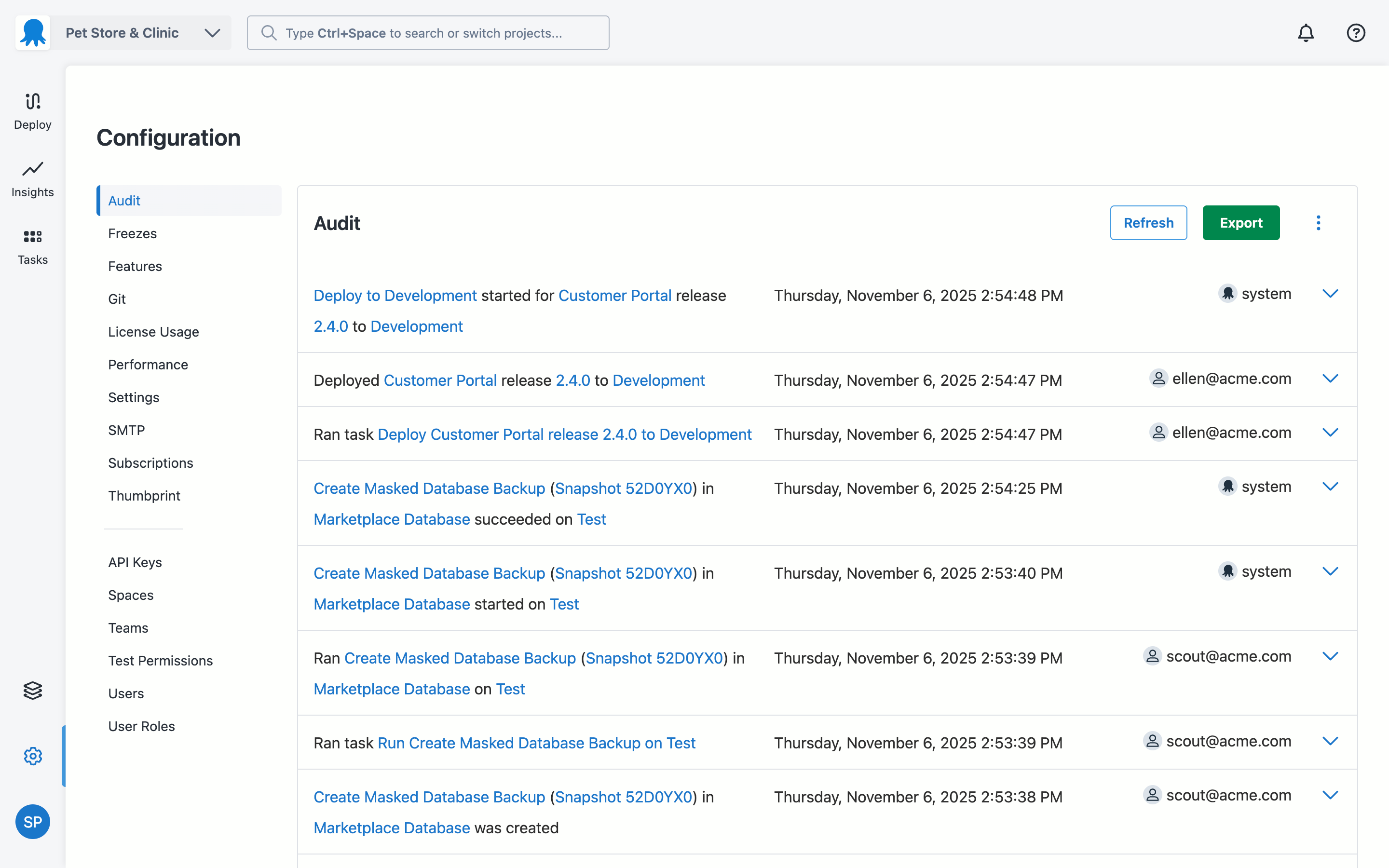
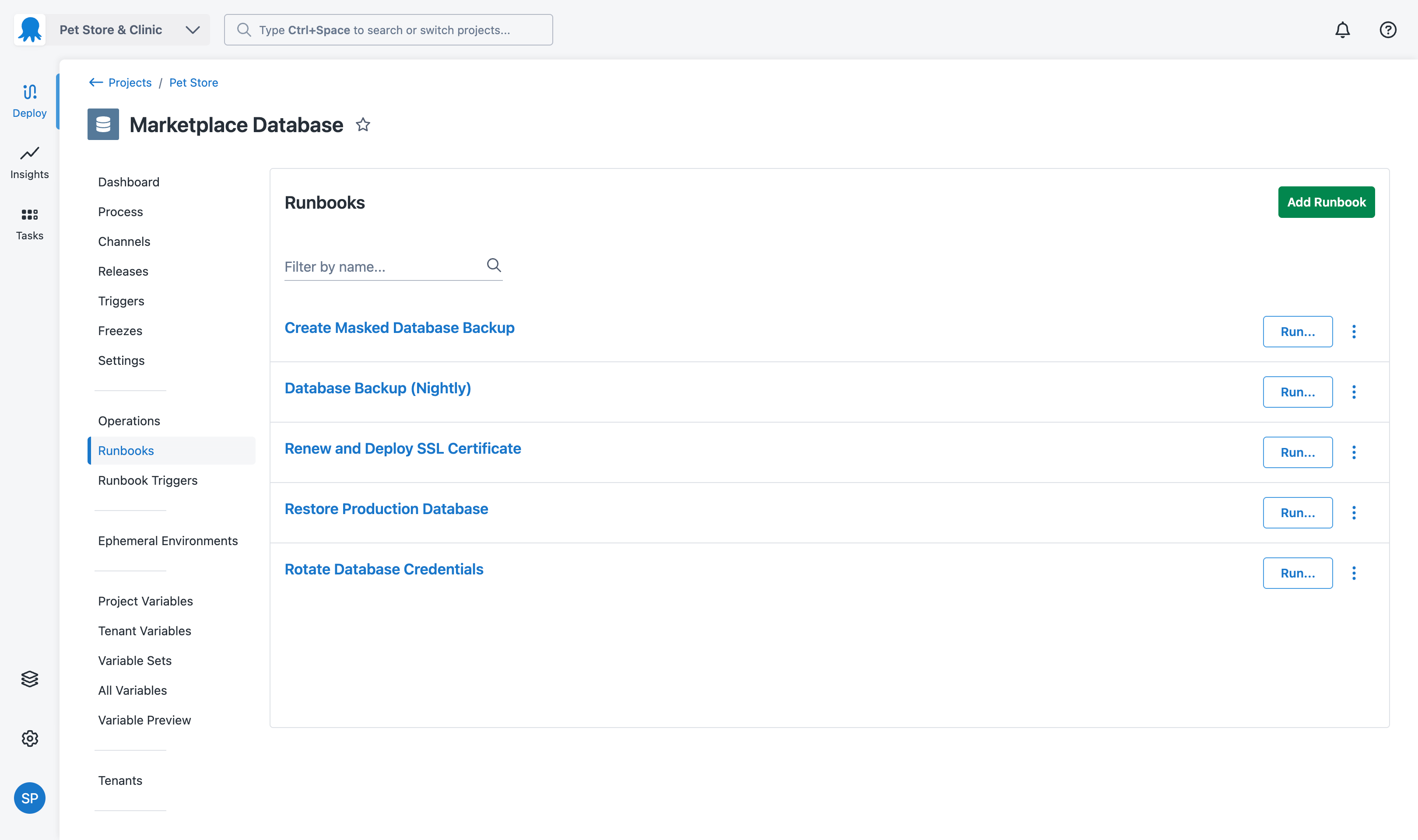
Azure DevOps (formerly VSTS, Microsoft Visual Studio Team System) is an agile development product that is an extension of the Microsoft Visual Studio architecture. Azure DevOps includes software development, collaboration, and reporting capabilities.
$2
per GB (first 2GB free)
Octopus Deploy
Score 8.8 out of 10
Mid-Size Companies (51-1,000 employees)
Australian company Octopus Deploy offers their eponymous automated deployment and release management software that integrates with the user's preferred CI server and adds deployment & ops automation capabilities. Octopus Deploy enables developers, release managers, and operations folks to bring all automation into a single place. The vendor states that by reusing configuration variables, environment definition, API keys, connection strings, permissions, service principals, and automation logic,…
$0
per month
Pricing
Azure DevOps
Octopus Deploy
Editions & Modules
Azure Artifacts
$2
per GB (first 2GB free)
Basic Plan
$6
per user per month (first 5 users free)
Azure Pipelines - Self-Hosted
$15
per extra parallel job (1 free parallel job with unlimited minutes)
Azure Pipelines - Microsoft Hosted
$40
per parallel job (1,800 minutes free with 1 free parallel job)
Basic + Test Plan
$52
per user per month
Octopus Server - Professional
$1920
per year starting with 20 projects
Octopus Cloud - Professional
$4170
per year starting with 20 projects
Octopus Server - Enterprise
$14400
per year starting with 100 projects
Octopus Cloud - Enterprise
$23400
per year starting with 100 projects
Cloud
Free
10 users/10 projects/10 tenants/10 machines
Server
Free
10 users/10 projects/10 tenants/10 machines
Offerings
Pricing Offerings
Azure DevOps
Octopus Deploy
Free Trial
No
Yes
Free/Freemium Version
No
Yes
Premium Consulting/Integration Services
No
Yes
Entry-level Setup Fee
No setup fee
Optional
Additional Details
—
Octopus Deploy offers a Free tier (Cloud and Server) and a 30-day free trial of the Enterprise tier. No credit card needed.
Octopus also offers a Professional tier with 8/5 support (9 am–5 pm on weekdays). The Enterprise tier provides advanced features for teams to scale, including high availability, DevOps Insights, ServiceNow & Jira Service Management integration, unlimited instances, 24/7 support & service credits, and a dedicated Customer Success Manager.
Octopus Deploy was deemed to be the most user friendly at the time. The demo environment we set up as a test seemed to tick all the boxes in terms of requirements. DevOps may be a longer term solution for our company but the initial setup time was too high for our needs.
Octopus Deploy is a deployment focused tool. Its purpose is to manage deployment environments. Tools like TeamCity and Visual Studio Team Services are Continuous Integration tools. You can accomplish many of the same tasks in TeamCity and VSTS but their focus on CI also means …
We looked at IBM UrbanCode Deploy and Release and Microsoft VSTS while looking for Application Release Automation tools. While VSTS doesn't work with cross-platform technologies IBM UrbanCode Deploy commands a premium price for the features it offers. Also, it needs UrbanCode …
Azure DevOps works well when you’ve got larger delivery efforts with multiple teams and a lot of moving parts, and you need one place to plan work, track it properly, and see how everything links together. It’s especially useful when delivery and development are closely tied and you want backlog items, code and releases connected rather than spread across tools. Where it’s less of a fit is for small teams or simple pieces of work, as it can feel like more setup and process than you really need, and non-technical users often struggle with the interface. It also isn’t great if you want instant, easy programme-level views or a very visual planning experience without putting time into configuration.
Octopus Deploy is well suited for our requirements of deploying across multiple environments with one consistent release. We are saving a lot of time by not having to package and move release files around. Our release process is more efficient and consistent with automation. There are some parts that we could probably perform with existing tools such as DevOps and there are one or two features we have to workaround to fit for our setup such as the step templates to install websites. These are minor in our opinion.
I did mention it has good visibility in terms of linking, but sometimes items do get lost, so if there was a better way to manage that, that would be great.
The wiki is not the prettiest thing to look at, so it could have refinements there.
In the past has been somewhat .net focused but that has been changing in recent times
Would be great if community licenses for NFP organizations were perpetual - but in saying that I appreciate that Octopus does provide my organization with a community [license]. Not all organisations do
I don't think our organization will stray from using VSTS/TFS as we are now looking to upgrade to the 2012 version. Since our business is software development and we want to meet the requirements of CMMI to deliver consistent and high quality software, this SDLC management tool is here to stay. In addition, our company uses a lot of Microsoft products, such as Office 365, Asp.net, etc, and since VSTS/TFS has proved itself invaluable to our own processes and is within the Microsoft family of products, we will continue to use VSTS/TFS for a long, long time.
It's a great help to get more information about new feature release and stay updated on what the dev team is working on. I like how easy it is to just login and read through the work items. Each work item has basic details: Title, Description, Assigned to, State, Area (what it belongs to), and iteration (when it’s worked on). See image above.They move through different states (New → Discovery → Ready for Prod → etc.).
Octopus Deploy has greatly helped us to improve our reliability and frequency of our deployments and given us the confidence to deploy much more often, with a direct benefit to customers. Cross-platform support and release to Cloud require more focus on the product side.
Octopus Deploy is a software that runs very effectively, is easy to use, does not require such a high learning curve, provides the necessary tools to carry out the functions it offers, making it a very flexible software, it also allows that can be configured according to the needs of the user and provides integrations with other very advantageous tools since they are carried out in a very favorable way.
When we've had issues, both Microsoft support and the user community have been very responsive. DevOps has an active developer community and frankly, you can find most of your questions already asked and answered there. Microsoft also does a better job than most software vendors I've worked with creating detailed and frequently updated documentation.
Octopus Deploy support has always been there for us, even when using the free tier, we get responsive hands-on help. We haven't needed to use that level of support since the documentation is clearly written, and help is readily available within the interface itself. Using Octopus Deploy is a truly joyful experience.
Microsoft Planner is used by project managers and IT service managers across our organization for task tracking and running their team meetings. Azure DevOps works better than Planner for software development teams but might possibly be too complex for non-software teams or more business-focused projects. We also use ServiceNow for IT service management and this tool provides better analysis and tracking of IT incidents, as Azure DevOps is more suited to development and project work for dev teams.
There aren't really any competitors in the land of ASP.NET. Deployment is too ad-hoc. Other tools exist that have massive downsides, like Web Deploy. Most aren't even supported anymore. You could argue that containers (Docker) are a competitor, but containers cannot be used for everything and solve a somewhat different problem. Octopus Deploy is even able to help with containers. To us, Octopus Deploy was really the only really polished solution.
We have saved a ton of time not calculating metrics by hand.
We no longer spend time writing out cards during planning, it goes straight to the board.
We no longer track separate documents to track overall department goals. We were able to create customized icons at the department level that lets us track each team's progress against our dept goals.