Okta is an enterprise grade identity management service, built in the cloud. IT can manage access across any application, person or device. Whether the people are employees, partners or customers or whether the applications are in the cloud, on premises or on a mobile device, Okta helps IT become more secure and maintain compliance. The Okta service provides directory services, single sign-on, authentication, provisioning, workflow, and built in reporting. ment systems.
$6
per month per user
Rencore Code (SPCAF)
Score8.8 out of 10
Enterprise companies (1,001+ employees)
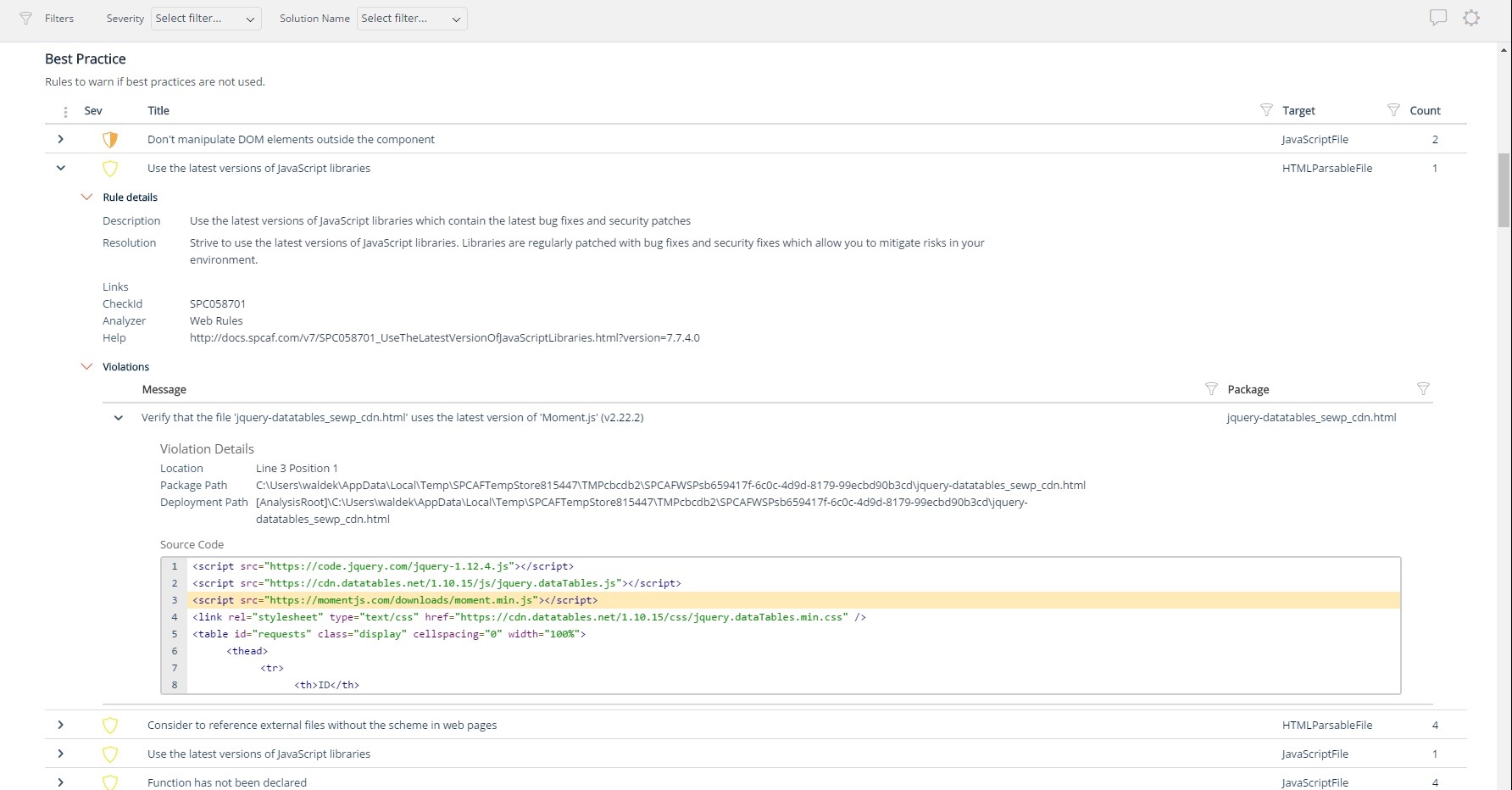
Many organizations that use Office 365 are exposed to security risks that they are unaware of. As they extend SharePoint to meet their business needs, they build applications using technologies that range from end-user Microsoft Flow to developer-focused SharePoint Framework. Unfortunately, all of these custom applications are capable of circumventing the security measures organizations have in place exposing the organization and its data to security…
Should be well-suited for a SaaS business organisation as they have a lot of internal applications and need a role-based authentication system between the various teams, improving security and audit log system to account for any breaches. It integrates well with internal applications such as Salesforce and Oracle. Best when need of SSO.
A de minimis incentive was given to thank the reviewer for their time. The incentive was not used to bias or drive a particular response, nor was the incentive contingent on a positive endorsement. TR verified that a representative sample of customers was invited. More Info
For Microsoft shops that are doing custom development on the Microsoft cloud platform in Office 365 and Azure, the Rencore toolset is an absolute must, especially if you are involved in converting farm solutions to cloud, or just moving into cloud development for the first time.
A de minimis incentive was given to thank the reviewer for their time. The incentive was not used to bias or drive a particular response, nor was the incentive contingent on a positive endorsement. TR verified that a representative sample of customers was invited. More Info
Unique expert knowledge of their target platforms. Not many companies have such a unique position in their target market. Their employees have a deep understanding of SharePoint, Office 365 and Azure and also regularly advise Microsoft on these matters.
Community involvement and contribution to open source projects. Key employees at Rencore are considered thought leaders in their area of expertise and contribute to high profile Microsoft open source initiatives.
Rencore's unique position when it comes to code quality analysis in the SharePoint space sets it apart. There's really no alternative.
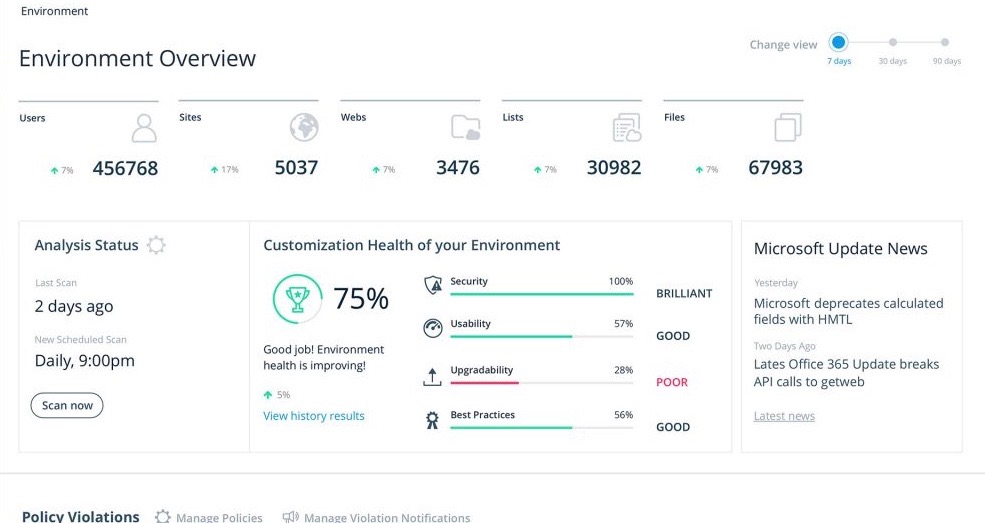
Platform governance is another Rencore strength. No other product provides the insights into your SharePoint Online environment with full auditing of not only configuration changes but also who changed which code where and when. Again no alternatives exist.
I do have to reset my password quite frequently. However, I don't think there is really a way to improve this, as it's a good security measure.
It makes me re-sign in a couple of times a day, sometimes if I haven't used my laptop for a couple of hours, and sometimes just randomly throughout the day.
It doesn't remember my devices, either my laptop or phone. so it always calls that out.
A de minimis incentive was given to thank the reviewer for their time. The incentive was not used to bias or drive a particular response, nor was the incentive contingent on a positive endorsement. TR verified that a representative sample of customers was invited. More Info
Rencore's product line is of course still a bit of a niche: SharePoint code quality is not something every organization on the planet is concerned with - although Rencore does much more than that.
We feel Rencore's marketing efforts are mainly targeted at technologists. There's a lot of other potential, especially for their platform governance product.
Okta has a passion to provide secure and scalable identity solution. Their passion has come across as advocacy in a way that has deepened my knowledge of the field of authentication. I took identity for granted before but after seeing features such as external authentication I know that Okta can enable my business to reach new heights
A de minimis incentive was given to thank the reviewer for their time. The incentive was not used to bias or drive a particular response, nor was the incentive contingent on a positive endorsement. More Info
The Okta Identity Cloud advertises 4 9's of reliability and I would go as far to say that it may even do better than that. As a true Global organization that operates in just about every region of the world, we have yet to have an issue with The Okta Identity Cloud that has impacted our business operations.
A de minimis incentive was given to thank the reviewer for their time. The incentive was not used to bias or drive a particular response, nor was the incentive contingent on a positive endorsement. TR verified that a representative sample of customers was invited. More Info
From my perspective, for the things that my group uses it for, Okta is very fast. It is as least as fast as the local password database methods that it replaces on our campus enterprise services. I do not believe that it slows anything down at all. In fact, not having to think too much about the login, because they all look the same, probably speeds things up somewhat.
A de minimis incentive was given to thank the reviewer for their time. The incentive was not used to bias or drive a particular response, nor was the incentive contingent on a positive endorsement. TR verified that a representative sample of customers was invited. More Info
We've had a few support cases over the years and every case has been handled by the Okta support team beautifully. We received clear answers to questions we had regarding setup and even were provided simple to follow guides on how to setup their product to use with custom applications.
A de minimis incentive was given to thank the reviewer for their time. The incentive was not used to bias or drive a particular response, nor was the incentive contingent on a positive endorsement. More Info
Okta is far superior in terms of integrations, user interface, automation, and connectivity. Additionally, Okta offers better support and availability, and a more robust solution across every capacity Entra competes in. Okta simply works, whereas Microsoft Entra has a large overhead that is difficult to use when configuring things.
A de minimis incentive was given to thank the reviewer for their time. The incentive was not used to bias or drive a particular response, nor was the incentive contingent on a positive endorsement. TR verified that a representative sample of customers was invited. More Info
I don't know of any products that compete in the space and if there were any, they would not stand a chance against Rencore. Behind any good product is a team of highly skilled individuals, who all have the same goal, who are passionate what they do and lastly, are in it for the betterment of where they started; As Developers themselves. You can't buy that
Being a cloud native application, The Okta Identity Cloud is extremely scalable and easy to setup. By integrating into existing directories and applications via standard techniques and protocols, it is very easy to both initially setup and add additional users as required. Once all the necessary integrations are setup, it's a simple rinse and repeat process to onboard additional users (which can be automated with imports as well)
A de minimis incentive was given to thank the reviewer for their time. The incentive was not used to bias or drive a particular response, nor was the incentive contingent on a positive endorsement. TR verified that a representative sample of customers was invited. More Info
Increased user productivity - not fighting with IT all the time!
Though there could be a bit more on the 'lost/broken phone' front, the self-service eliminates time that would typically be spent waiting for IT support/admins.
An Okta account under a certain domain allows proper access from the get-go, and under certain apps (such as our HRIS), adding members is easy.
Improved security - deactivating Okta removes all account access across multiple platforms instantly for leavers.
A de minimis incentive was given to thank the reviewer for their time. The incentive was not used to bias or drive a particular response, nor was the incentive contingent on a positive endorsement. TR verified that a representative sample of customers was invited. More Info
The clear impact was the amount of time saved code reviewing or going through lines of code marked off by other tools that are not relevant. We cannot put a number on it since the project started off with the tool in place but based on the rules applied it could be as high as 20% of the project time.