OnBoard consolidates agendas, materials, minutes, votes, approvals, and actions into a secure record. The solution eliminates PDF dependency and version sprawl to support faster director preparation and confident leadership decisions. Preparation time is reduced as all members access a unified board book, view draft changes, and enter meetings with current information. The AI Suite converts long board books into clear briefs by drafting minutes, summarizing packets,…
N/A
Workzone
Score9.1 out of 10
N/A
Workzone is a web-based tool for project management and collaboration from Workzone in Norristown, PA, that contains a full array of the features needed for project management. It's hub is the project dashboard, which provides a platform for team communication and tracking tasks over time as they progress towards completion. An automated to-do list can be sent to each user. Alerts flag issues nearing a critical moment or events of which team members need be aware. Templates classify projects and…
OnBoard is an adaptable platform that could be used for most meetings. It works perfectly to build an agenda and packet for board and committee meetings. It allows for easy RSVP to ensure a quorum at meetings. All users are able to easily view the packet and can even make notations of points they want to discuss during the meeting. OnBoard doesn't work well for detailed documents such as spreadsheets. Our company has a strategic plan and we cannot use OnBoard for that committee meeting. The size of the spreadsheet simply doesn't function well within OnBoard and isn't easily navigable. The same is true of certain financial spreadsheets.
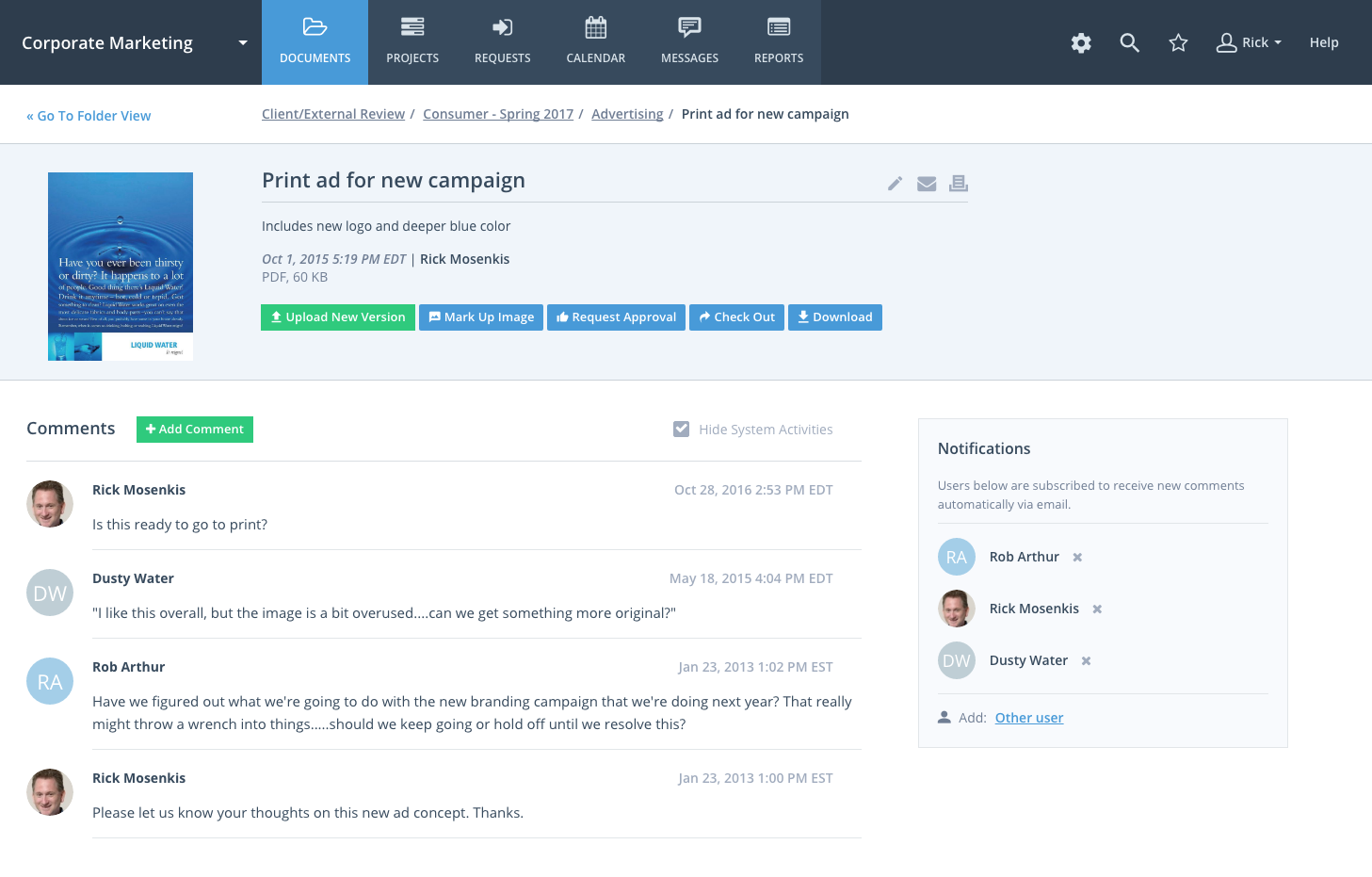
Workzone eliminates confusion and ensures that the team uses the latest version of files by organizing these files and adding version numbers as files are being revised. The team can share these files with other team members or with clients and even set file permissions to ensure individuals get access to those files that are only appropriate to them and avoid confidential information getting into the wrong hands. The system notifies the users of the progress of their tasks, comments or calendar events through alerts.
A de minimis incentive was given to thank the reviewer for their time. The incentive was not used to bias or drive a particular response, nor was the incentive contingent on a positive endorsement. More Info
A de minimis incentive was given to thank the reviewer for their time. The incentive was not used to bias or drive a particular response, nor was the incentive contingent on a positive endorsement. More Info
WorkZone is good at basic project management like scheduling and time management.
The software can be set to send you a daily email with the list of the tasks that you need to get done for that day.
Workzone allows the admin for the account to pick and choose which clients/projects can be seen by each person with an account, which allows each user to focus on the projects that they are involved in without being distracted by other things.
A de minimis incentive was given to thank the reviewer for their time. The incentive was not used to bias or drive a particular response, nor was the incentive contingent on a positive endorsement. More Info
One of the reasons we left WorkZone was due to how videos/roughs were presented. While WorkZone does allow for a customizable and professional, clean looking interface; it did not offer everything we needed when it came to cross platform integration.
WorkZone was also a little more pricy compared to a few competitors. WorkZone is worth the price and we loved using it, but a competitor offered an added feature that WorkZone does not offer that tipped the scales.
There is no 'library'. As an AD Agency, we have worked on a lot of different spots for a lot of different clients. WorkZone did not offer a comprehensive library for us to upload content and use for presentations purposes. If WorkZone does add this feature later on down the road, it would be a great improvement and we would give serious thought about switching back.
I couldn't imagine us doing our business without OnBoard [Board Management]. It has become the way we communicate with our Board and run our meetings. Frankly, I have no desire to go back even when we are meeting in person to paper binders for each board member. It truly has been a blessing coming out of COVID for us.
Because of time constraints, our team hasn't been able to fully implement and change our existing processes. If we can get our templates set up and maybe some better export options figured out, I think it'll be a no-brainer to renew, but until then it maybe be difficult to financially justify something we're only partially using.
OnBoard Board Management Software appears to be very user friendly. The layout allows for easy access to a number of areas via the left side of the page. Admins are able to customized the main page so that the most vital information is available to users when they log in. Setting permissions is easy.
A de minimis incentive was given to thank the reviewer for their time. The incentive was not used to bias or drive a particular response, nor was the incentive contingent on a positive endorsement. More Info
WorkZone was very easy to learn, especially for the members of our team who were not as technology-savvy. WorkZone offered unlimited training as well, making it easy to transition new team members to the program, as we were a startup organization consistently adding new team members.
Throughout the use of the WorkZone software, we never had a issue with it being unavailable. This is important, considering we wanted to access our projects and see our progress at any moment. WorkZone was always available and made constant supervision of tasks and goals easy; no excuses for not checking in on the status of a project.
I have zero complaints about the performance of WorkZone; for our organization's needs, it was a perfect tool for keeping track of various responsibilities and tasks. We never experienced a lag or down-time when using the software, and the simple interface made things exactly that from our end...simple. WorkZone is a fantastic tool for work management that never fails to perform, in my experience.
I haven't needed to contact OnBoard customer support many times because it's user-friendly and functions as it's supposed to/sold. On the occasions I've contacted customer support, they have promptly answered the phone or my email. In one instance, a board member couldn't access OnBoard prior to a board meeting and customer support was able to resolve the issue in the 10 minutes prior to the meeting. In another instance, a board member wasn't able to get the system to recognize all answers to a completed survey which prevented a compilation of results. Customer support viewed the member's screen and ran an error log to figure out the issue.
The team at WorkZone is incredibly helpful and very willing to lend support when they can. Our team was constantly growing, and our new team members needed training every time someone cam on board. The WorkZone support staff was more than willing to ensure our new team members were completely comfortable using the software and set up for success.
The WorkZone trainers are wonderful! They offered us unlimited over-the-phone and online support, and the trainings were always informative. The WorkZone support team was willing to answer multiple questions and review sections of the training if need be. They were always accommodating, and trainings were scheduled very quickly for when our team needed them!
Implementation was easy and I was able to do it alone without OnBoard customer support, although customer support assistance was offered and available. The platform is very user-friendly and doesn't require assistance to implement in my opinion. The biggest hurdle is getting invitees to access the invitation email and set up their login.
Implementation of WorkZone was very easy. We simply log into a portal online and begin to set up our projects. Access codes were sent very quickly to our team, so there was practically no delay once we signed the contract for our subscription. Training was scheduled quickly and was very helpful, especially as new team members joined our organization.
OnBoard is more user-friendly. It is very easy to navigate from an administrator's standpoint as well as for the end-user. I received compliments on a regular basis from our board members and how grateful they are that it is so easy to use. They also love having the Resources where all of our important documents are located. Other tools that I have used were very clunky and hard to navigate and the cost was greater higher.
A de minimis incentive was given to thank the reviewer for their time. The incentive was not used to bias or drive a particular response, nor was the incentive contingent on a positive endorsement. More Info
I selected WorkZone based on several criteria: 1. It is web based 2. It has more robust reporting capabilities 3. the price was right 4. It was easy to use and easy to train people 5. Timelines are easy to update.
We are a small organization, so the need to expand our use of WorkZone was limited. I only rate it below a 10 simply because I do not have much experience with the scaleability of the product. From the previews and training sessions, it does seem that the software can easily be adjusted to accommodate a growing workload; something we may use in future, just not at this point in our organization's development.
A de minimis incentive was given to thank the reviewer for their time. The incentive was not used to bias or drive a particular response, nor was the incentive contingent on a positive endorsement. More Info
A de minimis incentive was given to thank the reviewer for their time. The incentive was not used to bias or drive a particular response, nor was the incentive contingent on a positive endorsement. More Info