Onehub vs. Quip

Overview
ProductRatingMost Used ByProduct SummaryStarting Price
Onehub
Score 10.0 out of 10
N/A
Onehub is a secure file storage and sharing service built for businesses of any size. Users can maintain existing folder and file structure with secure online document sharing and collaboration, and remain hyper-organized while able to access files from anywhere. Bank-level encryption as well as its granular, role-based permission structure means users can control who has access to content and share critical business files with confidence. Onehub’s security features include role…
$29.95
3 paid users included per month
Quip
Score 8.3 out of 10
N/A
Quip is a collaboration tool, from Salesforce, that helps sales teams accelerate business in real-time with embedded documents, live Salesforce data, and other built-in collaboration features.
$120
per year per user
Pricing
OnehubQuip
Editions & Modules
Team
$29.95
3 paid users included per month
Business
$99.95
5 paid users included per month
Enterprise
Call for details
Enterprise
$25
per user per month
Starter
$120
per year per user
Plus
$300
per year per user
Advanced
$1,200
per year per user
Offerings
Pricing Offerings
OnehubQuip
Free Trial
YesNo
Free/Freemium Version
NoNo
Premium Consulting/Integration Services
NoNo
Entry-level Setup FeeNo setup feeNo setup fee
Additional DetailsTeam Plan - $10 per additional user Business Plan - $15 per additional userAll editions include unlimited personal documents and folders and a custom subdomain. Paid versions include unlimited document revision history, message archive and group sharing.
More Pricing Information
Community Pulse
OnehubQuip
Features
OnehubQuip
File Sharing & Management
Comparison of File Sharing & Management features of Product A and Product B
Onehub
8.3
4 Ratings
0% below category average
Quip
7.8
37 Ratings
3% below category average
Versioning8.04 Ratings7.627 Ratings
Video files9.01 Ratings7.020 Ratings
Audio files10.01 Ratings7.618 Ratings
Document collaboration8.04 Ratings9.537 Ratings
Access control10.04 Ratings8.132 Ratings
File search5.03 Ratings00 Ratings
Advanced security features00 Ratings8.121 Ratings
Integrates with Google Drive00 Ratings6.116 Ratings
Device sync00 Ratings8.527 Ratings
Cloud Storage Security & Administration
Comparison of Cloud Storage Security & Administration features of Product A and Product B
Onehub
9.0
4 Ratings
4% above category average
Quip
-
Ratings
User and role management10.04 Ratings00 Ratings
File organization8.04 Ratings00 Ratings
Cloud Storage Platform
Comparison of Cloud Storage Platform features of Product A and Product B
Onehub
10.0
3 Ratings
15% above category average
Quip
-
Ratings
Performance10.03 Ratings00 Ratings
Reliability10.03 Ratings00 Ratings
Project Management
Comparison of Project Management features of Product A and Product B
Onehub
-
Ratings
Quip
8.1
37 Ratings
4% above category average
Task Management00 Ratings8.535 Ratings
Gantt Charts00 Ratings8.021 Ratings
Scheduling00 Ratings7.524 Ratings
Workflow Automation00 Ratings7.622 Ratings
Mobile Access00 Ratings7.632 Ratings
Search00 Ratings9.534 Ratings
Visual planning tools00 Ratings8.027 Ratings
Communication
Comparison of Communication features of Product A and Product B
Onehub
-
Ratings
Quip
7.8
37 Ratings
3% below category average
Chat00 Ratings7.536 Ratings
Notifications00 Ratings8.535 Ratings
Discussions00 Ratings8.536 Ratings
Surveys00 Ratings7.021 Ratings
Internal knowledgebase00 Ratings9.526 Ratings
Integrates with GoToMeeting00 Ratings6.110 Ratings
Integrates with Gmail and Google Hangouts00 Ratings6.112 Ratings
Integrates with Outlook00 Ratings9.011 Ratings
Best Alternatives
OnehubQuip
Small Businesses
SugarSync
SugarSync
Score 4.1 out of 10
Stackby
Stackby
Score 8.9 out of 10
Medium-sized Companies
Druva Security Cloud
Score 9.4 out of 10
Troop Messenger
Troop Messenger
Score 9.8 out of 10
Enterprises
Druva Security Cloud
Score 9.4 out of 10
HCL Connections
HCL Connections
Score 9.0 out of 10
All AlternativesView all alternativesView all alternatives
User Ratings
OnehubQuip
Likelihood to Recommend
10.0
(4 ratings)
8.7
(38 ratings)
Likelihood to Renew
10.0
(1 ratings)
-
(0 ratings)
Usability
10.0
(1 ratings)
8.7
(4 ratings)
Support Rating
-
(0 ratings)
9.1
(4 ratings)
User Testimonials
OnehubQuip
Likelihood to Recommend
Onehub
Onehub data rooms can be used to privately share sensitive financial data with multiple parties or just one. Onehub is easy to use and secure which puts our clients at ease when uploading and transferring financial data.
Read full review
Salesforce
I think collaboration is probably the best use case for it allows really good drafts of documents. I think it's really good use case if you want to go track edits to documents as well. It's probably not really good for versioning control, but it's definitely, it's very, very lightweight and so you can use it on a mobile device, you can use it in any web browser. So it's very easy to use, very easily accessible. I probably wouldn't use it from a spreadsheet perspective. Well I think some of the primary functions of data sheets are there. It doesn't have some of the more complex formulas that you would typically get from Excel or something like that
Read full review
Pros
Onehub
  • Able to customize the pages where you keep files and documents, helping to keep organized.
  • Uploading files is an easy process.
  • Has reliable security for keeping documents safe. Uses a 2-factor authentication process.
Read full review
Salesforce
  • We use it as an effective way of collaboration between teams.
  • It can be used as an online spreadsheet.
  • It helps in accessing the data by multiple teams hassle-free.
  • Can customize the action like editing or locking the spreadsheet to the other users based on the business need.
Read full review
Cons
Onehub
  • Design
  • Sharing Portal
Read full review
Salesforce
  • When using Quip Desktop, it can be slow to update with content from other users
  • I think it would be cool to have a PDF proofing system integrated into Quip. Once copy has gone to design, we are basically done using Quip - I'd like to bring that all together within Quip
  • Multi -select and group export of documents would be helpful
Read full review
Likelihood to Renew
Onehub
Our clients and staff enjoy the security level when sending sensitive financial data back and forth.
Read full review
Salesforce
No answers on this topic
Usability
Onehub
Again we love the tool
Read full review
Salesforce
It is the best collaboration tool in my company. Through it, the organization has achieved better connectivity and efficiency in its communication. Primarily, the docs feature of this software is the most utilized in the company. Slowly, dash-boarding and project management features have also been utilized. Generally, it is the best tool, very easy and fairly streamlined
Read full review
Support Rating
Onehub
No answers on this topic
Salesforce
I have never used Quip's support. To be fair, we hired someone who used to work for Quip before working at our company, and he implemented it and pushed it with the team. He was very biased toward the product, and yes it was better than Google Drive, but by how much?
Read full review
Alternatives Considered
Onehub
Onehub has the better security, but Evernote is more user friendly and more compatible with other programs the department uses. Onehub is good for sending documents to externals/clients and then having the document reviewed, but like the flow of other programs better. Onehub is more user friendly than OneNote and has the ability to collaborate with members outside of the department. OneNote is used more for internal collaboration where security is not as big of an issue, Onehub is better for shared outside of the department.
Read full review
Salesforce
Google Drive is an obvious choice for a collaboration suite, but it still has this old-fashioned Windows 95 feel to it, with the standard file system hierarchy and spread-sheet like lists of files. Quip has a fresh take on the user interface, and the comments and discussion on a given file or line within a file seems more integrated and seamless, rather than a bunch of boxes out in the margin away from where you're actually reading and working. Having everything just to the left of a list or paragraph makes it easier to focus and maintain context while you're working or discussing a certain point.
Read full review
Return on Investment
Onehub
  • Assuring clients of record keeping
  • Client interest
Read full review
Salesforce
  • It is a tool that allows work teams to move forward in a centralized way and meet their objectives as efficiently as possible; this has allowed us to meet our customers and brought more work to the organization, therefore more revenue; I would say that the ROI was fast enough, as expected.
Read full review
ScreenShots

Onehub Screenshots

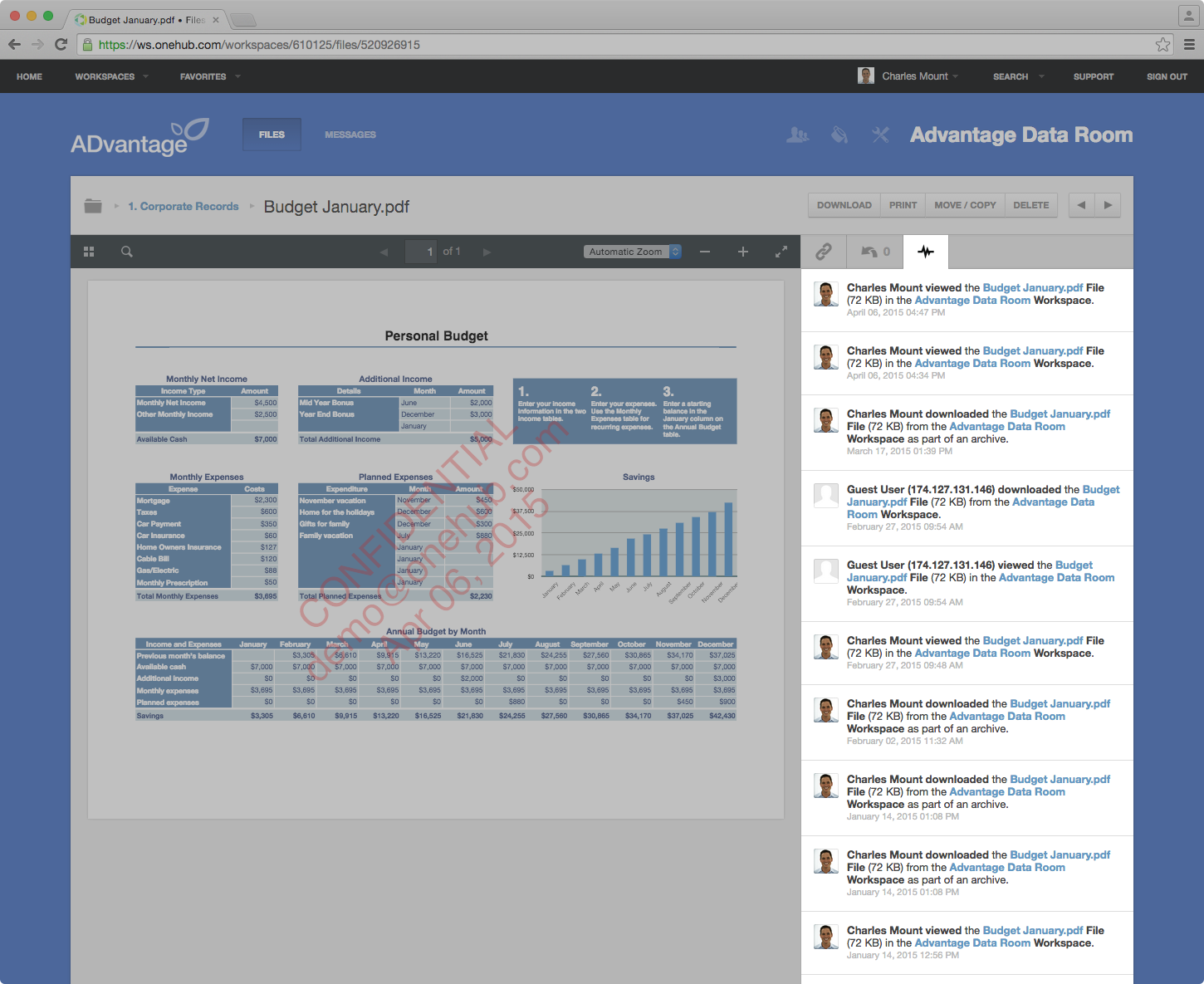
Screenshot of Onehub Workspace homeScreenshot of Data Room ActivityScreenshot of Custom Branded WorkspaceScreenshot of Mobile AccessScreenshot of User Permission Controls

Quip Screenshots

Screenshot of Screenshot of Screenshot of Screenshot of Screenshot of Screenshot of