OpenAI API Platform vs. ZoomMate

Overview
ProductRatingMost Used ByProduct SummaryStarting Price
OpenAI API Platform
Score 9.1 out of 10
N/A
The OpenAI API platform provides a simple interface to AI models for text generation, natural language processing, computer vision, and other purposes.
$0
per  1K tokens
ZoomMate
Score 8.5 out of 10
N/A
ZoomMate is Zoom’s next-generation "agentic" workspace, launched in June 2026 to transform how teams move from conversation to completion. Positioned as an "AI Teammate" or virtual "Chief of Staff," ZoomMate goes beyond standard chatbots by proactively executing tasks across a company's entire digital ecosystem.
$20
per month includes 2,200 AI credits
Pricing
OpenAI API PlatformZoomMate
Editions & Modules
Ada
$0.0008
per  1K tokens
Babbage
$0.0012
per  1K tokens
Curie
$0.0060
per  1K tokens
Davinci
$0.0600
per  1K tokens
No answers on this topic
Offerings
Pricing Offerings
OpenAI API PlatformZoomMate
Free Trial
NoNo
Free/Freemium Version
NoYes
Premium Consulting/Integration Services
NoYes
Entry-level Setup FeeNo setup feeNo setup fee
Additional Details
More Pricing Information
Best Alternatives
OpenAI API PlatformZoomMate
Small Businesses
Astra DB, now part of IBM watsonx.data
Score 8.8 out of 10

No answers on this topic

Medium-sized Companies
DataRobot
DataRobot
Score 8.2 out of 10
Cortana (discontinued)
Score 7.5 out of 10
Enterprises
Dataiku
Dataiku
Score 8.6 out of 10
Cortana (discontinued)
Score 7.5 out of 10
All AlternativesView all alternativesView all alternatives
User Ratings
OpenAI API PlatformZoomMate
Likelihood to Recommend
8.6
(3 ratings)
8.5
(34 ratings)
Usability
10.0
(2 ratings)
9.0
(2 ratings)
User Testimonials
OpenAI API PlatformZoomMate
Likelihood to Recommend
OpenAI
For smaller organizations that run lean and would like to get to deploy a solution quickly. This is a solution that is easy and quick to develop. It has a good amount of customization. However, for advanced customization this might not be a good solution. I suggest experimenting with OpenAI API and then if the experimentation is successful then it is a good idea to optimize and try other LLM models.
Read full review
Zoom
While doing training and technical support to our users, we need to connect to their system, and we do not go physically. With Zoom Workplace, we can connect with them in the meeting, and they can share their screen, and we can access their screen, which is very easy to give training and support. With other software, you cannot do all these things at once.
Read full review
Pros
OpenAI
  • The developer experience is top notch. Their SDKs are super easy to use
  • Organization and project billing separation. You know where everything was consumed.
  • Playground. The playground is super useful to prototype without writing a single line of code
Read full review
Zoom
  • AI - Powered productivity. With this feature, drafting messages, automating tasks, and summarizing meetings are easy, which boosts productivity.
  • It is an all-in-one collaboration tool. With Zoom Workplace, we can send messages, make calls, schedule meetings, and share documents. It offers all the collaboration features our team needs.
  • Makes scheduling easy thanks to Zoom Scheduler that is part of Zoom Workplace.
  • The tool ensures teams communicate securely which is a plus.
  • It comes with a mobile app for added convenience, and no one misses important updates.
Read full review
Cons
OpenAI
  • Restrictions are sometimes too strong
Read full review
Zoom
  • I don't think there is any malfunction in their solution; it's extremely convenient to use, be it creating a meeting invite, adding people, sending any extra stuff to them. It's quick, and this is the only tool that works seamlessly even on Androids.
Read full review
Usability
OpenAI
Easy to setup, develop and deploy. The payload for the API is simple and has all the inputs required for simple projects. There are a good number of options of LLM models to optimize for speed, cost or quality of the answers. A larger token input might improve the overall usability.
Read full review
Zoom
It's really easy to use - the AI icon is everywhere all over the place in the Zoom client so it's easy to be able to leverage AI whenever you need it, and similarly in the meeting it's easy to find and to use. I don't have complaints here that I can think of
Read full review
Alternatives Considered
OpenAI
Anthropic is only the best for coding and its really really expensive. So, if you're not making a coding app, I would stay away from it. On the other hand, Gemini models are dirt cheap but come with a bit of performance limitations, so i would use it for big volume non sofisticated use cases. The OpenAI API platform excels at providing best in class performance models, at not outrageous anthropic-like pricing.
Read full review
Zoom
Compared to Microsoft Teams, Zoom AI Companion is a clear pioneer in this remote and virtual collaboration platform, leading the way. It is possible to have a remote meeting on both Microsoft Teams and Zoom AI Companion. But Zoom AI Companion provides
more productivity and time savings to users. Zoom AI Companion continues to enhance its features to provide value to the product.
Read full review
Return on Investment
OpenAI
  • Big question about functionality
Read full review
Zoom
  • We've been able to significantly accelerate our quest production, enabling us to give many more youth a voice on our platform, and give the kids who play [...] many more windows into one another's worlds!
  • It's increased our fundraising capacity since grant applications require pulling together insights from funder meetings, advice from previous grantees, outside research, and testimonials from users. ZoomMate helps to synthesize and package it efficiently so we can do more.
Read full review
ScreenShots

ZoomMate Screenshots

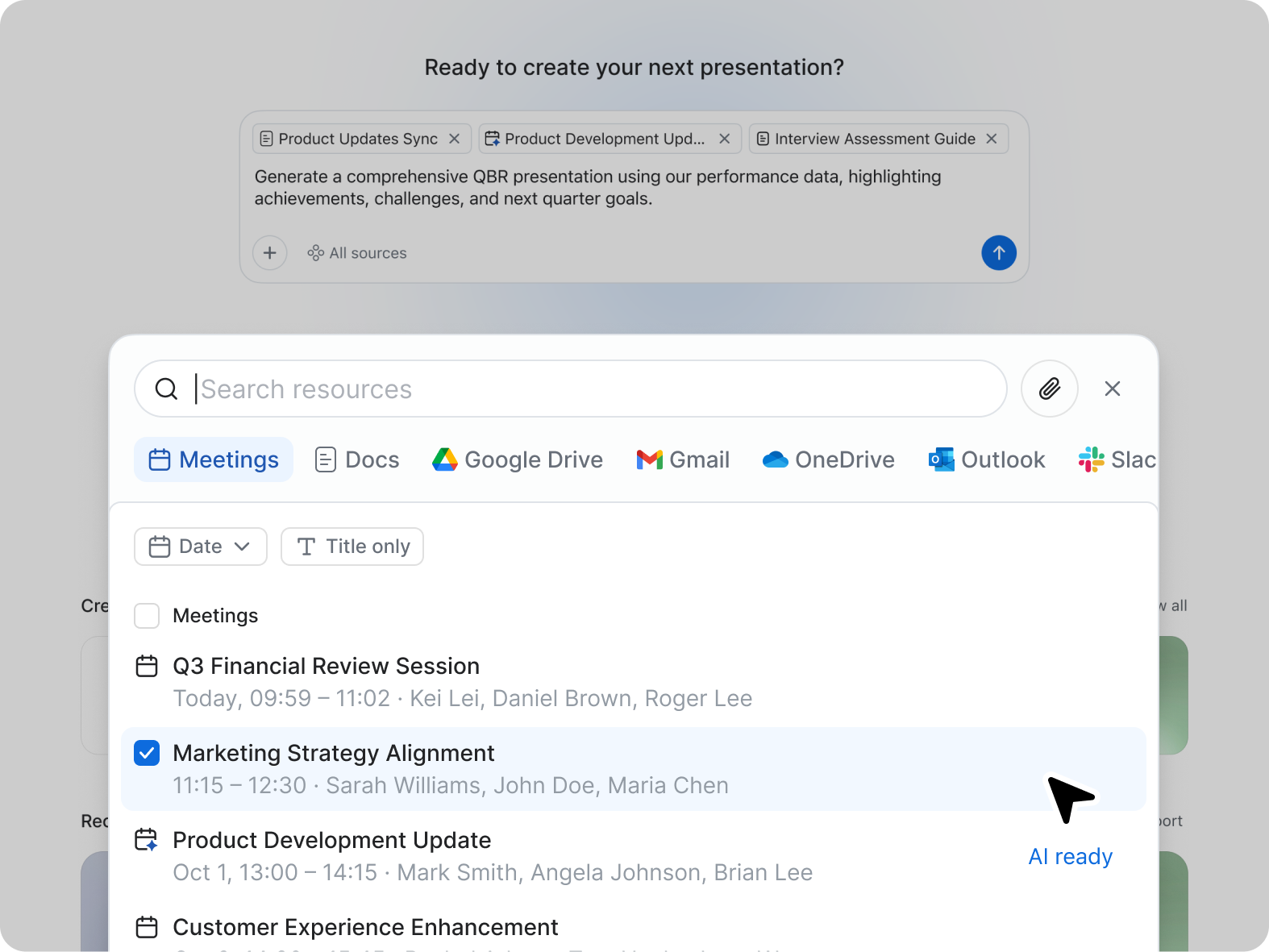
Screenshot of ZoomMate, the AI teammate. ZoomMate analyzes, learns, and acts on conversations to complete work.Screenshot of Search: agentic search and deep researchScreenshot of Workflows are conversational and visual automations that handle multi-step processes across meetings, apps, and systems. You can describe a workflow in natural language ("when someone files a support ticket about pricing, route it to the sales team and post a notification in the deal channel"), use pre-built templates, or build one visually. They run on triggers — events, schedules, or agentic logic — and can be configured with approval checkpoints to keep you in the loop where approvals are needed.Screenshot of Create: AI-first productivity tools