WorkCast Present+ vs. Riverside.fm

Overview
ProductRatingMost Used ByProduct SummaryStarting Price
WorkCast Present+
Score 9.1 out of 10
Mid-Size Companies (51-1,000 employees)
Present+ is a fully featured webinar tool that is designed to allow users to quickly create webinars. It includes registration, email communications, live and on demand events, and advanced branding capability. All on-demand recordings of live webinars can be recorded automatically and are fully hosted. Present+ is a browser-based, mobile and multi-device friendly platform.  No app installations or plugin downloads are required.N/A
Riverside.fm
Score 9.8 out of 10
N/A
Riverside.fm headquartered in Tel Aviv offers a remote recording solution for enterprise teams. It is presented as an easy way for teams to record professional-grade video content and podcasts, from anywhere.
$90
per year
Pricing
WorkCast Present+Riverside.fm
Editions & Modules
No answers on this topic
Basic
$90
per year
Standard
$180
per year
Pro
$288
per year
Enterprise
Custom
Offerings
Pricing Offerings
WorkCast Present+Riverside.fm
Free Trial
YesNo
Free/Freemium Version
NoNo
Premium Consulting/Integration Services
NoNo
Entry-level Setup FeeOptionalNo setup fee
Additional Details
More Pricing Information
Community Pulse
WorkCast Present+Riverside.fm
Considered Both Products
WorkCast Present+
Chose WorkCast Present+
Really straight forward, there is no software, apps or plugins to download. Simply access the webinar and it streams live, on any device.
Chose WorkCast Present+
Products such as GoToWebinar are great, but they never truly met our expectations or requirements. We used them for years, but the lack of audience engagement was poor, both in terms of when actually in the webinar and when promoting it. The most annoying feature was the fact …
Riverside.fm
Chose Riverside.fm
StreamYard may have fewer capabilities than Riverside.fm, but it knows exactly what it is: a place to record/stream video conversations. Riverside.fm, in trying to be all things to all users, may need to improve its UI to serve all constituents.
Chose Riverside.fm
Riverside is far better than trying to record on Zoom or Skype because on both of those platforms you are recording others' videos from over the internet, so you get any glitches that come from inconsistent connections that either you or your guest has. Riverside records …
Features
WorkCast Present+Riverside.fm
Reporting & Analytics
Comparison of Reporting & Analytics features of Product A and Product B
WorkCast Present+
8.6
Ratings
11% above category average
Riverside.fm
-
Ratings
Dashboards8.60 Ratings00 Ratings
Data exportability8.60 Ratings00 Ratings
Performance & Compatibility of Online Events Software
Comparison of Performance & Compatibility of Online Events Software features of Product A and Product B
WorkCast Present+
9.1
Ratings
11% above category average
Riverside.fm
-
Ratings
High quality audio9.10 Ratings00 Ratings
Mobile support9.10 Ratings00 Ratings
Online Meetings / Events
Comparison of Online Meetings / Events features of Product A and Product B
WorkCast Present+
9.0
Ratings
10% above category average
Riverside.fm
-
Ratings
Calendar integration9.10 Ratings00 Ratings
Record meetings / events9.10 Ratings00 Ratings
Slideshows8.60 Ratings00 Ratings
Event registration9.10 Ratings00 Ratings
Online Events Collaboration
Comparison of Online Events Collaboration features of Product A and Product B
WorkCast Present+
9.1
Ratings
7% above category average
Riverside.fm
-
Ratings
Audience polling9.10 Ratings00 Ratings
Q&A9.10 Ratings00 Ratings
Online Events Security
Comparison of Online Events Security features of Product A and Product B
WorkCast Present+
9.1
Ratings
9% above category average
Riverside.fm
-
Ratings
Participant roles & permissions9.10 Ratings00 Ratings
Confidential attendee list9.10 Ratings00 Ratings
Online Events Marketing
Comparison of Online Events Marketing features of Product A and Product B
WorkCast Present+
9.1
Ratings
14% above category average
Riverside.fm
-
Ratings
Branding options9.10 Ratings00 Ratings
Integration to Marketing Automation9.10 Ratings00 Ratings
Best Alternatives
WorkCast Present+Riverside.fm
Small Businesses
BigMarker
BigMarker
Score 6.0 out of 10
OBS Studio
OBS Studio
Score 9.1 out of 10
Medium-sized Companies
ClickMeeting
ClickMeeting
Score 9.4 out of 10
Zoom Events & Webinars
Score 8.6 out of 10
Enterprises
ON24
ON24
Score 7.5 out of 10
Zoom Events & Webinars
Score 8.6 out of 10
All AlternativesView all alternativesView all alternatives
User Ratings
WorkCast Present+Riverside.fm
Likelihood to Recommend
9.1
(0 ratings)
5.4
(0 ratings)
Usability
-
(0 ratings)
4.0
(0 ratings)
Support Rating
-
(0 ratings)
10.0
(0 ratings)
User Testimonials
WorkCast Present+Riverside.fm
Likelihood to Recommend
Present+ is FANTASTIC if you're looking for a full marketing tool. Integrated with the likes of HubSpot or Marketo, you can genuinely deliver a fully integrated experience to your audience, minimising drop out at any stage and ensuring a positive level of engagement at all times.
Read full review
While Riverside.fm is good for creating videos, it's less well-positioned to create audio-only shows.
Read full review
Pros
  • Embedded webinars - embed your webinars directly into your landing pages!
  • Useful features - it's packed full of useful features, focusing on the ones that are going to genuinely be of use (i.e., there's no bloat).
  • Well supported - there's a full team at the end of a phone or email if you have any questions at all.
Read full review
  • very easy to use
  • great to have all video files in one location automatically
  • the backup audio files are perfect to download and make sure all files are synced up for editing
  • it's easy to get on as a producer and be there to help everyone else who is recording without being recorded myself.
Read full review
Cons
  • The Presenter 'Pods' could do with tips to explain that these can be repositioned.
  • The questions/polls have room for improvement.
Read full review
  • Unable to upload multiple files at once
  • For the beginner, while the layout looks good it is somewhat opaque as to how to get started
  • Free account features an immovable tile asking for $15/month.
Read full review
Usability
No answers on this topic
There are a couple of small technical issues that can effect the quality of the videos produced that is keeping me from giving it a 10. It is far superior to any other tool to get a high quality video recording with multiple people over the internet, so it is hands down the best tool I have found for this use case, but I know it can be better.
Read full review
Support Rating
No answers on this topic
I have not needed to use the Riverside.fm support that much, which in itself is a good sign of how good their product is, but when I have had to use their support it was prompt, and helpful, and the people were very kind. I am glad to know there is someone there to help quickly if I am having a problem.
Read full review
Alternatives Considered
Really straight forward, there is no software, apps or plugins to download. Simply access the webinar and it streams live, on any device.
Read full review
Riverside is far better than trying to record on Zoom or Skype because on both of those platforms you are recording others' videos from over the internet, so you get any glitches that come from inconsistent connections that either you or your guest has. Riverside records locally and then uploads separately, so everyone's video quality is much greater.
Read full review
Return on Investment
  • It's difficult to quantify the ROI financial return but we feel it's had a positive impact on our brand perception.
Read full review
  • Since I need their platform, which again is actually pretty good, I had to waste money to sign up again, so that I had a workable password.
  • from experience, wasted weeks of going back and forth with their support team - throwing off my podcast schedule.
Read full review
ScreenShots

WorkCast Present+ Screenshots

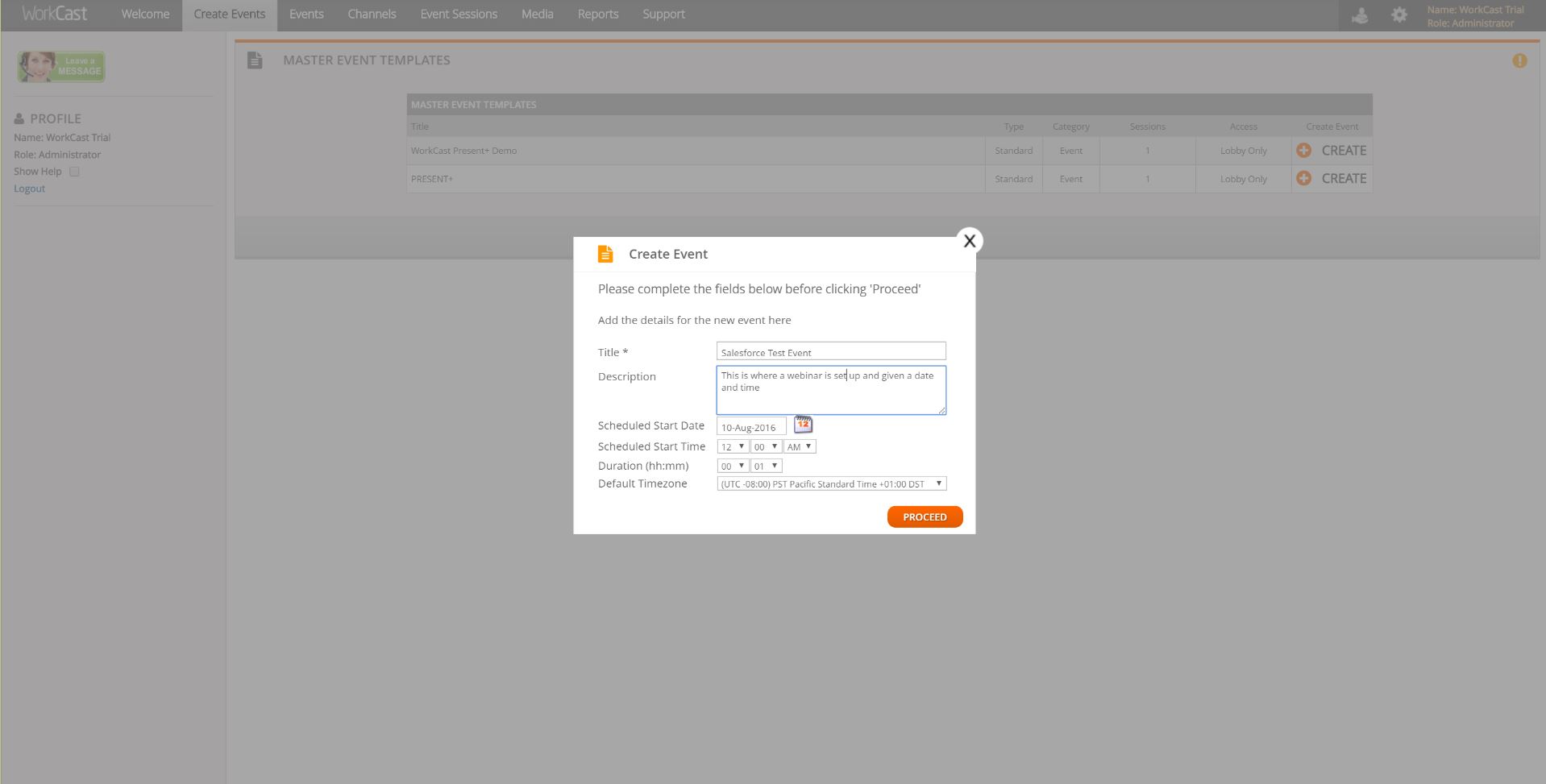
Screenshot of Simple design to create EventsScreenshot of Screenshot of Advanced Analytics available in the platformScreenshot of Advanced, interactive console  for presenters