Prezi’s advantage over static slides is that its interactive, zoomable canvas shows the relationship between the big picture and the fine details. The vendor’s value proposition is that this puts ideas in context, and makes them more likely to resonate, motivate, and be remembered.
$3
per month
Sendspark
Score 10.0 out of 10
N/A
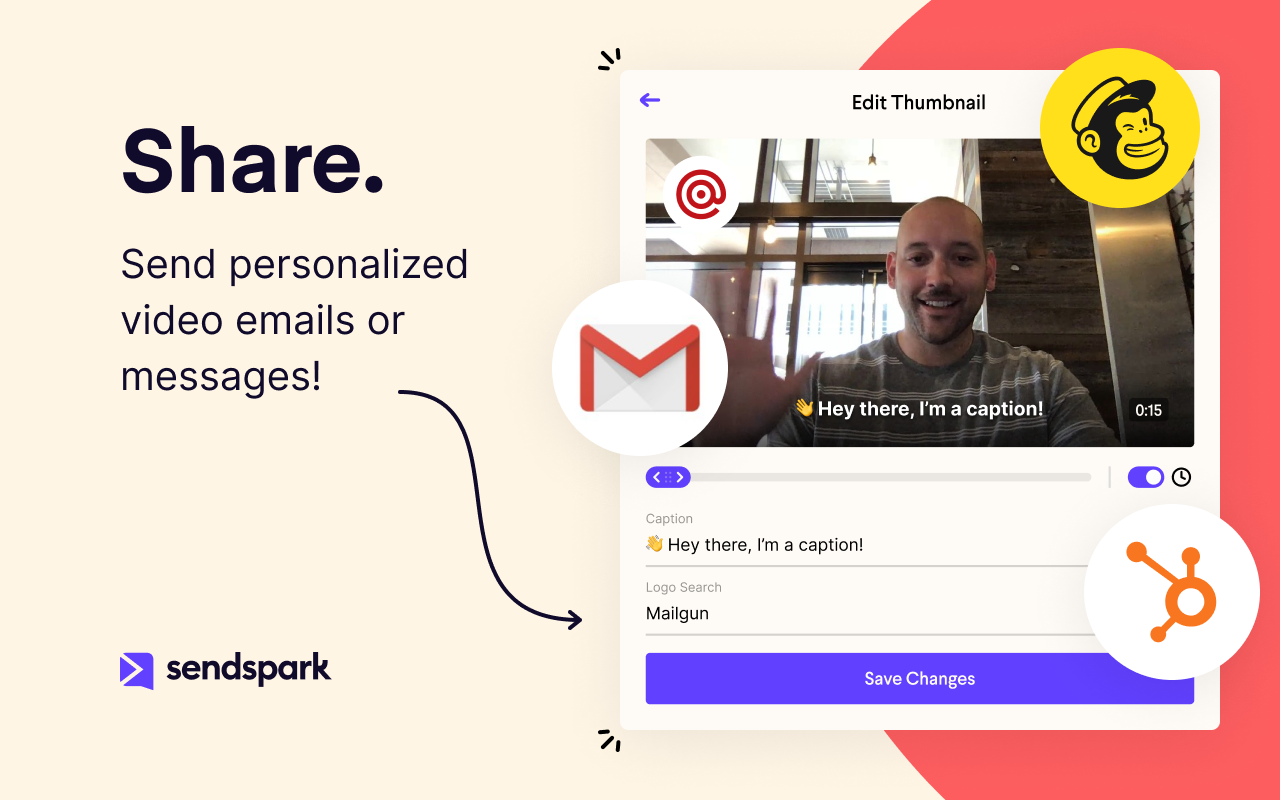
Sendspark helps businesses connect to customers with personalized video messages. Whether the user is an individual, manager, or enterprise, Sendspark can be used to create polished videos for demand generation, sales, or customer success. Videos can be shared in Gmail, LinkedIn, or email marketing platforms — wherever communication with customers is happening — to drive higher engagement.
When you have to present complex hierarchical structures, and if your audience would require navigation in and out of the hierarchy, then Prezi is a good candidate for you. But be prepared, Prezi is not as intuitive as a standard presentation tool, and it may take some time to get used to.
In my experience, Sendspark is particularly well-suited for sales and marketing professionals who need to create and send personalized videos at scale. The platform makes it easy to quickly record and share videos, which can be a great way to stand out in a crowded market and provide a more engaging and personal experience for clients. Additionally, the branding and marketing features of Sendspark are handy for maintaining a consistent and professional image. On the other hand, I think Sendspark may be less appropriate for organizations that require more robust collaboration and video editing features. The platform is designed for simplicity and speed, so it may not be the best choice for users who need more advanced editing tools or the ability to work on videos with multiple users simultaneously. Additionally, the limited customization options for video themes may not be suitable for users who need more flexibility in terms of design and layout. Other video recording and sharing platforms may be a better fit in these cases.
Linux support is non-existent. With Android/Chrome OS being based on the linux kernel but also with lots of tech-savvy and influencers using non-Windows and non iOS platforms, I feel a pariah.
As far as I know for Android phones and tablets you can only present but not edit prezis in its native app. Again an Android users, it is a sub-par experience the app in general is lacking functionality.
Using the browser version (because I have no other alternative) uploading multiple images is very buggy
Having a version history would be great when you are editing a large presentation over several days
Because with such a contribution it is possible to reach customers much better than with many other expensive tools. It is comparatively cheaper to do marketing with emails. So you should make your email campaigns as effective as possible. What really works with Sendspark. I think Sendspark will implement many more things. Which is why I am currently convinced to continue using Sendspark.
Learning to use Prezi and create new presentations is very simple and easy to do. It does not require new skills or a long training process, since in general the use is quite intuitive (and if you have any questions there are many videos on how to use it). Its operation in both the browser version and the app is very good and fluid, managing to perform all the tasks you want properly.
Acutally we didnt have had any problems so far. Everything works since we use it. The Servers are fast, and creating videos is a breeze. The Dashboard works properly and we can work very Smooth with Sendspark so far.
Support is very fast. I actually get Support between 8-24 Hours which is Important for us. The website tend to slow down sometimes, but will not affect the overall usage. I think they have a good Server Plan, which runs smooth. Until now we didnt had any serious problems with saving our Video Files or Uploading.
It is a modern and easy-to-use tool (after a while) that allows you to make dynamic and trained presentations without the need to be an expert user. It has allowed me to improve the attention and motivational processes of my students. In addition, it has many [community users] who make videos and teach the many uses that you can use Prezi. And because, despite the restrictions of the free version, everyone can access and make use of Prezi and thus improve their boring ppt and inject some vitality into them.
Other solutions for presentations all fall on the typical slideshow paradigm. So far, only Prezi walked away from this path. Its expanding canvas and freeform path are refreshing in this scenario. In this sense, Prezi is unique in its style of presentation, which makes difficult to establish comparisons based on costs. The still ongoing migration to Prezi Next has been a bit troubled, according to some old users, but it seems the company is working to give Prezi Next the same flexibility that Prezi Classic. And Prezi already has a huge user base that do not want to go back working with the limits of slides.
Loom provides all basic features of screen recording software but because they are established now, they sometimes fail to work on customer feedback while Sendspark is always innovative e.g one of the life-saving features is a link to share with customers to record their testimonials which other software are not doing.
I think there is a lot of space for scaling. But for a Company like us there is plenty enough of capabilites to use Sendspark without any lack of performance issues. Maybe Sendspark could be limited for very Big Companys. But since they are a Startup, maybe they will grow and dive us to a better overall experience.
Prezi provided us with a unique selling factor when it came to pitching our services to new prospects.
While creating a presentation from scratch might be time-consuming, Prezi allows you to easily reuse and utilize old designs to create new presentations with a different vibe and content.
An easy way to impress upper management and stakeholders, especially when presenting to the management of our clients.
A member of my sales team went 10 for 10 on receiving replies from outreach prospects when leading with a Sendspark video message.
Received a PO for $109K on the last day of the quarter after messaging a customer with a polite and earnest Sendspark video to get the PO that day.
Supported a team member closing a sale by creating a Sendspark demo/explanation video of "this is how it would work" for the owner of a prospect company.