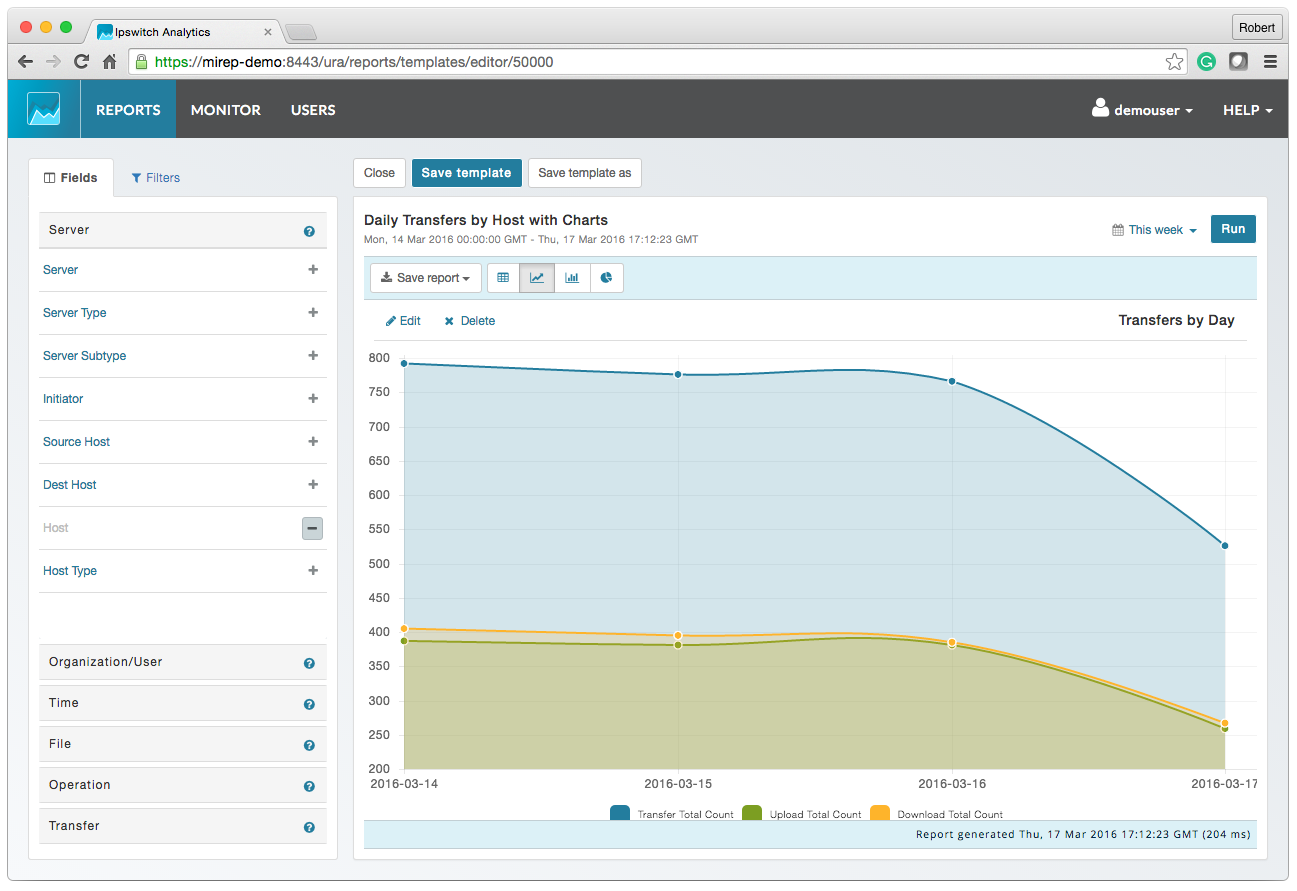
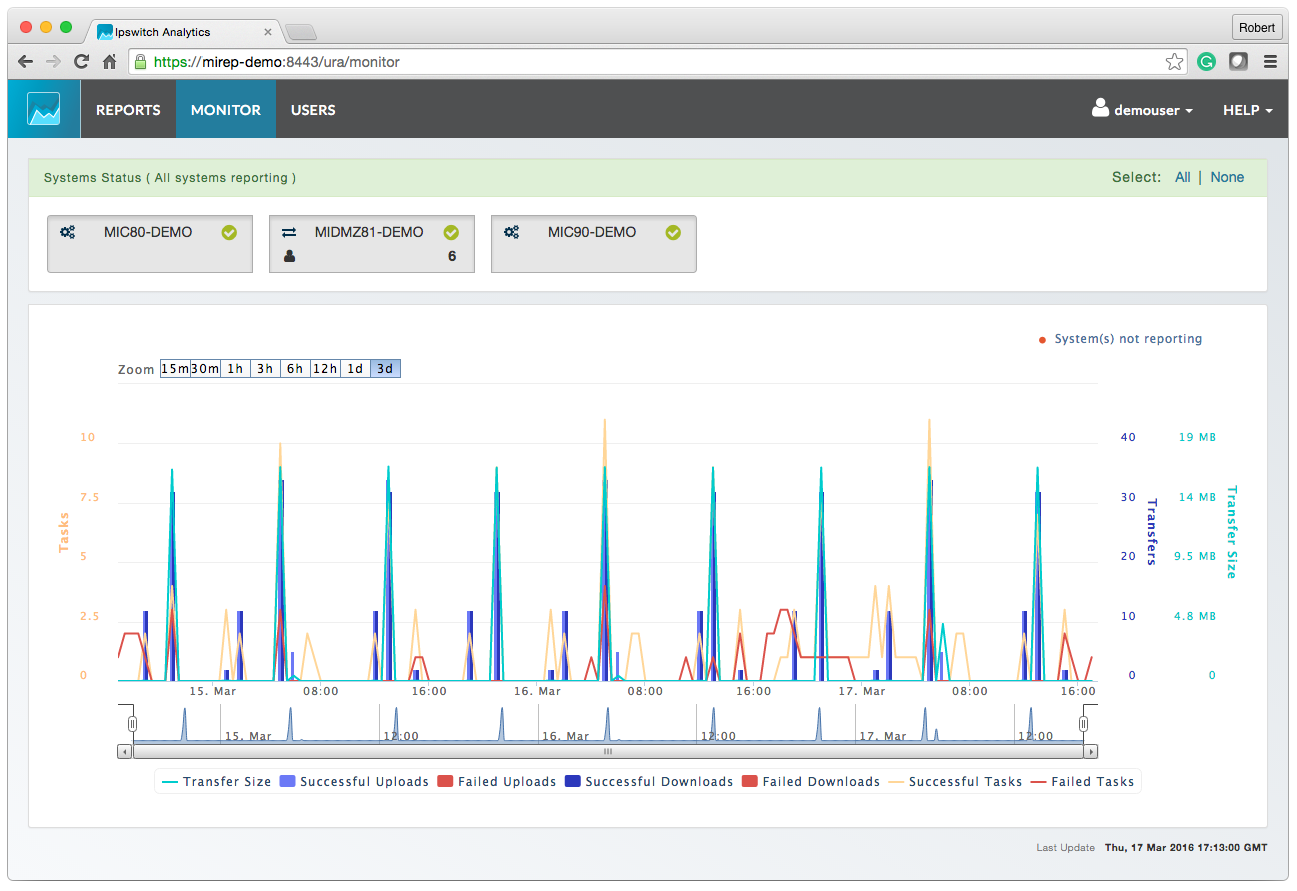
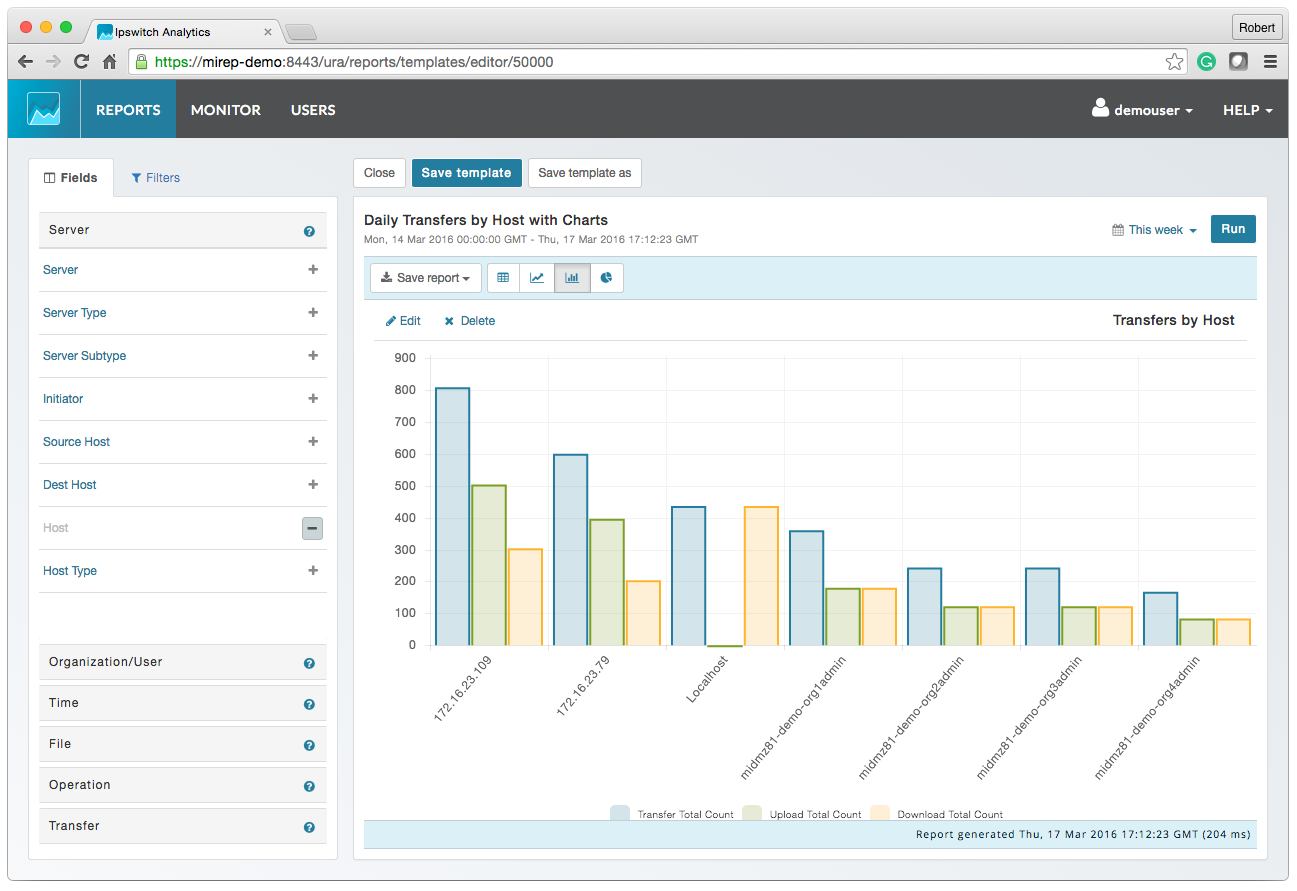
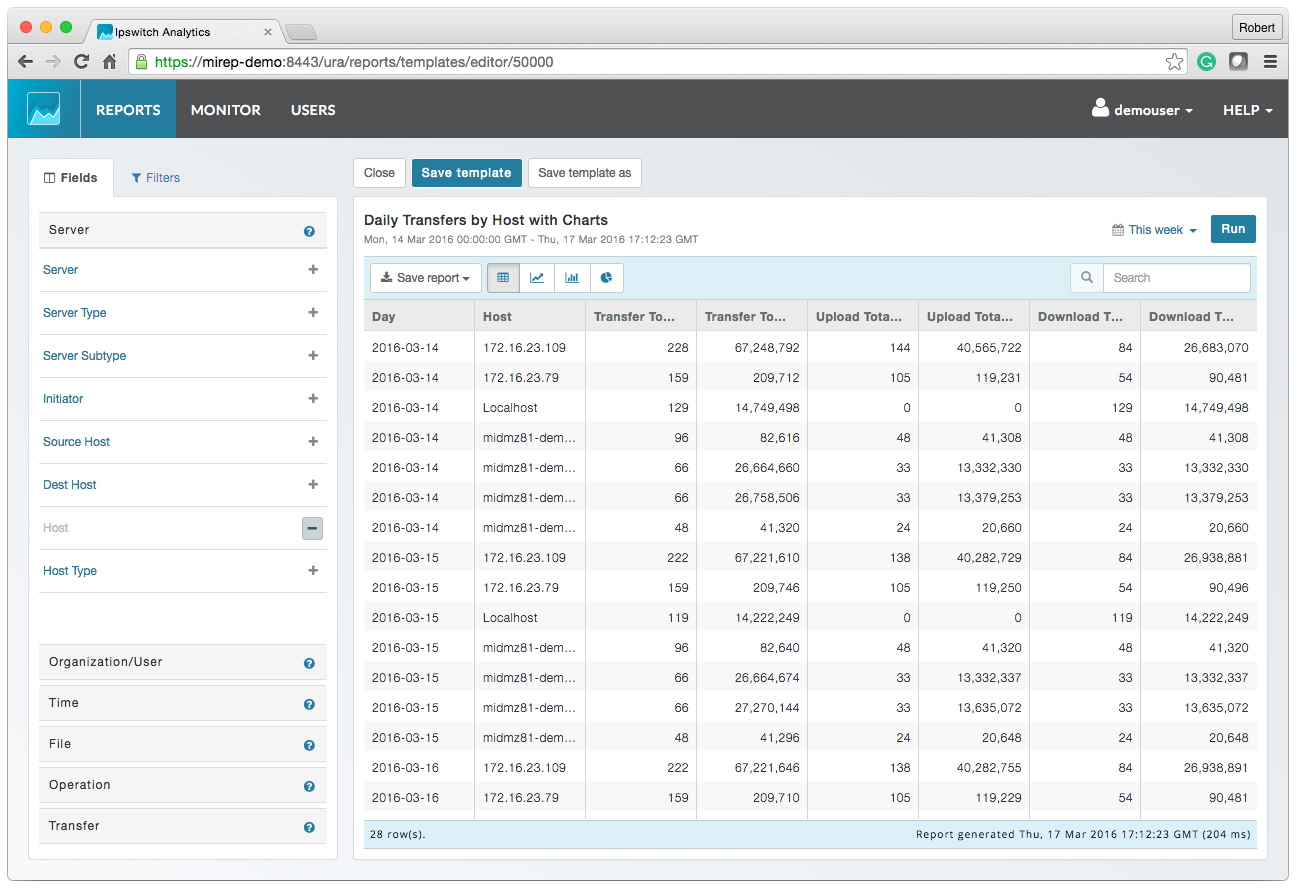
Progress MOVEit provides a Managed File Transfer (MFT) solution to securely exchange files between applications, internal teams, external customers and business partners. By centralizing file transfer operations, MOVEit improves visibility, control and governance across enterprise data movement. MOVEit supports policy-driven automation for recurring file transfers without requiring advanced programming, while reporting and audit logging provide documented visibility into…
N/A
Sococo
Score10 out of 10
N/A
Sococo is a remote collaboration tool with integrations with third-party applications such as Google Docs, Atlassian JIRA, and Box.
$14.99
per month per seat
Pricing
Progress MOVEit
Sococo
Editions & Modules
No answers on this topic
Sococo
$14.99 or $13.99 if paid annually
per month per seat
Sococo Unlimited
$24.99
per month per seat
Offerings
Pricing Offerings
Progress MOVEit
Sococo
Free Trial
Yes
No
Free/Freemium Version
No
No
Premium Consulting/Integration Services
Yes
No
Entry-level Setup Fee
Optional
No setup fee
Additional Details
—
Sococo pricing plan includes a 10 seat minimum and 500 minutes per seat per month. Additional minutes price at $5 per 1,000 minutes. Sococo unlimited include a 100 seat minimum with unlimited minutes per seat per user.
MOVEit is actively used on a dedicated server to supply clients with SFTP transactions. Automation is configured easily and safely. We rely on MOVEit to provide the transmission of daily, weekly, and monthly files across many companies and businesses. MOVEit is recommended by my group for any SFTP needs etc.
A de minimis incentive was given to thank the reviewer for their time. The incentive was not used to bias or drive a particular response, nor was the incentive contingent on a positive endorsement. More Info
We tried Sococo as means of gamifying a natively remote office. It does the job but the tool suffers from a lack of integrations. You will run out of free minutes very quickly and the additional charges are too high to make business sense.
A de minimis incentive was given to thank the reviewer for their time. The incentive was not used to bias or drive a particular response, nor was the incentive contingent on a positive endorsement. More Info
Visual layout - the virtual office visible was very helpful because it made the organization feel closer and as a whole, much more connected. Further, you can group departments in your layout, so it gave a good visual understanding of who was part of each 'department/team.'
Sound - the sound quality was good overall in meetings, and I liked the realistic sounds for opening and closing an office, etc. It allowed for a real office feel, and this is especially important since a lot of companies offer the option to work from home now - this removes the 'disconnect' that usually exists when working from home.
Communication options - it allowed for multiple ways to communicate and places to communicate - i.e., in the auditorium, lunchroom, conference room, or a smaller room. Very realistic and a variety in that sense.
A de minimis incentive was given to thank the reviewer for their time. The incentive was not used to bias or drive a particular response, nor was the incentive contingent on a positive endorsement. More Info
A de minimis incentive was given to thank the reviewer for their time. The incentive was not used to bias or drive a particular response, nor was the incentive contingent on a positive endorsement. More Info
A de minimis incentive was given to thank the reviewer for their time. The incentive was not used to bias or drive a particular response, nor was the incentive contingent on a positive endorsement. More Info
A de minimis incentive was given to thank the reviewer for their time. The incentive was not used to bias or drive a particular response, nor was the incentive contingent on a positive endorsement. More Info
Sococo didn't seem to have a strong support line. In comparison to other products, such as Microsoft Teams, it did not regularly check in with us. There should be opportunities to give feedback on the quality of the program periodically and if we had any issues. Sometimes, Sococo would crash, and we would 'restart it' but not know why it happened.
A de minimis incentive was given to thank the reviewer for their time. The incentive was not used to bias or drive a particular response, nor was the incentive contingent on a positive endorsement. More Info
We previously used Attunity MFT (Formerly Repliweb MFT); We were looking to move away from the platform becuase, while flexible, it was too flexible. The flexibility was gained by running scripts with each job to do what you want. So, not only did you have to define the job (Source and Destination), you had to have a fairly strong programming background. Tasks as simple as renaming files with a date stamp, required a script be written. MoveIt has many of these basic macros available for file name manipulations like various date pieces, times, file names, etc, and they're all well documented. Ex: [OrigName] = Original Filename (TestFile.pdf), [OnlyName] = Just the filename, no extension (TestFile), [OnlyExt] = Just the file extentions (.pdf). Pretty much every field within a job can use pre-defined Macros, which is a huge benefit. We also moved away from that platform because it had gone stale, it wasn't their "Core" product. The vendor supported it, but was not actively developing it or fixing bugs or anything. We went 2-3 years without even an update to the binary. MoveIt is one of Progress's "Core" products, so they are adding features / functionality and fixing bugs actively
A de minimis incentive was given to thank the reviewer for their time. The incentive was not used to bias or drive a particular response, nor was the incentive contingent on a positive endorsement. More Info
I prefer Sococo over Lync/Skype for a few reasons. I feel the user interface is slicker, better voice clarity, easier to hop between calls. And, all call members can go to a common chat room on their own accord instead of one person trying to invite everybody. I also feel that it's easier to share one's screen and swap between different shared screens with Sococo.
A de minimis incentive was given to thank the reviewer for their time. The incentive was not used to bias or drive a particular response, nor was the incentive contingent on a positive endorsement. More Info
It gave us the ability to exchange files with customers and vendors in a secure manner.
Given the sensitivity of our files exchange, MOVEit helped in gaining the trust of our customers that their data is safe.
Using its API, we were able to build a custom app that is adding even more features, specific to our needs, like empowering project managers with more permissions on their folders
A de minimis incentive was given to thank the reviewer for their time. The incentive was not used to bias or drive a particular response, nor was the incentive contingent on a positive endorsement. More Info
Morning meetings are much simpler with sococo than without. Small powwows with coworkers to work out little bugs are also a lot more enticing since setup is essentially nonexistent.
It might be argued that the cost of sococo isn't worth the benefits of simplicity and ease of use.
A de minimis incentive was given to thank the reviewer for their time. The incentive was not used to bias or drive a particular response, nor was the incentive contingent on a positive endorsement. More Info