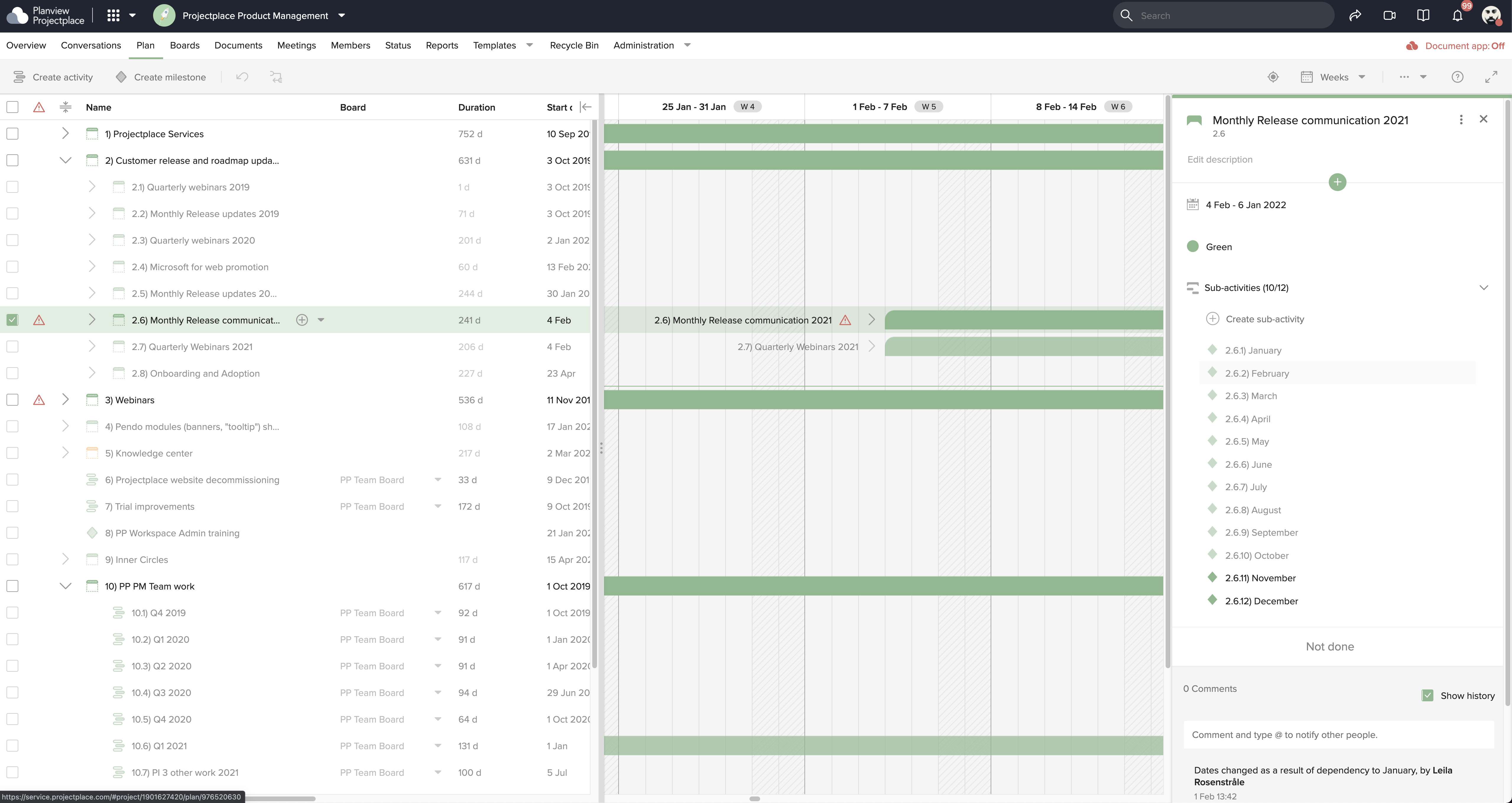
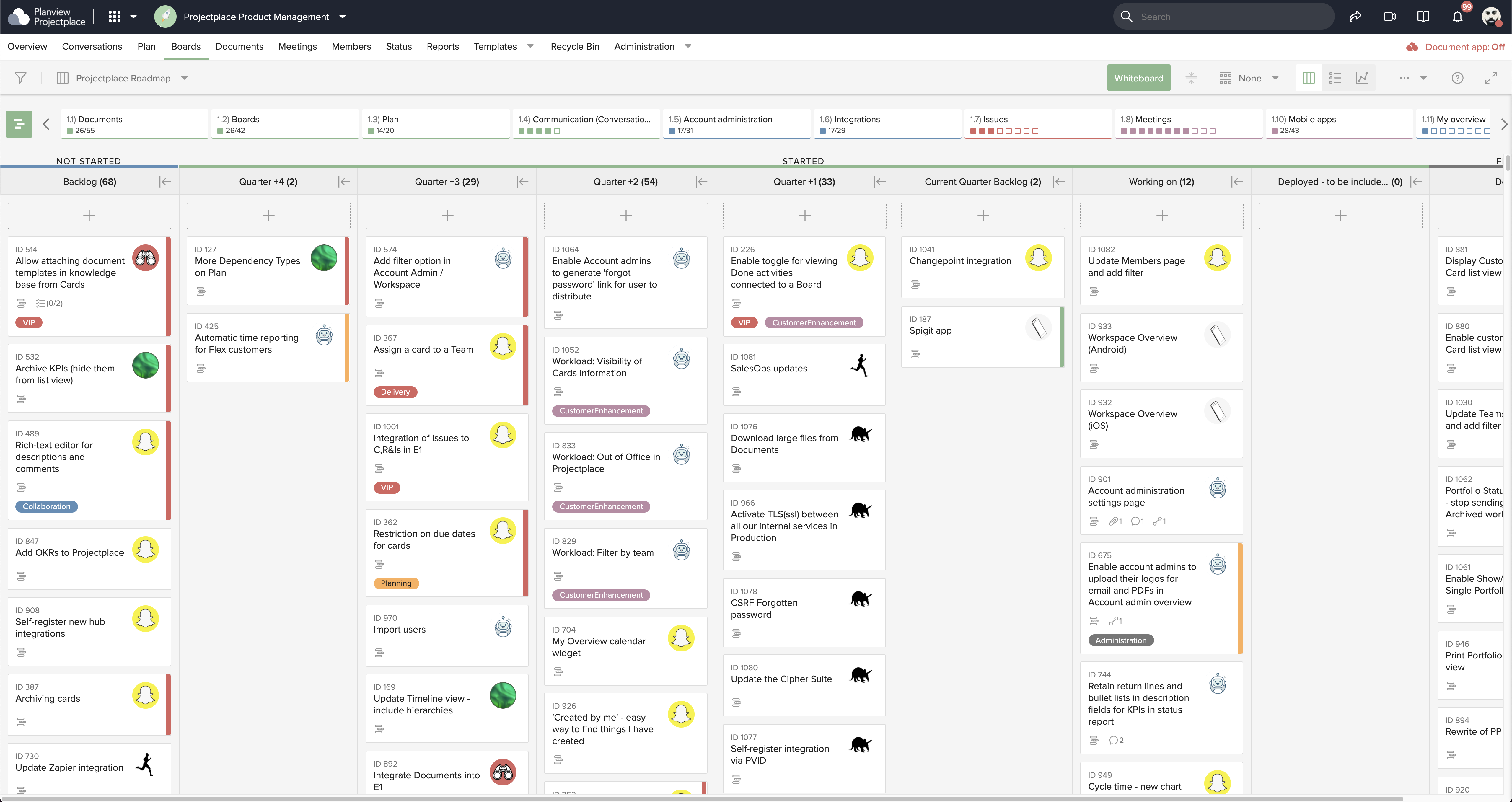
Projectplace is a collaborative work management solution. The vendor says the product is built with teams of all sizes and complexity in mind, from virtual teams of five to entire global enterprises with tens of thousands of active users. It is also designed to incorporate waterfall and agile workflows.
N/A
Quip
Score8.4 out of 10
N/A
Quip is a collaboration tool, from Salesforce, that helps sales teams accelerate business in real-time with embedded documents, live Salesforce data, and other built-in collaboration features.
$120
per year per user
Pricing
Planview ProjectPlace
Quip
Editions & Modules
No answers on this topic
Enterprise
$25
per user per month
Starter
$120
per year per user
Plus
$300
per year per user
Advanced
$1,200
per year per user
Offerings
Pricing Offerings
Planview ProjectPlace
Quip
Free Trial
Yes
No
Free/Freemium Version
No
No
Premium Consulting/Integration Services
Yes
No
Entry-level Setup Fee
No setup fee
No setup fee
Additional Details
—
All editions include unlimited personal documents and folders and a custom subdomain. Paid versions include unlimited document revision history, message archive and group sharing.
Planview ProjectPlace is a vibrant platform that manages all activities and schedules different roles based on their urgency, importance, and requests. Further, Planview ProjectPlace outlines the need for proper documentation with the aim of accurate referencing. Tasks are credibly shared, and proper reporting is enhanced to transform firms' work environment. ; Lastly, Planview ProjectPlace brings sustainable email integration for enterprises.
A de minimis incentive was given to thank the reviewer for their time. The incentive was not used to bias or drive a particular response, nor was the incentive contingent on a positive endorsement. More Info
I think collaboration is probably the best use case for it allows really good drafts of documents. I think it's really good use case if you want to go track edits to documents as well. It's probably not really good for versioning control, but it's definitely, it's very, very lightweight and so you can use it on a mobile device, you can use it in any web browser. So it's very easy to use, very easily accessible. I probably wouldn't use it from a spreadsheet perspective. Well I think some of the primary functions of data sheets are there. It doesn't have some of the more complex formulas that you would typically get from Excel or something like that
A de minimis incentive was given to thank the reviewer for their time. The incentive was not used to bias or drive a particular response, nor was the incentive contingent on a positive endorsement. More Info
A de minimis incentive was given to thank the reviewer for their time. The incentive was not used to bias or drive a particular response, nor was the incentive contingent on a positive endorsement. More Info
A de minimis incentive was given to thank the reviewer for their time. The incentive was not used to bias or drive a particular response, nor was the incentive contingent on a positive endorsement. More Info
Under the time tracking, it would be nice to have a set template that would load each week and not have to click a button to load the previous week's template.
Somehow making it more intuitive.
Having to add in each service line and each detail that I cover for every service line each week is a bit ridiculous.
A de minimis incentive was given to thank the reviewer for their time. The incentive was not used to bias or drive a particular response, nor was the incentive contingent on a positive endorsement. More Info
When using Quip Desktop, it can be slow to update with content from other users
I think it would be cool to have a PDF proofing system integrated into Quip. Once copy has gone to design, we are basically done using Quip - I'd like to bring that all together within Quip
Multi -select and group export of documents would be helpful
A de minimis incentive was given to thank the reviewer for their time. The incentive was not used to bias or drive a particular response, nor was the incentive contingent on a positive endorsement. More Info
We're committed now & have >50 users on Projectplace. All our projects are now tracked in the tool. We this investment of time & training, the cost of maintaining Projectplace is relatively low for the benefit. So we will renew, even if there are some idiosyncrasies in the tool & there are opportunities for improvement.
A de minimis incentive was given to thank the reviewer for their time. The incentive was not used to bias or drive a particular response, nor was the incentive contingent on a positive endorsement. More Info
Easy to use platform and provides the user with an amazing experience and straightforward tools that empower and help execute tasks with fast performances that allow quick and easy service delivery. Easy on implementation and get started immediately with enterprise-ready Planview Projectplace and start to connect with teams and departments at once.
A de minimis incentive was given to thank the reviewer for their time. The incentive was not used to bias or drive a particular response, nor was the incentive contingent on a positive endorsement. More Info
It is the best collaboration tool in my company. Through it, the organization has achieved better connectivity and efficiency in its communication. Primarily, the docs feature of this software is the most utilized in the company. Slowly, dash-boarding and project management features have also been utilized. Generally, it is the best tool, very easy and fairly streamlined
A de minimis incentive was given to thank the reviewer for their time. The incentive was not used to bias or drive a particular response, nor was the incentive contingent on a positive endorsement. More Info
A de minimis incentive was given to thank the reviewer for their time. The incentive was not used to bias or drive a particular response, nor was the incentive contingent on a positive endorsement. More Info
I haven't needed to get in touch with support because the product is quite well structured and understandable. There were no issues initially when making payments or later for monthly payments. The project manager using the software is quite skilled in the software and has not needed much help. New licenses are easy to acquire, and there is no delay in getting them. I know there are several ways of support available, so that's a plus.
A de minimis incentive was given to thank the reviewer for their time. The incentive was not used to bias or drive a particular response, nor was the incentive contingent on a positive endorsement. More Info
I have never used Quip's support. To be fair, we hired someone who used to work for Quip before working at our company, and he implemented it and pushed it with the team. He was very biased toward the product, and yes it was better than Google Drive, but by how much?
A de minimis incentive was given to thank the reviewer for their time. The incentive was not used to bias or drive a particular response, nor was the incentive contingent on a positive endorsement. More Info
[In my experience] Jira is more refined, better looking, and easier to become familiar with. Also, the massive market share of Jira helps in consultancy as you can switch between clients easily. Projectplace has many powerful tools but so does Jira, and Jira integrates with our suite of software much easier compared to Projectplace.
A de minimis incentive was given to thank the reviewer for their time. The incentive was not used to bias or drive a particular response, nor was the incentive contingent on a positive endorsement. More Info
Google Drive is an obvious choice for a collaboration suite, but it still has this old-fashioned Windows 95 feel to it, with the standard file system hierarchy and spread-sheet like lists of files. Quip has a fresh take on the user interface, and the comments and discussion on a given file or line within a file seems more integrated and seamless, rather than a bunch of boxes out in the margin away from where you're actually reading and working. Having everything just to the left of a list or paragraph makes it easier to focus and maintain context while you're working or discussing a certain point.
A de minimis incentive was given to thank the reviewer for their time. The incentive was not used to bias or drive a particular response, nor was the incentive contingent on a positive endorsement. More Info
A de minimis incentive was given to thank the reviewer for their time. The incentive was not used to bias or drive a particular response, nor was the incentive contingent on a positive endorsement. More Info
[We have the] ability to support remote work through projects that scale across multiple groups
We have large-scale quarterly projects, so the ability to save and duplicate project templates are helpful for us to keep track of tasks down to the specific card
A de minimis incentive was given to thank the reviewer for their time. The incentive was not used to bias or drive a particular response, nor was the incentive contingent on a positive endorsement. More Info
It is a tool that allows work teams to move forward in a centralized way and meet their objectives as efficiently as possible; this has allowed us to meet our customers and brought more work to the organization, therefore more revenue; I would say that the ROI was fast enough, as expected.