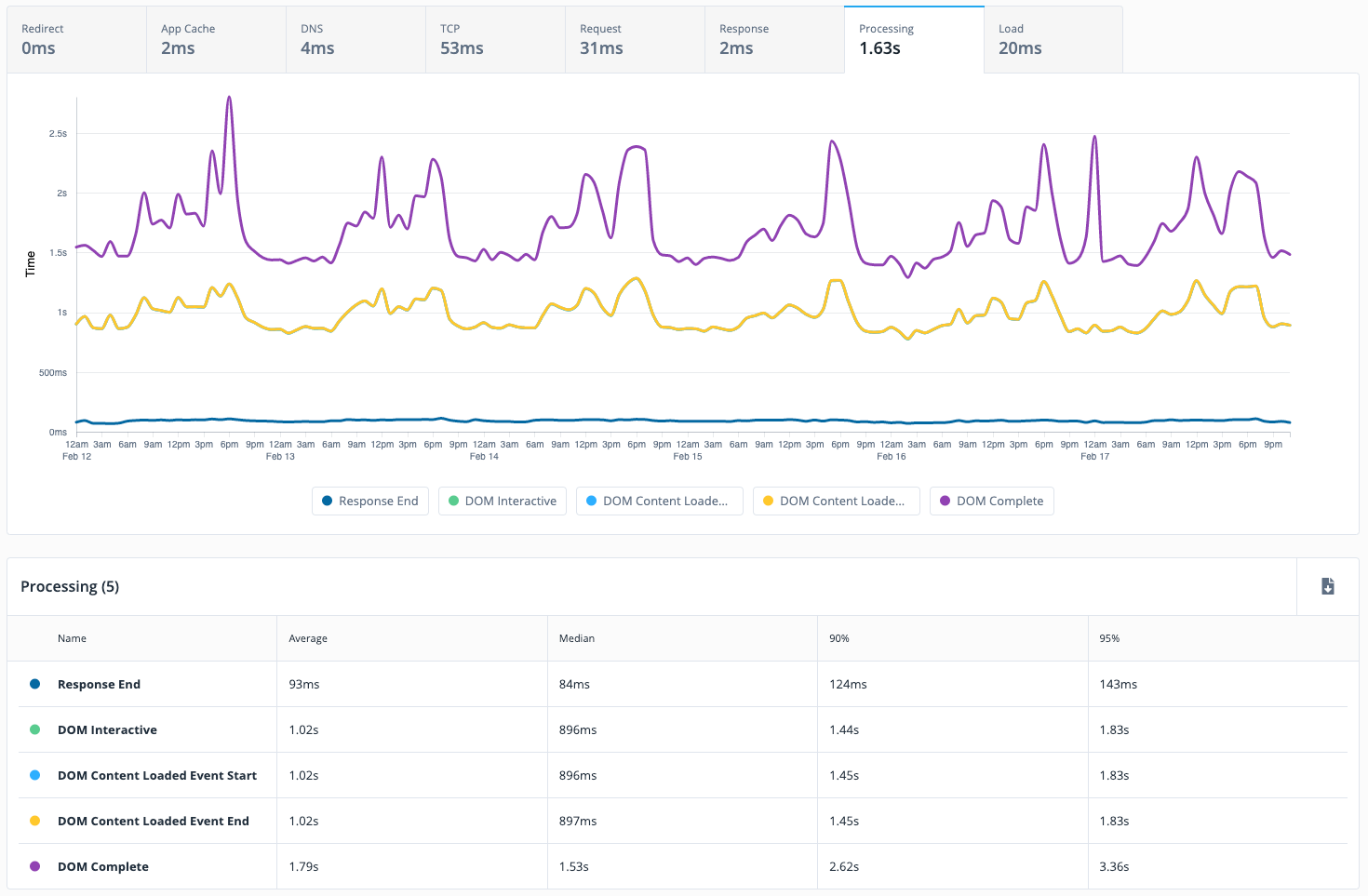
Quantum Metric is designed to help organizations build better digital products faster. Their platform for Continuous Product Design gives business and IT teams a single version of truth which the vendor describes as fast, quantified, and grounded on what customers actually experience. The solution ultimately aims to help teams agree on priorities, build products customers love, and innovate with speed and confidence.
N/A
Sentry
Score8.8 out of 10
N/A
Sentry provides engineering teams with tools to detect and solve user-impacting bugs and other issues.
Quantum Metric is a true professional, and I love the level of insight and industry knowledge they bring to the table. We use it at the departmental level, including marketing, customer service, and IT. Session replay allows our data consumers to derive insights faster and easier than digging through data. It lets us see or understand how users feel and work to enhance those feelings. The quality of support and the time to respond are also noteworthy. They have great coverage, but the learning curve is very steep and requires a lot of technical support and hand-holding.
A de minimis incentive was given to thank the reviewer for their time. The incentive was not used to bias or drive a particular response, nor was the incentive contingent on a positive endorsement. More Info
Great for standard web application performance monitoring, analytics and error reporting. Shows line level code errors, gives insight into performance issues (plugins, API issues, etc.). Automation and scheduled scanning in production gives client visibility into 'after deployment' value. Also lets a relatively small number of developers keep tabs on a handful of different site/applications without needing a bunch of tools. The UI is pretty complicated and can be overwhelming for new users. Documentation could be better for the learning curve,
A de minimis incentive was given to thank the reviewer for their time. The incentive was not used to bias or drive a particular response, nor was the incentive contingent on a positive endorsement. More Info
Identifying user pain points and frustrations. Quantum Metrics has a data point called Rage Click which shows when a customer has clicked multiple times back to back on a particular section of the website.
Replaying a session to see everything that is loading on the front end to the customer, as well as the backed end of the website, has been critical in troubleshooting the experience.
Heatmaps are a awesome tool we have found very useful in showing engagement with different content on the page, how far user scroll & drop off and to see a split side by side view of the same page in an a/b test.
Great web interface. Lots of data available in a really clean format, with filtering options and more.
Per-user exception tracking. User is complaining about something being broken? Look up their account ID in Sentry and you can see if they've run into any exceptions (with device information included, of course).
Source map uploading. Took a little while to figure this out but now we have our deploy script upload sourcemaps to Sentry on each deployment, meaning we get to see stack traces that aren't obfuscated!
Very generous free tier – 10,000 events per month. We're nowhere near that yet.
A de minimis incentive was given to thank the reviewer for their time. The incentive was not used to bias or drive a particular response, nor was the incentive contingent on a positive endorsement. More Info
A de minimis incentive was given to thank the reviewer for their time. The incentive was not used to bias or drive a particular response, nor was the incentive contingent on a positive endorsement. More Info
A de minimis incentive was given to thank the reviewer for their time. The incentive was not used to bias or drive a particular response, nor was the incentive contingent on a positive endorsement. More Info
Quantum is a nice tool and is user friendly however I believe there always room for improvement. We have experienced minor issues with a few sessions which were solved by Quantum support reps in a timely manner and some of the dashboards are not as robust as other tools we use
A de minimis incentive was given to thank the reviewer for their time. The incentive was not used to bias or drive a particular response, nor was the incentive contingent on a positive endorsement. More Info
For a new user, it's pretty intuitive to onboard and start doing the basic functionalities. But QM has a lot of functionalities which can be leveraged by more team members (especially when you don't have analysts dedicatedly using this) if further enhancements to usability are made.
A de minimis incentive was given to thank the reviewer for their time. The incentive was not used to bias or drive a particular response, nor was the incentive contingent on a positive endorsement. More Info
Its incredibly versatile, but that leads to complexity for the uninitiated, which can be intimidating. Nevertheless its a well polished product, in our case leading to only using it for a focus on frontend is still more cost effective than buying a one-to-rule-them-all tool...
A de minimis incentive was given to thank the reviewer for their time. The incentive was not used to bias or drive a particular response, nor was the incentive contingent on a positive endorsement. More Info
I've been very impressed with the support Quantum Metric has provided. Our amazing Customer Success team has provided excellent service and has gone above and beyond in helping us use and understand the tool. We hold weekly calls with multiple teams and QM has been proactive in bringing things to our team's attention and making suggestions. The support has been one of the most important aspects of having QM and has allowed us to make great strides in improving how we use data and user research in our work.
A de minimis incentive was given to thank the reviewer for their time. The incentive was not used to bias or drive a particular response, nor was the incentive contingent on a positive endorsement. More Info
We have used - as an organization - multiple products that each fill a roll or task Quantum Metric provides...however I think there are very few tools or SaaS solutions out there that bundle so much into one solution. QM was better than the replay tool another group was utilizing (Mouseflow) because with our contract we could capture and review way more replays as well as have those replays married to actual, quantifiable data. From an analytics point, is so much easier to install event tracking as opposed to our basic Google Analytics implementation. However, I would still use GA as a primary record for measuring overall site performance since QM doesn't have robust product sales tracking. At one point we did review a competitor called Content Square. They seemed very focused on heat mapping.
A de minimis incentive was given to thank the reviewer for their time. The incentive was not used to bias or drive a particular response, nor was the incentive contingent on a positive endorsement. More Info
It is cheaper and offers better support for front-end applications for enterprise large environments with more then 30 scrum teams and hundreds of micro frontend applications. The configuration options, both with the agent and from the user interface, are superior to other tools, and the documentation is also very easy to use.
A de minimis incentive was given to thank the reviewer for their time. The incentive was not used to bias or drive a particular response, nor was the incentive contingent on a positive endorsement. More Info
A de minimis incentive was given to thank the reviewer for their time. The incentive was not used to bias or drive a particular response, nor was the incentive contingent on a positive endorsement. More Info
A de minimis incentive was given to thank the reviewer for their time. The incentive was not used to bias or drive a particular response, nor was the incentive contingent on a positive endorsement. More Info