Salesforce Starter vs. SAS 360 Plan

Overview
ProductRatingMost Used ByProduct SummaryStarting Price
Salesforce Starter
Score 9.0 out of 10
Small Businesses (1-50 employees)
Salesforce Starter (formerly Salesforce Essentials) is a small business CRM that replaces the former SalesforceIQ product. It is priced at $35 per user, on a monthly basis, or at $25 per month for if billed annually ($300) and can be tried free for 14 days on a trial.
$35
per month per user
SAS 360 Plan
Score 8.9 out of 10
N/A
Formerly SAS Marketing Operations Management, a solution to integrate and manage all marketing processes for greater consistency, efficiency and effectiveness – from marketing strategy development and planning to content creation, campaign execution and post-campaign analysis.N/A
Pricing
Salesforce StarterSAS 360 Plan
Editions & Modules
No answers on this topic
Offerings
Pricing Offerings
Salesforce StarterSAS 360 Plan
Free Trial
YesNo
Free/Freemium Version
NoNo
Premium Consulting/Integration Services
YesNo
Entry-level Setup FeeNo setup feeNo setup fee
Additional Details
More Pricing Information
Community Pulse
Salesforce StarterSAS 360 Plan
Features
Salesforce StarterSAS 360 Plan
Sales Force Automation
Comparison of Sales Force Automation features of Product A and Product B
Salesforce Starter
8.7
7 Ratings
10% above category average
SAS 360 Plan
-
Ratings
Customer data management / contact management7.57 Ratings00 Ratings
Territory management7.67 Ratings00 Ratings
Opportunity management9.07 Ratings00 Ratings
Integration with email client (e.g., Outlook or Gmail)9.66 Ratings00 Ratings
Quote & order management9.45 Ratings00 Ratings
Interaction tracking8.46 Ratings00 Ratings
Channel / partner relationship management9.75 Ratings00 Ratings
Marketing Automation
Comparison of Marketing Automation features of Product A and Product B
Salesforce Starter
7.6
6 Ratings
2% below category average
SAS 360 Plan
-
Ratings
Lead management7.66 Ratings00 Ratings
CRM Project Management
Comparison of CRM Project Management features of Product A and Product B
Salesforce Starter
8.3
5 Ratings
8% above category average
SAS 360 Plan
-
Ratings
Task management9.55 Ratings00 Ratings
Billing and invoicing management6.75 Ratings00 Ratings
Reporting8.85 Ratings00 Ratings
CRM Reporting & Analytics
Comparison of CRM Reporting & Analytics features of Product A and Product B
Salesforce Starter
9.0
5 Ratings
15% above category average
SAS 360 Plan
-
Ratings
Forecasting9.05 Ratings00 Ratings
Pipeline visualization8.85 Ratings00 Ratings
Customizable reports9.25 Ratings00 Ratings
Customization
Comparison of Customization features of Product A and Product B
Salesforce Starter
7.2
6 Ratings
6% below category average
SAS 360 Plan
-
Ratings
Custom fields7.56 Ratings00 Ratings
Custom objects7.55 Ratings00 Ratings
Scripting environment6.25 Ratings00 Ratings
API for custom integration7.65 Ratings00 Ratings
Security
Comparison of Security features of Product A and Product B
Salesforce Starter
8.8
6 Ratings
4% above category average
SAS 360 Plan
-
Ratings
Single sign-on capability8.86 Ratings00 Ratings
Role-based user permissions8.86 Ratings00 Ratings
Social CRM
Comparison of Social CRM features of Product A and Product B
Salesforce Starter
8.5
5 Ratings
13% above category average
SAS 360 Plan
-
Ratings
Social engagement8.55 Ratings00 Ratings
Integrations with 3rd-party Software
Comparison of Integrations with 3rd-party Software features of Product A and Product B
Salesforce Starter
8.1
5 Ratings
8% above category average
SAS 360 Plan
-
Ratings
Marketing automation8.35 Ratings00 Ratings
Compensation management8.05 Ratings00 Ratings
Platform
Comparison of Platform features of Product A and Product B
Salesforce Starter
8.3
6 Ratings
8% above category average
SAS 360 Plan
-
Ratings
Mobile access8.36 Ratings00 Ratings
Best Alternatives
Salesforce StarterSAS 360 Plan
Small Businesses
Salesmate
Salesmate
Score 10.0 out of 10
HubSpot Marketing Hub
Score 8.5 out of 10
Medium-sized Companies
Creatio
Creatio
Score 9.0 out of 10
Brandfolder
Brandfolder
Score 7.3 out of 10
Enterprises
Creatio
Creatio
Score 9.0 out of 10
Adobe Marketing Cloud
Score 9.2 out of 10
All AlternativesView all alternativesView all alternatives
User Ratings
Salesforce StarterSAS 360 Plan
Likelihood to Recommend
9.0
(7 ratings)
8.0
(1 ratings)
Likelihood to Renew
4.0
(1 ratings)
-
(0 ratings)
Usability
8.5
(4 ratings)
-
(0 ratings)
User Testimonials
Salesforce StarterSAS 360 Plan
Likelihood to Recommend
Salesforce
If you own a business that has complex selling processes or requires integrations with 3rd party tools/systems, you should look at Professional, Enterprise, or Unlimited editions. Salesforce operates very well across pretty much every industry, but not all sales, marketing, and operational processes are created equal. If your marketing process requires a long list of sendable contacts then I would recommend adding on Pardot or Hubspot. Always start small and scale up, to avoid boxing yourself in down the road.
Read full review
SAS
No answers on this topic
Pros
Salesforce
  • Tracking phone calls is extremely easy when using the app on the iphone. After a phone call is complete it prompts the user to enter in call details.
  • SalesforceIQ also automatically logs emails for us. This has saved us time from entering in information manually.
  • SalesforceIQ was easy to set up and allowed us customization for fields that were relevant to our business.
Read full review
SAS
  • Create and manage a detailed plan for a marketing campaign: when you create detailed project plans and then task and role levels, SAS Marketing Operations Management (SAS MOM) makes it easier to coordinate between projects with very little, if any, issues.
  • Share, reuse and leverage existing marketing assets: Like some marketing tools, SAS MOM allows you to create and reuse assets across various channels.
  • Manage project collaboration and execution: You are allowed to set up a workflow that helps move processes along without having to manage each step of the project.
Read full review
Cons
Salesforce
  • Table views can be sorted by column. Filters can be applied, but only to one column. Multi-column filtering like Excel allows would be extremely useful and a big improvement.
  • The ability to quick copy data in a table view would also be helpful, like (ctrl ') in excel.
Read full review
SAS
  • It would be good to have a Storyboard feature to summarize and tie together some of the dashboard metrics.
  • Missing feature: Hubspot CRM integration.
Read full review
Usability
Salesforce
The system is very user-friendly on a desktop but lacks mobile friendliness. The Customer relationship manager disappears after the deal is signed. We struggled to get the system in a usable format, which was not cost-effective. The CRM system on desktop was great but way more complicated than it should be.
Read full review
SAS
No answers on this topic
Alternatives Considered
Salesforce
more expensive but as an industry leader and go, the learning curve pays for itself in ROI in lost time in onboarding
Read full review
SAS
No answers on this topic
Return on Investment
Salesforce
  • It made the job more efficient for staff so they can spend time doing other tasks rather than configuring and maintaining Salesforce Starter.
Read full review
SAS
No answers on this topic
ScreenShots

Salesforce Starter Screenshots

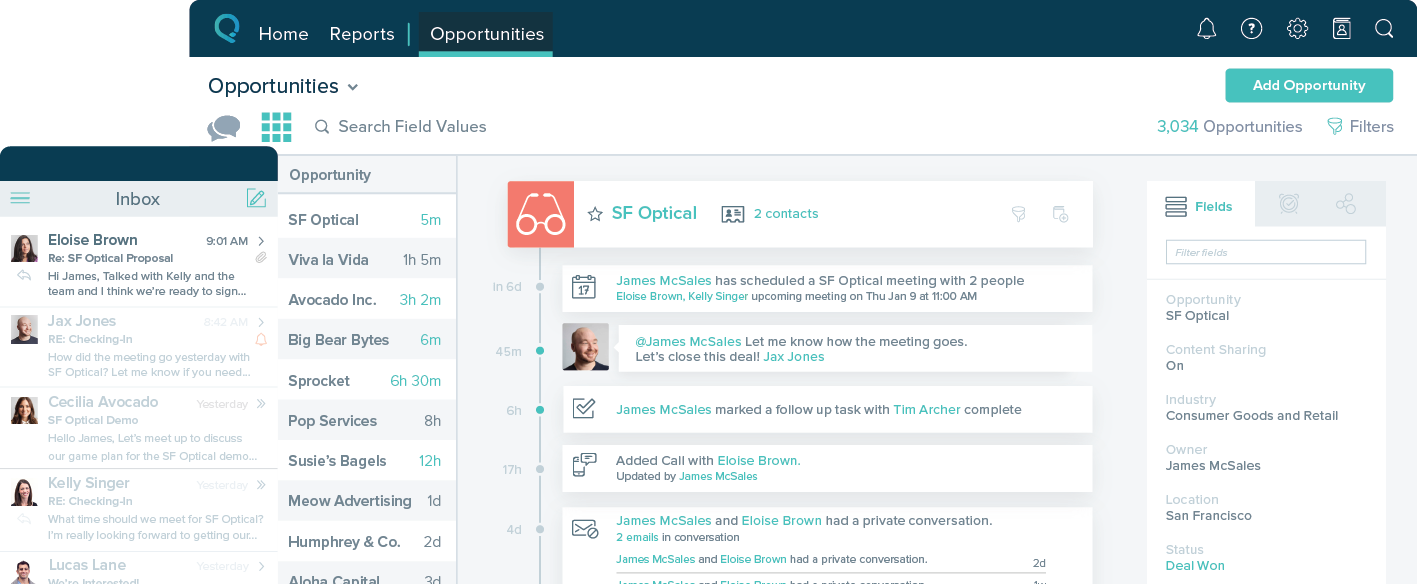
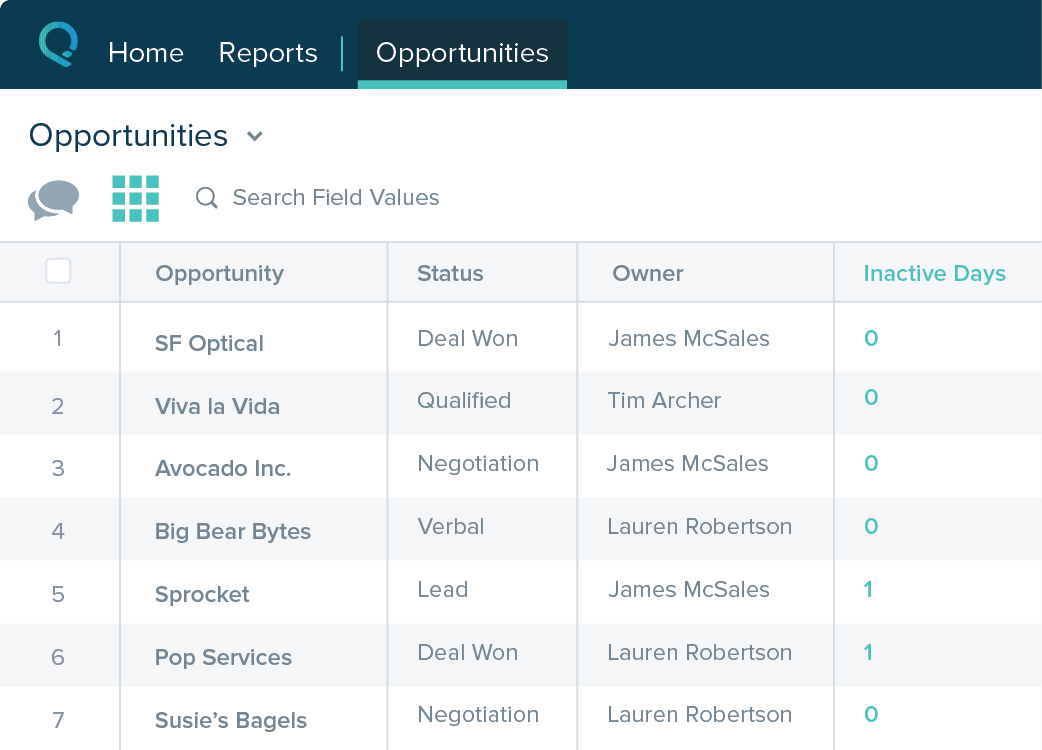
Screenshot of Screenshot of Screenshot of Screenshot of