With SeaTable, teams can organize tasks, assets, projects and ideas. It looks like a spreadsheet but structures any type of information, in the cloud or on the user's own server. SeaTable is a web solution to design business processeses and workflows. SeaTable is designed to give teams the information that is currently needed. Individual views provide the freedom to organize work as it is needed. SeaTable can be linked with other business applications and…
$0
up to 3 users
UserVoice
Score9.5 out of 10
N/A
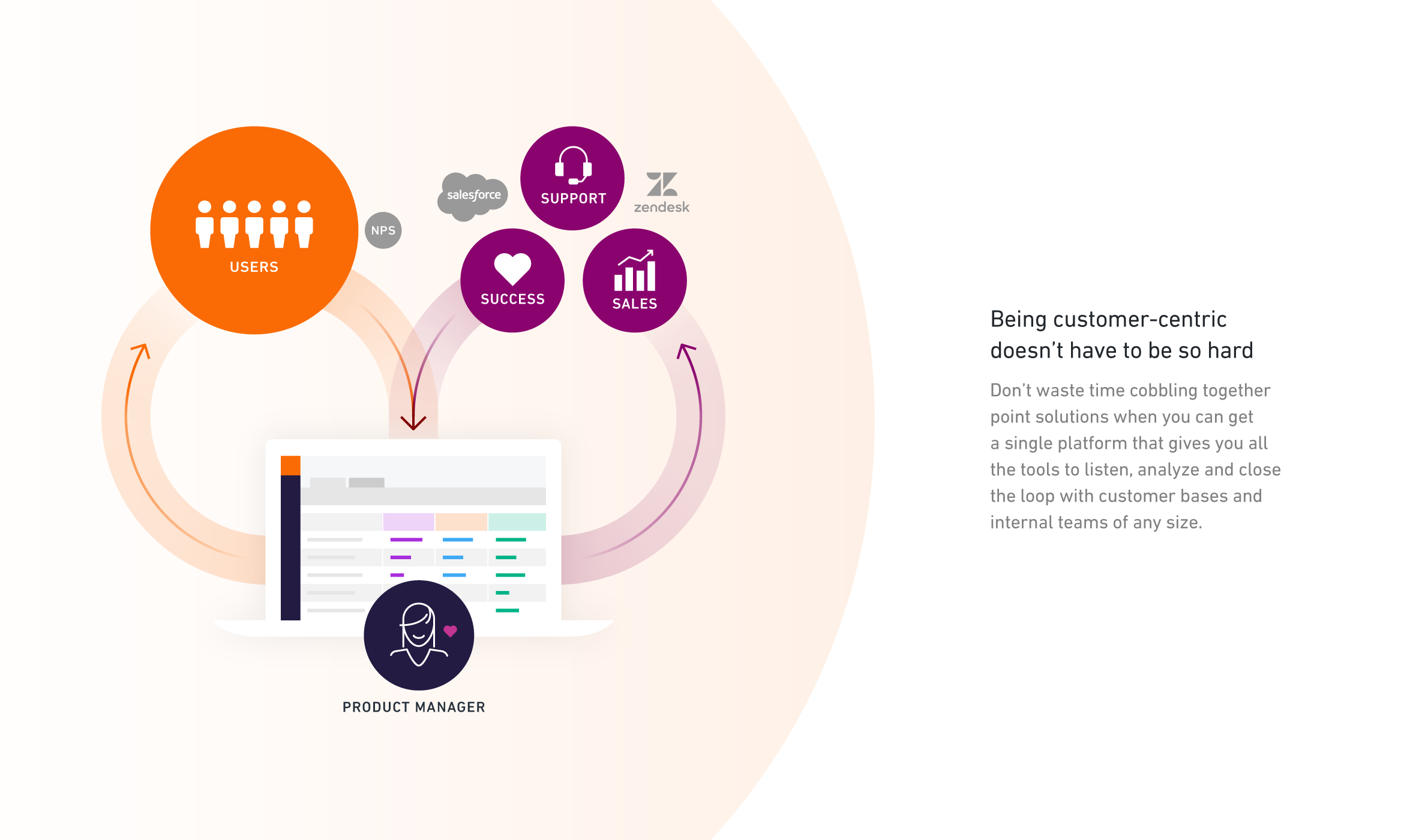
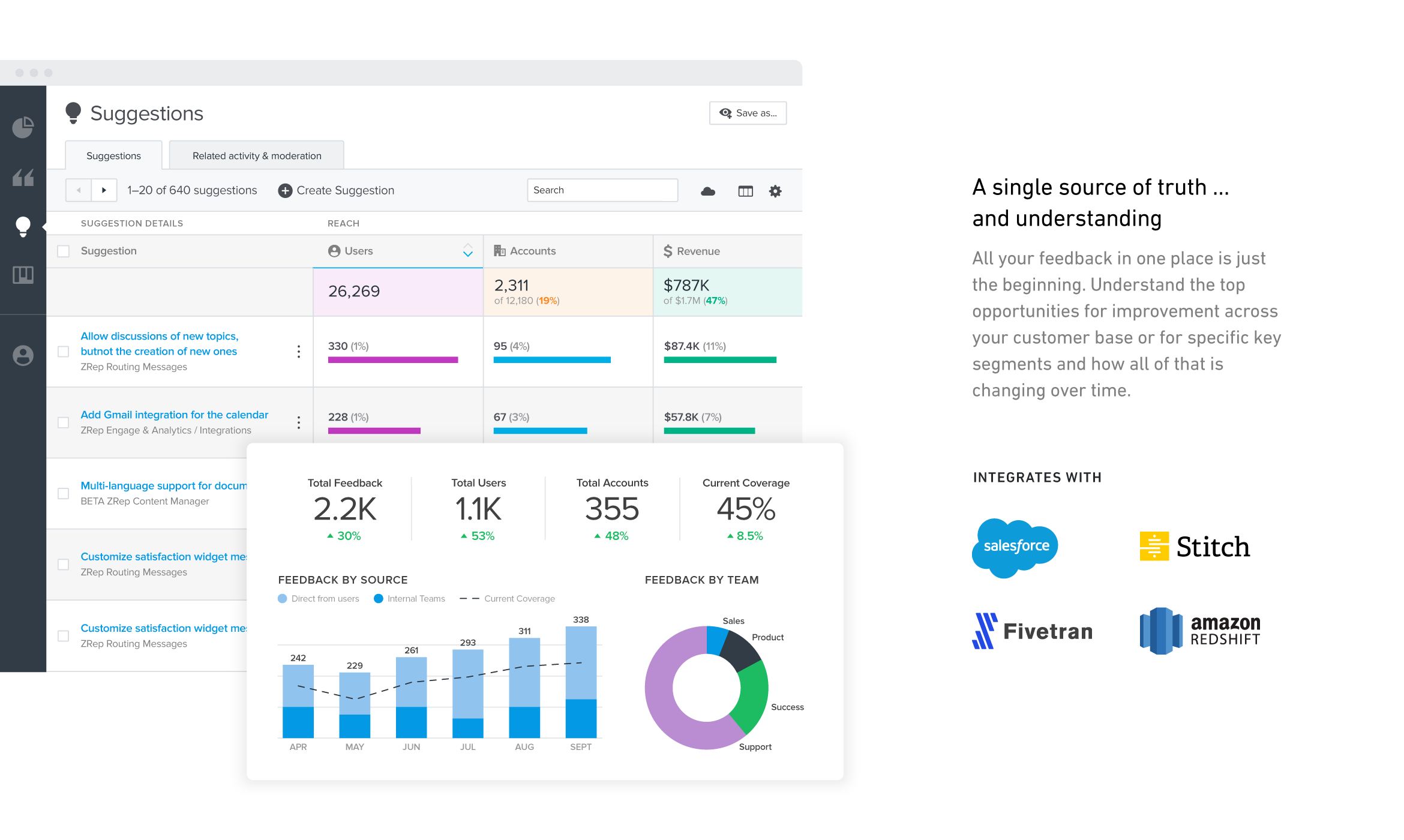
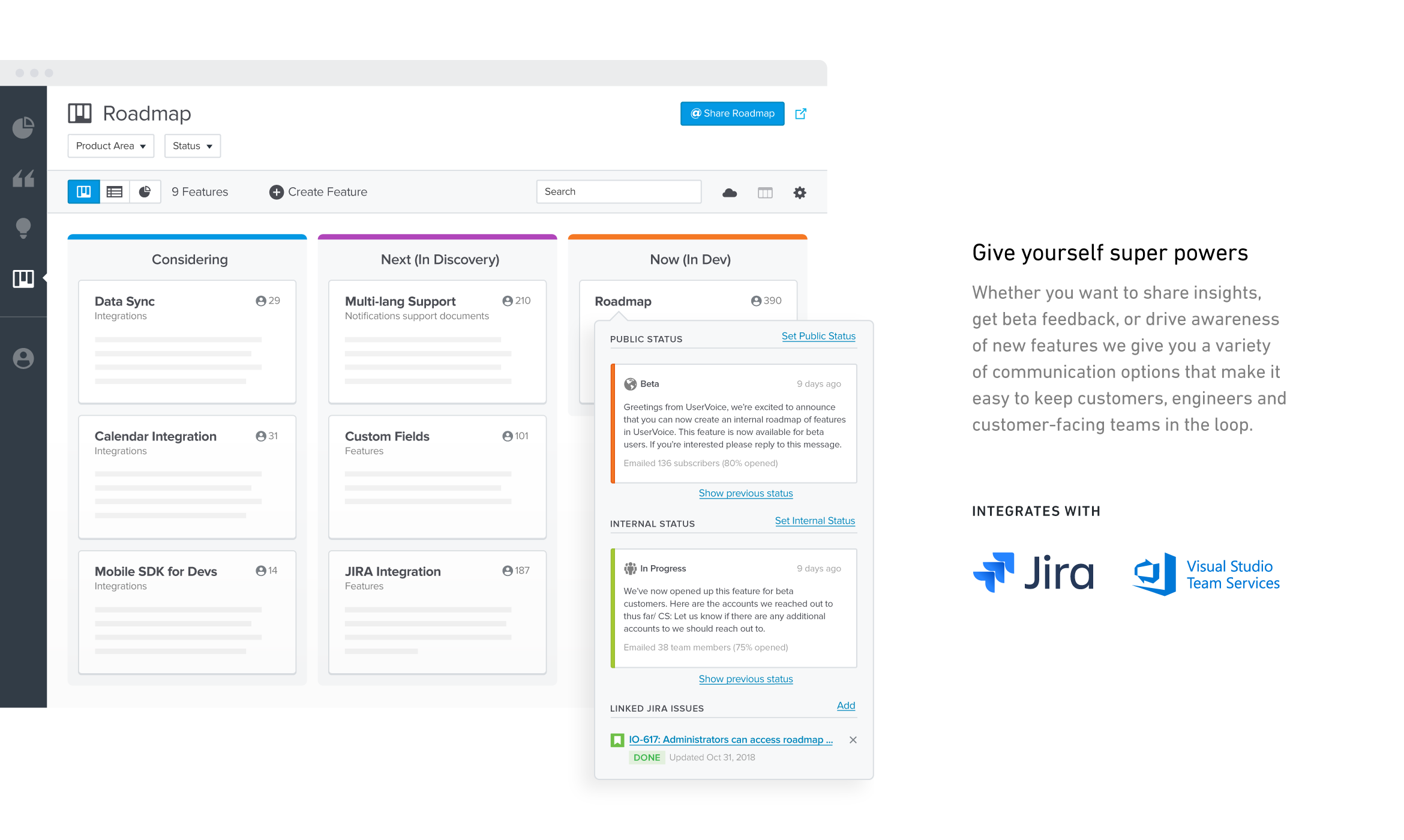
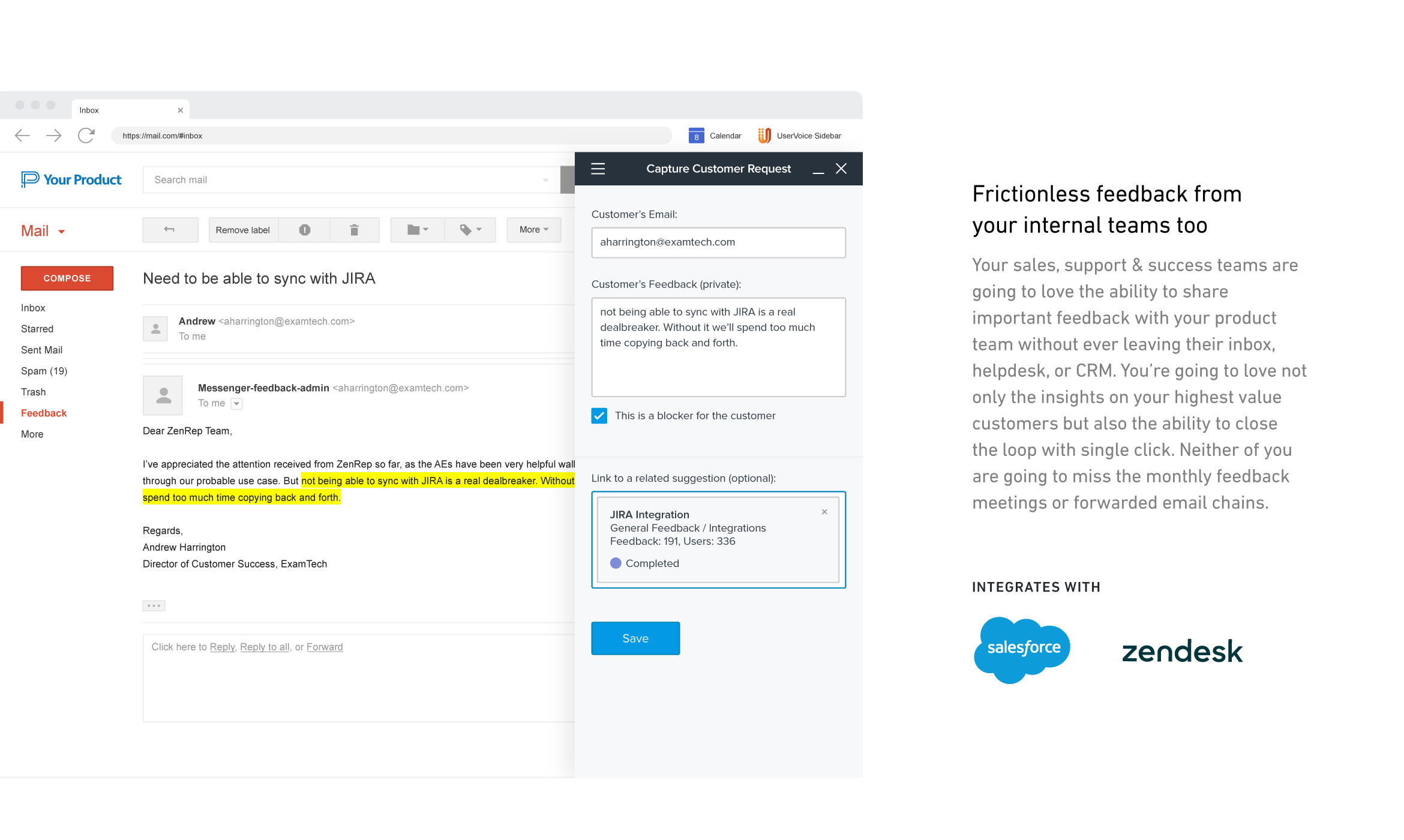
UserVoice collects and organizes feedback from multiple sources to provide a clear, actionable view of user feedback for product teams. With a customizable feedback portal, in-app widget, and direct integrations with your email client, CRM or support tool, it’s easy for your customers and internal team members to share feedback at anytime. The UserVoice platform allows you to manage all this feedback in a single view, analyze your data to make product decisions based on customer…
$15
per month
Pricing
SeaTable
UserVoice
Editions & Modules
Free Version
$0
up to 3 users
Free Version
$0
per user, per year
Plus - monthly
$11
per user, per month
Enterprise - monthly
$22
per user, per month
General license
$84
per user, per year
Plus - yearly
$101
per user, per year
Enterprise - yearly
$203
per user, per year
Small Business Package #1
$483
for 10 users. per year
Small Business Package #2
$1,811
for 25 users, per year
No answers on this topic
Offerings
Pricing Offerings
SeaTable
UserVoice
Free Trial
No
Yes
Free/Freemium Version
Yes
No
Premium Consulting/Integration Services
Yes
No
Entry-level Setup Fee
No setup fee
No setup fee
Additional Details
—
—
More Pricing Information
Features
SeaTable
UserVoice
Project Management
Comparison of Project Management features of SeaTable and UserVoice
Feature
SeaTable
7.5
3 Ratings
2% below category average
UserVoice
-
Ratings
Task Management
9.13 Ratings
00 Ratings
Resource Management
9.13 Ratings
00 Ratings
Gantt Charts
1.01 Ratings
00 Ratings
Scheduling
4.73 Ratings
00 Ratings
Workflow Automation
8.22 Ratings
00 Ratings
Team Collaboration
9.13 Ratings
00 Ratings
Support for Agile Methodology
6.01 Ratings
00 Ratings
Support for Waterfall Methodology
6.01 Ratings
00 Ratings
Document Management
9.12 Ratings
00 Ratings
Email integration
7.32 Ratings
00 Ratings
Mobile Access
8.01 Ratings
00 Ratings
Timesheet Tracking
9.01 Ratings
00 Ratings
Change request and Case Management
10.01 Ratings
00 Ratings
Budget and Expense Management
8.22 Ratings
00 Ratings
Professional Services Automation
Comparison of Professional Services Automation features of SeaTable and UserVoice
It does well as a CRM for a company to see all of their candidates or clients or whatever they are tracking. The sorting and grouping ability as well as the inclusion of many formula integrations is also helpful to organize content more meaningfully. If you don't have a lot of information that you need to track, this might have more than you require but it is still a great software to use.
A de minimis incentive was given to thank the reviewer for their time. The incentive was not used to bias or drive a particular response, nor was the incentive contingent on a positive endorsement. More Info
UserVoice can be an affordable and powerful tool to start engaging customers and employees. It can help manage the entire feedback loop process. But your product management and development teams still need to do their jobs. Remember to have a response SLA in place and ownership for prioritizing and responding to the feedback.
User interface is very simple. Learning the product and teaching the team how to use the product took hardly any time at all.
Gives visibility into what others are logging. We are able to append 'votes' to certain ideas, rather than having to create an existing idea from scratch.
Reporting. Tags allow to easily filter through ideas for roadmap planning.
A de minimis incentive was given to thank the reviewer for their time. The incentive was not used to bias or drive a particular response, nor was the incentive contingent on a positive endorsement. More Info
SeaTable is a young company, and I have nothing to criticise, for now. - No solution will fit all use cases, in any event. --- I have found this one to be the most adaptable and complex on the European market. Due to the data location, I am reassured on the subject of GDPR compliance.
A de minimis incentive was given to thank the reviewer for their time. The incentive was not used to bias or drive a particular response, nor was the incentive contingent on a positive endorsement. More Info
A de minimis incentive was given to thank the reviewer for their time. The incentive was not used to bias or drive a particular response, nor was the incentive contingent on a positive endorsement. More Info
Have clear goals and owners established before you start using any tool like this. Very important to get accounts and rights setup so that there's no lag time in customer response once things go live. Make sure IT is involved if you plan to use the Single-Sign On (SSO) or any of the access control tools.
For the value, you get much more with SeaTable including the statistics and the number of records that can be utilized on the free version. I also thoroughly enjoy the ease of adding formulas and having the reference right inside of the platform to ensure the selection of the correct formula to meet your needs.
A de minimis incentive was given to thank the reviewer for their time. The incentive was not used to bias or drive a particular response, nor was the incentive contingent on a positive endorsement. More Info
I like the ease of integration into web and mobile apps for UserVoice. It's also a comprehensive bug reporting, user feedback, and knowledge base tool.
A de minimis incentive was given to thank the reviewer for their time. The incentive was not used to bias or drive a particular response, nor was the incentive contingent on a positive endorsement. More Info
Positive: Savings in administrative staffing needs.
Positive: Customisation allows for real-life workflow management
Positive: Automation is a goal that SeaTable supports very well.
Negative: Not many people are familiar with solutions like SeaTable. They are used to working with inflexible (and often not-fit for purpose) administrative systems. They are adept at finding ways to circumvent the issues by using secondary tools, or they wait passively for web developers to deliver the functionality they need. - It is quite difficult to convey the opportunities that SeaTable offers to people who have not used it before. SeaTable cannot be blamed for this, but it creates work in needing to convey this to the organisation's stakeholders. --- I would recommend one person to be assigned the role of SeaTable specialist in an organisation, so that any issues can be quickly resolved.
A de minimis incentive was given to thank the reviewer for their time. The incentive was not used to bias or drive a particular response, nor was the incentive contingent on a positive endorsement. More Info
A de minimis incentive was given to thank the reviewer for their time. The incentive was not used to bias or drive a particular response, nor was the incentive contingent on a positive endorsement. More Info