TrustRadius: an HG Insights company

SEOTesting.com vs. Whitespark Local Rank Tracker

Save this comparison

Save this comparison

Add Product

Recommended Comparisons

    Overview
    ProductRatingMost Used ByProduct SummaryStarting Price

    SEOTesting.com

    Score10 out of 10
    N/ASEOTesting.com is an online SEO research tool used to grow search traffic through testing & experimentation.

    $50

    per month

    Whitespark Local Rank Tracker

    Score7.8 out of 10
    N/ATrack Local SEO Success With Local Rank Tracker The Local Rank Tracker helps companies monitor their performance in search engines and discover new opportunities for improving online visibility. Users can discover where a business dominates in local search results, and track its top competitors to make informed decisions. The vendor states agencies, SMBs, and multi-location businesses use Whitespark's Local Rank Tracker to gain critical insights into their online…

    $25

    per month

    Pricing
    SEOTesting.comWhitespark Local Rank Tracker
    Editions & Modules
    Single Website
    $50
    per month
    Medium (5 Websites)
    $125
    per month
    Large (20 Websites)
    $375
    per month
    Enterprise
    price on request
    Small Business
    $25
    per month
    Specialist
    $50
    per month
    Agency
    $100
    per month
    Enterprise
    $200
    per month
    Offerings
    Pricing Offerings
    SEOTesting.comWhitespark Local Rank Tracker
    Free Trial
    YesYes
    Free/Freemium Version
    NoNo
    Premium Consulting/Integration Services
    YesNo
    Entry-level Setup FeeNo setup feeNo setup fee
    Additional Details—The pricing table above is based on tracking daily rakings, however, users also have the option to track rankings weekly. Small Business $17 per month Specialist $35 per month Agency $70 per month Enterprise $140 per month
    More Pricing Information
    Features
    SEOTesting.comWhitespark Local Rank Tracker
    SEO
    Comparison of SEO features of SEOTesting.com and Whitespark Local Rank Tracker
    Feature
    SEOTesting.com
    10.0
    2 Ratings
    26% above category average
    Whitespark Local Rank Tracker
    -
    Ratings
    Keyword analysis10.01 Ratings00 Ratings
    Backlink management10.01 Ratings00 Ratings
    SERP ranking tracking10.02 Ratings00 Ratings
    Page grader10.02 Ratings00 Ratings
    Competitive analysis10.01 Ratings00 Ratings
    Site audit / diagnostics10.01 Ratings00 Ratings
    Site recommendations10.02 Ratings00 Ratings
    Task management10.02 Ratings00 Ratings
    SEO Channels
    Comparison of SEO Channels features of SEOTesting.com and Whitespark Local Rank Tracker
    Feature
    SEOTesting.com
    10.0
    2 Ratings
    27% above category average
    Whitespark Local Rank Tracker
    -
    Ratings
    Local SEO10.01 Ratings00 Ratings
    Social SEO10.01 Ratings00 Ratings
    Mobile SEO10.01 Ratings00 Ratings
    Global SEO10.02 Ratings00 Ratings
    SEO Platform & Account Management
    Comparison of SEO Platform & Account Management features of SEOTesting.com and Whitespark Local Rank Tracker
    Feature
    SEOTesting.com
    10.0
    2 Ratings
    17% above category average
    Whitespark Local Rank Tracker
    -
    Ratings
    Multi-domain support10.02 Ratings00 Ratings
    Integration with web analytics tools10.02 Ratings00 Ratings
    Best Alternatives
    SEOTesting.comWhitespark Local Rank Tracker
    Small Businesses
    Serpstat
    Score10 out of 10
    Google Business Profile
    Score8.4 out of 10
    Medium-sized Companies
    Yoast
    Score8.5 out of 10
    Google Business Profile
    Score8.4 out of 10
    Enterprises
    Google Trends
    Score8.6 out of 10
    No answers on this topic
    All AlternativesView all alternativesView all alternatives
    User Ratings
    SEOTesting.comWhitespark Local Rank Tracker
    Likelihood to Recommend
    10.0
    (3 ratings)
    10.0
    (2 ratings)
    Usability
    10.0
    (1 ratings)
    -
    (0 ratings)
    User Testimonials
    SEOTesting.comWhitespark Local Rank Tracker
    Likelihood to Recommend
    Sanitycheck.io Limited (SEOTesting.com)
    SEOTesting.com is great in monitoring the results of implemented SEO optimisations. SEOTesting.com also has extensive content analysis reports that make it really easy to find long hanging fruits for content optimisation. However, I would not recommend SEOTesting.com for rank tracking and it has no tools for technical SEO. But if you pair SEOTesting.com with some other SEO tools of your preference, you get a really valuable toolset with decent pricing.
    Read full review
    Whitespark
    They are a time saver for any agency looking to understand the impact of their local and organic SEO.
    Incentivized
    Read full review
    Pros
    Sanitycheck.io Limited (SEOTesting.com)
    • Visualization of data
    • Tracking changes to website over time
    • Provides p-values for change impacts, helping you to sort out whether your "result" is just random noise
    Read full review
    Whitespark
    • Finds listings on directories
    • Finds press releases that mention brands or business names
    • Helps find bad data
    Incentivized
    Read full review
    Cons
    Sanitycheck.io Limited (SEOTesting.com)
    • SEOTesting.com is NOT all-in-one SEO tool. But what it does, it does really well.
    • Rank Tracking requires to fill landing page per keyword. That doesn't make sense as the desired landing page is not always the best ranking landing page for each keyword.
    • Dashboards timelines should have some options to select only the desired timeframe. Then it would be sometimes easier to look at only the last two months for example.
    Read full review
    Whitespark
    • It would be nice to see a geo-grid of ranking around a location
    Incentivized
    Read full review
    Usability
    Sanitycheck.io Limited (SEOTesting.com)
    The account person is quick to respond, though issues reported required support of other teams with no SLA. The data is easily comprehensible and the platform is incredibly versatile. Sometimes scanning problems take weeks to diagnose and fix. The learning curve for SEOTesting.com is minimal
    Read full review
    Whitespark
    No answers on this topic
    Alternatives Considered
    Sanitycheck.io Limited (SEOTesting.com)
    SEOTesting.com is a very specific, focused too. It's not "better than" the other tools. It does something they don't do well: gets data from your SEO results out into an easily-read, easily-reported format so you can 1. learn from what's working and what's not 2. show your team what success & failure look like 3. demonstrate to your boss/client the short-run benefits of investing in SEO Search Console has all the data in it. In fact, SEOTesting.com gets its data from Search Console. But you are going to waste your time and your colleagues time if you try to monitor granular, week-by-week progress for different pages in Search Console. SEOTesting is awesome at that. Use Ahrefs and/or Semrush to get ideas on how to improve your website's content and tech SEO. Then make the changes. Then use SEOTesting.com to find out if it worked!
    Read full review
    Whitespark
    I prefer Link Research Tools' CBLT tool for competitive backlink reports.
    Incentivized
    Read full review
    Return on Investment
    Sanitycheck.io Limited (SEOTesting.com)
    • I get more results
    • I get results faster
    • I get data to present the results to client
    Read full review
    Whitespark
    • The results are compelling for my presentations
    Incentivized
    Read full review
    ScreenShots

    Whitespark Local Rank Tracker Screenshots
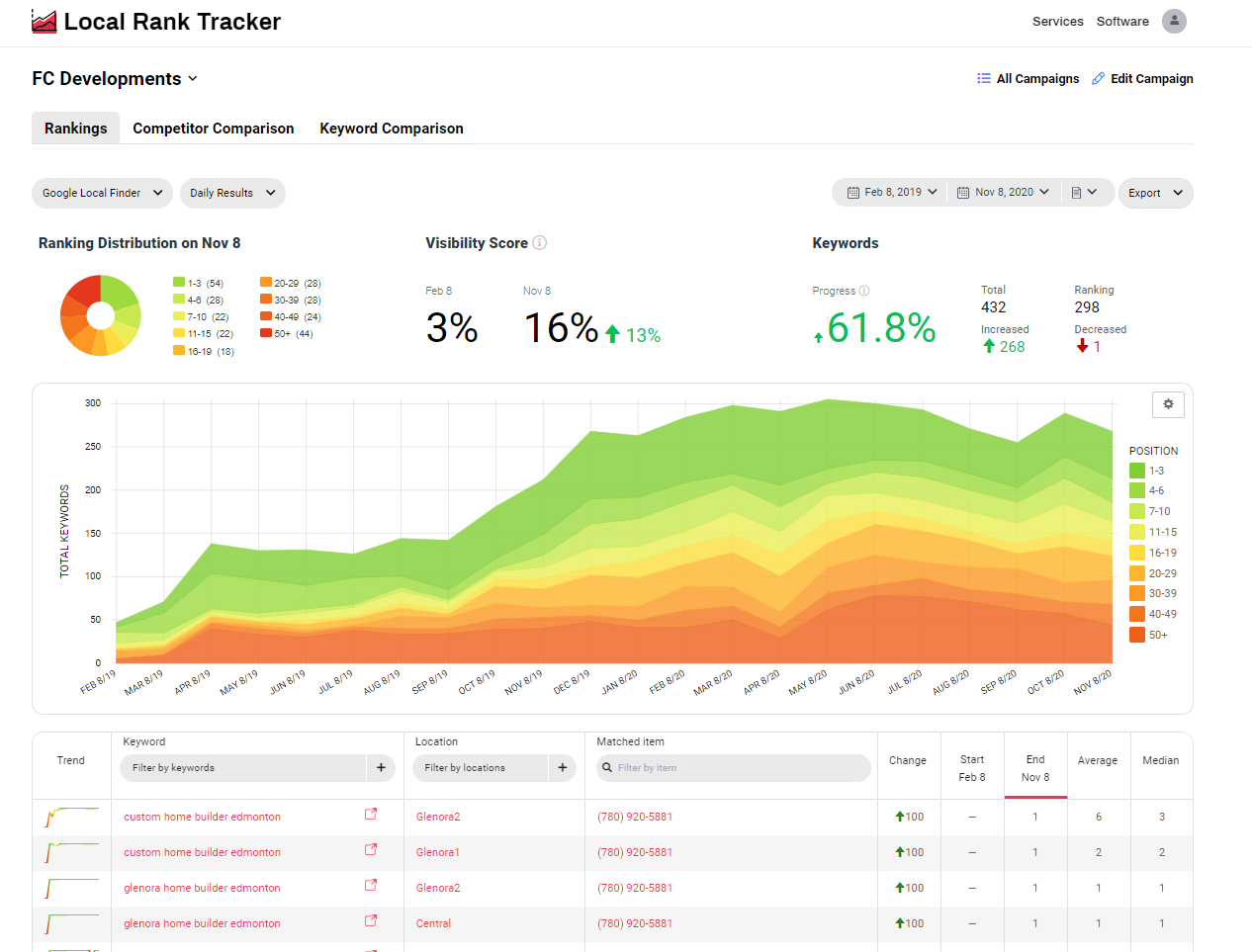
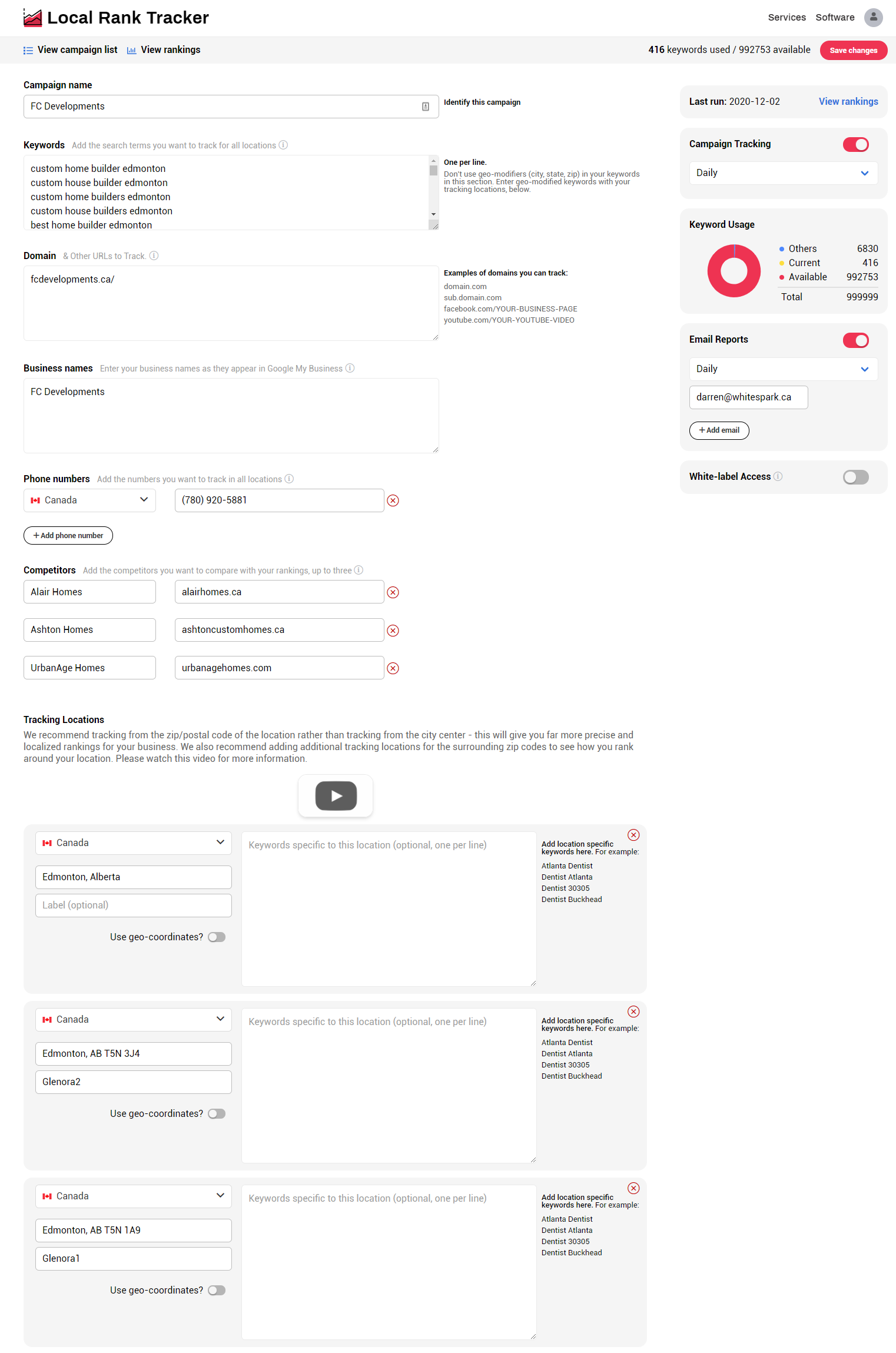
    Screenshot of Rankings Campaign Overview - View your rankings across the different result types (Google Pack, Google Local Finder, Google Organic, etc) and see your aggregate rankings for the selected period.  This area provides you with insights on your ranking distribution, calculates your visibility score, and keyword progress.Screenshot of Ranking Results Table - This area provides a break down of your campaign.  Here you'll see what keywords are ranking and for which location, and the matched URL or phone number to that result.Screenshot of Filters -Segment your ranking data by specific keywords or keyword groups, location, URL or phone number.Screenshot of Competitor Comparison - See how you stack up against your top competitors. Use this data to identify areas of improvement for your business and outrank the competition.Screenshot of Keyword Comparison - Review keyword progress over time for your top most important keyword terms.Screenshot of Campaign Setup - Here's where all the finer details go. Tracking locations are setup individually based on Zip/Postal Code or geo-coordinates.