Dynatrace is an enterprise software platform that provides Application Performance Management (APM), full-stack Observability, and automated operational analytics across multi-cloud and hybrid IT environments. The platform ingests telemetry data—including metrics, logs, traces, and user-experience data—to automate system health monitoring, root-cause fault detection, and digital performance management.
$0
per synthetic request
Serverless360
Score10 out of 10
Enterprise companies (1,001+ employees)
Serverless360 is a platform to manage and monitor Azure Serverless components related to enterprise integration. In a real-time scenario, the integrated cloud applications are not built with a single technology stack, it typically involves at least 3 or 4 different Azure Services. Currently, Azure Portal is designed more on vertical technology silos and it's difficult to visualize and manage such connected solutions. So Serverless360 is presented by the vendor as a tool that users can depend on…
Sr.Consultant in Customer Service at Pristine Migration Service (Leisure, Travel & Tourism, 11-50 employees)
Chose Serverless360
We choose Serverless360 over others because it is tailor-made for Serverless application on Azure. It provides deeper insights and more granular control specifically designed for Azure Services . Its interface is optimized for Serverless environments making monitoring and …
A de minimis incentive was given to thank the reviewer for their time. The incentive was not used to bias or drive a particular response, nor was the incentive contingent on a positive endorsement. More Info
Verified User
Chose Serverless360
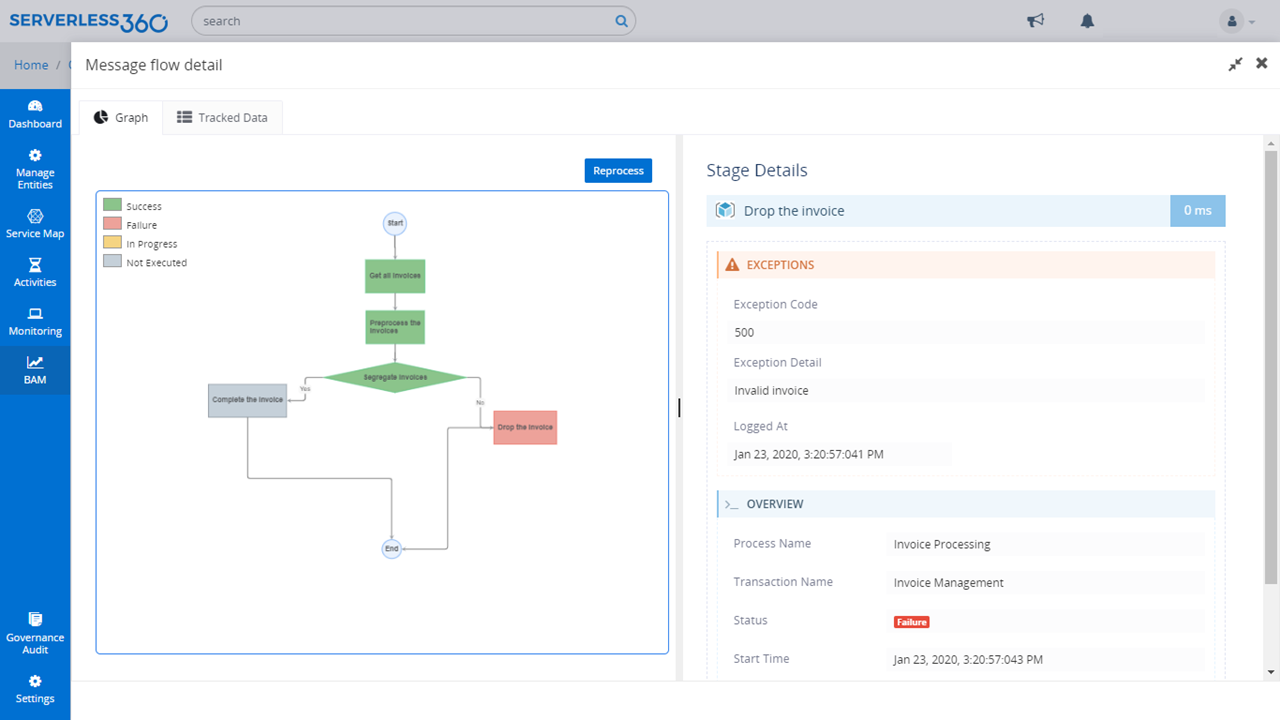
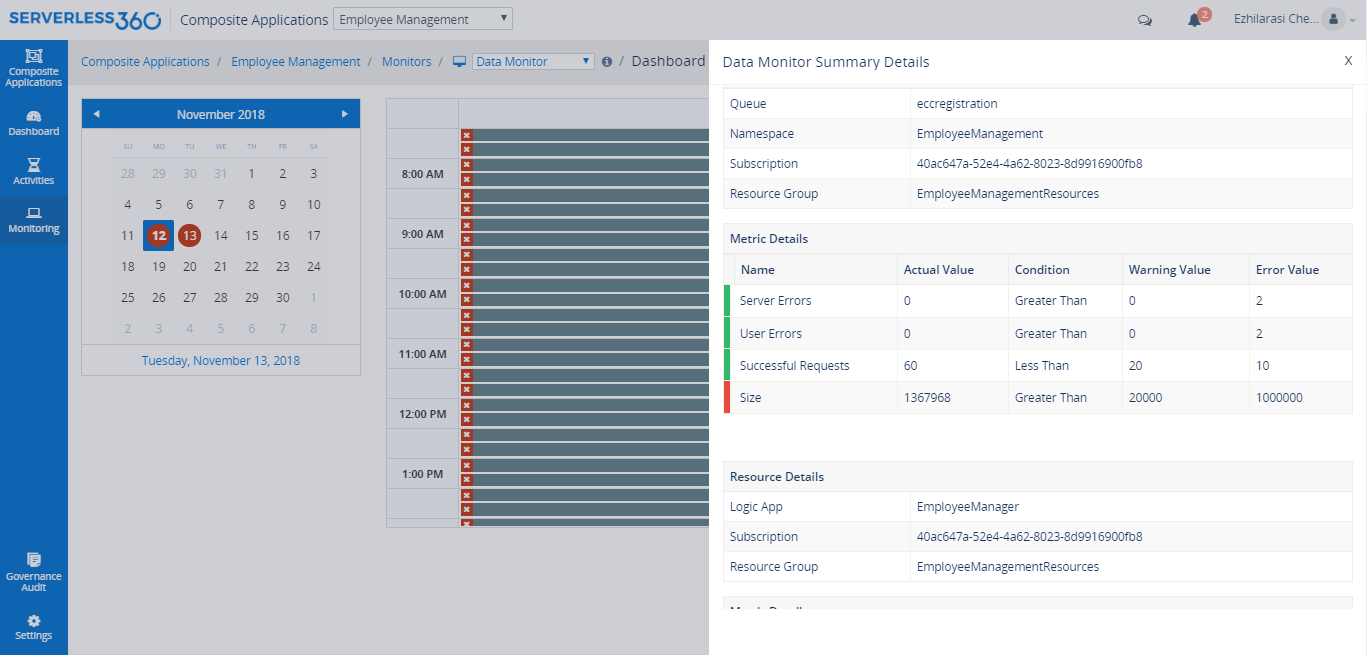
Metric monitoring in Serverless360 is the best. It eliminates the lengthy process of manually looking through error logs and immediately performs root cause analysis on problems as they arise giving insight into the Azure environment. The team can foresee and fix issues. Our …
A de minimis incentive was given to thank the reviewer for their time. The incentive was not used to bias or drive a particular response, nor was the incentive contingent on a positive endorsement. More Info
Dynatrace is well suited to a number of tasks. It is important to determine who the end users are and gather good information to tailor their experience accordingly. For instance, business/marketing should not have access to some of the more technical data, and business metrics can be a distraction for IT operations personnel.
A de minimis incentive was given to thank the reviewer for their time. The incentive was not used to bias or drive a particular response, nor was the incentive contingent on a positive endorsement. More Info
Serverless360 is a great tool for managing complex Azure serverless environments>it offers comprehensive monitoring,alerting, and automation features that are essential for maintaining the health and performance of our applications.However, for organizations with simpler setups or minimal Azure serverless usage, the advanced capabilities of Serverless360 may not be necessary. Overall it's been a valuable addition to our tool kit
We loved Dynatrace's ability to show the data flow - from the front end points through the back end points straight to the database and various API's. It was advanced in its data visualization. This is useful for debugging - showing when/where the errors are. It can even enable non-technical individuals in the corporation to help debug
Dynatrace has some great highly customizable integration options as well as monitoring. You can configure your layout & integration options to create custom monitoring alerts for your applications performance. Further you can increase the extensibility of using a REST API on your architecture.
Some advanced dev-ops systems are utilizing Kubernetes/docker aswell as Node.JS - Dynatrace was able to log and help understand all of our dev-ops needs. It gave us native alerts based off of deviations from the baseline that we set during initial configuration. These metrics are priceless.
A de minimis incentive was given to thank the reviewer for their time. The incentive was not used to bias or drive a particular response, nor was the incentive contingent on a positive endorsement. More Info
A de minimis incentive was given to thank the reviewer for their time. The incentive was not used to bias or drive a particular response, nor was the incentive contingent on a positive endorsement. More Info
Dynatrace does not monitor easily on a C-based application.
The way DPGR is addressed by Dynatrace is not very complete, and not clear. One thing is to mask the IP and request attributes but is not enough, the replay session feature is great but raises serious questions about user tracking.
A de minimis incentive was given to thank the reviewer for their time. The incentive was not used to bias or drive a particular response, nor was the incentive contingent on a positive endorsement. More Info
We have already renewed our purchase with the company. They make it easy for us to get a temporary license for our contingency site that is only used for testing twice a year. We are expanding our license with for this tool. We find it very useful and will renew it again.
A de minimis incentive was given to thank the reviewer for their time. The incentive was not used to bias or drive a particular response, nor was the incentive contingent on a positive endorsement. More Info
Dynatrace is great to use once you understand how to use it correctly and get used to the layout of it. While I do not actively use it every day, whenever I do use it, I do have to get refamiliarized with it. However, once you have your dashboards setup correctly with the data that you want to see when you first login to Dynatrace, it's amazing.
A de minimis incentive was given to thank the reviewer for their time. The incentive was not used to bias or drive a particular response, nor was the incentive contingent on a positive endorsement. More Info
Turbo360 (formerly Serverless360) is the best software intelligence tool out there in market saving us time as it is easy to see data instantly. The software provides business and traffic data information helping our organization make scalability decisions.
A de minimis incentive was given to thank the reviewer for their time. The incentive was not used to bias or drive a particular response, nor was the incentive contingent on a positive endorsement. More Info
A de minimis incentive was given to thank the reviewer for their time. The incentive was not used to bias or drive a particular response, nor was the incentive contingent on a positive endorsement. More Info
Given that Dynatrace has become an informal industry standard, the plethora of information available on forums is massive. Most problems or roadblocks you come across are most likely (almost certainly, in fact) already solved and solutions available on these forums. The tech support at Dynatrace is also quite good, with prompt and knowledgeable people at their end.
A de minimis incentive was given to thank the reviewer for their time. The incentive was not used to bias or drive a particular response, nor was the incentive contingent on a positive endorsement. More Info
A de minimis incentive was given to thank the reviewer for their time. The incentive was not used to bias or drive a particular response, nor was the incentive contingent on a positive endorsement. More Info
A de minimis incentive was given to thank the reviewer for their time. The incentive was not used to bias or drive a particular response, nor was the incentive contingent on a positive endorsement. More Info
A de minimis incentive was given to thank the reviewer for their time. The incentive was not used to bias or drive a particular response, nor was the incentive contingent on a positive endorsement. More Info
Synthetic Monitoring automatically does what other products do only through the use of other tools or through the development of user applications that still have a high cost of maintenance. The other products are not immediately usable and require many customizations. Through the use of configuration automatisms, you can be immediately operational and, in our case, we detected several imperfections in the applications.
A de minimis incentive was given to thank the reviewer for their time. The incentive was not used to bias or drive a particular response, nor was the incentive contingent on a positive endorsement. More Info
Metric monitoring in Serverless360 is the best. It eliminates the lengthy process of manually looking through error logs and immediately performs root cause analysis on problems as they arise giving insight into the Azure environment. The team can foresee and fix issues. Our team could safely transfer the less valued support task to the L1 support person and free up the skilled Azure resources to focus on the development of the business.
A de minimis incentive was given to thank the reviewer for their time. The incentive was not used to bias or drive a particular response, nor was the incentive contingent on a positive endorsement. More Info