ShowMyPC vs. VideoMost

Overview
ProductRatingMost Used ByProduct SummaryStarting Price
ShowMyPC
Score 8.2 out of 10
N/A
ShowMyPC is a web conferencing and remote administration and help / support tool from the small company of the same name in San Francisco, California.
$14
per month
VideoMost
Score 9.3 out of 10
N/A
Video conferencing software that enables users to communicate via two-way audio and video calls, send files, and share screen. VideoMost Server is comparable to Zoom but self-hosted video conferencing server. Using both Scalable video coding (SVC and MUX) and traditional MCU (MIX) architecture VideoMost automatically and dynamically adjusts video quality to available network conditions and CPU utilization throughout a conference session, and provides total legacy HW…N/A
Pricing
ShowMyPCVideoMost
Editions & Modules
No answers on this topic
Offerings
Pricing Offerings
ShowMyPCVideoMost
Free Trial
YesYes
Free/Freemium Version
YesNo
Premium Consulting/Integration Services
NoNo
Entry-level Setup FeeNo setup feeNo setup fee
Additional Details
More Pricing Information
Community Pulse
ShowMyPCVideoMost
Features
ShowMyPCVideoMost
Remote Administration
Comparison of Remote Administration features of Product A and Product B
ShowMyPC
7.4
2 Ratings
6% below category average
VideoMost
-
Ratings
Screen sharing10.02 Ratings00 Ratings
File transfer8.02 Ratings00 Ratings
Instant message7.02 Ratings00 Ratings
Secure remote access with Smart Card authentication6.01 Ratings00 Ratings
Access to sleeping/powered-off computers7.01 Ratings00 Ratings
Over-the-Internet remote session10.02 Ratings00 Ratings
Initiate remote control from mobile8.01 Ratings00 Ratings
Remote management of servers & workstations9.02 Ratings00 Ratings
Centralized management dashboard6.02 Ratings00 Ratings
Session record7.02 Ratings00 Ratings
Annotations7.01 Ratings00 Ratings
Monitoring and Alerts8.01 Ratings00 Ratings
Multi-platform remote control3.01 Ratings00 Ratings
Performance & Compatibility of Online Events Software
Comparison of Performance & Compatibility of Online Events Software features of Product A and Product B
ShowMyPC
-
Ratings
VideoMost
9.1
3 Ratings
14% above category average
High quality audio00 Ratings9.63 Ratings
High quality video00 Ratings9.33 Ratings
Low bandwidth requirements00 Ratings8.63 Ratings
Mobile support00 Ratings9.03 Ratings
Screen Sharing
Comparison of Screen Sharing features of Product A and Product B
ShowMyPC
-
Ratings
VideoMost
9.7
3 Ratings
20% above category average
Desktop sharing00 Ratings10.03 Ratings
Whiteboards00 Ratings9.33 Ratings
Online Meetings / Events
Comparison of Online Meetings / Events features of Product A and Product B
ShowMyPC
-
Ratings
VideoMost
9.0
3 Ratings
10% above category average
Calendar integration00 Ratings9.43 Ratings
Meeting initiation00 Ratings10.03 Ratings
Integrates with social media00 Ratings7.01 Ratings
Record meetings / events00 Ratings9.33 Ratings
Slideshows00 Ratings9.33 Ratings
Online Events Collaboration
Comparison of Online Events Collaboration features of Product A and Product B
ShowMyPC
-
Ratings
VideoMost
9.1
3 Ratings
12% above category average
Live chat00 Ratings9.43 Ratings
Audience polling00 Ratings9.01 Ratings
Q&A00 Ratings8.92 Ratings
Online Events Security
Comparison of Online Events Security features of Product A and Product B
ShowMyPC
-
Ratings
VideoMost
9.4
3 Ratings
16% above category average
User authentication00 Ratings10.03 Ratings
Participant roles & permissions00 Ratings9.33 Ratings
Confidential attendee list00 Ratings9.01 Ratings
Best Alternatives
ShowMyPCVideoMost
Small Businesses
Getscreen.me
Getscreen.me
Score 9.6 out of 10
Intermedia AnyMeeting Pro
Score 7.1 out of 10
Medium-sized Companies
Remote Desktop Manager
Score 9.5 out of 10
JioMeet
JioMeet
Score 9.8 out of 10
Enterprises
Remote Desktop Manager
Score 9.5 out of 10
Webex Meetings
Webex Meetings
Score 8.6 out of 10
All AlternativesView all alternativesView all alternatives
User Ratings
ShowMyPCVideoMost
Likelihood to Recommend
10.0
(2 ratings)
9.3
(3 ratings)
User Testimonials
ShowMyPCVideoMost
Likelihood to Recommend
ShowMyPc.com
If you need unattended remote access, you will need one of the paid plans, so for a quick always on remote support option, [ShowMyPC] may not be the best suited. If security is an issue and your client's compliance rules won't allow always on remote access, then ShowMyPC is probably the best on-[the]-fly remote access on the market. On demand access is always free and can be done via browser or via a very small client download.
Read full review
VideoMost
I believe this video conferencing system is appropriate for any business. I work in the marketing team, but as I know several enterprising and IT companies use it too. Moreover, they are also fond of it.
Read full review
Pros
ShowMyPc.com
  • Easy access to help with software issues.
  • Technical support
  • Access to Remote desktop control
  • Recording sessions for paper trails
Read full review
VideoMost
  • Price
  • Stable connection
  • Big limit of participants
Read full review
Cons
ShowMyPc.com
  • Free level should have automatic reconnect on reboot
  • Being a remote access only software pricing plans could be better
  • Branding should be allowed on lower plans
Read full review
VideoMost
  • File sharing sometimes can go wrong.
Read full review
Alternatives Considered
ShowMyPc.com
ShowMyPC lags behind its competition when it comes to usability and smoothness in operations, its UI on the web is complicated and seems out of place. The high point of this product is its customer service provided through chat support for any issues which is instant. The product also lacks integration with rd party CSPs for file sharing and it does not have a MAC client which works against it.
Read full review
VideoMost
Skype is complicated to use for work. Microsoft Teams is more expensive and has a lot of tools that are not necessary for us.
Read full review
Return on Investment
ShowMyPc.com
  • The on-demand access is free - can't get a better ROI than that
  • Plans are relatively inexpensive - as long as you are not managing large amounts of devices
  • Having a go to remote access solution that enables clients to control access is priceless
Read full review
VideoMost
  • We can communicate easily no matter in what region we are
Read full review
ScreenShots

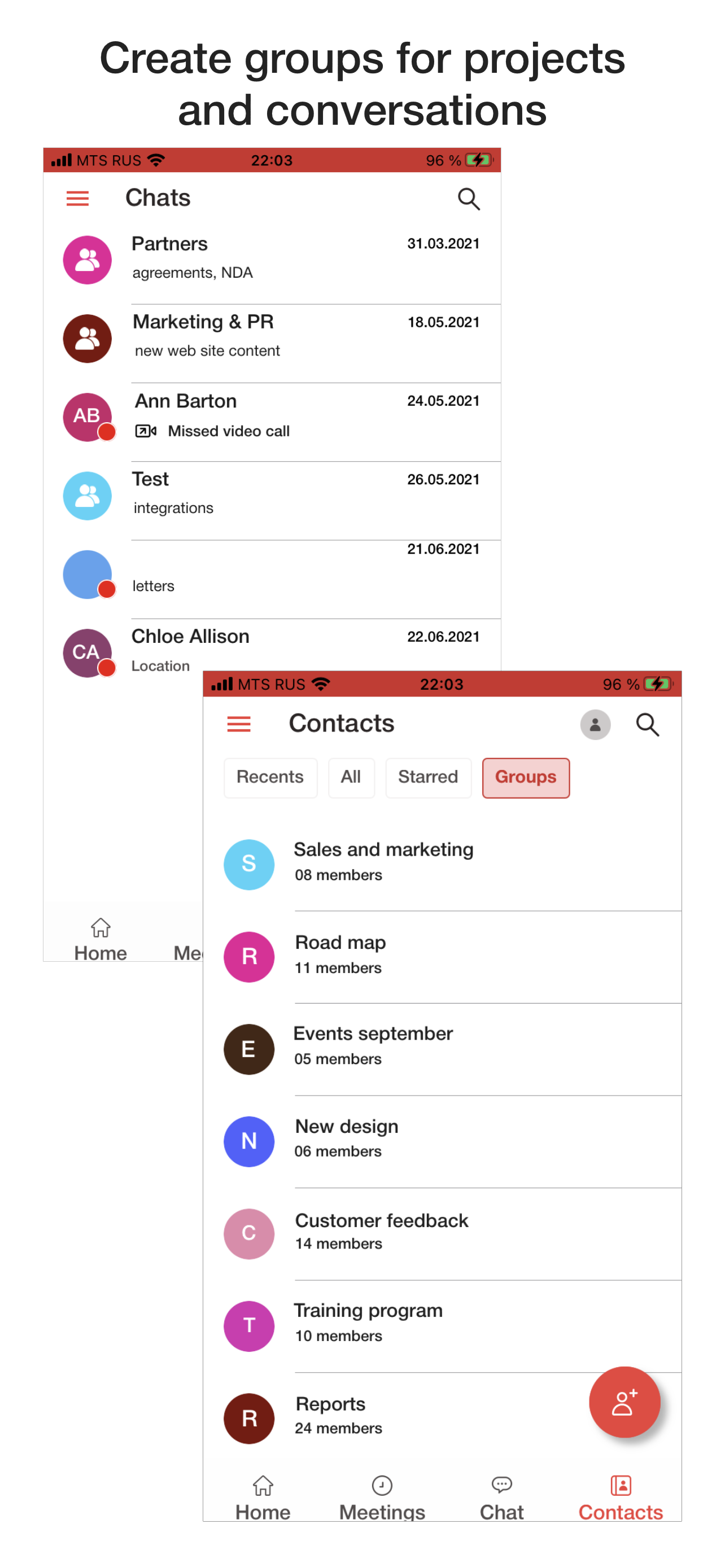
VideoMost Screenshots

Screenshot of Using VideoMost on computersScreenshot of Using VideoMost on cell phone