Stackby vs. Workflowy

Overview
ProductRatingMost Used ByProduct SummaryStarting Price
Stackby
Score 9.0 out of 10
N/A
Stackby is designed to bring together the simplicity of spreadsheets, the functionality of databases and integrations with best business APIs to let anyone build their own tools, the way they want. No coding needed. Users can build a database from scratch, import data from pre-existing sources like spreadsheets or Google Sheets, or choose from over 100 pre-built templates across multiple categories. Stackby offers over 25 unique column types like text,…
$5
per month per user
Workflowy
Score 9.6 out of 10
N/A
Workflowy is a note-taking and organizational tool designed to help users manage their tasks, notes, and projects. Its simplicity and features make it a choice for individuals and teams looking to streamline their workflow. Infinite Nesting Structure: Workflowy allows users to create lists within lists to an infinite degree, enabling a detailed and structured way to organize information Global Search: Its search function is used to search through all their…
$8.99
per month per user
Pricing
StackbyWorkflowy
Editions & Modules
Personal
$6
per month per user
Economy
$10
per month per user
Business
$20
per month per user
Business Plus
$35
per month per user
Enterprise
Custom
Workflowy basic
$0
per user
Workflowy pro - Monthly
$8.99
per month per user
Workflowy pro - Yearly
$83.88
per year per user
Offerings
Pricing Offerings
StackbyWorkflowy
Free Trial
YesYes
Free/Freemium Version
YesYes
Premium Consulting/Integration Services
NoNo
Entry-level Setup FeeNo setup feeNo setup fee
Additional Details20% discount for annual pricing.
More Pricing Information
Community Pulse
StackbyWorkflowy
Features
StackbyWorkflowy
Project Management
Comparison of Project Management features of Product A and Product B
Stackby
-
Ratings
Workflowy
8.0
2 Ratings
4% above category average
Task Management00 Ratings8.82 Ratings
Mobile Access00 Ratings6.12 Ratings
Search00 Ratings9.02 Ratings
File Sharing & Management
Comparison of File Sharing & Management features of Product A and Product B
Stackby
-
Ratings
Workflowy
6.4
2 Ratings
22% below category average
Video files00 Ratings5.72 Ratings
Audio files00 Ratings5.01 Ratings
Document collaboration00 Ratings6.82 Ratings
Access control00 Ratings6.42 Ratings
Device sync00 Ratings8.12 Ratings
Best Alternatives
StackbyWorkflowy
Small Businesses
Microsoft Excel
Microsoft Excel
Score 8.9 out of 10
Stackby
Stackby
Score 9.0 out of 10
Medium-sized Companies
Microsoft Excel
Microsoft Excel
Score 8.9 out of 10
Troop Messenger
Troop Messenger
Score 9.8 out of 10
Enterprises
Microsoft Excel
Microsoft Excel
Score 8.9 out of 10
HCL Connections
HCL Connections
Score 9.0 out of 10
All AlternativesView all alternativesView all alternatives
User Ratings
StackbyWorkflowy
Likelihood to Recommend
9.0
(15 ratings)
9.5
(3 ratings)
Usability
7.3
(1 ratings)
8.9
(3 ratings)
Support Rating
10.0
(1 ratings)
-
(0 ratings)
User Testimonials
StackbyWorkflowy
Likelihood to Recommend
Stackby
Based on my experience, I can provide specific scenarios where Stackby is well suited and others where it may be less appropriate: Project Management: Stackby is an excellent choice for project management scenarios. Its ability to create custom databases, track tasks, assign responsibilities, and collaborate in real-time makes it highly effective for managing and monitoring project progress. CRM and Sales: Stackby is well suited for managing customer relationships and sales processes. Its customizable database structure allows for organizing customer information, tracking leads, managing deals, and generating reports. The ability to integrate with other tools further enhances its usefulness in CRM and sales workflows. Content Planning: Stackby is a great fit for content planning scenarios. Users can create databases to manage editorial calendars, track content ideas, assign tasks to team members, and monitor content performance. Collaboration features facilitate seamless content collaboration and ensure timely publishing.
Read full review
Workflowy
For my money, it is best to use Workflowy for all areas of focus in my daily life. When I start to separate information, notes, convo's that's when I run into trouble. By using Workflowy for everything, I keep my sanity and my effectiveness. I cannot think of any environment where the Workflowy app would not work out extremely well!
Read full review
Pros
Stackby
  • Ability to collaborate with team members on the same spreadsheet
  • Ability to integrate multiple tools for centralized utilization (i.e. Facebook, Google Analytics, project management, etc.)
  • Ability to send SMS and messages using integration with Twillio and Whatsapp
  • All spreadsheets/databases securely saved in the cloud instead of on local hard drive(s)
Read full review
Workflowy
  • searching
  • storing information
  • organizing information
Read full review
Cons
Stackby
  • Implement the same views available on desktop into the mobile app
  • Internal automations (like Airtable)
  • Ability to implement and display info as a dashboard (like Airtable)
  • Polish up the formatting of formulas, inputting them causes user frustration due to the formula input cursor jumping around
  • Better intelligence and ease of inputting data in bulk i.e have the fields automatically identify what data is being input and format appropriately (like Airtable does)
Read full review
Workflowy
  • Insert a more affordable Tier between Pro and Free
  • Provide the capability to add separate files for different projects and areas of focus
Read full review
Usability
Stackby
Stackby is overall pretty easy to use, especially if you're used to something like Airtable or SmartSuite. Some of the pages seem like near exact clones (though they put their own creative spin on things). I'd prefer a slighty fresher interface (like SmartSuite), but I'm willing to sacrifice that for the better price and great customer service.
Read full review
Workflowy
I now have 12+ years of notes stored in Workflowy - everything from song lyrics to book outlines to classroom notes. It makes it VERY easy to find, VERY easy to sort, and VERY easy to organize.
Read full review
Support Rating
Stackby
Extremely responsive, helpful, and friendly support (unlike many other SAAS teams out there).
Read full review
Workflowy
No answers on this topic
Alternatives Considered
Stackby
I have also tried Ora.Pm. Infinity has better graphical interface, but nowhere near as many features and the UI isn't as effective (i.e, moving around with keys). Grist has a much more technical interface and it comes from being more of a database/interactive spreadsheet vs Stackby. Grist has much more functionality in terms of formulas, but is much harder to learn to use and less other functionalities. Ora.PM is more of a test at a task management app, and doesn't compare - Stackby is much better.
Read full review
Workflowy
Workflowy seems to have less constraints than those other products. It is easier to use and more versatile.
Read full review
Return on Investment
Stackby
  • Positive impact on organising my marketing so I contact advertisers in an appropriate time frame and don't lose hours figuring out what's happening.
  • Positive impact on organising challenges so that people feel more connected and supported, leading to future sales.
  • Positive impact on understanding data so that I can use it more effectively.
Read full review
Workflowy
  • I estimate that Workflowy easily saves me 1.5 - 2 hours each day in streamlined productivity. That calculates, for my organization approximaely $500.00 a month!
Read full review
ScreenShots

Stackby Screenshots

Screenshot of the Grid ScreenScreenshot of some of the 25 column typesScreenshot of the Calendar ViewScreenshot of a Kanban ViewScreenshot of a Custom Form

Workflowy Screenshots

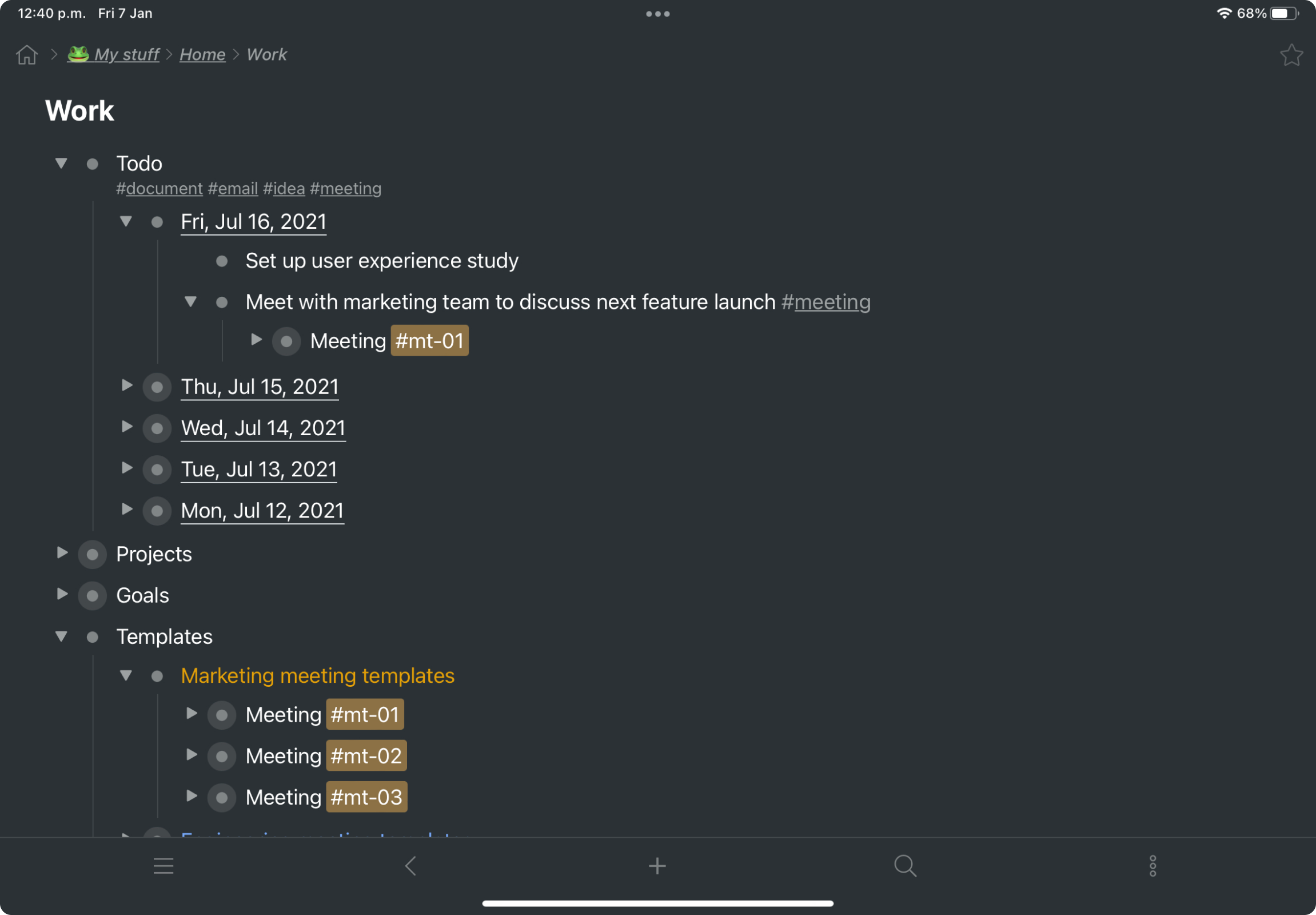
Screenshot of a kanban board in Workflowy, used to organize files and images.Screenshot of the interface to draft complex documents and artistic works while keeping everything organized.Screenshot of Workflowy's task management interface, where boards boards and lists can be managed and combined.Screenshot of item highlighting, with search by highlight color.Screenshot of tags, used to find anything in an account, no matter where it is.