Frame.io is a video collaboration platform, supporting the video editing process by providing creative teams with time stamped comments, annotations and hashtags, and an accelerated sharing and approval process.
$15
per user/per month
StreamWork
Score8.6 out of 10
N/A
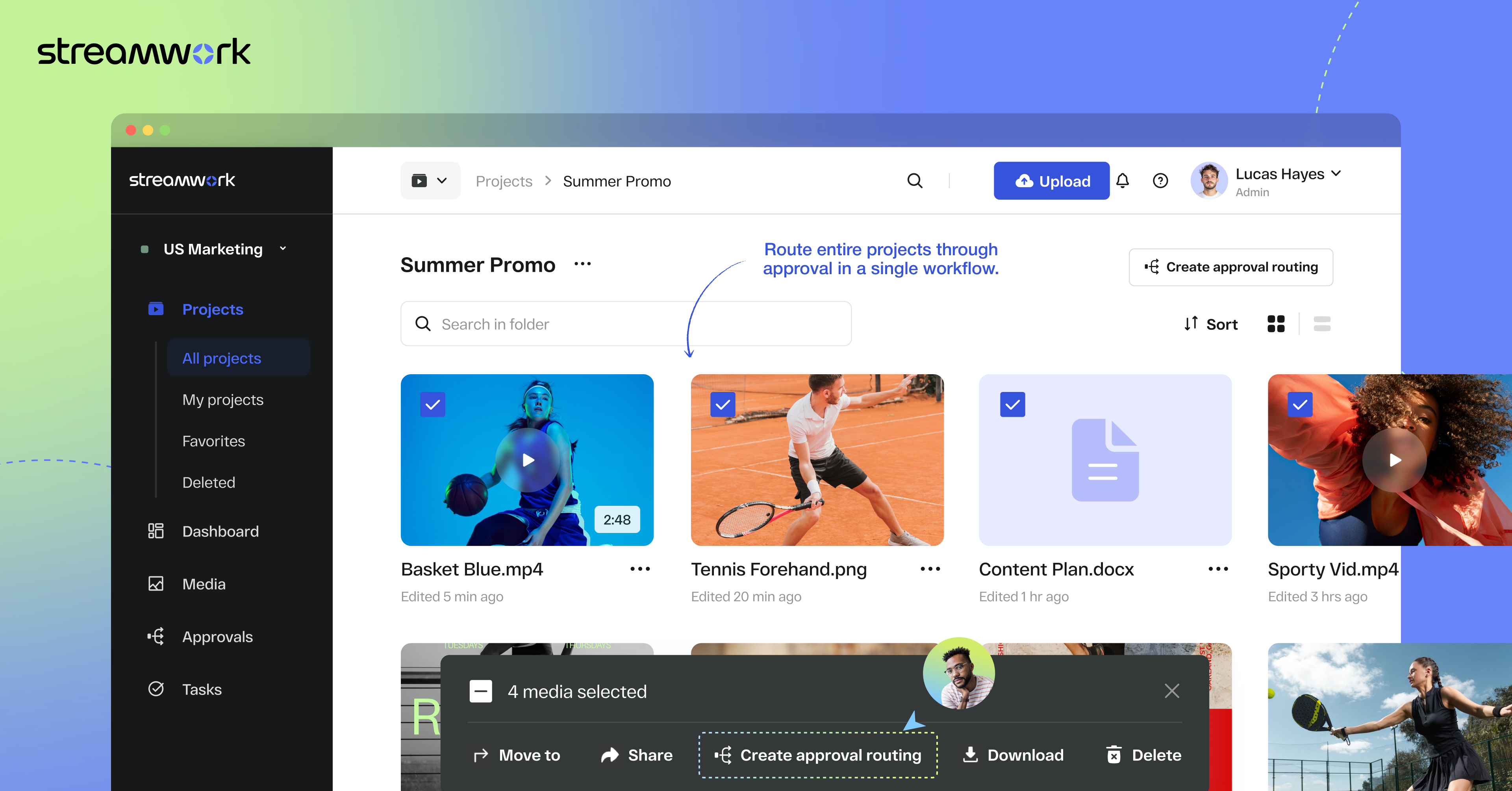
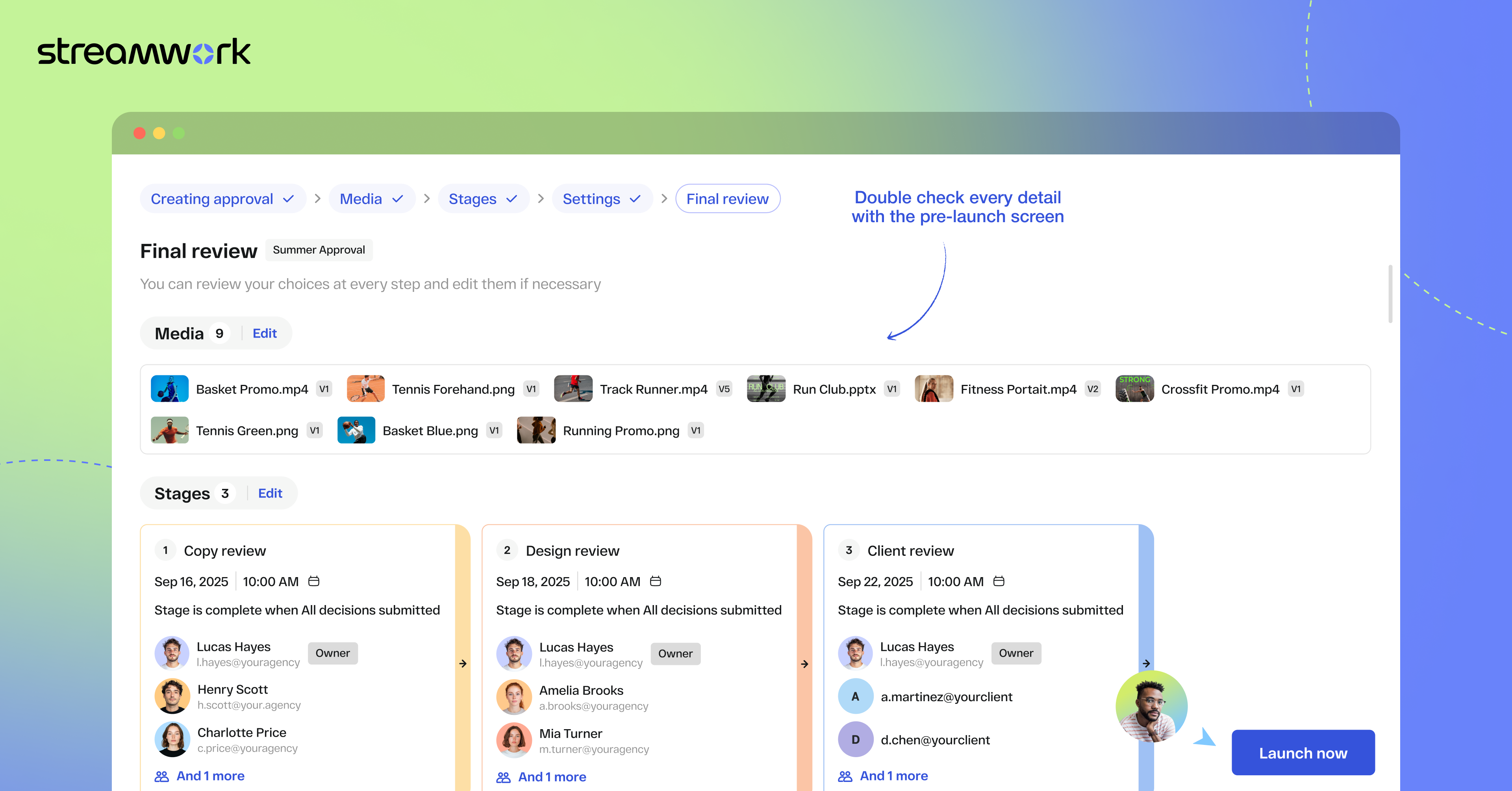
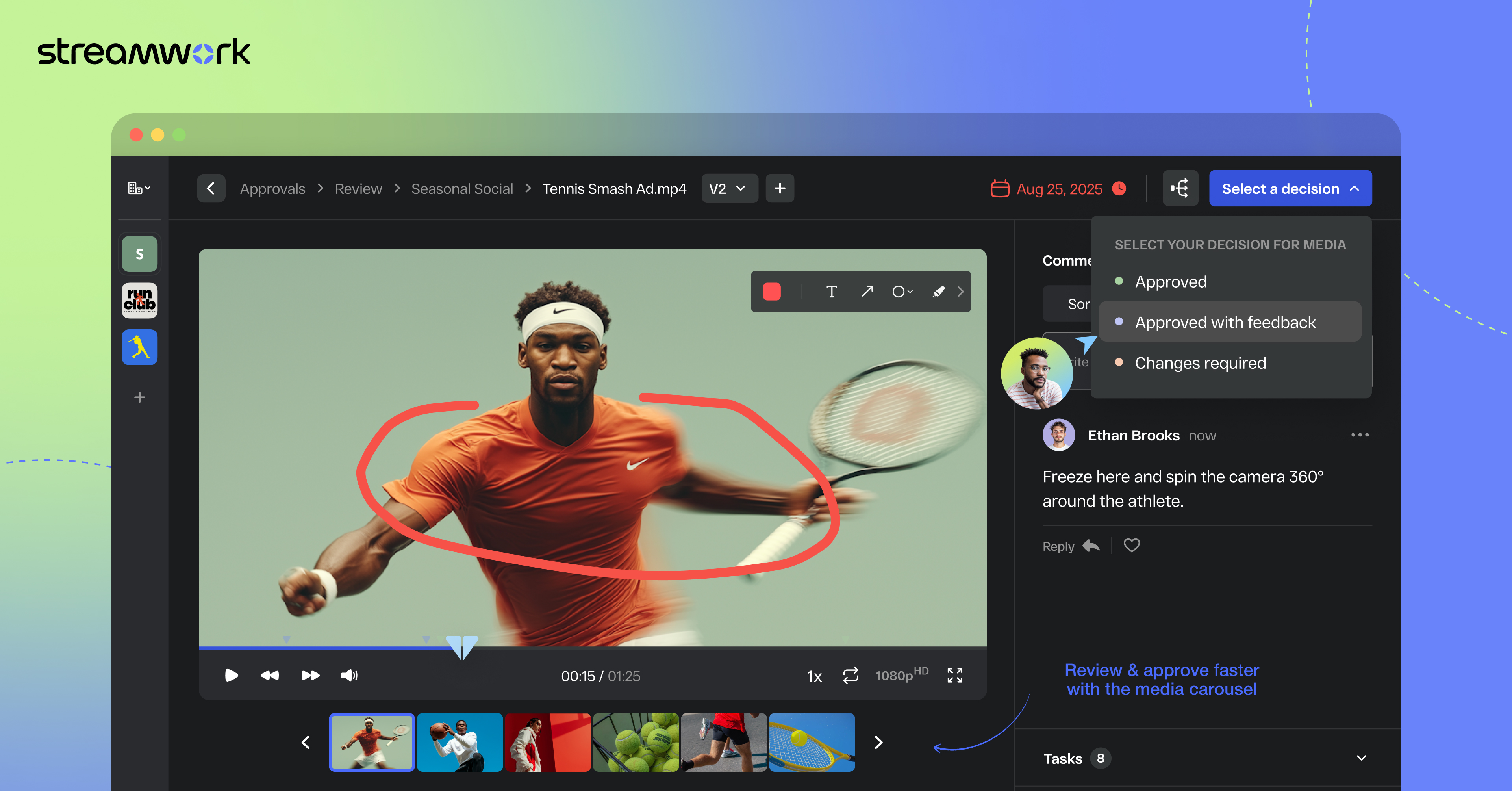
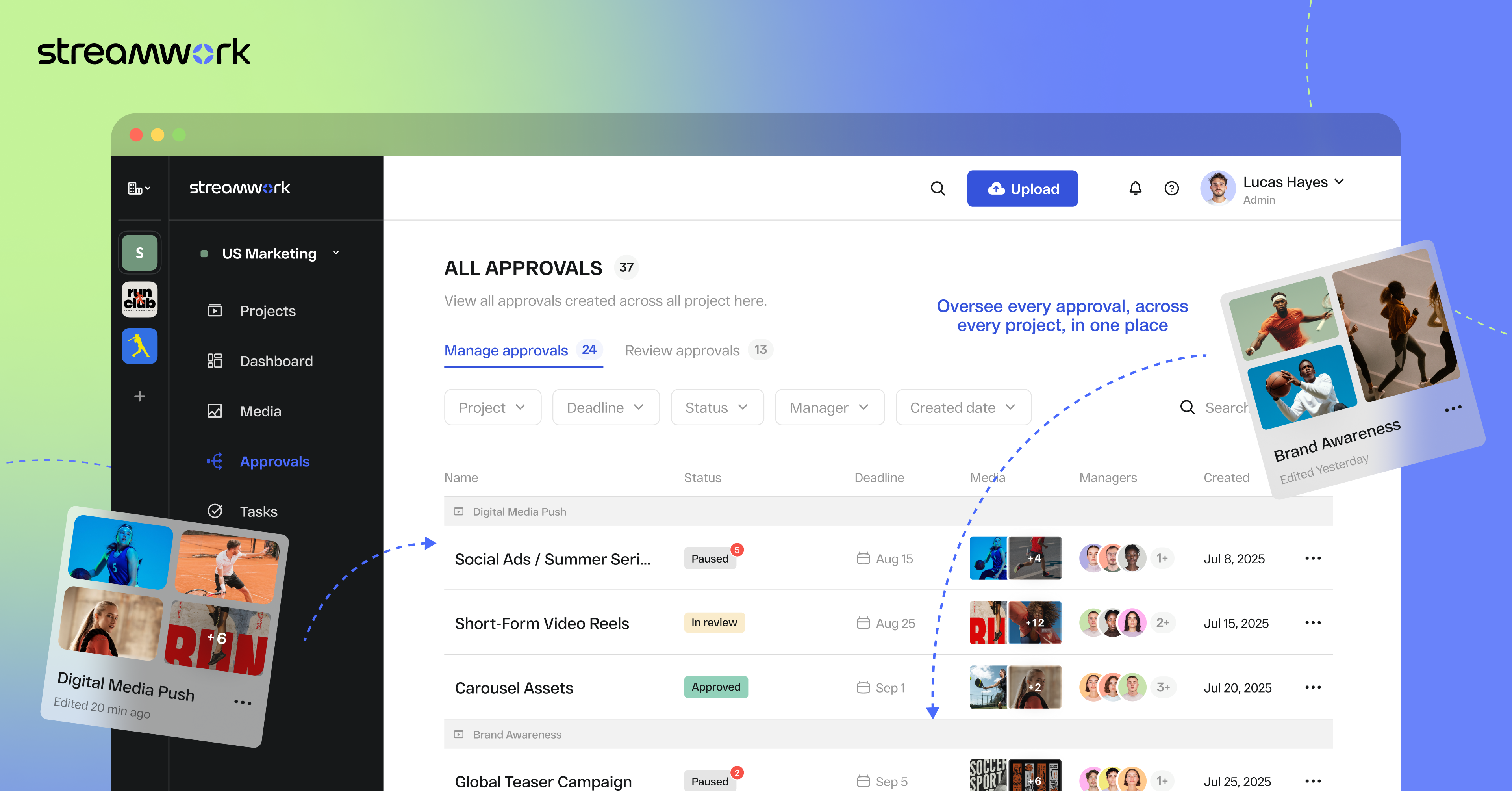
StreamWork is a review and approval platform used by marketing and creative teams to centralize feedback, streamline online proofing, and automate creative approval workflows. By consolidating version control, task management, and stakeholder input, it aims to eliminate bottlenecks and reduces rework. Teams can markup nearly any file type (videos, images, CAD files, documents, slides, etc), route assets through multi-stage approvals with smart deadlines, and share review links without requiring…
$219
per month (15 users included)
Pricing
Frame.io
StreamWork
Editions & Modules
Pro
$15
per user/per month
Team
$25
per user/per month
Free
Free
For up to 2 users
Enterprise
Contact sales team
Free
$0
2 users
Starter
$219
per month 15 users
Team
$369
per month 20 users
Enterprise
Custom Pricing
per year 25 users
Offerings
Pricing Offerings
Frame.io
StreamWork
Free Trial
Yes
Yes
Free/Freemium Version
Yes
Yes
Premium Consulting/Integration Services
No
Yes
Entry-level Setup Fee
No setup fee
Optional
Additional Details
—
StreamWork offers monthly and annual pricing options. Annual plans receive a discount.
Compared to the other tools that I have used, StreamWork offers the most flexibility for internal and external needs. Workamajig was my favorite for centralizing a creative brief and creating a clear flow of approvers internally, but it never worked as expected with external …
A de minimis incentive was given to thank the reviewer for their time. The incentive was not used to bias or drive a particular response, nor was the incentive contingent on a positive endorsement. More Info
Creative Operations Consultant in Marketing at Kelly Perry Consulting (Management Consulting, 1-10 employees)
Chose StreamWork
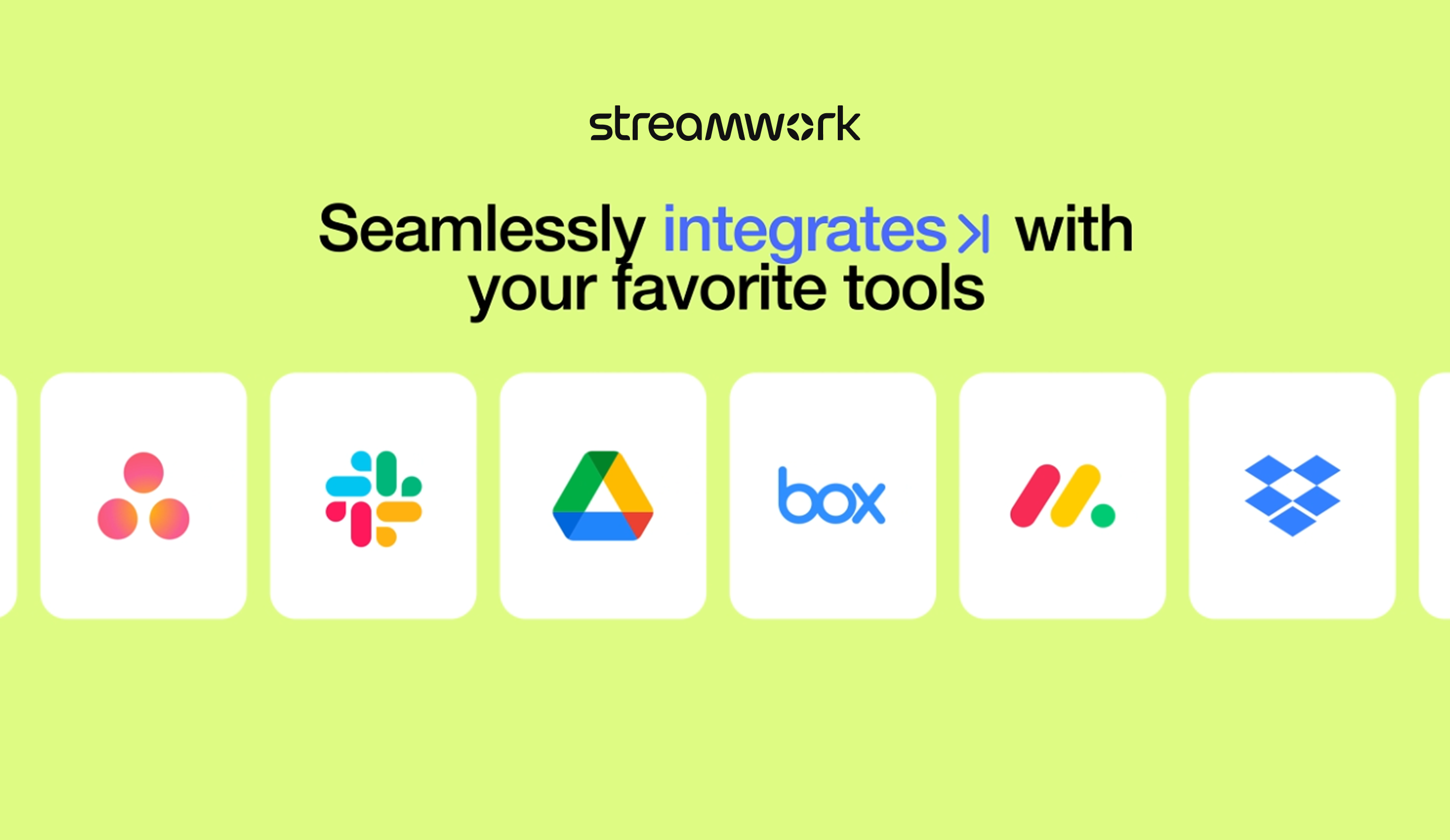
StreamWork's Asana integration was the stand-out. I could not find any other platform that integrated so seamlessly into our existing process and automations.
A de minimis incentive was given to thank the reviewer for their time. The incentive was not used to bias or drive a particular response, nor was the incentive contingent on a positive endorsement. More Info
Based on my experience, Frame.io is well-suited for collaboration; it is clear, quick, and reliable for approvals. For us, approvals are critical and time-sensitive. Since we work on approvals quickly, we can move forward with placing the order and get it to our clients as soon as possible. Where it is less appropriate is uploading huge files. We would prefer it if Frame.io had integration with cloud storage providers.
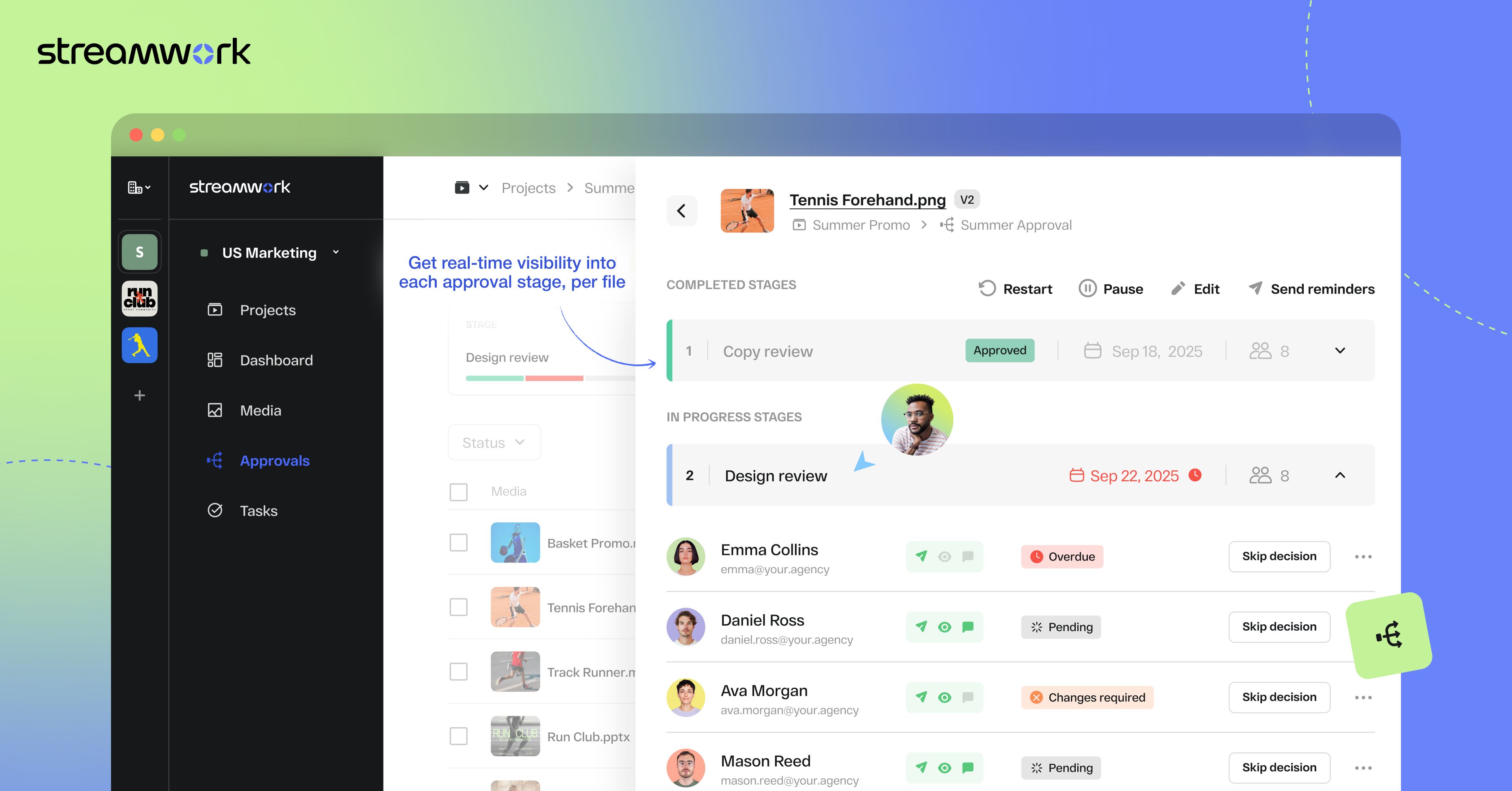
1) I like that "Approvals" are on the main nav as this expedites my workflow as I'm QA for all our projects. I save time by not delving down into each project workspace 2) The Approval widget on the dashboard is also a time saver! 3) The "Review Approvals" section - I like being able to see the status of each user's approval process so I can send reminders 4) The "Skip Decision" feature is helpful as we're entering holiday season with folks being OOO.... we want to avoid gatekeeping/blockers. 5) While I haven't yet used the split review process, I can see how it will be helpful on my large-scale, long-term projects.
A de minimis incentive was given to thank the reviewer for their time. The incentive was not used to bias or drive a particular response, nor was the incentive contingent on a positive endorsement. More Info
While collaboration features are useful, the number of comments and stakeholders can get overwhelming. We could tag and group them to better manage feedback.
Media teams do need to use other platforms to manage work (timelines, dependencies, etc.). Maybe Frame.io could take on some more project management/workflow features?
Organizing and naming assets could make discoverability challenging as they build up. Perhaps better support/community features could help improve working practices
A de minimis incentive was given to thank the reviewer for their time. The incentive was not used to bias or drive a particular response, nor was the incentive contingent on a positive endorsement. More Info
I gave my rating of a 7 because times are getting hard in the nonprofit space. If we needed to, we could part with Frame.io and revert back to using free storage options. Frame.io has elevated our experience and we really enjoy using it. But sometimes you have to make tough choices when in tough times.
A de minimis incentive was given to thank the reviewer for their time. The incentive was not used to bias or drive a particular response, nor was the incentive contingent on a positive endorsement. More Info
Frame.io is overall very usable, but it could use slightly improved onboarding/training at the start for people who are not used to using these types of tools but want to improve their team's efficiency. I'm the type of person who feels like, "Lay it out to me like I'm a 5-year-old." I want it to be clear.
A de minimis incentive was given to thank the reviewer for their time. The incentive was not used to bias or drive a particular response, nor was the incentive contingent on a positive endorsement. TR verified that a representative sample of customers was invited. More Info
Once set up, StreamWork is very easy to use! Since I started using the platform, the team has pushed several key updates that have further improved user experience and usability.
A de minimis incentive was given to thank the reviewer for their time. The incentive was not used to bias or drive a particular response, nor was the incentive contingent on a positive endorsement. TR verified that a representative sample of customers was invited. More Info
When sharing videos for feedback, there are no noticeable performance issues with Frame.io. Everyone is able to complete their tasks without the program getting in the way.
A de minimis incentive was given to thank the reviewer for their time. The incentive was not used to bias or drive a particular response, nor was the incentive contingent on a positive endorsement. TR verified that a representative sample of customers was invited. More Info
The few times I have needed support I have received a quick response - though the one major complaint I have had is regarding the omission of an iPad app - supposedly it is in the works but I haven't seen it release yet. We do have issues with the browser being buggy - especially on slow internet. Whether or not that is something support has failed me on, i'm not sure - but they are responsive, but don't always provide immediate results.
A de minimis incentive was given to thank the reviewer for their time. The incentive was not used to bias or drive a particular response, nor was the incentive contingent on a positive endorsement. More Info
Getting Frame.io up and running was relatively straightforward on the backend. Account setup, project organization, and uploading media were all intuitive. The real challenge came with client and stakeholder onboarding. Many users found the interface unfamiliar and intimidating compared to everyday tools, requiring repeated training sessions just to get basic feedback workflows functioning. Integrations with Adobe Premiere worked well for internal teams, though the desktop app felt underdeveloped. Overall, implementation was low-difficulty for tech-savvy editors but moderate-to-high when external collaborators were involved. With patience and proper onboarding documentation, most teams got up to speed within a few weeks.
A de minimis incentive was given to thank the reviewer for their time. The incentive was not used to bias or drive a particular response, nor was the incentive contingent on a positive endorsement. TR verified that a representative sample of customers was invited. More Info
Box provides company-wide storage for our teams and remains our baseline file storage system; however, it is extremely limited for collaboration. Frame.io's review/comment system tags videos by timeline, making it invaluable for receiving client feedback and completing creative work faster and more efficiently.
A de minimis incentive was given to thank the reviewer for their time. The incentive was not used to bias or drive a particular response, nor was the incentive contingent on a positive endorsement. More Info
StreamWork's Asana integration was the stand-out. I could not find any other platform that integrated so seamlessly into our existing process and automations.
Frame.io's contract terms were straightforward, flexible, and largely free of the predatory clauses common in enterprise SaaS agreements. The language was clear, renewal terms were transparent, and the price lock provision gave long-term budget certainty. Data portability rights were explicitly defined, ensuring we could export our assets without restriction if we ever chose to leave the platform. The agreement also included a reasonable service level agreement with defined uptime guarantees. The single point deducted reflected the initial contract draft containing an auto-renewal clause with an uncomfortably short cancellation window, which required pushback to extend to a more reasonable notice period before signing.
A de minimis incentive was given to thank the reviewer for their time. The incentive was not used to bias or drive a particular response, nor was the incentive contingent on a positive endorsement. TR verified that a representative sample of customers was invited. More Info
A de minimis incentive was given to thank the reviewer for their time. The incentive was not used to bias or drive a particular response, nor was the incentive contingent on a positive endorsement. TR verified that a representative sample of customers was invited. More Info
Frame.io's professional services delivered a structured, knowledgeable implementation experience that significantly accelerated our time to value. They arrived with a clear methodology, asked the right discovery questions upfront, and tailored their approach to our specific production environment rather than applying a generic template. Training sessions were thorough, well-paced, and adapted to varying levels of technical comfort across our team. The one point deducted reflected occasional scheduling delays in getting specialized resources assigned during peak periods, and a few instances where documentation provided after sessions lacked the detail needed for independent troubleshooting. Overall though, their expertise and professionalism made a meaningful difference in our implementation success.
A de minimis incentive was given to thank the reviewer for their time. The incentive was not used to bias or drive a particular response, nor was the incentive contingent on a positive endorsement. TR verified that a representative sample of customers was invited. More Info
A de minimis incentive was given to thank the reviewer for their time. The incentive was not used to bias or drive a particular response, nor was the incentive contingent on a positive endorsement. More Info
StreamWork has made our creative review process far more efficient. It’s reduced turnaround times, minimized miscommunication, and helped us deliver assets to clients faster... all of which translate into better project outcomes and a clear ROI.
A de minimis incentive was given to thank the reviewer for their time. The incentive was not used to bias or drive a particular response, nor was the incentive contingent on a positive endorsement. More Info