SurveySparrow vs. Workleap

Overview
ProductRatingMost Used ByProduct SummaryStarting Price
SurveySparrow
Score 9.0 out of 10
N/A
SurveySparrow headquartered in Los Angeles offers their customizable survey platform, deployed via webpage, chatbot with conversational format, or distributable to audience segments.
$19
per month 5000 Responses
Workleap
Score 8.4 out of 10
Mid-Size Companies (51-1,000 employees)
Workleap is a Human Resources (HR) Management Platform that provides Workforce Analytics and utilizes an AI Manager Agent to automate administrative workflows. The platform generates 1:1 Meeting Agendas, produces Performance Review drafts, and monitors for Employee Engagement risks to support organizational follow-through. According to the vendor, the solution is used by over 70,000 leaders across more than 100 countries to consolidate people insights and streamline management tasks.
$4,999
per year per user
Pricing
SurveySparrowWorkleap
Editions & Modules
Basic
$19
per month 5000 Responses
Essentials
$49
per month 15000 responses
360 Assessments Basic
$59
Per Subject Billed Yearly For upto 100 Subjects
Business
$99
per month 100000 responses
CX Basic
$199
per month 100000 responses
Add-On - Manager Agent
$99
per month per user
Standard
$4,999
per year
Pro
$11,999
per year
Offerings
Pricing Offerings
SurveySparrowWorkleap
Free Trial
YesNo
Free/Freemium Version
YesNo
Premium Consulting/Integration Services
NoNo
Entry-level Setup FeeNo setup feeNo setup fee
Additional DetailsWorkleap is priced as an annual platform fee. Standard starts at $4,999/year and includes performance management, employee engagement, compensation planning, and reporting. Pro starts at $11,999/year and adds API access, SAML SSO, and advanced customization. The Manager Agent is an optional add-on at $99 per manager per month. Enterprise pricing is custom for organizations with 250 or more employees and includes dedicated CSM, premium call support, custom security review, custom terms, and procurement through PO. All purchases are completed through a sales representative. No self-serve option is available. Prices on the website apply to new customers only.
More Pricing Information
Community Pulse
SurveySparrowWorkleap
User Ratings
SurveySparrowWorkleap
Likelihood to Recommend
10.0
(3 ratings)
8.0
(5 ratings)
Usability
9.0
(1 ratings)
9.0
(1 ratings)
Support Rating
9.0
(1 ratings)
-
(0 ratings)
User Testimonials
SurveySparrowWorkleap
Likelihood to Recommend
SurveySparrow
Well getting surveys from clients is a hectic job (as a user we all ignore surveys all the time ) SurveySparrow comes to the rescue and provides links to forward your survey on WhatsApp, email, and so many options. You can create a copy of the survey which you created and that is very time efficient. Suppose you have 3 clients and you give them the same service you can add a variable that will simply change the name of the client and the rest of the survey stays the same no need to create a different survey, mega time saver.
Read full review
Workleap
I think Officevibe is great for any office where management truly cares about how happy their employees are and is interested in making their company a great place to work. It's a quick and easy way for staff to give you honest thoughts and opinions that you can act on to make improvements
Read full review
Pros
SurveySparrow
  • Creating and sending surveys is very easy and intuitive, no instructions needed. The interface is clean and inviting.
  • The mobile-first interface greatly increases response rates form my experience. Filling out a survey is like text messaging on your phone.
  • Surveys are more conversational in tone rather than an answer to the question style of the survey most other companies offer.
  • The feature set is not as robust as some other survey software but its simplicity makes it easy to use all around.
  • Customer support is very responsive.
Read full review
Workleap
  • NPS Surveys.
  • Employee engagement.
  • Team Culture.
  • Measuring the effectiveness of leaders.
Read full review
Cons
SurveySparrow
  • Add custom CSS for Premium plan.
Read full review
Workleap
  • I would like more analysis and next steps on how to address the problems that come up.
Read full review
Usability
SurveySparrow
User-friendly data is easy to analyze with simple tools. The customer service team is also very helpful, easy to create the survey in less than 5 minutes, engage with your clients on all possible platforms.
Read full review
Workleap
Officevibe's user interface for end users is straightforward and well-designed; it looks nice and intuitive. We did have confusion about the brand, with some new employees thinking they were spam emails. Also, the manager's view and getting access to the right visibility can be confusing unless well administrated internally.
Read full review
Support Rating
SurveySparrow
The support team is just a call away and also provides email support.
Read full review
Workleap
No answers on this topic
Alternatives Considered
SurveySparrow
We originally used Survey Monkey but found customer support to be unresponsive when we needed it and also the style of surveys you could create were bland and boring, leading to lower response rates. We chose Survey Sparrow for their mobile-first and chat-style survey interface because we have a mobile audience and have found they prefer this style of survey better.
Read full review
Workleap
The only good and bad thing about Officevibe is that it's laser-focussed. It only does employee engagement. If you want a do-it-all tool, there are many alternatives. But if you want to nail employee engagement on the head and go deep, I highly recommend Officevibe.
Read full review
Return on Investment
SurveySparrow
  • Very simple and intuitive interface.
  • Easy to set-up and use - pays off quickly.
Read full review
Workleap
  • We were able to keep our finger on the pulse and preempt some issues before they became issues, allowing us to maintain the culture we hoped to have.
  • Employees enjoyed being asked short questions frequently.
Read full review
ScreenShots

Workleap Screenshots

Screenshot of Manager AI Assistant
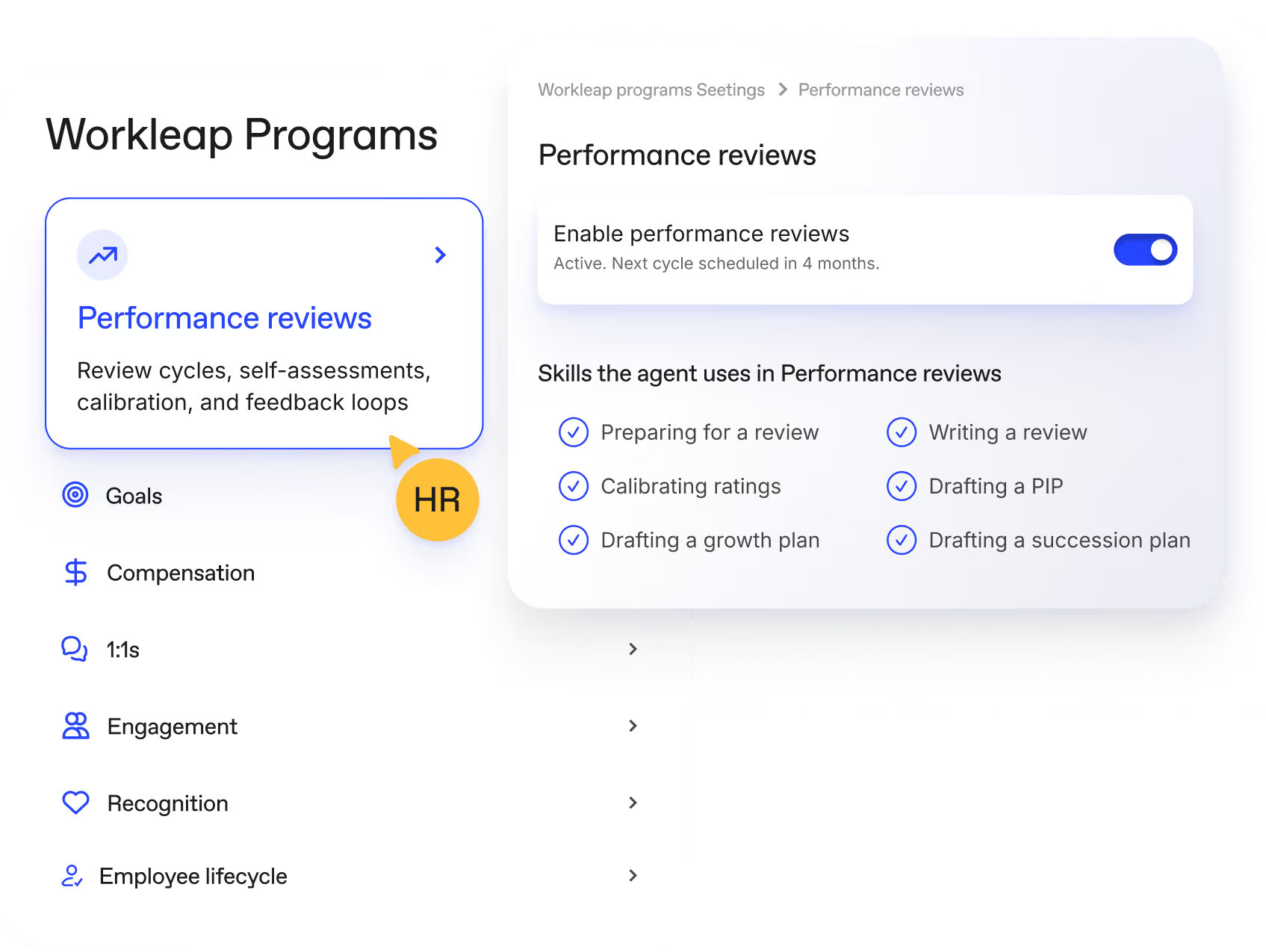
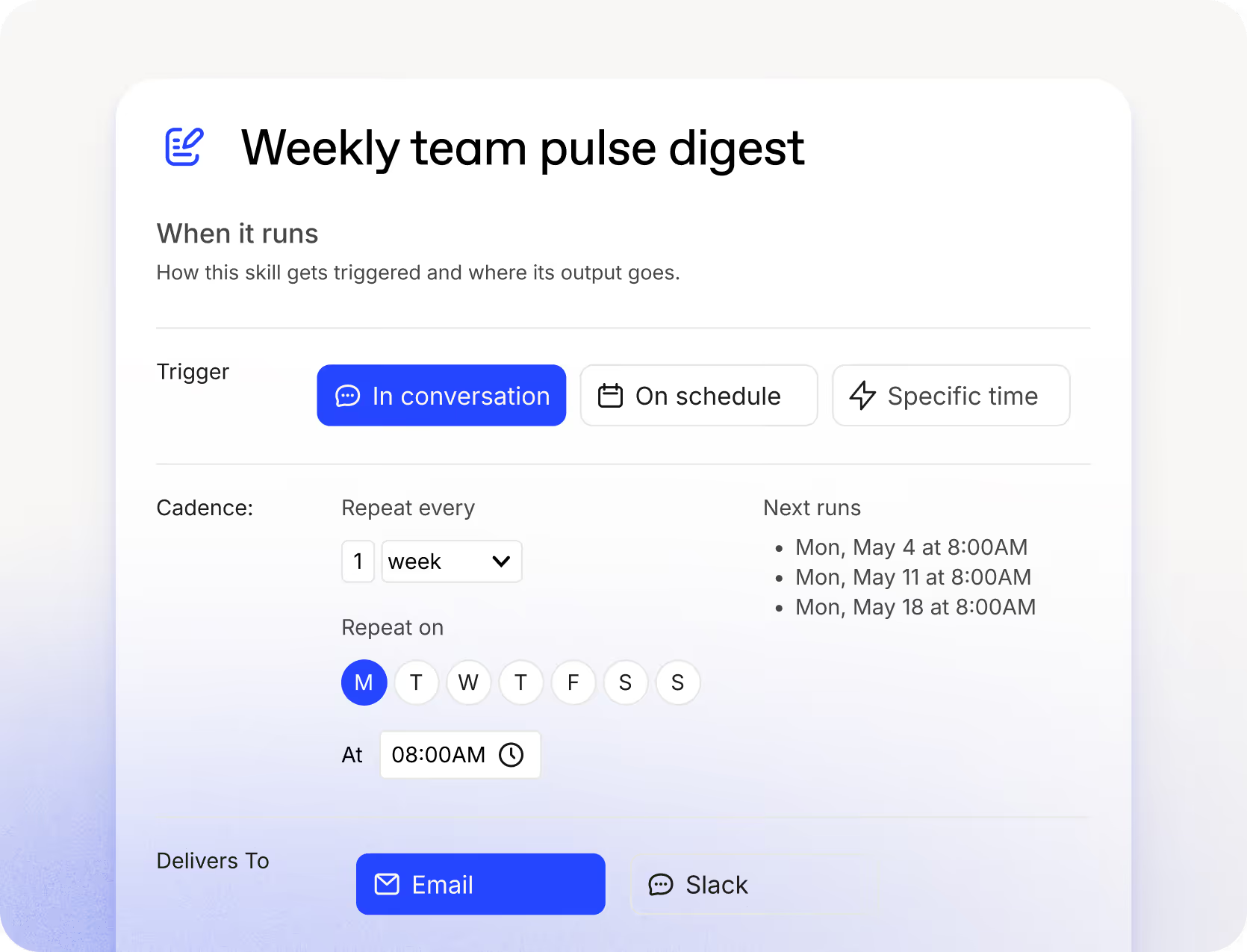
HR configures which programs are active and what skills the agent runs within each one. The agent then executes across performance reviews, engagement, 1:1s, compensation, goals, and recognition without HR managing each step manually.Screenshot of Workleap agent skills run on a configurable schedule. HR sets the trigger, cadence, and delivery channel once. The agent executes automatically from that point forward.Screenshot of Employee Engagement
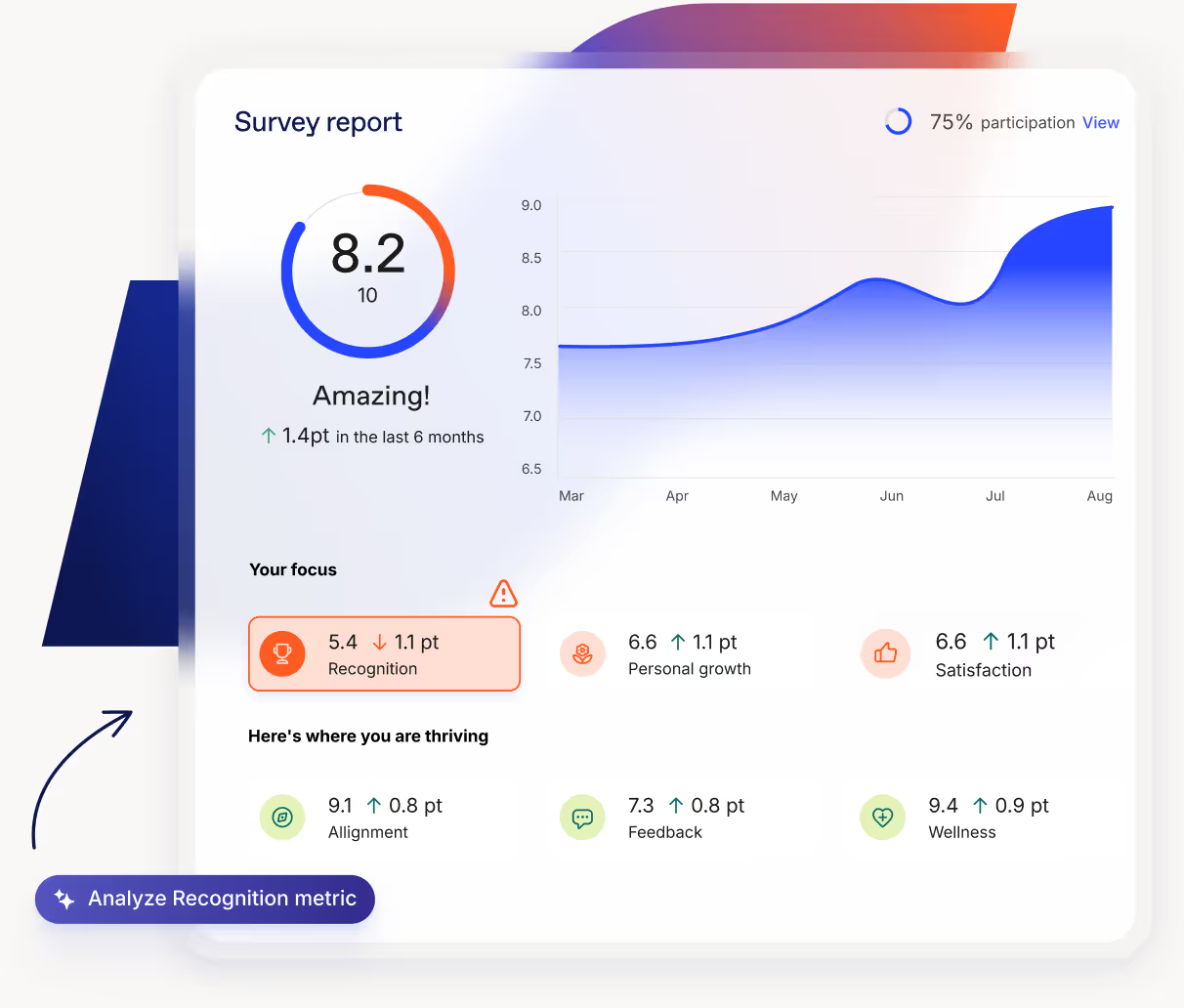
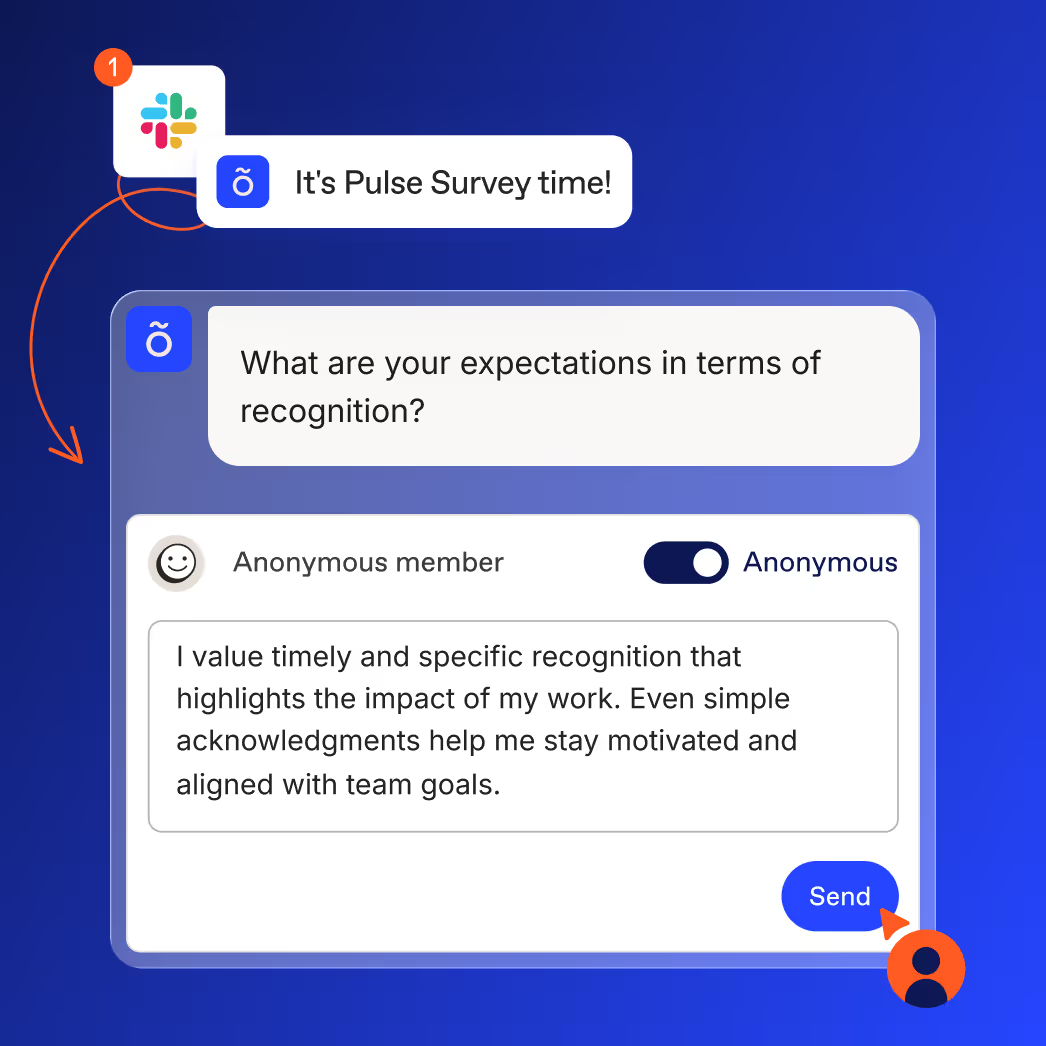
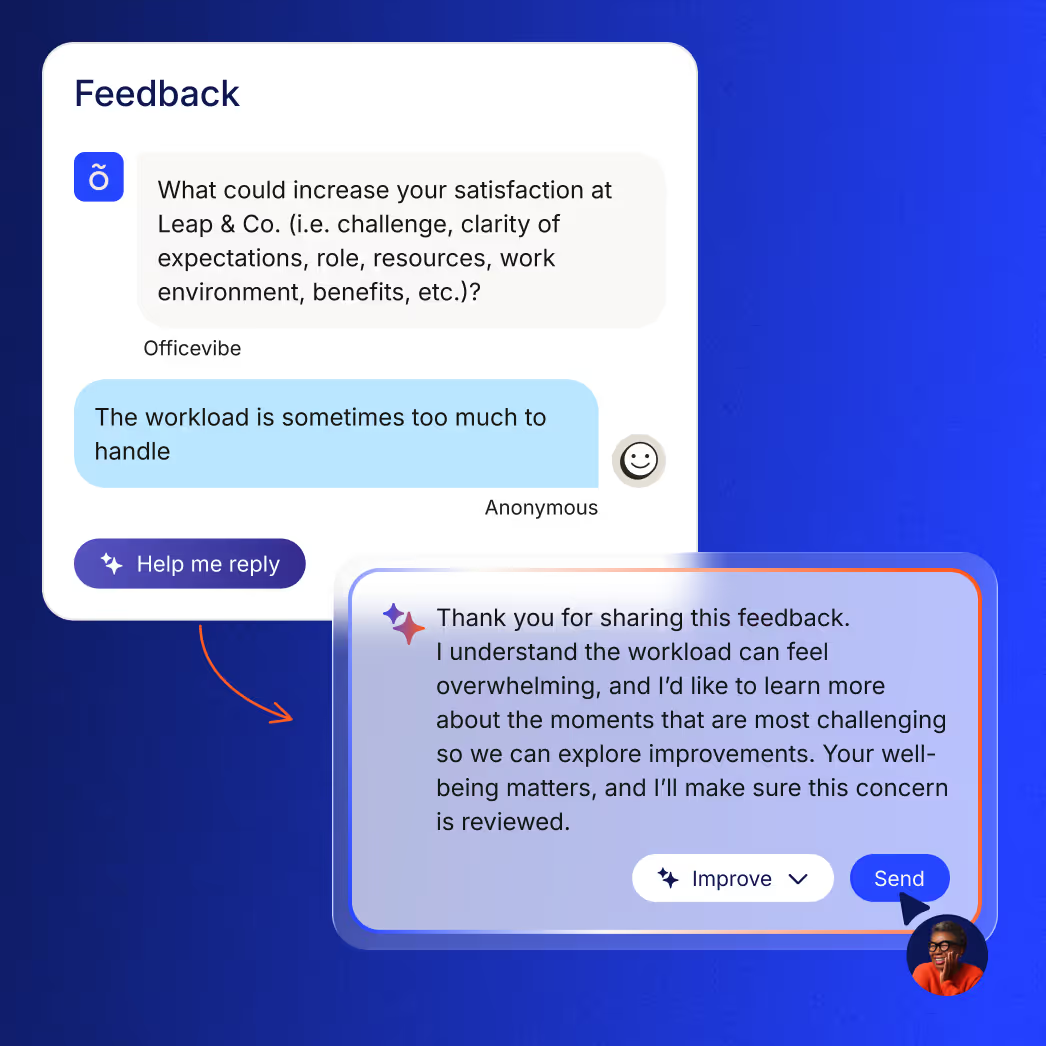
Workleap collects continuous engagement data through pulse and custom surveys, then surfaces an overall score, trends, participation rate, and flagged focus areas for HR to act on.Screenshot of Surveys reach employees directly in Slack. Responses are anonymous by default, removing friction from the feedback loop.Screenshot of When managers receive anonymous employee feedback, the agent drafts a response. The manager reviews, refines if needed, and sends with one click.Screenshot of Performance Management
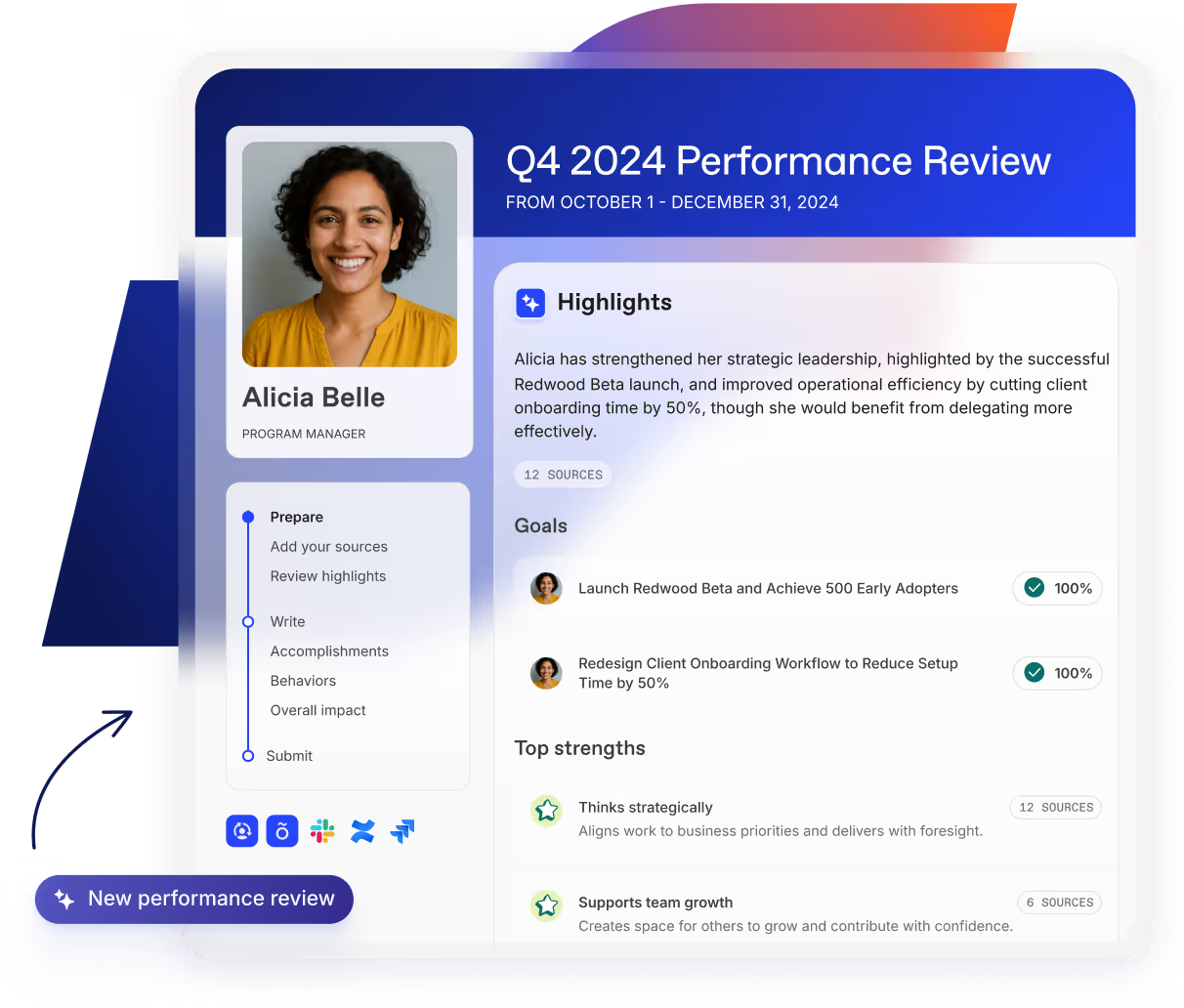
Workleap consolidates goals, peer feedback, self-reviews, and signals from connected tools into a complete AI-drafted review before the manager writes a word.