Syncro vs. Workday Professional Services Automation

Overview
ProductRatingMost Used ByProduct SummaryStarting Price
Syncro
Score 7.2 out of 10
N/A
Syncro offers an Extended Monitoring and Management (XMM) platform for midsized MSPs and internal IT teams. The platform integrates RMM (endpoint management), professional services automation (PSA), and Microsoft 365 multi-tenant management to help organizations simplify operations, strengthen security, and scale.
$159
per month per user
Workday Professional Services Automation
Score 8.4 out of 10
N/A
Workday Professional Services Automation automates the Opportunity to Cash process, connecting HCM and ERP data to match the right talent to projects, reducing manual errors and revenue leakage.N/A
Pricing
SyncroWorkday Professional Services Automation
Editions & Modules
Core
$159
per month per user
Team
$209
per month per user
No answers on this topic
Offerings
Pricing Offerings
SyncroWorkday Professional Services Automation
Free Trial
YesNo
Free/Freemium Version
NoNo
Premium Consulting/Integration Services
NoNo
Entry-level Setup FeeNo setup feeNo setup fee
Additional DetailsDiscount available for annual payment.
More Pricing Information
Community Pulse
SyncroWorkday Professional Services Automation
Features
SyncroWorkday Professional Services Automation
Application Performance Management
Comparison of Application Performance Management features of Product A and Product B
Syncro
6.8
3 Ratings
4% below category average
Workday Professional Services Automation
-
Ratings
Virtualization monitoring7.43 Ratings00 Ratings
IT Asset Discovery6.22 Ratings00 Ratings
Monitoring Tasks
Comparison of Monitoring Tasks features of Product A and Product B
Syncro
7.5
4 Ratings
3% above category average
Workday Professional Services Automation
-
Ratings
Remote monitoring8.54 Ratings00 Ratings
Network device monitoring6.63 Ratings00 Ratings
Activity Monitoring7.33 Ratings00 Ratings
Management Tasks
Comparison of Management Tasks features of Product A and Product B
Syncro
7.6
3 Ratings
8% above category average
Workday Professional Services Automation
-
Ratings
Patch Management7.93 Ratings00 Ratings
Policy-based automation7.23 Ratings00 Ratings
Remote Access
Comparison of Remote Access features of Product A and Product B
Syncro
7.3
3 Ratings
10% above category average
Workday Professional Services Automation
-
Ratings
Attended device access8.73 Ratings00 Ratings
Unattended device access7.63 Ratings00 Ratings
Mobile device access7.01 Ratings00 Ratings
Virtual device access8.02 Ratings00 Ratings
Multiple-display support4.52 Ratings00 Ratings
Multiple concurrent sessions7.83 Ratings00 Ratings
Best Alternatives
SyncroWorkday Professional Services Automation
Small Businesses
Panda Systems Management
Score 7.8 out of 10
Teamwork.com
Teamwork.com
Score 8.5 out of 10
Medium-sized Companies
Action1
Action1
Score 9.5 out of 10
Teamwork.com
Teamwork.com
Score 8.5 out of 10
Enterprises
TeamViewer
TeamViewer
Score 8.5 out of 10
Planview AdaptiveWork
Score 8.1 out of 10
All AlternativesView all alternativesView all alternatives
User Ratings
SyncroWorkday Professional Services Automation
Likelihood to Recommend
6.8
(5 ratings)
8.1
(24 ratings)
Usability
7.1
(4 ratings)
6.0
(1 ratings)
Support Rating
-
(0 ratings)
5.0
(1 ratings)
User Testimonials
SyncroWorkday Professional Services Automation
Likelihood to Recommend
SyncroMSP Servably Inc
SyncroMSP is great for MSPs starting out or wanting to keep their costs low. Some RMM software will charge per install - and price breaks only available as your base grows to a significant number. As Syncro is a "per agent" cost, the costs for an MSP are (a) known and (b) easily to manage as the team grows. The third-party integration element is very useful for MSPs looking to be able to not only onsell additional services, but the management of these services is simple for anybody to use
Read full review
Workday
If you are a company with very little administrative or IT staff that can be dedicated to run, train, and launch - this is the perfect tool for you because it requires very little on the set up end and training. It looks like a social network so a platform many are already used to seeing. Its definitely a very powerful product with an easy interface, providing a stellar customer experience
Read full review
Pros
SyncroMSP Servably Inc
  • Due to the cloud based platform, we could scale the based on our needs relatively with ease.
  • We also utilized the auto billing features which were convenience.
  • The consolidation of both RMM and RSA decreased the amount of software we needed.
  • Also, the user friendliness of the platform allowed employees to use easy.
Read full review
Workday
  • Very fast authentication
  • Page uploads are reliably compete with pre filled and carried forward data elements.
  • Easy to employees to navigate from one app to the other so they can be efficient in achieving success an ls completing imp tasks.
  • Screen organization and menu choices flow intuitively and the processing behind the scenes follows the logic users expect.
Read full review
Cons
SyncroMSP Servably Inc
  • Better project management
  • Ability to create teams
Read full review
Workday
  • Would like to be able to use it for clocking in and out
  • The dashboard user interface could be improved to include more pertinent information
  • Would be nice to hide features that we use other applications for (i.e. org chart, pay, expenses)
Read full review
Usability
SyncroMSP Servably Inc
Too expensive for what it is and the lack of support and bug fixes is annoying
Read full review
Workday
As noted, good tools that allow faster development. Dev teams find it is easy to test things out and demo for business users
Read full review
Support Rating
SyncroMSP Servably Inc
No answers on this topic
Workday
With workday support options, I would like to see a more immediately responsive response option. Possibly a chat or a responsive email response team would be helpful.
Read full review
Alternatives Considered
SyncroMSP Servably Inc
Much easier to learn and use
Read full review
Workday
I was not on the selection team for Workday Profession Services Automation; it was the HR system used by our parent company. However, I have had several opportunities to work with Workday in other HR roles, and have also worked extensively with Oracle products. Workday Professional Services Automation seems more dynamic than the Oracle Suite I've utilized in the past.
Read full review
Return on Investment
SyncroMSP Servably Inc
  • The integrated AV solution with Bitdefender is very cheap - yet very a very high quality NGAV solution. It allows us to ensure our clients have access to an NGAV solution at an affordable price
  • Syncro has allowed us to expend our business into new areas which were not able to be accessed previously. This means that we can now service our clients in different ways than previously.
  • The fixed cost pricing allows our teams to understand what their costs are - but also allow us to grow the business and customer base with no increase in costs until we increase our technical team.
Read full review
Workday
  • While I don't use the program at a high-level I can see the time-saving effectiveness for administrators.
  • By giving a self-serve interface I feel in control of my pay/benefit management.
  • Less time spent on HR administration frees up bandwidth for helping colleagues.
Read full review
ScreenShots

Syncro Screenshots

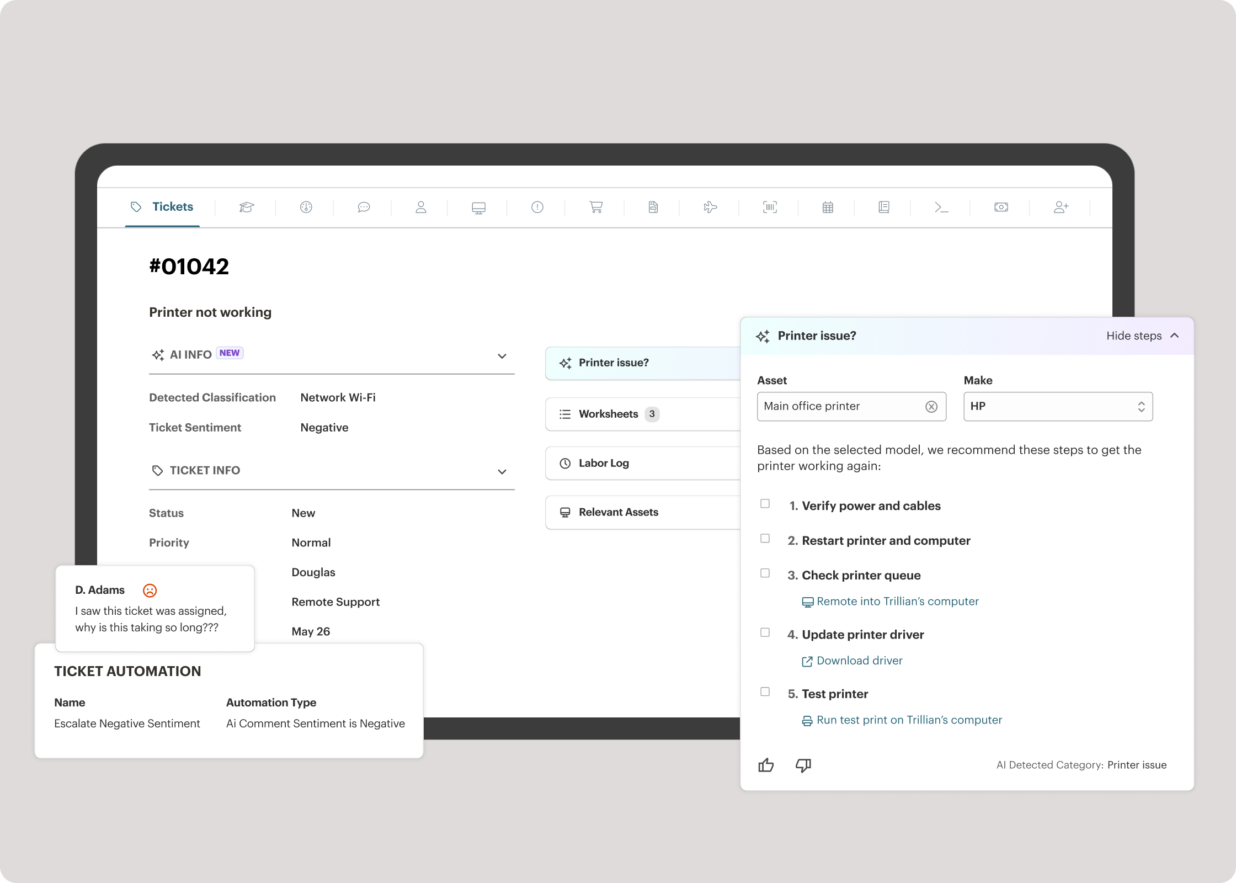
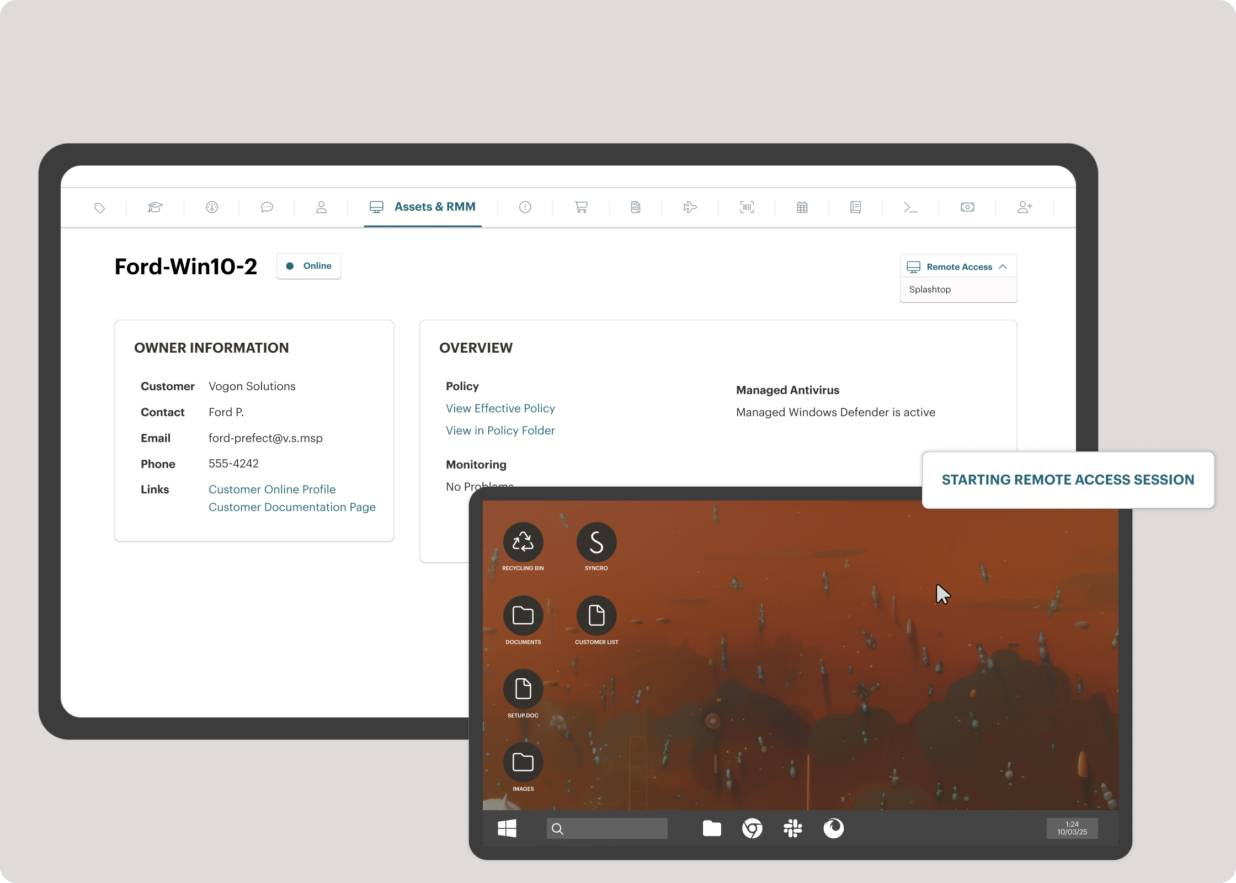
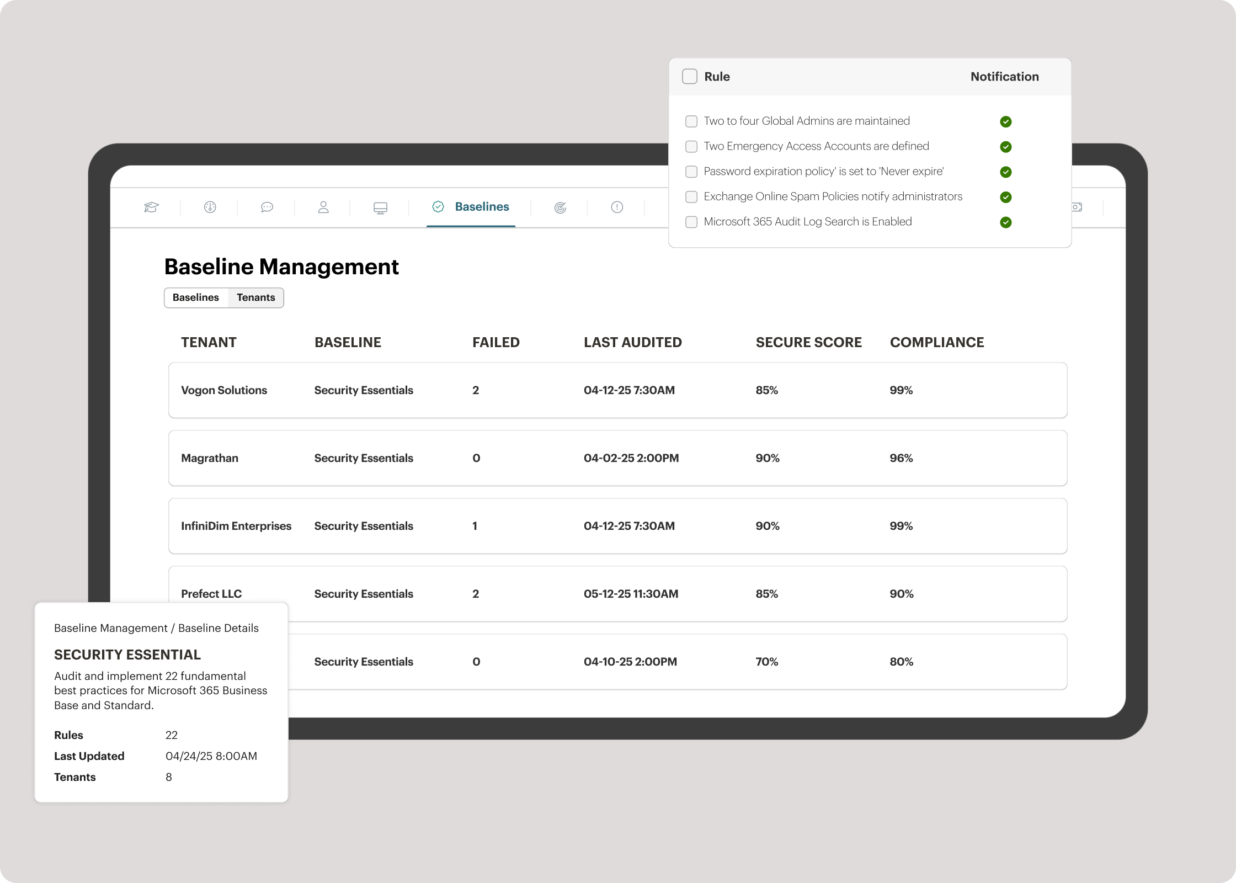
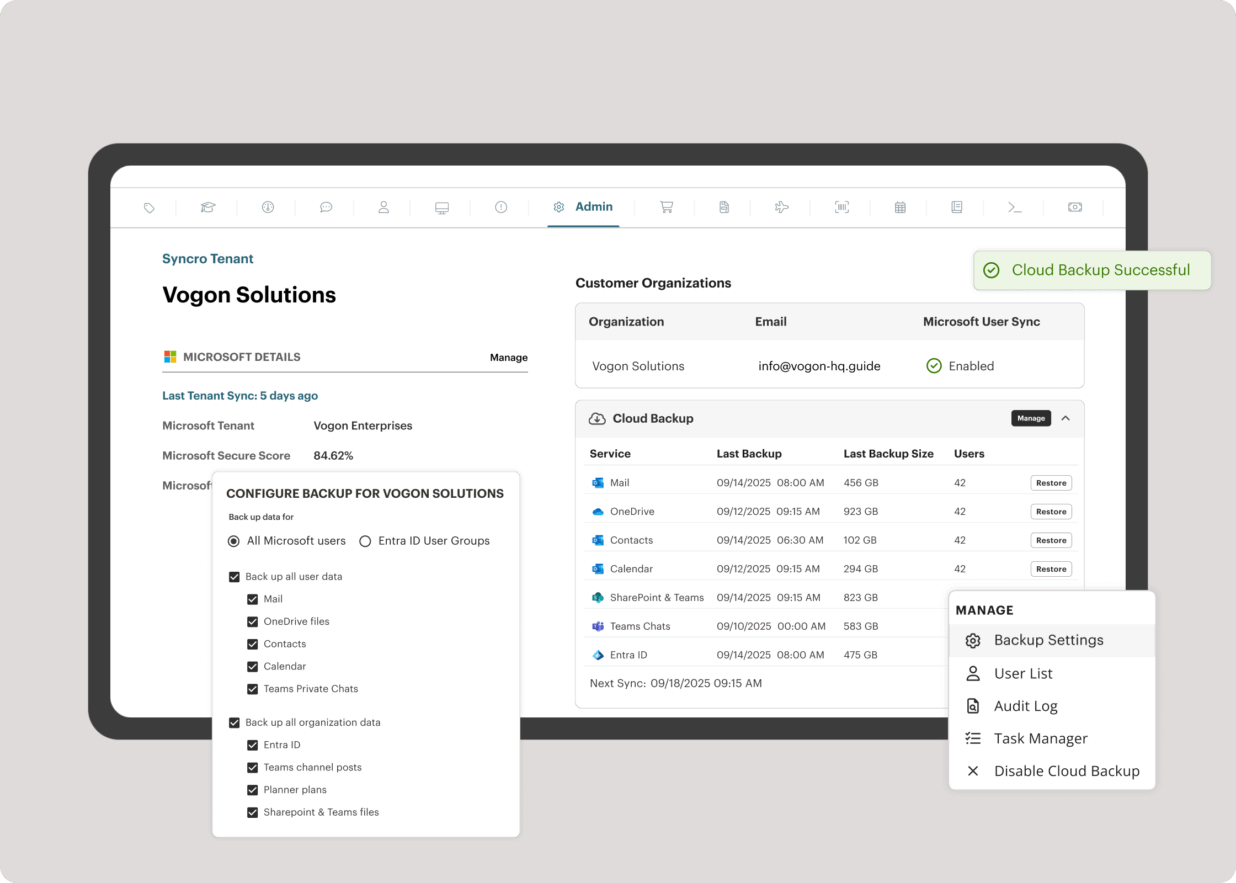
Screenshot of the interface to monitor unlimited endpoints, run scripts, deploy patches, customize alerts, and proactively address potential issues before they become problems.Screenshot of Syncro’s intelligent Smart Ticket Management, which automatically routes tickets and gets information in front of techs, displays relevant context from prior tickets, and surfaces recommended remediation steps to speed up resolution times.Screenshot of where to securely access endpoints and resolve issues anytime, from anywhere, via Splashtop — included with the Syncro subscription at no extra cost.Screenshot of Syncro automating Entra ID tasks and admin work including user syncs, password resets, and license billing.Screenshot of the interface to benchmark M365 tenants against CIS-aligned best practices — offering guided configuration, centralized visibility, drift detection, and automated alerts to help maintain compliance.Screenshot of Microsoft 365 and Entra ID backup, which helps to safeguard against data loss, reinforce compliance, and ensure business continuity without compromise.

Workday Professional Services Automation Screenshots

Screenshot of Workday Professional Services Automation Create QuoteScreenshot of Workday Professional Services Automation CRM DashboardScreenshot of Workday Professional Services Automation Opportunity DashboardScreenshot of Workday Professional Services Automation Services Catalog