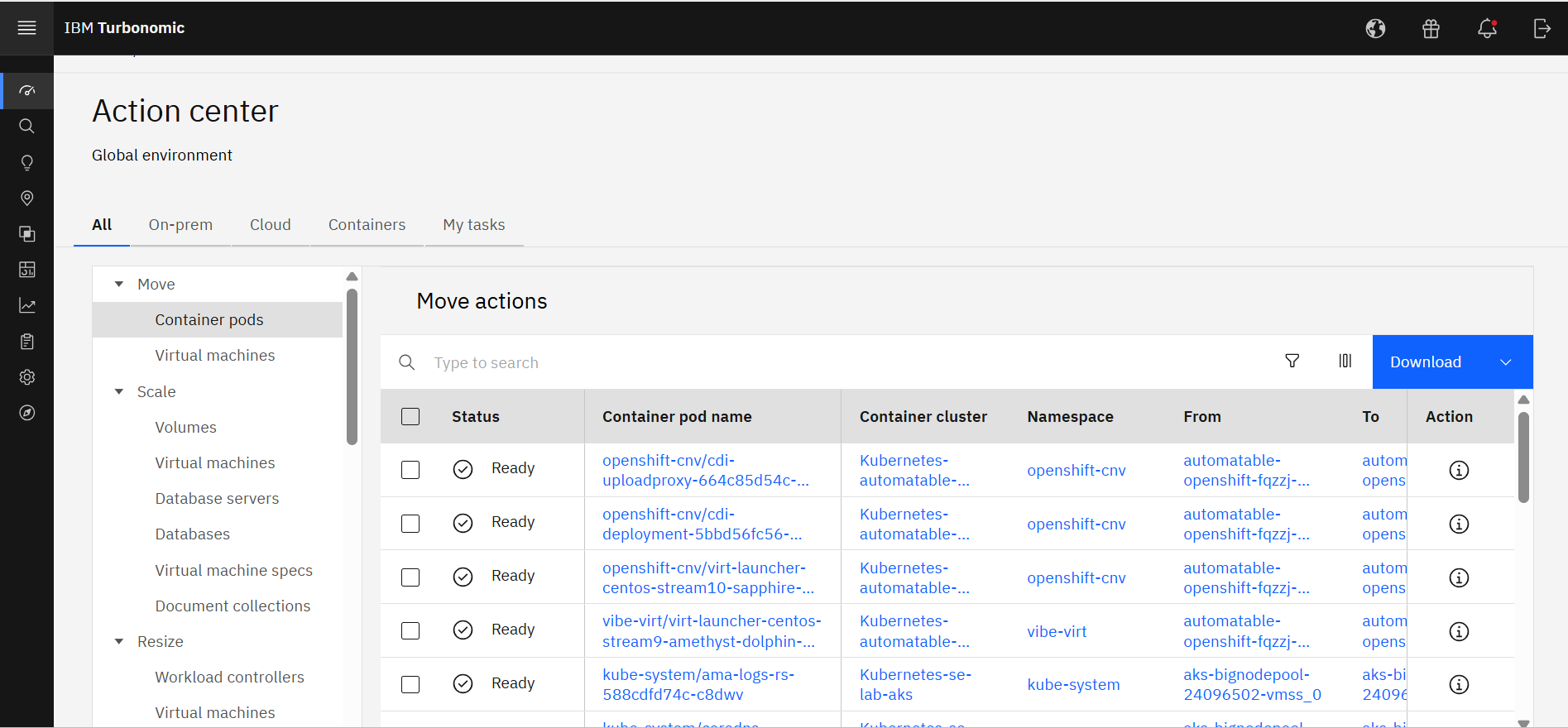
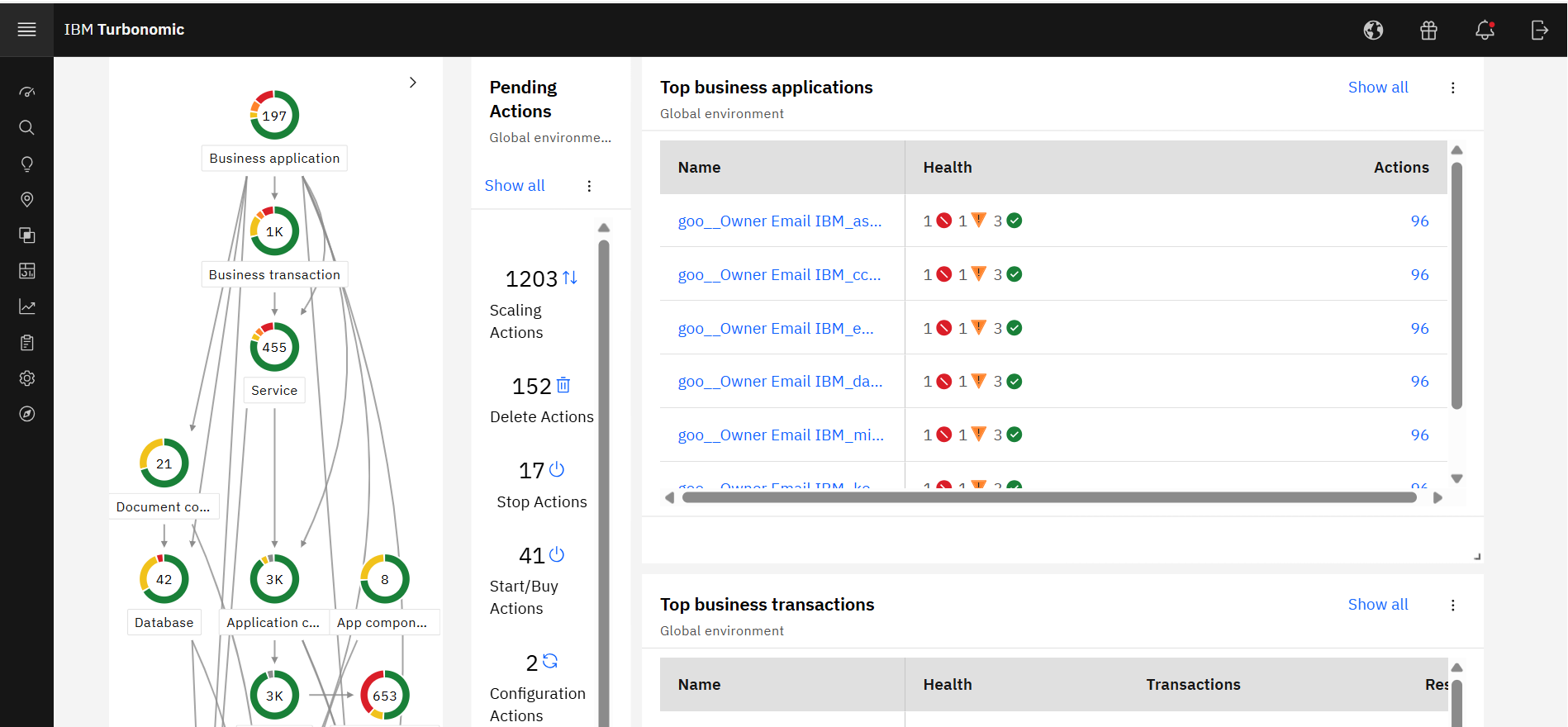
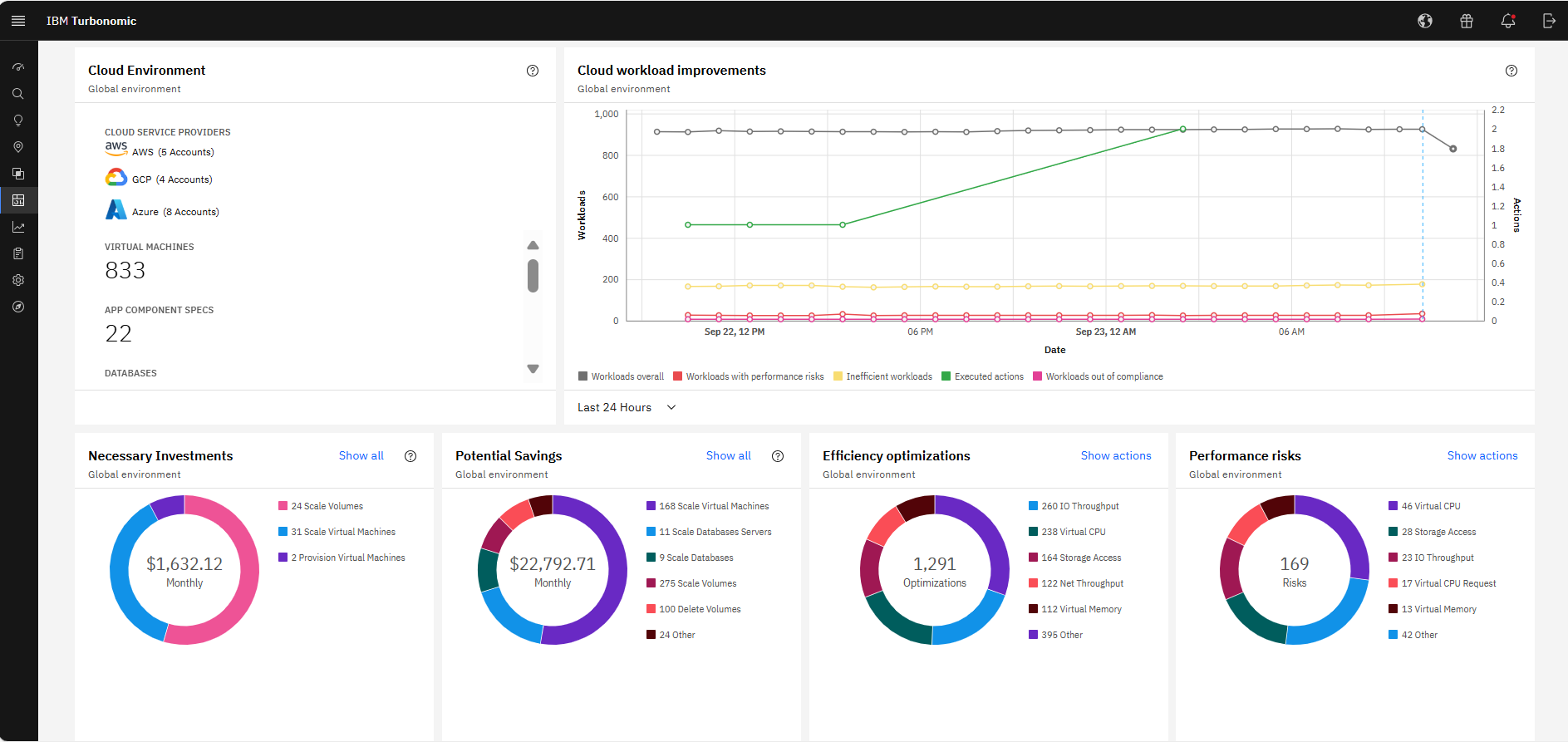
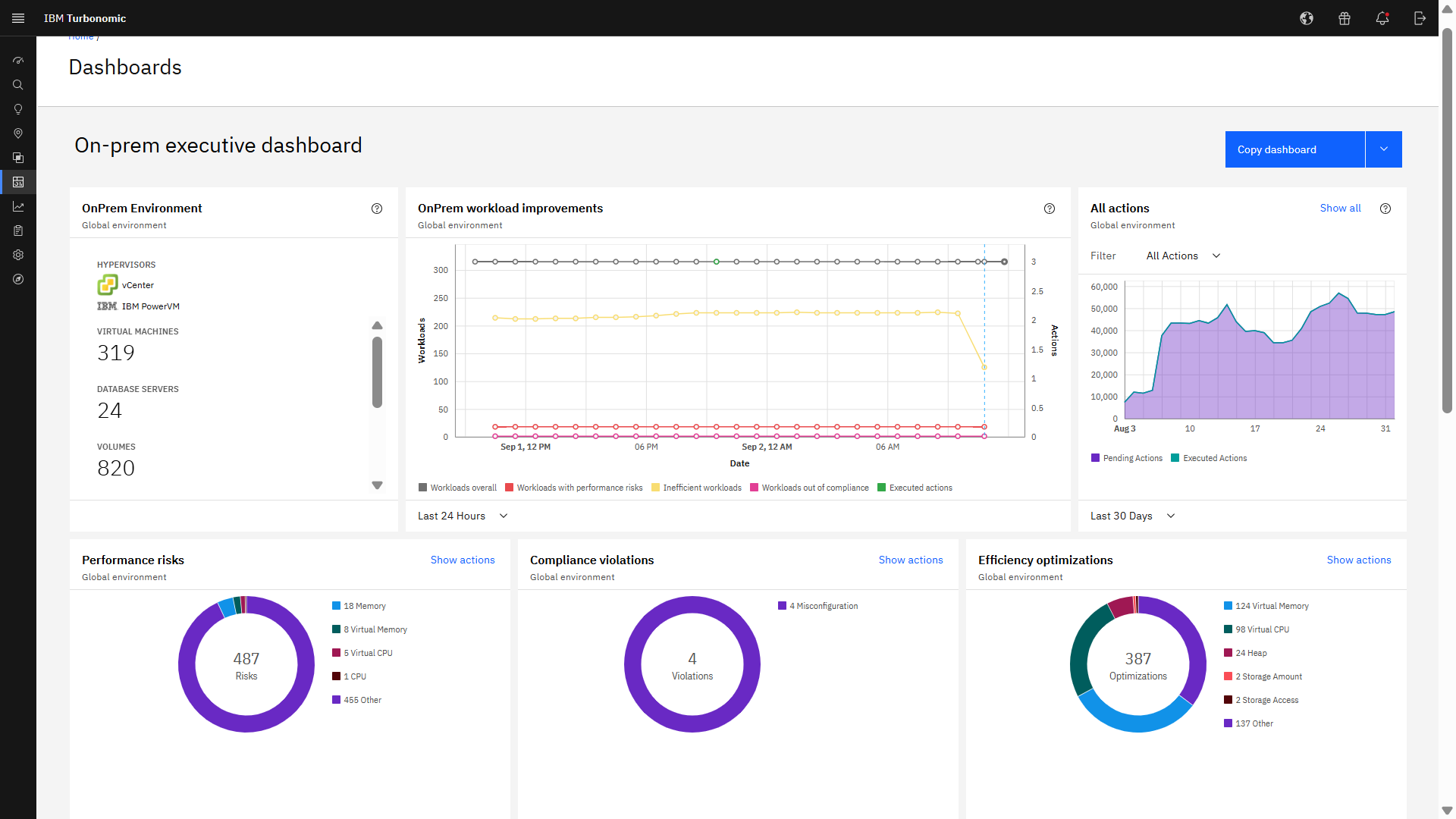
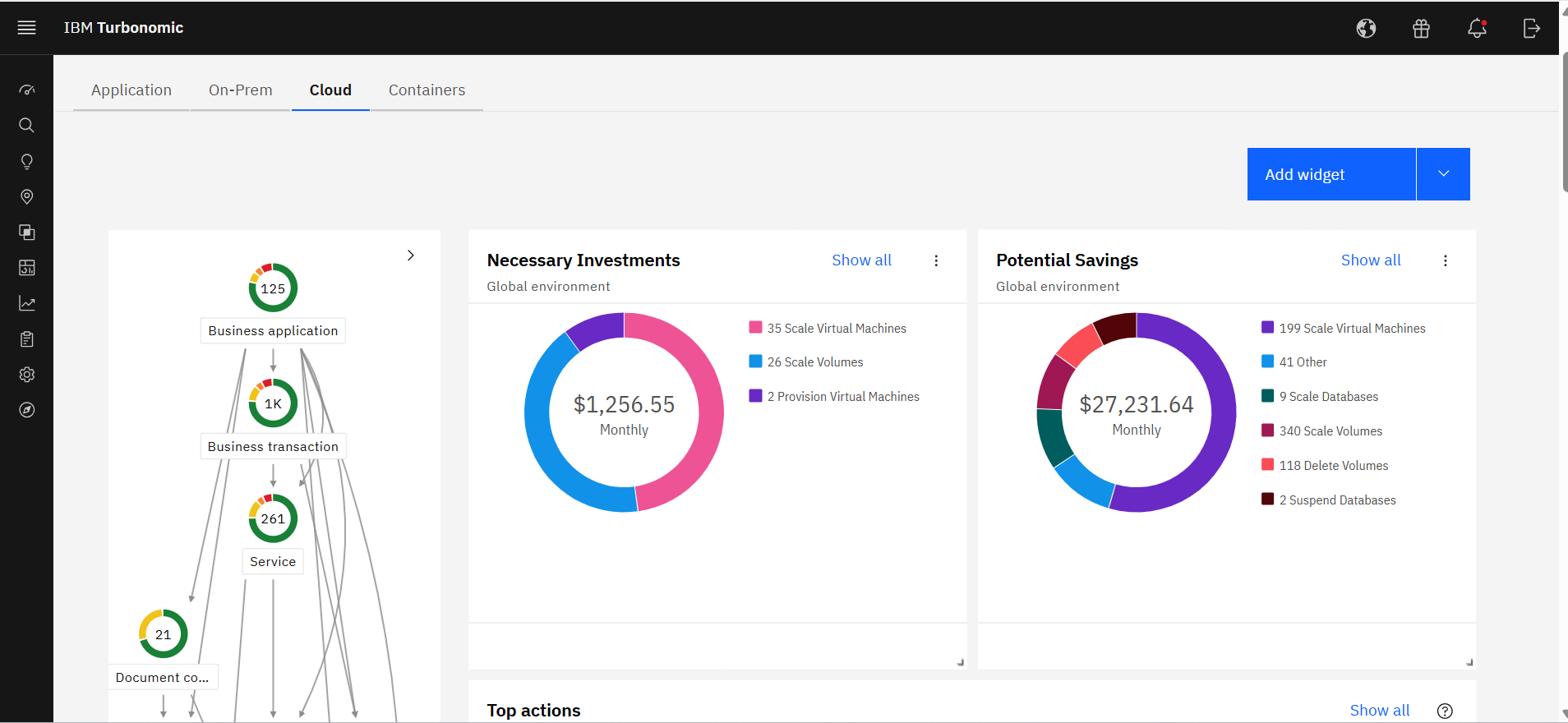
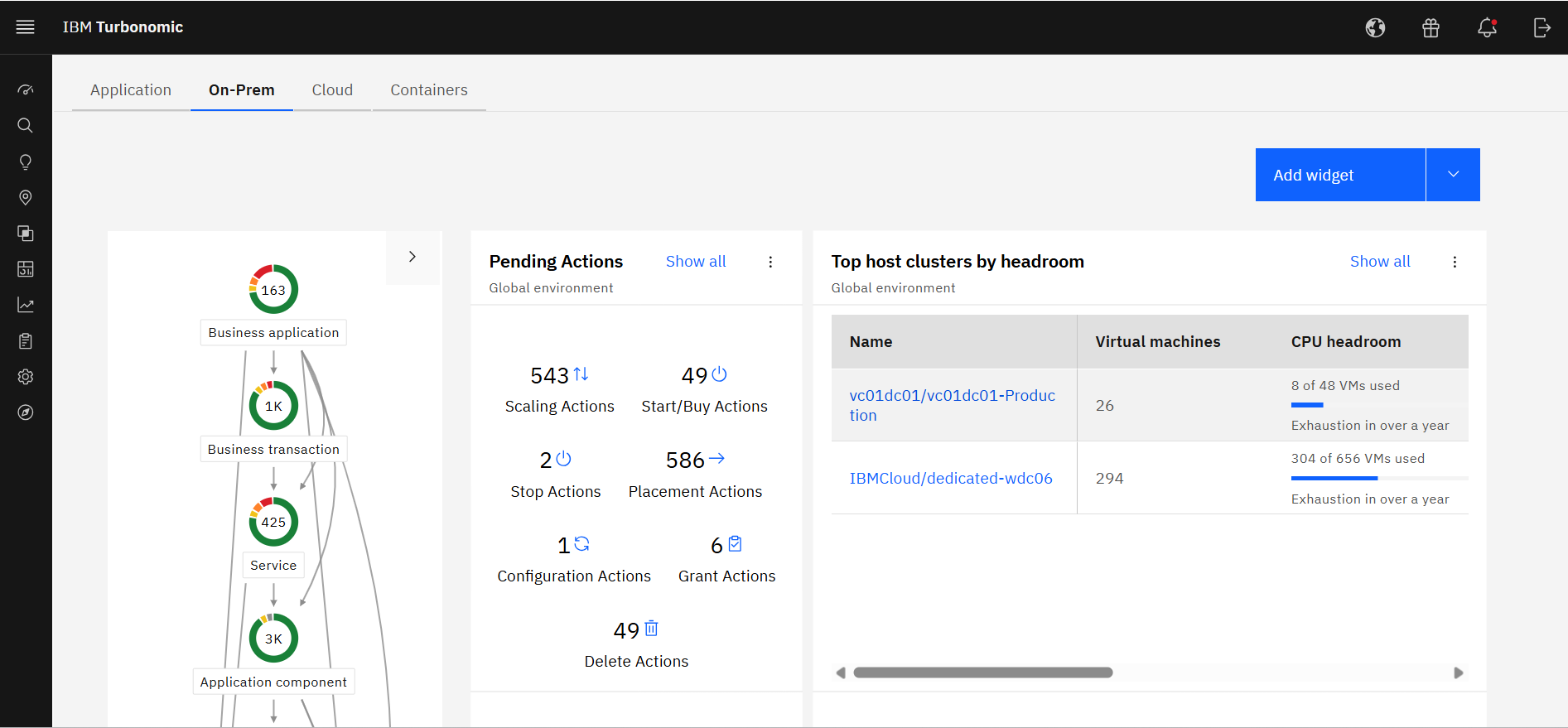
IBM Turbonomic, now part of the Concert platform, is a performance and cost optimization platform for public, private, and hybrid clouds used by cloud, infrastructure operations, and architecture to assure application performance while eliminating inefficiencies by dynamically resourcing applications through automated actions. One of the key features of IBM Turbonomic is its ability to continuously adjust…
N/A
Zendesk Suite
Score8.5 out of 10
N/A
Zendesk is a customer support solution with built-in ticketing, conversational messaging, and live chat, designed to help businesses of all sizes and industries deliver personalized service at scale. Zendesk's AI agents are trained in CX to help Service teams resolve customer issues faster and more accurately while still providing a human-centered experience. Zendesk ultimately aims to help businesses improve time to value, reduce effort per ticket, and keep costs low.
$69
per month per agent
Pricing
IBM Turbonomic
Zendesk Suite
Editions & Modules
IBM® Turbonomic On-Prem
Varies - Request a Quote
per month IBM Turbonomic On-prem optimizes data center resources in real time, ensuring app performance at the lowest cost by aligning infrastructure supply with dynamic application demand.
IBM® Turbonomic Cloud Standard
Varies - Request a Quote
per month For customers with more than USD 1.6 million in annual cloud spend or 50 Managed Virtual Servers (MVS) or greater
IBM® Turbonomic Hybrid Standard
Varies - Request a Quote
per month Advanced hybrid cloud optimization capabilities for customers with 200 managed virtual servers (MVS) or more
Datacenter Consolidation and Hardware Optimization: This scenario is relevant to you as a hardware manager. It applies when you have physical servers (like Power or System z) and want to maximize virtual machine density. Why it works: IBM Turbonomic analyzes the peak usage times of each VM. If VM "A" is active during the day and VM "B" at night, it places them on the same physical host. Ideal scenario: Data migration projects or when you're told, "[...], there's no budget for more servers this year, make everything fit on what we have." Consolidación de Datacenters y Optimización de Hardware,Este escenario te toca de cerca como encargado de Hardware. Cuando tienes servidores físicos (como los Power o System z) y quieres maximizar la densidad de máquinas virtuales.Por qué funciona: IBM Turbonomic analiza las horas pico de cada VM. Si la VM "A" es activa de día y la VM "B" de noche, las coloca en el mismo host físico.Escenario ideal: Proyectos de migración de datos o cuando te dicen: "[...], no hay presupuesto para más servidores este año, haz que quepa todo en lo que tenemos". This review was originally written in Spanish and has been translated into English using a third-party translation tool. While we strive for accuracy, some nuances or meanings may not be perfectly captured.
A de minimis incentive was given to thank the reviewer for their time. The incentive was not used to bias or drive a particular response, nor was the incentive contingent on a positive endorsement. More Info
Zendesk is good for small teams where work is not passed along to internal teams or situations where escalations lead to further customer interactions and no further oversight is needed. It is weak as a product for larger and medium-sized companies, where processes are in place that are not aligned with its workflow, as it is a very rigid tool.
A de minimis incentive was given to thank the reviewer for their time. The incentive was not used to bias or drive a particular response, nor was the incentive contingent on a positive endorsement. TR verified that a representative sample of customers was invited. More Info
A de minimis incentive was given to thank the reviewer for their time. The incentive was not used to bias or drive a particular response, nor was the incentive contingent on a positive endorsement. More Info
A de minimis incentive was given to thank the reviewer for their time. The incentive was not used to bias or drive a particular response, nor was the incentive contingent on a positive endorsement. More Info
It would be nice if the UI included a break-down of features that are both licensed as well as un-licensed. That way, you could not only see what you have, but what you don't.
The right-sizing recommendations are great, but very little info is given about why the recommendation is being made. More info would not only increase understanding, but would also help drive decision-making.
A de minimis incentive was given to thank the reviewer for their time. The incentive was not used to bias or drive a particular response, nor was the incentive contingent on a positive endorsement. More Info
Is there a way for AEs and CSMs to be informed in a weekly summary of all their accounts and any tickets? Example: Disney submitted a ticket on XYZ. Google has an urgent issue on X still unresolved.
Is there a way for CSMs or AEs to have a Dashboard that's specific to their accounts instead of seeing all the tickets in the queue that are not relevant to them?
A de minimis incentive was given to thank the reviewer for their time. The incentive was not used to bias or drive a particular response, nor was the incentive contingent on a positive endorsement. More Info
We are certainly happy with Turbonomic as a whole and have invested quite a bit of time and effort into learning the ins and outs of the product. We have our reporting setup the way we want it and have gained definite value from these features. I will say though that many products nowadays are offering more native monitoring, reporting, and alerting features which may eventually steer us away from this product
A de minimis incentive was given to thank the reviewer for their time. The incentive was not used to bias or drive a particular response, nor was the incentive contingent on a positive endorsement. More Info
Zendesk is an amazing tool for communicating with your customers easily. The communication tickets from sellers to us or from us to sellers are stored, and there are statuses used to make communication easy. We have internal conversations between departments, linked with useful software such as Zingtree, Talkdesk, and Webs.
A de minimis incentive was given to thank the reviewer for their time. The incentive was not used to bias or drive a particular response, nor was the incentive contingent on a positive endorsement. TR verified that a representative sample of customers was invited. More Info
Excellent approach to larger VM organizational management. They have an very clean integrated dashboard that allows us to see everything in our environment and what that is doing in real-time. It works on multiple hyper-visors really well and integrates capacity planning on my local site as well as my cloud locations.
A de minimis incentive was given to thank the reviewer for their time. The incentive was not used to bias or drive a particular response, nor was the incentive contingent on a positive endorsement. TR verified that a representative sample of customers was invited. More Info
Pros: The agent interface is sleek, contemporary, and relatively easy to learn compared to many other enterprise tools. For common tasks, admins are given point-and-click options- adding fields, modifying workflows, constructing macros. The knowledge base (Guide) editor is easy to use for non-developers. Drawbacks: Once you move past the initial things - complex automations, reporting/analytics in Explore, and/or customizations integrating the API, it requires much more advanced training to use successfully. Navigating between the different modules (Support, Explore, Chat, Guide) can feel very disconnected; often you are reminded that it really is a "suite" of products brought together -not really one unified platform. If you're using multiple brands managing simultaneous support tickets, or heavily customizing workflows to meet your brand, you may run into a bit of struggle with usability. So: it's a lot more user friendly than the palaces (Salesforce Service Cloud, ServiceNow), but is not used as quickly or with as much streamlined flow as a product made for a small shop. So if you are looking for a great balance, this is a good option if you are a net new organization or an organization on their way to scaling from 15 - 50 employee. Expect some elbow grease from the admin team once learning, adapting, and working efficiently once you move past the basics with your support tickets and initial customizations.
A de minimis incentive was given to thank the reviewer for their time. The incentive was not used to bias or drive a particular response, nor was the incentive contingent on a positive endorsement. More Info
A de minimis incentive was given to thank the reviewer for their time. The incentive was not used to bias or drive a particular response, nor was the incentive contingent on a positive endorsement. TR verified that a representative sample of customers was invited. More Info
It allocates resources among applications by showing more on the cost breakdown by cloud service, with metrics on cloud provider information like Azure Management, Identity, Networking, Storage with costs per day, and total services costs. This then could facilitate and show the corresponding actions thereafter upon scaling.
A de minimis incentive was given to thank the reviewer for their time. The incentive was not used to bias or drive a particular response, nor was the incentive contingent on a positive endorsement. More Info
When I contact support I get a quick response and they are able to solve my problem quickly. I also get a sense that they want to make sure that we are getting value from the product and walk me through whatever steps are needed to accomplish my goals.
A de minimis incentive was given to thank the reviewer for their time. The incentive was not used to bias or drive a particular response, nor was the incentive contingent on a positive endorsement. TR verified that a representative sample of customers was invited. More Info
We rarely need to contact their support team, but when we do they are responsive. However there have been notable times when communication between myself and the support rep was challenging despite me providing clear explanation of the issue, screenshots, and a thorough explanation of the goal we hope to achieve. It took several back and forth attempt, on a few occasions, to get resolution on an otherwise simple request
Alex (from VMTurbo) has worked with the product for years and helped develop the product. He was very knowledgeable and was able to provide our support team with details knowledge on how to get our deployment configured correctly as well as help with another VMTurbo POC within another customers environment.
A de minimis incentive was given to thank the reviewer for their time. The incentive was not used to bias or drive a particular response, nor was the incentive contingent on a positive endorsement. TR verified that a representative sample of customers was invited. More Info
After buying VMTurbo Operations Manager, I was invited to an online user training event. I felt this training was effective and dug just deep enough to be informative yet still keep my attention. Additionally, the webinar was free.
A de minimis incentive was given to thank the reviewer for their time. The incentive was not used to bias or drive a particular response, nor was the incentive contingent on a positive endorsement. TR verified that a representative sample of customers was invited. More Info
Zendesk has tons of available material for training - videos, webinars, articles, etc. The only reason this is not a 10 is because it can be hard to figure out how to navigate to these things and find what you are looking for.
The implementation was very simple. Just upload an OVA file and power on the VM. Once it comes up enter some networking information and you can then access the web interface. From there, just begin configuring the system for your environment by adding you license and the various virtual environments and storage through the inventory tab
A de minimis incentive was given to thank the reviewer for their time. The incentive was not used to bias or drive a particular response, nor was the incentive contingent on a positive endorsement. TR verified that a representative sample of customers was invited. More Info
I was very satisfied. They have a free trial for 30 days and I recommend you do that and use it. It is very easy to get started with the basics and the build on over time.
The only thing technically complex was single sign-on and integration to Salesforce.com required some tweaks – otherwise setting up system was very easy
As the organization had experience of years in using IBM products, we had the confidence that they will provide us with great support. And we needed a reliable solution as a financial institute to ensure continuous operations. Even though the price was very high, we made the correct decision to go ahead with IBM Turbonomic as the feedback from existing users in the region was very positive. We needed a solution which was capable of handling our automation requirements. All these were green in IBM Turbonomic.
A de minimis incentive was given to thank the reviewer for their time. The incentive was not used to bias or drive a particular response, nor was the incentive contingent on a positive endorsement. More Info
At the time of evaluation, Dynamics had extremely limited knowledge and support capabilities. The UI is clunky, and reporting requires a deep understanding of the underlying data structure. Ongoing maintenance was costly and didn't provide a positive ROI in any sense of the term.
A de minimis incentive was given to thank the reviewer for their time. The incentive was not used to bias or drive a particular response, nor was the incentive contingent on a positive endorsement. TR verified that a representative sample of customers was invited. More Info
A de minimis incentive was given to thank the reviewer for their time. The incentive was not used to bias or drive a particular response, nor was the incentive contingent on a positive endorsement. More Info
A de minimis incentive was given to thank the reviewer for their time. The incentive was not used to bias or drive a particular response, nor was the incentive contingent on a positive endorsement. More Info
Professional services were always there to guide us in our transformation to the cloud. They understood our business model and then were able to provide guidance on what we needed from the tool.
A de minimis incentive was given to thank the reviewer for their time. The incentive was not used to bias or drive a particular response, nor was the incentive contingent on a positive endorsement. More Info
Application performance has been a big one. With Turbonomic keeping everything running at top performance, it can make changes when extra resources are need, quicker than somebody being notified and then making the necessary changes.
Turbonomic has been a great cost savings for us on multiple occasions. We use it every time we are improving servers.
With the planning feature we get the best performance form new hardware purchases
A de minimis incentive was given to thank the reviewer for their time. The incentive was not used to bias or drive a particular response, nor was the incentive contingent on a positive endorsement. More Info
A de minimis incentive was given to thank the reviewer for their time. The incentive was not used to bias or drive a particular response, nor was the incentive contingent on a positive endorsement. TR verified that a representative sample of customers was invited. More Info