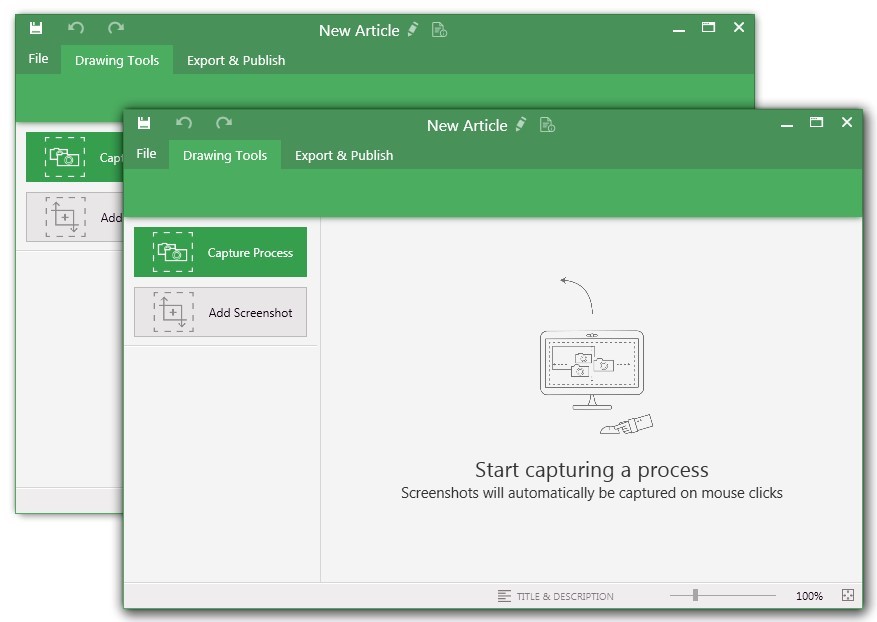
UiPath Task Capture (formerly StepShot, acquired October 2019) is a tool designed for quick and easy step-by-step documentation. During a recording mode, the software creates a separate screenshot on every click, groups them into a manual with automatically added metadata. Users can annotate captured images and structure documents in the way they want them to look.
N/A
Whatfix
Score10 out of 10
N/A
Whatfix is the AI-native Digital Adoption Platform built for the modern enterprise. The platform unifies pre-production simulation training, in-workflow guidance and support, and adoption analytics for continuous optimization.
N/A
Pricing
UiPath Task Capture
Whatfix
Editions & Modules
No answers on this topic
No answers on this topic
Offerings
Pricing Offerings
UiPath Task Capture
Whatfix
Free Trial
Yes
Yes
Free/Freemium Version
Yes
Yes
Premium Consulting/Integration Services
Yes
Yes
Entry-level Setup Fee
No setup fee
Optional
Additional Details
We have some discounts available all the time depending on the amount of ordered licenses.
All Pricing models are customized and tailor-made according to the customer's requirement.
StepShot is perfect for showing your audience how they are supposed to navigate a new system you have implemented. You can take them from a login screen all the way through any technical process you want them to follow. The product is not ideal, however, for documenting a process that does not have tangible steps. For example, a process we have created includes some reflective thinking about alignment or outcomes in order to work, this can be articulated in the text area of the screen captures but doesn't really capture our message.
A de minimis incentive was given to thank the reviewer for their time. The incentive was not used to bias or drive a particular response, nor was the incentive contingent on a positive endorsement. More Info
Currently, we are only using Whatfix with Salesforce but are in the process of implementing on other systems. It is an excellent tool to organize and provide in-app access to training materials already created. It excels at providing guidance about tasks users don't complete often and, therefore, forget what they were trained about the process. The only sort of system it might not work well is one that provides its own robust in-app assistance. More than one type of tip icon being displayed, for instance, could be confusing.
A de minimis incentive was given to thank the reviewer for their time. The incentive was not used to bias or drive a particular response, nor was the incentive contingent on a positive endorsement. More Info
The "export & publish" button is kind of tiny and tucked away. It should be more prominent. After not using it for a couple weeks, I always forget where it is.
Updates aren't as frequent. Which is fine, since I haven't come across many bugs, it would just be cool to see some added features/functionality a bit more often.
The blur looks fine in the preview mode, but when exported, it's not the best.
A de minimis incentive was given to thank the reviewer for their time. The incentive was not used to bias or drive a particular response, nor was the incentive contingent on a positive endorsement. More Info
The possibility to select content/widgets at the time for "push to production" (some we would like to p2p for one single content, that is not possible at the moment).
I wish the filters in the dashboard would stay when you choose a content, currently you have to filter again and again.
In the analytics area, I would like the system to remember this for a certain time window after selecting the start date.
[We feel like] even though Whatfix has its flaws, we are impressed by the speed of development [and] their openness about their future improvements, [but] most important their proactive customer service and customer success team. Whatfix acts more like a partner than a supplier of a 3rd party tool, and we welcome that experience.
While they've made a lot of improvements in the last year, there are still challenges with walkthroughs and how beacons can be created. They are aware of these limitations and are actively soliciting customer feedback to help them remedy these shortcomings.
A de minimis incentive was given to thank the reviewer for their time. The incentive was not used to bias or drive a particular response, nor was the incentive contingent on a positive endorsement. More Info
I have only run into an issue once, which I believe was due to a newly released feature (cloud storage). I was running into issues with the functionality on my Mac. The team was incredibly helpful in both troubleshooting the issue by jumping on screen sharing sessions, as well as providing multiple releases for me to test to fix the problem!
A de minimis incentive was given to thank the reviewer for their time. The incentive was not used to bias or drive a particular response, nor was the incentive contingent on a positive endorsement. More Info
Whatfix is THE best vendor I've ever worked with when it comes to supporting their customers. The support team is friendly, helpful and always willing to listen to your suggestions and ideas. This also applies to the Engineering team who I've spent several hours on calls with debugging a few of the more challenging scenarios we have in place. Nothing is ever too much trouble for Whatfix and they are truly best-in-class when it comes to their support model.
While helpful, the feedback from our employee was, that [they felt] the training was very high-level - sometimes confusing. It would be great to have some kind of sandbox environment for new users to train certain scenarios.
Although Whatfix make the process relatively straightforward (they will provide Group Policy Scripts to install a Google Chrome extension specific to your organisation) its important to ensure your network deployment teams (if you have more than one) understand their role and what they need to do to test deployment once they undertaken the work.
A de minimis incentive was given to thank the reviewer for their time. The incentive was not used to bias or drive a particular response, nor was the incentive contingent on a positive endorsement. More Info
There is no comparison - Whatfix is the clear winner with us from the very beginning. As Whatfix continues to grow and innovate their product, engage with it's customers on a level beyond any I have every seen. They work as Partners with us, their teams from bottom to top are incredible - Customer Service, Collaboration Teams, Innovation, Sales, Success Mangers and everyone I missed are incredible. One team in particular I want to call out for there outstanding service, care and innovation to help us launch one of our systems is the Professional Services Team. Ganish, Joel, and everyone else who has been on our calls and worked behind the scenes to hit our incredible tight deadline in August - KUDOs for a job well done, You ROCK, THANK YOU words cannot describe how great you guys have been with us on this project, but on all of them. Whatfix's team definitely understands, the customer is first, they align with our values and we will continue to grow with them
A de minimis incentive was given to thank the reviewer for their time. The incentive was not used to bias or drive a particular response, nor was the incentive contingent on a positive endorsement. More Info
This has saved us MANY HOURS in either walking clients through processes in person or having to create a one-off guide through taking screenshots and creating our own documents with the screenshots hand placed.
Client satisfaction is high when they receive these guides. It is documentation that they can refer to at anytime that is personalized to their use or individual needs.
A de minimis incentive was given to thank the reviewer for their time. The incentive was not used to bias or drive a particular response, nor was the incentive contingent on a positive endorsement. More Info
Reduced Training Costs: By cutting traditional training time by 40%, Whatfix has saved significant resources while increasing learning efficiency.
Improved User Productivity: Faster onboarding and fewer errors have led to a 25% improvement in user performance metrics, directly contributing to operational efficiency.
Decreased Support Requests: Self-service guidance has reduced support tickets by 30%, freeing up teams to focus on strategic initiatives and cutting support costs.