Workday Workforce Management vs. WorkJam

Overview
ProductRatingMost Used ByProduct SummaryStarting Price
Workday Workforce Management
Score 8.3 out of 10
N/A
Workday Workforce Management is a workforce operations software that integrates HR, time, and scheduling data, to eliminate disjointed processes that halt day-to-day operations. Consistent with a worker-first approach, Workday provides mobile-first access to personalized pay, time, and schedules, giving workers frictionless on-the-go access. This helps overcome difficulties in retaining workers and keeps them engaged in a competitive labor…N/A
WorkJam
Score 10.0 out of 10
N/A
WorkJam is a workforce management software solution built to help employers streamline scheduling, communication, and training their workforce.N/A
Pricing
Workday Workforce ManagementWorkJam
Editions & Modules
No answers on this topic
Offerings
Pricing Offerings
Workday Workforce ManagementWorkJam
Free Trial
NoNo
Free/Freemium Version
NoNo
Premium Consulting/Integration Services
NoNo
Entry-level Setup FeeNo setup feeNo setup fee
Additional Details
More Pricing Information
Community Pulse
Workday Workforce ManagementWorkJam
Features
Workday Workforce ManagementWorkJam
Payroll Management
Comparison of Payroll Management features of Product A and Product B
Workday Workforce Management
9.0
13 Ratings
9% above category average
WorkJam
-
Ratings
Pay calculation9.810 Ratings00 Ratings
Support for external payroll vendors7.76 Ratings00 Ratings
Off-cycle/On-Demand payment8.97 Ratings00 Ratings
Benefit plan administration9.69 Ratings00 Ratings
Direct deposit files9.012 Ratings00 Ratings
Salary revision and increment management8.912 Ratings00 Ratings
Reimbursement management9.26 Ratings00 Ratings
Best Alternatives
Workday Workforce ManagementWorkJam
Small Businesses
Dayforce Powerpay
Dayforce Powerpay
Score 9.3 out of 10
When I Work
When I Work
Score 7.2 out of 10
Medium-sized Companies
Paypro Workforce Management
Score 9.1 out of 10
Paypro Workforce Management
Score 9.1 out of 10
Enterprises
Infor Human Resources
Score 7.1 out of 10
Hubstaff
Hubstaff
Score 9.4 out of 10
All AlternativesView all alternativesView all alternatives
User Ratings
Workday Workforce ManagementWorkJam
Likelihood to Recommend
9.2
(5 ratings)
10.0
(2 ratings)
Usability
9.1
(3 ratings)
-
(0 ratings)
User Testimonials
Workday Workforce ManagementWorkJam
Likelihood to Recommend
Workday
Workday Workforce Management has a lot of varying templates that give you a good place to start. You can tailor the if/then statements to your liking. When scheduling meetings, it scans for people on break/lunch/in other meetings and reduces conflicts that can derail an important meeting by someone having to leave early
Read full review
Workjam
Simple to use as an end-user, a Top-Notch security feature allows us to authenticate every user. It increases productivity and lowers the operation cost. The intuitive user interface makes it easy for our HR team to manage all employees in the field or remote working by assigning tasks and having a follow back.
Read full review
Pros
Workday
  • Collaborate with HR on completed tasks
  • Review and Submit Timesheets for staff
  • Submit personal time off for supervisors to review and approve or decline.
Read full review
Workjam
  • The basic functionality is similar to other mainstream social media apps so it has a low learning curve for users.
  • The mobile interface looks sleek and modern.
  • The channel function makes it easy to set up different user groups.
Read full review
Cons
Workday
  • The tasks function is somewhat clunky, and its hard to see who the task is sent to next in order to follow up with them.
  • In-process referrals don't always show up in the "My Referrals" tab
  • Filters on tasks don't always work.
Read full review
Workjam
  • No major dislike, I like how the updates are done constantly to add up new features.
  • Great support system that is very proactive and user friendly.
Read full review
Usability
Workday
The UI is a bit outdated and could be a bit more streamlined. There are a lot of clicks for a few items like updating employee information. The training section could be more integrated into the tasks section so users can see they have training right from their home screen.
Read full review
Workjam
No answers on this topic
Alternatives Considered
Workday
The only other tool I have used was paylocity. Paylocity is a great tool as well and is more user friendly, however it is not for as big of organizations as Workday is. I would say if you are under 1k employees go with Paylocity as it will be less expensive and has everything you need with a user friendly experience. Workday is great for larger orgs but doesn’t have as much of a user friendly experience
Read full review
Workjam
It's a simple, intuitive tool to use as an Engineer. I like how this tool is constantly improved and gives the best services like training employees, great channel feature which enables us to share information and messages, is also very useful. The support is there any time needed. It's a recommendable workforce management solution.
Read full review
Return on Investment
Workday
  • Workday Workforce Management has lowered the amount of time team members have to go to HR for questions.
  • The approval process for reimbursement is lightning fast.
  • I am no longer requested to research my team's different benefit options, which saves me a LOT of time during enrollment periods.
Read full review
Workjam
  • Increased and positive cross-team communication.
  • Quick communication method as opposed to EDMs.
Read full review
ScreenShots

Workday Workforce Management Screenshots
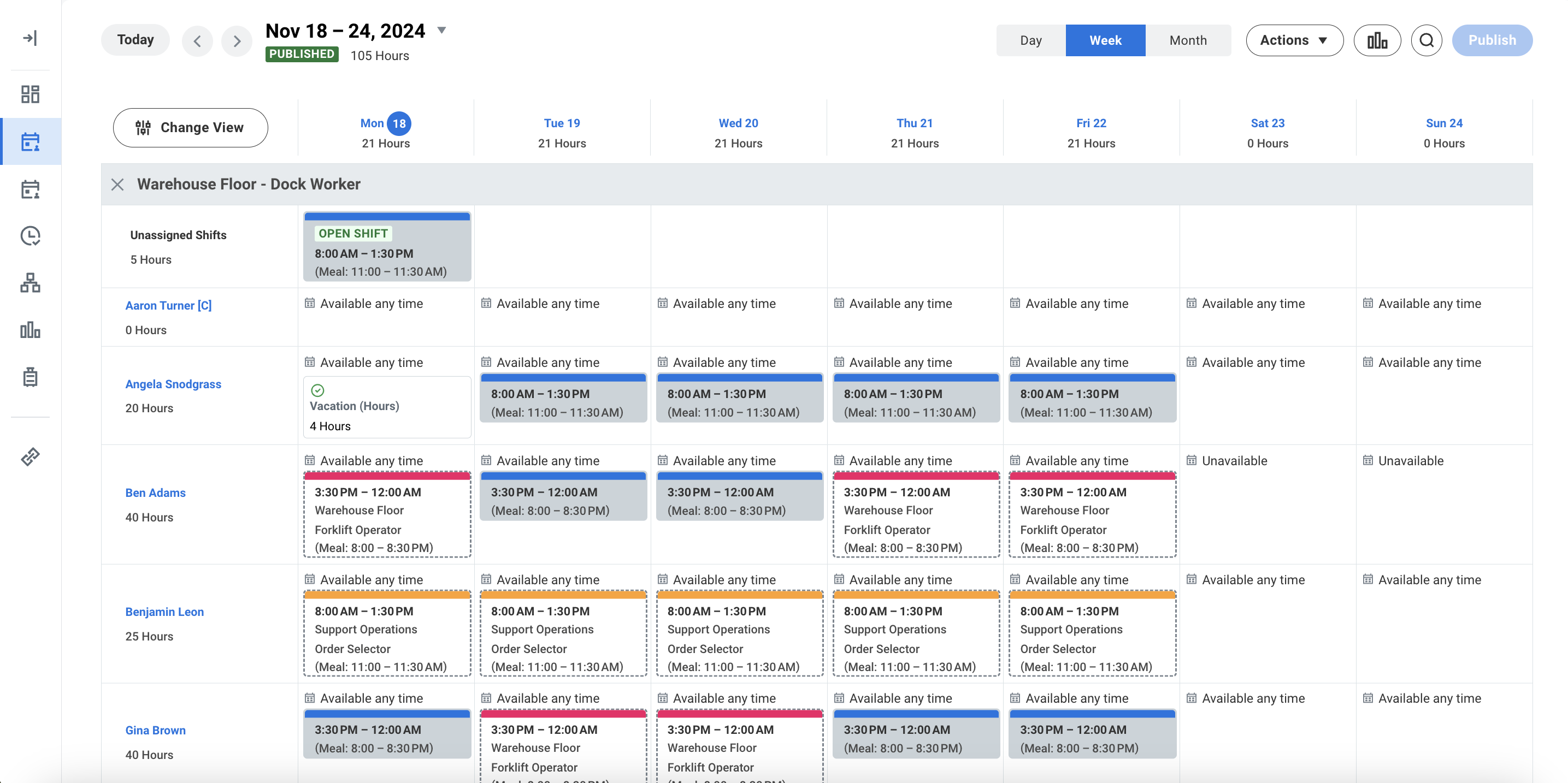
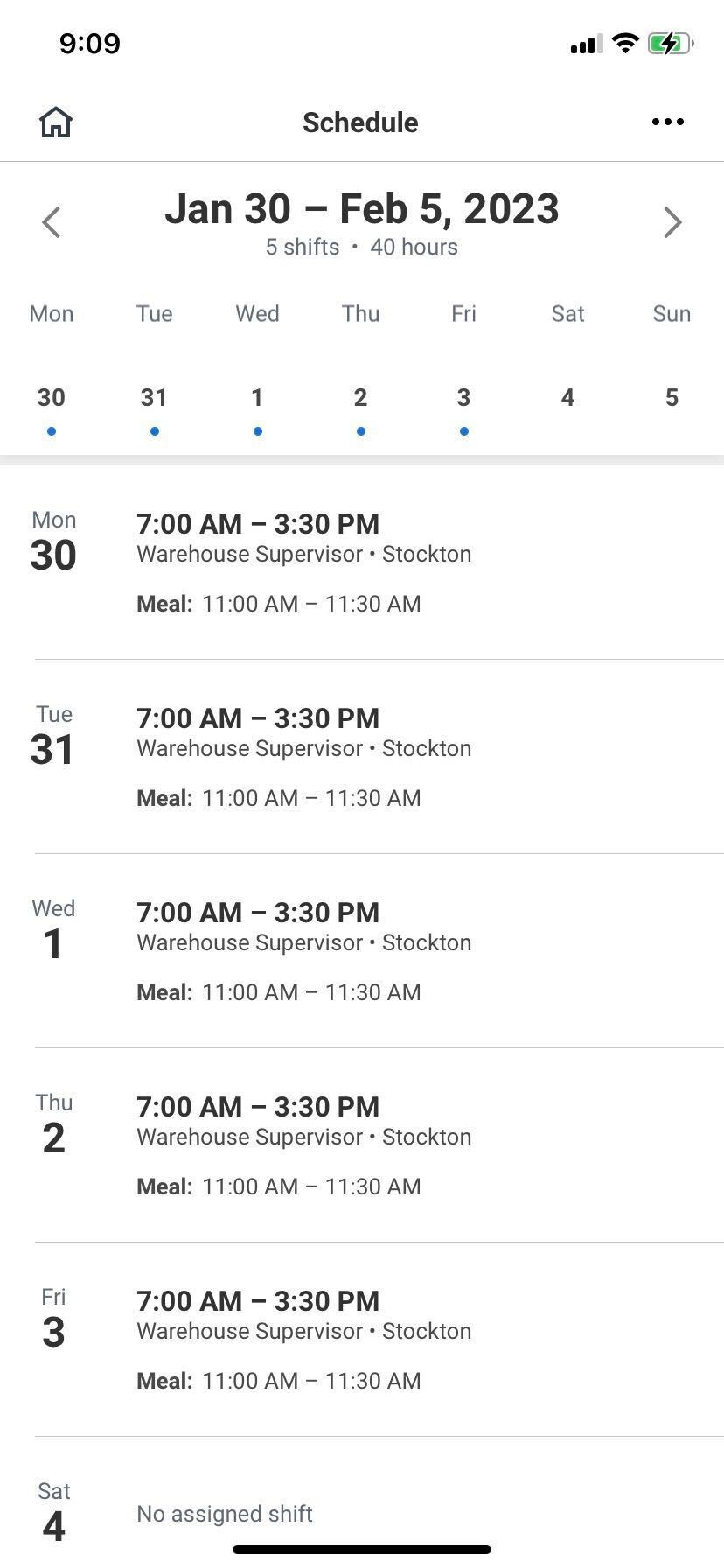
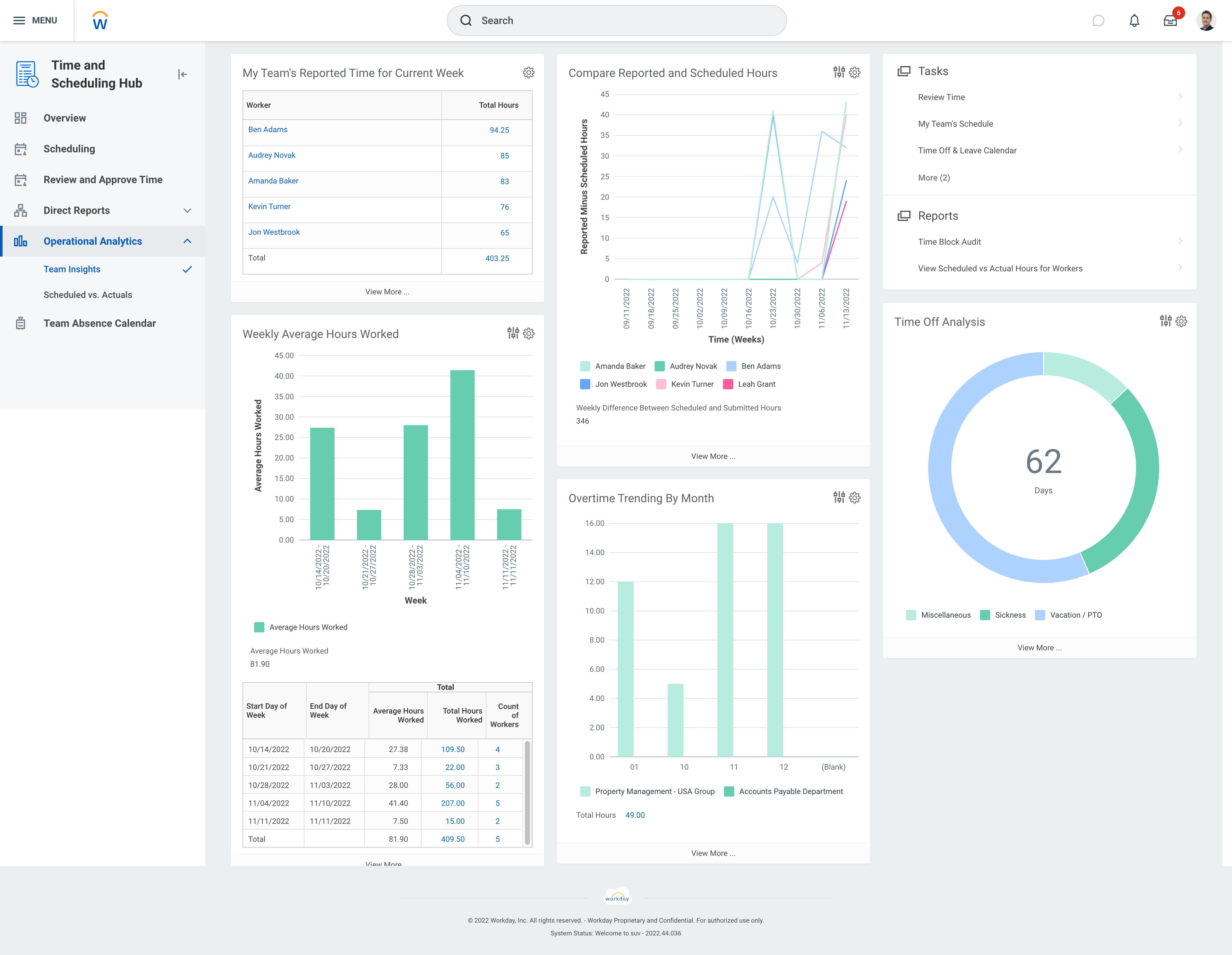
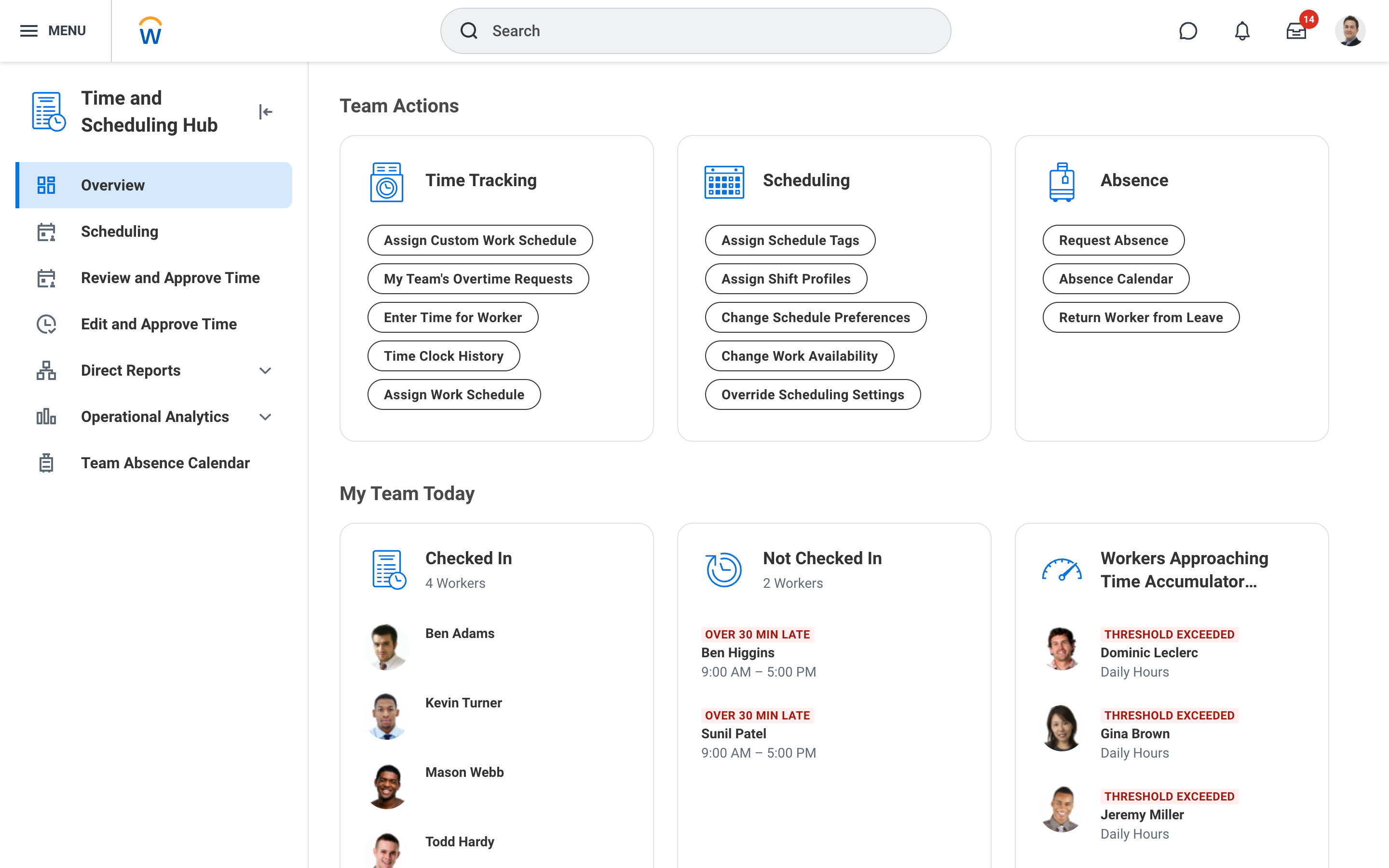
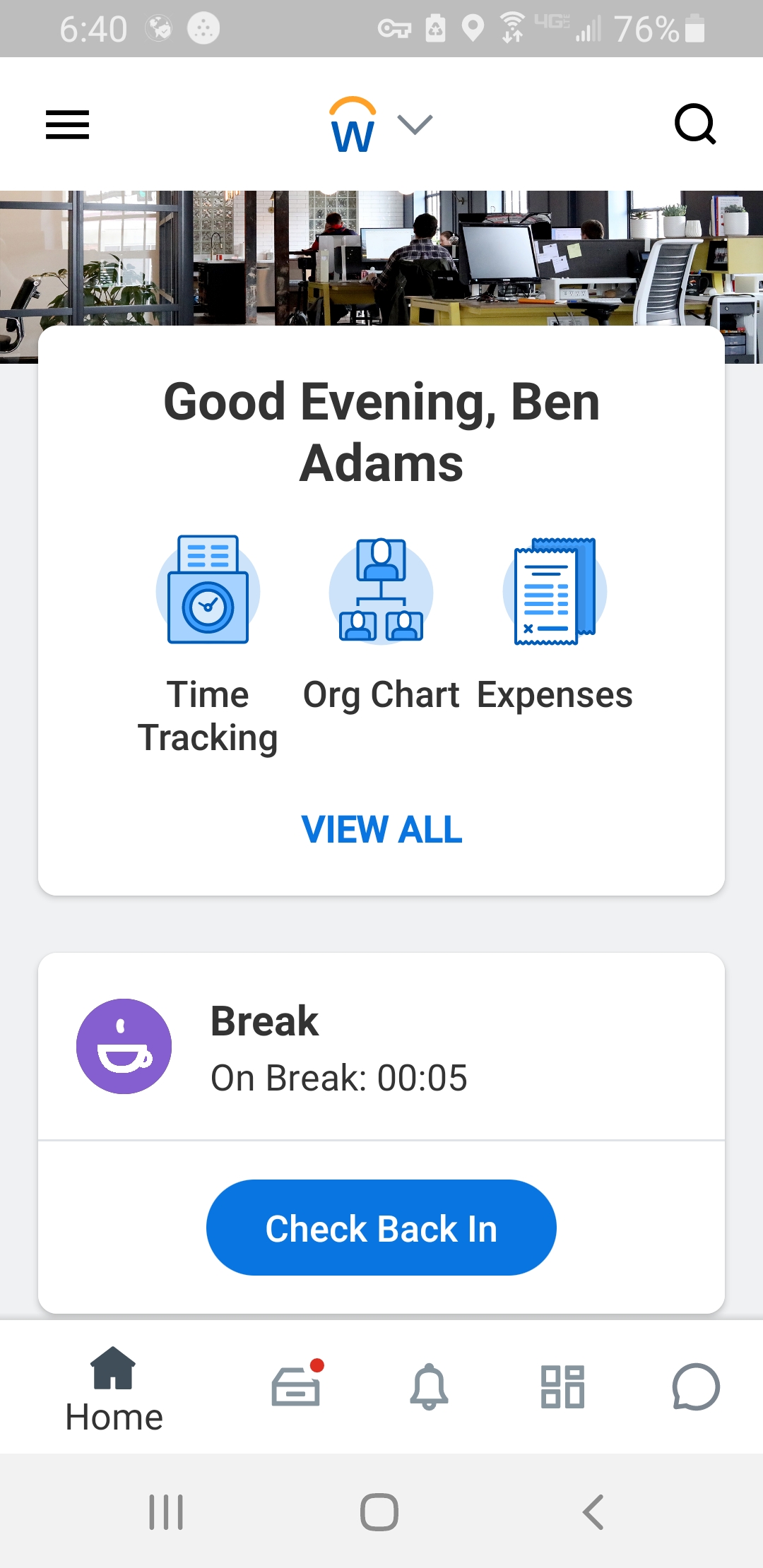
Screenshot of Workday Workforce Management ScheduleScreenshot of Workday Workforce Management Schedule (Mobile)Screenshot of Workday Workforce Management Team InsightsScreenshot of Workday Workforce Management Time and Scheduling HubScreenshot of Workday Workforce Management Time (Mobile)