TrustRadius: an HG Insights company

ShopKeep

Score7 out of 10

12 Reviews and Ratings

What is ShopKeep?

ShopKeep is an iPad point of sale system; The vendor says it is intuitive, secure, affordable software that helps merchants run smarter businesses.

The product optimizes staffing and inventory, while offering sales reports and customer information on a cloud-based platform. The product includes low-cost, integrated payment processing, as well as point of sale hardware.

According to the vendor, ShopKeep has 23,000 customers, and a customer care team that is available to help 24/7 and provide a robust support network. A member of Apple's Mobile Partnership Program, ShopKeep is headquartered in New York, with offices in Portland, Chicago, Washington, D.C. and Belfast.

Categories & Use Cases

Media

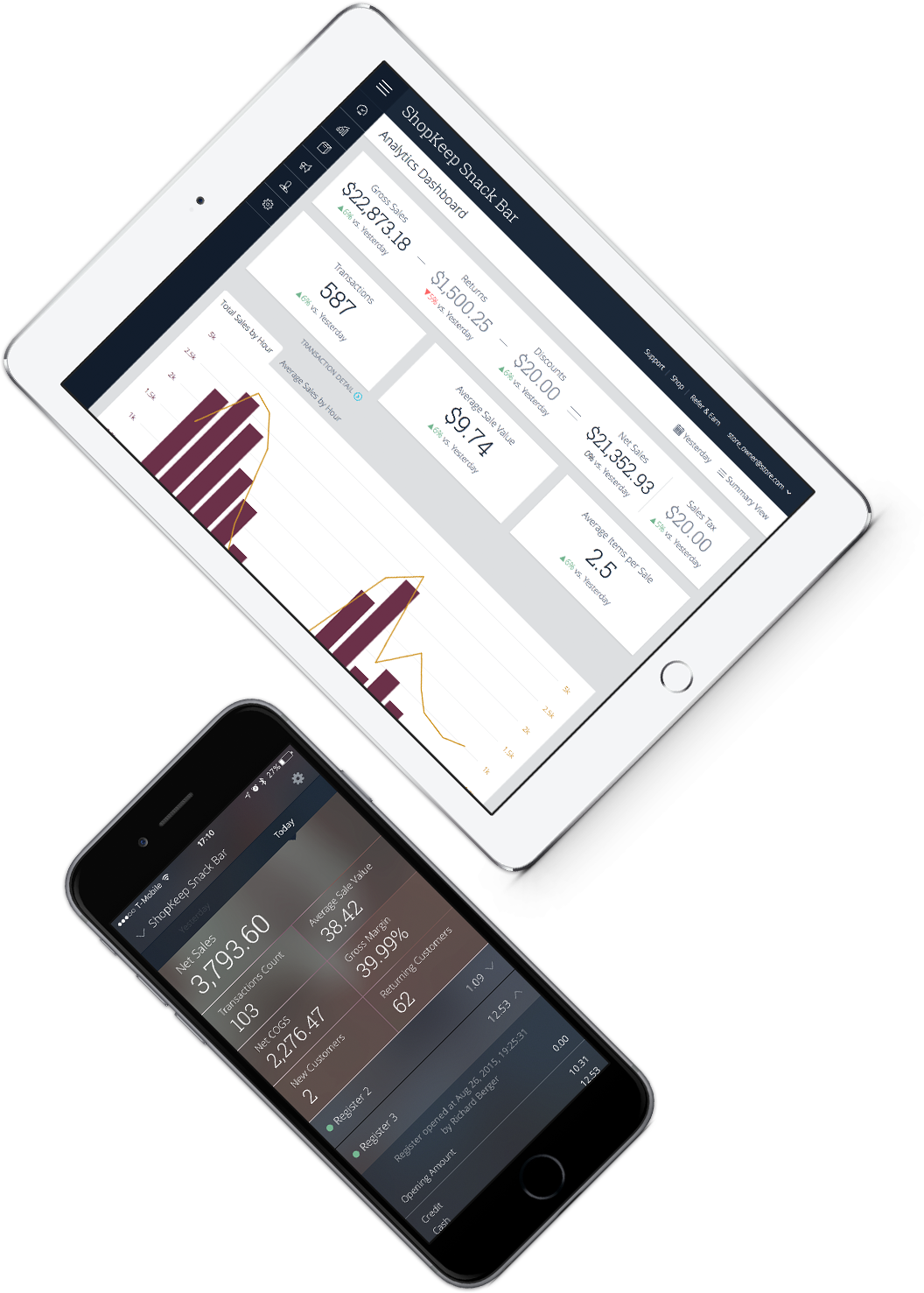
Reporting in the ShopKeep BackOffice
Using the ShopKeep app on an iPad
ShopKeep Pocket App

1 / 4

Should I ShopKeep?

Pros

  • It is easy to set up
  • It is easy to use
  • It is inexpensive
  • Very competent for a really really small business

Cons

  • They are completely understaffed in the engineering / product development.
  • They are a disaster in inventory control.
  • Financial reporting is inadequate.

Return on Investment

  • I was unable to manage inventory
  • ShopKeep didn't integrate with my accounting software. I had to double enter all financial data.
  • Without inventory controls, all of my financial information was inaccurate. It is impossible to grow a business without accurate financial information.

Alternatives Considered

Lightspeed Retail

Other Software Used

QuickBooks Pro, Lightspeed Retail

Solid POS System

Pros

  • ShopKeep is very easy to use, so you can check out customers quickly keeping long lines from forming. Our staff particularly likes the search box for finding menu items quickly without having to scroll from page to page.
  • ShopKeep has a built in time clock, so that you can track the hours of your employees. This makes it easy to manage shifts and track payroll. This function also allows you to see who are the top performers on your team.
  • ShopKeep has an off-line mode that keeps the system running even when the internet is down. It saves all of your transactions and then uploads them once you're reconnected.
  • ShopKeep integrates well with QuickBooks and other third party operations like MailChimp (email newsletter), AppCard (loyalty system), etc. I appreciate this because it helps streamline everything.
  • ShopKeep offers great reporting tools that allow you to see what areas of your business are performing well over the others. As a cafe, we are able to generate reports of when we are the busiest during the day and what are our top sellers. This information is invaluable to us and helps us make informed business decisions.
  • ShopKeep has great customer service. I've always have been able to get in contact with tech support in a timely manner. During normal business hours they offer an online chat service that I've used a few times with no troubles. Otherwise, there's also 24/7 customer support in case a need arises.

Cons

  • It would be nice if ShopKeep dropped the additional fee for QuickBooks integration.
  • I wish you were able to add pictures on the buttons.
  • It would be great if ShopKeep offered integration with ChowNow.

Return on Investment

  • ShopKeep has been reliable and easy to customize and use.
  • Because ShopKeep integrates with MailChimp and AppCard I don't have to do a lot of re-creating.

Alternatives Considered

Coffee Shop Manager

ShopKeep: elegant, versatile point of sale solution for both restaurant and retail.

Pros

  • ShopKeep provides solid pre-sales support. They did a pre-sales screen-share demo that helped us ensure that their system would handle the needs of the business, and they assisted us in making decisions around which hardware would be appropriate.
  • ShopKeep's hardware seems well thought out and well integrated. One exception is issues with the connection between their recommended iCMP credit card scanner and the register. Other than that, the hardware works well together.
  • The register has excellent configurability and customization capabilities, and handles a large variety of products easily. High-volume products can have their own buttons on the register. Products can be added to a purchase by using these buttons, by scanning a bar code with an integrated bar code scanner, or by doing a live text search.
  • The register is also easily configurable to handle product options - either multiple options like pizza toppings, or exclusive options like regular or decaf coffee.
  • The ShopKeep system can handle hybrid retail/quick serve/restaurant scenarios with grace. This was a factor that eliminated many other systems that are optimized for one or the other, or where the products for handling retail are completely separate from the products for handling quick serve/restaurant operations. Since this customer has a location where there is a quick serve counter, a restaurant, and a retail gift shop all in the same location, ShopKeep's ability to handle all of these kinds of transactions from the same platform is a powerful advantage. ShopKeep also recently added functionality to transfer open tickets between registers, so that if a customer starts out with a cup of coffee at the quick serve counter, their ticket can be picked up and added to at the gift shop if they wander in there to purchase items.
  • ShopKeep has a Back Office system that can be accessed through any Web browser, or through their mobile app. The Back Office system is used to import and export data, manage inventory, configure the iPad registers, set up product options, manage employees, and report transactions, sales, product costs & margins, and other data.
  • Discounts, returns and credits are relatively easy to handle from the register, and the system can be configured to require a manager to approve these kinds of transactions, or not.
  • Bulk imports and exports are handled well by ShopKeep's Back Office. When setting up initial inventory, products can be added through Excel, then imported as comma-separated values (CSV) files by uploading them through the Web browser. Once inventory is established, adding or modifying items can be done directly through the Web interface.
  • ShopKeep has a mobile app that can be used by owners or managers to remotely access real-time snapshots of sales and other important data whenever they wish.

Cons

  • ShopKeep's recommended iCMP credit card swiper has been a source of trouble. It regularly drops its Bluetooth connection to the register and needs to be "warm rebooted" to be detected again by the register. This reboot take about 20-30 seconds and this is a complete productivity killer when there is a line of customers at the register. It also causes loss of confidence in the system on the part of the cashiers. While the warm reboot usually works in restoring functionality, occasionally we have had to go to the iPad's Bluetooth settings to forget the iCMP device, and then go through the process of pairing it again to the iPad. This is a time-consuming process that further reduces productivity. Shopkeep has acknowledge the problem and says that an upcoming software release will improve the situation, but has not committed to a time frame.
  • ShopKeep could use some additional control with respect to the roles that can access the Back Office. Currently, those who have been provided credentials to access the Back Office can see and do everything, from managing inventory and modifying product info, to getting detailed financial reports. A better scenario would be to have at least one more role, so that for example, a store manager could handle inventory-related operations but not see financial reports - the latter would only be accessible by the business owners. One could also envision another role for the accountant, who could access selected financial data, but not have complete access to everything.
  • ShopKeep sells a cradle for the iCMP card reader, but this cradle provides not mechanism for locking the card reader to the cradle, so in some environments there might be concerns about theft of the card reader, which is about the size of a hand-held calculator.
  • ShopKeep's options for having customers sign directly on the iPad register or on a paper receipt for credit card transactions should be able to be configured on a per-register basis. A per-register setting would allow customers in the restaurant to sign directly on the iPad being carried by the waitstaff, while allowing customers at the counter to sing a paper receipt. Currently there is one setting for the whole store.

Return on Investment

  • ShopKeep brings significant benefits to small businesses in the way of real-time sales reporting, extensive Back Office reporting, inventory and employee management, and ease of use.
  • Employees - some of whom had never used an iPad - had no trouble learning register functionality and cashier operations. The register is very intuitive, well-labeled, and easy to use.
  • For the business owner, being able to remotely monitor activity in real time through the mobile application, to export data to Quickbooks or other tools, and to track product sales, margins and inventory levels, is a significant benefit to improving business performance, and reducing capital tied up in slow-moving inventory.

Usability