Chose TOPdesk
TOPdesk is dutch language, simple to use and had a great ssp if you invest time to build a ssp. Its not hard to use

| Product | Rating | Most Used By | Product Summary | Starting Price |
|---|---|---|---|---|
 4me.com | Mid-Size Companies (51-1,000 employees) | Next-Generation Enterprise Service Management Built for the world’s most demanding enterprises. 4me® combines ITSM with ESM and SIAM capabilities making it possible for all internal departments, such as IT, HR and Facilities, to work seamlessly with each other, as well as with external managed service providers. The vendor describes… | $0 per user per month | |
 TOPdesk | Mid-Size Companies (51-1,000 employees) | TOPdesk is the flagship highly-modular cloud-based or installed ITSM service desk and asset management solution from the Dutch company of the same name, for enterprise companies. | $76 per month Per agent |
| 4me.com | TOPdesk | |||||||||||||||
|---|---|---|---|---|---|---|---|---|---|---|---|---|---|---|---|---|
| Editions & Modules |
|
| ||||||||||||||
| Offerings |
| |||||||||||||||
| Entry-level Setup Fee | Optional | Optional | ||||||||||||||
| Additional Details | — | The TOPdesk license model: - Modular: Organizations purchase only the modules needed - Saas or On premise - Supports unlimited number of assets. - Service agents based. - Discount available for annual pricing. | ||||||||||||||
| More Pricing Information | ||||||||||||||||
| 4me.com | TOPdesk | |
|---|---|---|
| Considered Both Products |  4me.com No answer on this topic |  TOPdesk  Luiz Eduardo Garcia System Administrator Chose TOPdesk The choice for TOPdesk was made based on the features and integration needs of our business, and also by financial investment. SAP Business One is also used in the company, but only for financial and billing purposes. Atlassian Jira requires a much bigger investment, and makes …  Marc Van Aken Application Manager Chose TOPdesk ServiceNow Customer Service Management  Marcel Vrolijk Product Owner Chose TOPdesk TOPdesk is standardized where it should and customizable where it has to be. it is better tailored to the need than other packages |
| 4me.com | TOPdesk | ||||||||||||||||||||||||
|---|---|---|---|---|---|---|---|---|---|---|---|---|---|---|---|---|---|---|---|---|---|---|---|---|---|
| Incident and problem management |
| ||||||||||||||||||||||||
| ITSM asset management |
| ||||||||||||||||||||||||
| Change management |
|
| 4me.com | TOPdesk | |
|---|---|---|
| Small Businesses |  Agiloft Service Desk (discontinued) Score 9.0 out of 10 | Agiloft Service Desk (discontinued) Score 9.0 out of 10 |
| Medium-sized Companies | Agiloft Service Desk (discontinued) Score 9.0 out of 10 | Agiloft Service Desk (discontinued) Score 9.0 out of 10 |
| Enterprises |  ManageEngine ServiceDesk Plus Score 9.2 out of 10 | ManageEngine ServiceDesk Plus Score 9.2 out of 10 |
| All Alternatives | View all alternatives | View all alternatives |
| 4me.com | TOPdesk | |
|---|---|---|
| Likelihood to Recommend | 10.0 (0 ratings) | 8.3 (0 ratings) |
| Likelihood to Renew | - (0 ratings) | 8.5 (0 ratings) |
| Usability | 10.0 (0 ratings) | 9.0 (0 ratings) |
| Availability | - (0 ratings) | 8.5 (0 ratings) |
| Performance | - (0 ratings) | 8.1 (0 ratings) |
| Support Rating | - (0 ratings) | 8.4 (0 ratings) |
| In-Person Training | - (0 ratings) | 7.3 (0 ratings) |
| Online Training | - (0 ratings) | 8.2 (0 ratings) |
| Implementation Rating | - (0 ratings) | 3.7 (0 ratings) |
| Configurability | - (0 ratings) | 7.1 (0 ratings) |
| Ease of integration | - (0 ratings) | 5.0 (0 ratings) |
| Product Scalability | - (0 ratings) | 7.5 (0 ratings) |
| Vendor post-sale | - (0 ratings) | 7.5 (0 ratings) |
| Vendor pre-sale | - (0 ratings) | 7.5 (0 ratings) |
| 4me.com | TOPdesk | |
|---|---|---|
| Likelihood to Recommend |
|
|
| Pros |
|
 Dustin Fawver Sr. Help Desk Technician |
| Cons |
|
 John Glenn Network Operations Manager |
| Likelihood to Renew | No answers on this topic |
|
| Usability |
|
 Rianne Willems Applicatie beheerder |
| Reliability and Availability | No answers on this topic |
|
| Performance | No answers on this topic |
|
| Support Rating | No answers on this topic |
|
| In-Person Training | No answers on this topic |
 Jason Flannery Systems Engineer |
| Online Training | No answers on this topic |
Jason Flannery Systems Engineer |
| Implementation Rating | No answers on this topic |
Jason Flannery Systems Engineer |
| Alternatives Considered | No answers on this topic |
|
| Scalability | No answers on this topic |
 Wil Kuijpers Informationmanagement in public health |
| Return on Investment |
|
 Nabin Poudel CEO |
| ScreenShots | 4me.com Screenshots      | TOPdesk Screenshots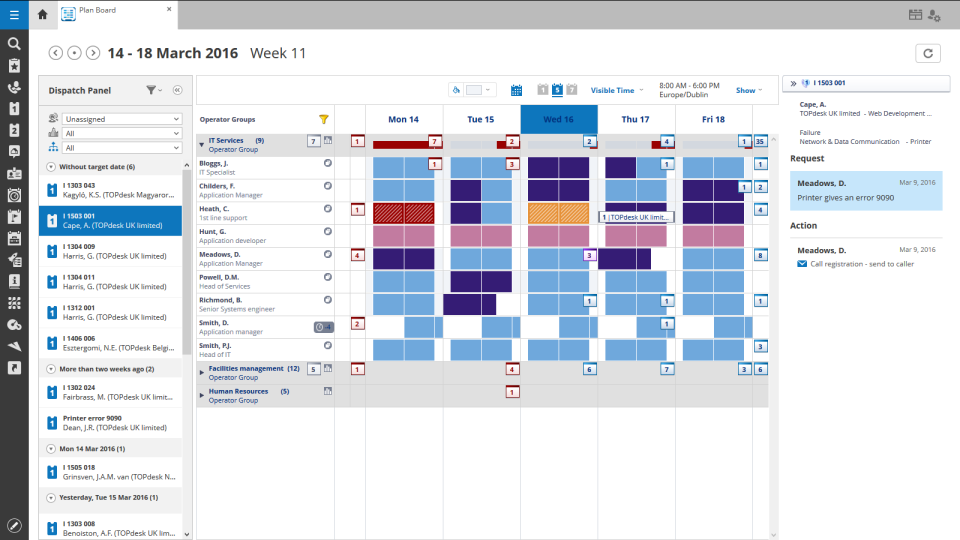 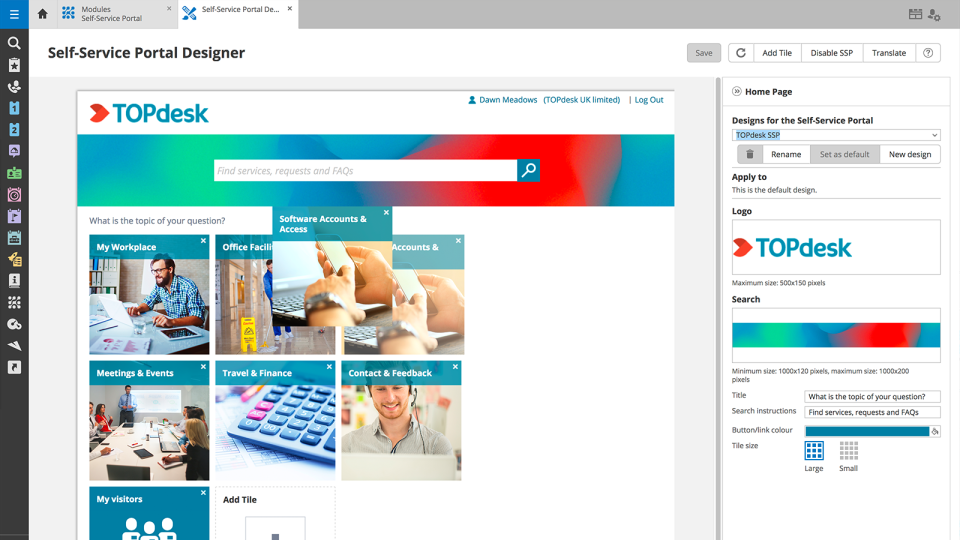     |