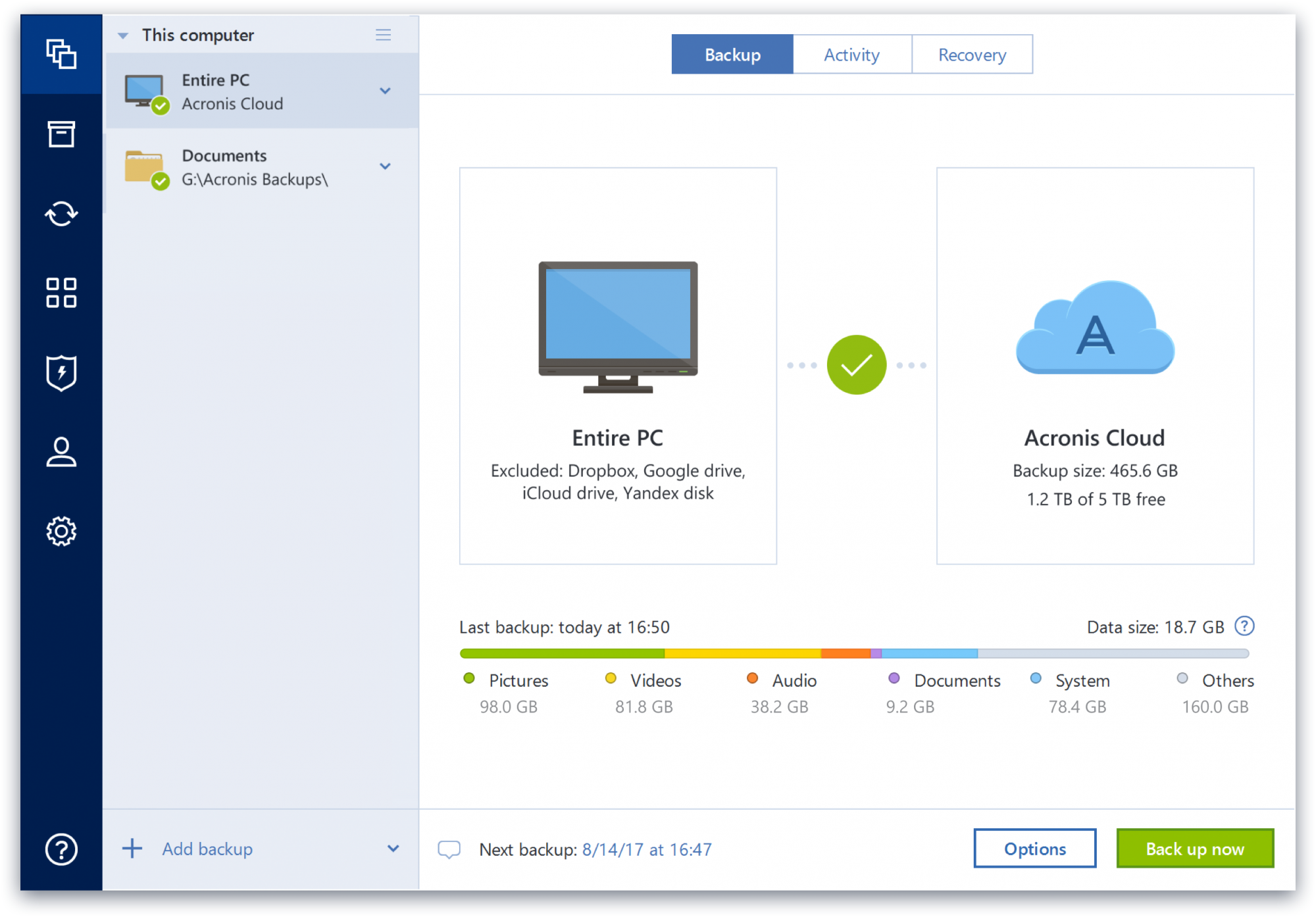
Acronis True Image is a backup, cloning, cyber protection and privacy tool suite for home users.
N/A
BDRShield
Score6.5 out of 10
N/A
Vembu BDR Suite is a universal backup solution catering to the backup, recovery, and disaster recovery needs of diverse IT environments. It is also optimized for service providers who deliver BaaS and DRaaS to their customers.
A de minimis incentive was given to thank the reviewer for their time. The incentive was not used to bias or drive a particular response, nor was the incentive contingent on a positive endorsement. More Info
Acronis Cyber Protect is great for any small/mid-sized business. The price point makes it attractive to all budgets >$100/year for 5 device deployments. Competitors offer less and charge more! Very happy with the suite of products, and renewals are simple and straightforward as well. I hope they don't change a thing!
A de minimis incentive was given to thank the reviewer for their time. The incentive was not used to bias or drive a particular response, nor was the incentive contingent on a positive endorsement. More Info
It provides reliable daily backup tasks and it is important for us to have no worries of system crush. BDRSuite is full featured, I had been using BDRSuite to replicate servers from Hyper-v to ESXi, it's quite useful and easily to process than other VM migration tools between different platform. BDRSuite costs less than other backup product because I can decrease/increase/allocate license between VMs easily. The license charge two ways, server or VM. We choose VM license.
A de minimis incentive was given to thank the reviewer for their time. The incentive was not used to bias or drive a particular response, nor was the incentive contingent on a positive endorsement. TR verified that a representative sample of customers was invited. More Info
A de minimis incentive was given to thank the reviewer for their time. The incentive was not used to bias or drive a particular response, nor was the incentive contingent on a positive endorsement. More Info
Seed an offsite backup. A simple checkbox to seed a large backup prior to backing it up to our datacenter. Previously with another well knows backup provider this was convoluted and time-consuming.
Backup Speed. Vembu BDR is fast and allows me to schedule multiple jobs within time constraints that prohibit some backup products from working.
DR - Vembu BDR provides an option to mirror your backups to an offsite datacenter without taxing production servers with a secondary backup job.
Bare Metal Recovery: the ability to create a custom bootable ISO that you can quickly recover a failed physical server or workstation.
Ease of use: The console is consistent and very easy to use. From initial install to being fully configured takes just a few minutes.
Some features have actually become more complicated over the years. One that comes to mind is creating a backup plan that can execute daily to an external USB media that is changed daily (older versions would back up to the, for example, "F" drive regardless of which drive was attached - newer versions identify each drive uniquely, and a backup task created with a given external drive will fail due to the lack of media presence if the drive is replaced).
Error messages could be less cryptic.
Support turnaround time and live assistance could be faster.
A de minimis incentive was given to thank the reviewer for their time. The incentive was not used to bias or drive a particular response, nor was the incentive contingent on a positive endorsement. More Info
User interface on the servers do not have enough tools to better monitor the systems and finding information is difficult.
User interface at portal is difficult to navigate and confusing
Support documentation is too generic and rarely answers my questions.
Licensing and acquisition. As a reseller and partner the licensing model is confusing and the portal interface to manage licensing should be scrapped and rebuilt. It is difficult to navigate and the available information is too vague.
Recently, communication with new channel contact. My previous contact was articulate and answered my questions.
Did I mention licensing? This is the most confusing and difficult process I've dealt with in 25 years. Makes Microsoft look simple.
A de minimis incentive was given to thank the reviewer for their time. The incentive was not used to bias or drive a particular response, nor was the incentive contingent on a positive endorsement. TR verified that a representative sample of customers was invited. More Info
Because of the product functions and possibilities: - it's easy to use through WEB browser - installation process is not complicated - Vembu BDR solution is reliable, and works properly. It does the job. This product could get extra points for the appliance that could be imported to virtual environment (no need for windows server license or some linux knowledge).
A de minimis incentive was given to thank the reviewer for their time. The incentive was not used to bias or drive a particular response, nor was the incentive contingent on a positive endorsement. TR verified that a representative sample of customers was invited. More Info
Protect my system from data loss and also can manage multiple devices via online cloud from any where and also can set Multifactor authentication for more secure login access. Archive any backup which will use less space and we can transfer it to any other space also so it is very easy as server admin to manage acronics utilities
A de minimis incentive was given to thank the reviewer for their time. The incentive was not used to bias or drive a particular response, nor was the incentive contingent on a positive endorsement. More Info
Friendly web interface very clear, nicely and professionally designed. Usability, setup and forget. It has all features you need for hybrid environments even if you don't use it. You know the features are there when you needed. Email report is so informative. You get all the details about completed backup without logging in the system
A de minimis incentive was given to thank the reviewer for their time. The incentive was not used to bias or drive a particular response, nor was the incentive contingent on a positive endorsement. TR verified that a representative sample of customers was invited. More Info
A de minimis incentive was given to thank the reviewer for their time. The incentive was not used to bias or drive a particular response, nor was the incentive contingent on a positive endorsement. More Info
Beyond a single instance, I haven't had to approach Acronis' support. I needed a new key following the death of my previous workstation, and they rapidly supplied it. I've heard from colleagues that they've quickly answered any questions that've been asked. If I need something, I'll generally frequent FAQ pages first, although Acronis actually has instructional videos to help users get started, which is forward-thinking. Great software that fills a vital niche for Windows systems.
A de minimis incentive was given to thank the reviewer for their time. The incentive was not used to bias or drive a particular response, nor was the incentive contingent on a positive endorsement. More Info
It often takes a very long time to get an issue fixed. the support folks seem committed to getting it fixed but they often seem to be trying different things and hoping something works. I did not get the sense that they had a clear idea what was wrong.
A de minimis incentive was given to thank the reviewer for their time. The incentive was not used to bias or drive a particular response, nor was the incentive contingent on a positive endorsement. TR verified that a representative sample of customers was invited. More Info
It wasn't difficult at all, it fact, it was mostly simple, implementation doesn't require much skills and knowledge, but the configuration part does require some skills to create the jobs and configure certain settings, overall, its an easy implementation, especially for experienced IT People
A de minimis incentive was given to thank the reviewer for their time. The incentive was not used to bias or drive a particular response, nor was the incentive contingent on a positive endorsement. TR verified that a representative sample of customers was invited. More Info
IDrive is incredibly faster than Acronis on cloud backup. After Acronis' failures on cloud storage I moved to IDrive for peace of mind. IDrive can also do local backups, and either variant of system state, server, outlook, exchange, etc. It does not however have the ability to do a full image of a bitlocked machine like Acronis, so I'm continuing the local imaging with Acronis.
A de minimis incentive was given to thank the reviewer for their time. The incentive was not used to bias or drive a particular response, nor was the incentive contingent on a positive endorsement. More Info
I tested Vembu against Veeam and for the price, Vembu was the better option. I also had a great support experience as I had to contact Vembu twice after mistakes I made. While using Veeam the software was not as intuitive and support responses were not as swift and accurate.
A de minimis incentive was given to thank the reviewer for their time. The incentive was not used to bias or drive a particular response, nor was the incentive contingent on a positive endorsement. TR verified that a representative sample of customers was invited. More Info
The Windows version is generally reliable and only ran into one issue thus far. Restores are easy and there are many features. On MacOS, it's a completely different story. There is significant resource leakage related to the updater app that can bog down part of a CPU core continuously until it is disabled. The mobile backup feature also needs to be disabled via UNIX command line or CPU usage will go up when a mobile device on the same network like an iPad or iPhone's screen is turned on.
A de minimis incentive was given to thank the reviewer for their time. The incentive was not used to bias or drive a particular response, nor was the incentive contingent on a positive endorsement. More Info
A de minimis incentive was given to thank the reviewer for their time. The incentive was not used to bias or drive a particular response, nor was the incentive contingent on a positive endorsement. More Info
For organizations that use different tools for Backup and recovery, this could be the single tool for Storage and Backup Administrators to automate and work effectively.
Software cost is lesser thus the money can be invested for other tools/software procurement
I don't think there is any negative impact as of now
A de minimis incentive was given to thank the reviewer for their time. The incentive was not used to bias or drive a particular response, nor was the incentive contingent on a positive endorsement. TR verified that a representative sample of customers was invited. More Info