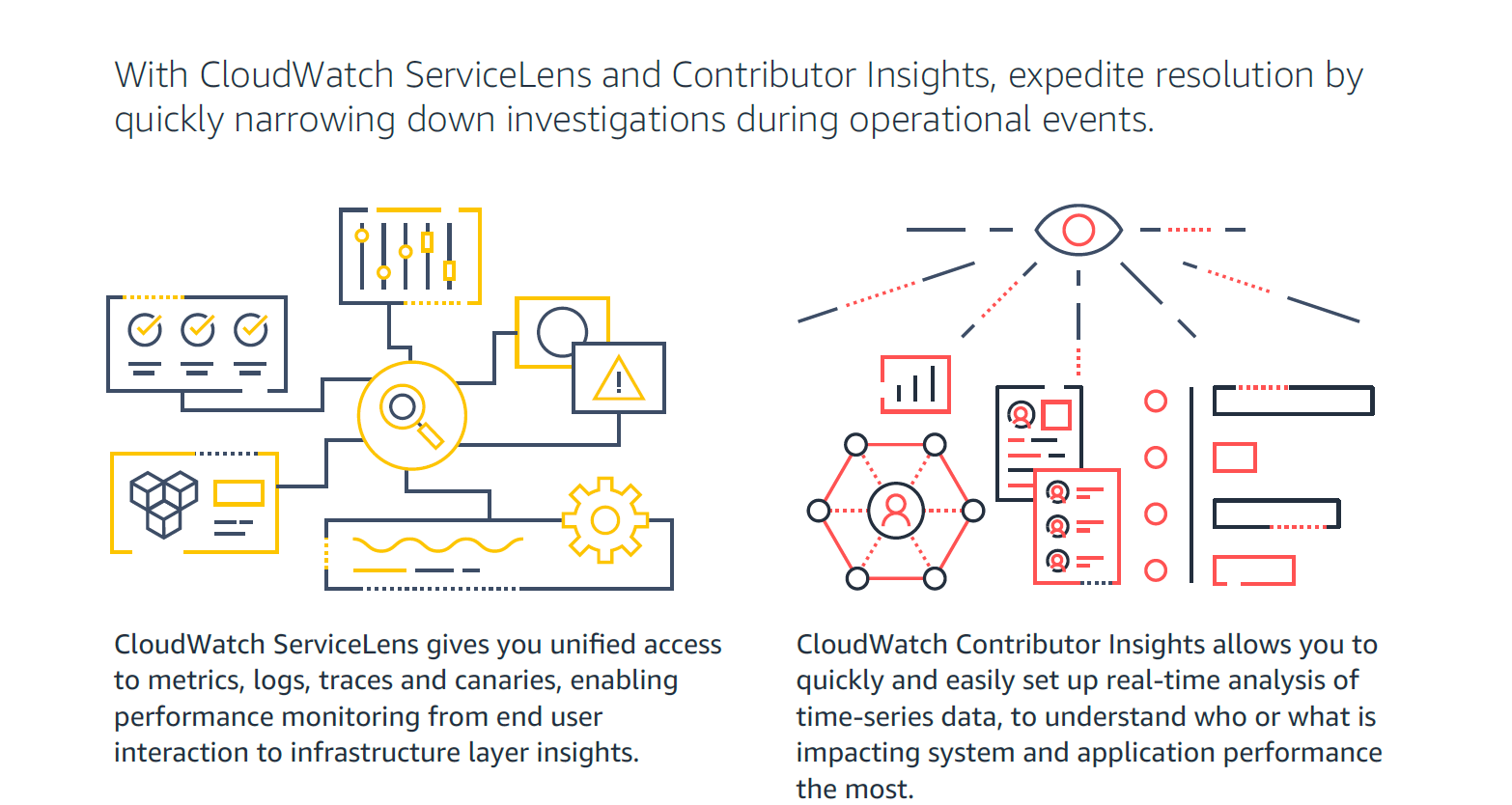
Amazon CloudWatch is a native AWS monitoring tool for AWS programs. It provides data collection and resource monitoring capabilities.
$0
per canary run
ManageEngine Site24x7
Score10 out of 10
N/A
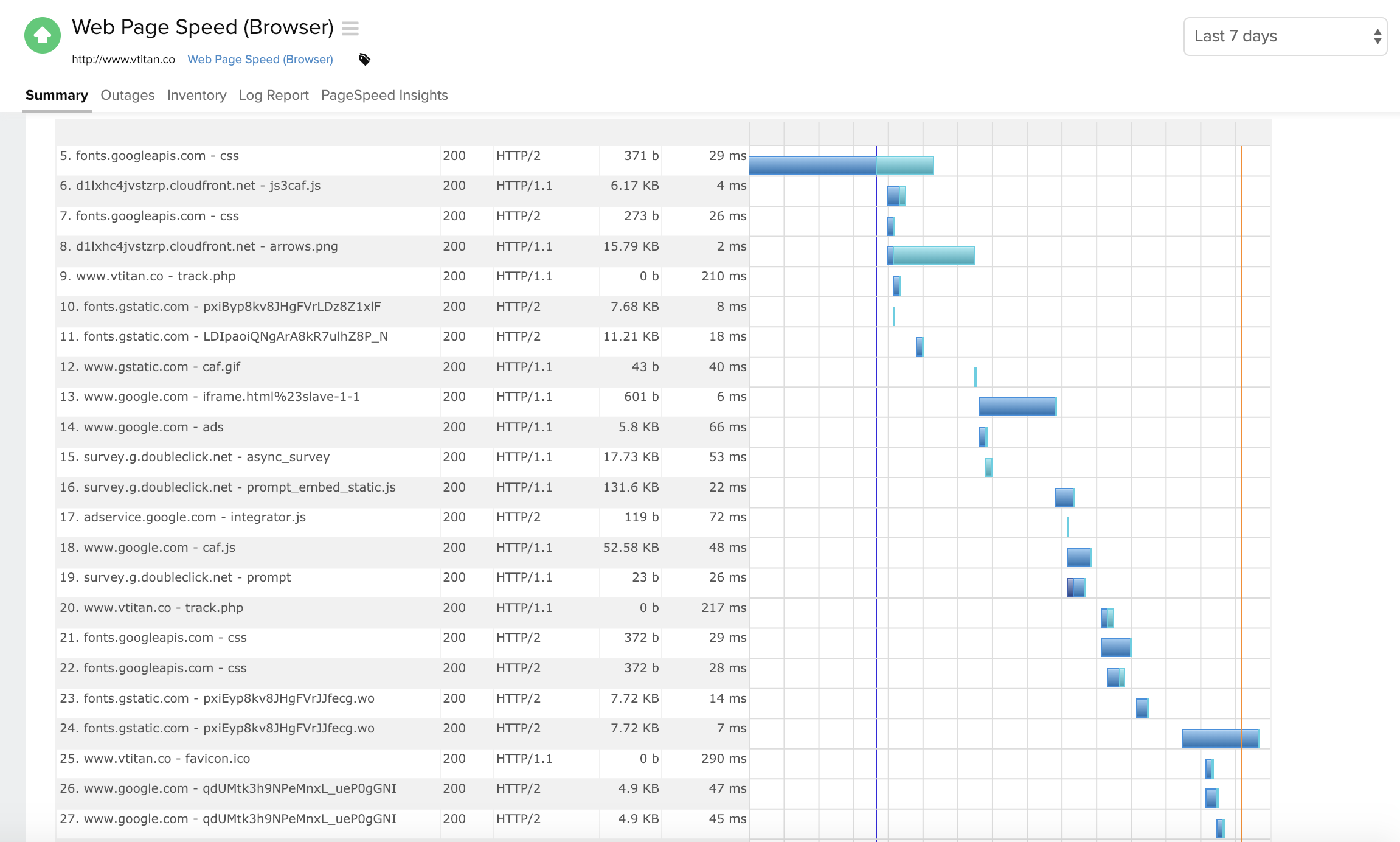
Site24x7 from ManageEngine is a full-stack application, website, server, cloud and network monitoring tool. Site24x7 offers code-level diagnostics and customizable error thresholds, end-to-end monitoring with topology visualization tools, and mobile accessibility.
$9
10 monitors
Pricing
Amazon CloudWatch
ManageEngine Site24x7
Editions & Modules
Canaries
$0.0012
per canary run
Logs - Analyze (Logs Insights queries)
$0.005
per GB of data scanned
Over 1,000,000 Metrics
$0.02
per month
Contributor Insights - Matched Log Events
$0.02
per month per one million log events that match the rule
Logs - Store (Archival)
$0.03
per GB
Next 750,000 Metrics
$0.05
per month
Next 240,000 Metrics
$0.10
per month
Alarm - Standard Resolution (60 Sec)
$0.10
per month per alarm metric
First 10,000 Metrics
$0.30
per month
Alarm - High Resolution (10 Sec)
$0.30
per month per alarm metric
Alarm - Composite
$0.50
per month per alarm
Logs - Collect (Data Ingestion)
$0.50
per GB
Contributor Insights
$0.50
per month per rule
Events - Custom
$1.00
per million events
Events - Cross-account
$1.00
per million events
CloudWatch RUM
$1
per 100k events
Dashboard
$3.00
per month per dashboard
CloudWatch Evidently - Events
$5
per 1 million events
CloudWatch Evidently - Analysis Units
$7.50
per 1 million analysis units
Starter
$9.00
10 monitors
Pro
$35.00
40 Monitors
Classic
$89.00
100 Monitors
Elite
$225.00
250 Monitors
Enterprise
$449.00
500 Monitors
Enterprise Plus Web
$899.00
2500 Monitors
Offerings
Pricing Offerings
Amazon CloudWatch
ManageEngine Site24x7
Free Trial
Yes
Yes
Free/Freemium Version
Yes
Yes
Premium Consulting/Integration Services
Yes
Yes
Entry-level Setup Fee
No setup fee
$1 monitors
Additional Details
With Amazon CloudWatch, there is no up-front commitment or minimum fee; you simply pay for what you use. You will be charged at the end of the month for your usage.
Each Pack will also support additional benefits such as Network interfaces, Applogs, Alert credits etc. You can also, purchase add-ons to create custom pricing options. Please visit the vendor's pricing page, for more information.
More Pricing Information
Community Pulse
Amazon CloudWatch
ManageEngine Site24x7
Considered Both Products
Amazon AWS
Verified User
Chose Amazon CloudWatch
Out of the box monitoring which compliments workloads implemented from infrastructure as code so we have standardized metrics across all our monitoring for our AWS workloads. Also incredibly easy to implement via the console which can be done in minutes oppose to hours of …
A de minimis incentive was given to thank the reviewer for their time. The incentive was not used to bias or drive a particular response, nor was the incentive contingent on a positive endorsement. More Info
Senior Systems Administrator in Information Technology at Bentek Inc. (Computer Software, 51-200 employees)
Chose ManageEngine Site24x7
Manage engine had OPs manager for alerting and security monitoring alerts, but is just not as robust an offering as [Site24x7 All-in-One Monitoring] (RUM.APM features etc..). Originally we had used Nagios on low, to no-cost linux platform, but Nagios will require license also, …
A de minimis incentive was given to thank the reviewer for their time. The incentive was not used to bias or drive a particular response, nor was the incentive contingent on a positive endorsement. More Info
Verified User
Chose ManageEngine Site24x7
Each solution excels in their own areas. Site24x7 provides the easiest and most cost-effective transactional monitoring from the previous and existing solutions which we use. However, Solarwinds Orion suite, which includes the virtualization manager, gives us full-stack …
A de minimis incentive was given to thank the reviewer for their time. The incentive was not used to bias or drive a particular response, nor was the incentive contingent on a positive endorsement. More Info
Verified User
Chose ManageEngine Site24x7
I selected this [roduct because I needed something really quick to deploy and that we could easily integrate with our environment without having to deal with firewall setup and other stuff.
A de minimis incentive was given to thank the reviewer for their time. The incentive was not used to bias or drive a particular response, nor was the incentive contingent on a positive endorsement. More Info
For out business we find that AWS Cloudwatch is good at providing real-time metrics for monitoring and analysing the performance and usage of our platform by customers. It is possible to create custom metrics from log events, such people adding items to a basket, checking out or abandoning their orders.
A de minimis incentive was given to thank the reviewer for their time. The incentive was not used to bias or drive a particular response, nor was the incentive contingent on a positive endorsement. More Info
[Site24x7 All-in-One Monitoring is] well suited in website monitoring where especially for uptime and availability of the website. Due to its cloud nature, the company has servers distributed globally that allow to check site availability from anywhere in the world.
A de minimis incentive was given to thank the reviewer for their time. The incentive was not used to bias or drive a particular response, nor was the incentive contingent on a positive endorsement. More Info
It provides lot many out of the box dashboard to observe the health and usage of your cloud deployments. Few examples are CPU usage, Disk read/write, Network in/out etc.
It is possible to stream CloudWatch log data to Amazon Elasticsearch to process them almost real time.
If you have setup your code pipeline and wants to see the status, CloudWatch really helps. It can trigger lambda function when certain cloudWatch event happens and lambda can store the data to S3 or Athena which Quicksight can represent.
A de minimis incentive was given to thank the reviewer for their time. The incentive was not used to bias or drive a particular response, nor was the incentive contingent on a positive endorsement. More Info
A de minimis incentive was given to thank the reviewer for their time. The incentive was not used to bias or drive a particular response, nor was the incentive contingent on a positive endorsement. More Info
Memory metrics on EC2 are not available on CloudWatch. Depending on workloads if we need visibility on memory metrics we use Solarwinds Orion with the agent installed. For scalable workloads, this involves customization of images being used.
Visualization out of the box. But this can easily be addressed with other solutions such as Grafana.
By design, this is only used for AWS workloads so depending on your environment cannot be used as an all in one solution for your monitoring.
A de minimis incentive was given to thank the reviewer for their time. The incentive was not used to bias or drive a particular response, nor was the incentive contingent on a positive endorsement. More Info
A de minimis incentive was given to thank the reviewer for their time. The incentive was not used to bias or drive a particular response, nor was the incentive contingent on a positive endorsement. More Info
It's excellent at collecting logs. It's easy to set up. The viewing & querying part could be much better, though. The query syntax takes some time to get used to, & the examples are not helpful. Also, while being great, Log Insights requires manual picking of log streams to query across every time.
A de minimis incentive was given to thank the reviewer for their time. The incentive was not used to bias or drive a particular response, nor was the incentive contingent on a positive endorsement. More Info
Support is effective, and we were able to get any problems that we couldn't get solved through community discussion forums solved for us by the AWS support team. For example, we were assisted in one instance where we were not sure about the best metrics to use in order to optimize an auto-scaling group on EC2. The support team was able to look at our metrics and give a useful recommendation on which metrics to use.
A de minimis incentive was given to thank the reviewer for their time. The incentive was not used to bias or drive a particular response, nor was the incentive contingent on a positive endorsement. More Info
I have only had to use support once, so I can't go into much detail about their support team. The one time I did use it the response was fast but the resolution took some time.
A de minimis incentive was given to thank the reviewer for their time. The incentive was not used to bias or drive a particular response, nor was the incentive contingent on a positive endorsement. More Info
Grafana is definitely a lot better and flexible in comparison with Amazon CloudWatch for visualisation, as it offers much more options and is versatile. VictoriaMetrics and Prometheus are time-series databases which can do almost everything cloudwatch can do in a better and cheaper way. Integrating Grafana with them will make it more capable Elasticsearch for log retention and querying will surpass cloudwatch log monitoring in both performance and speed
A de minimis incentive was given to thank the reviewer for their time. The incentive was not used to bias or drive a particular response, nor was the incentive contingent on a positive endorsement. More Info
The biggest difference between Site24x7 and products like PRTG, Nagios, or Icinga, is that Site24x7 is hosted off the network, completely externally. The others do a great job on network alerts-- and some can even be configured to send SMS or phone calls with the right equipment and plugins-- but they usually reside in the network or at least on-site. Hosting them in the cloud might be a way around that, in which case they would be pretty similar to Site24x7 in capability, but without the additional software costs in the case of Nagios and Icinga (both open source).
A de minimis incentive was given to thank the reviewer for their time. The incentive was not used to bias or drive a particular response, nor was the incentive contingent on a positive endorsement. More Info
A de minimis incentive was given to thank the reviewer for their time. The incentive was not used to bias or drive a particular response, nor was the incentive contingent on a positive endorsement. More Info
A de minimis incentive was given to thank the reviewer for their time. The incentive was not used to bias or drive a particular response, nor was the incentive contingent on a positive endorsement. More Info