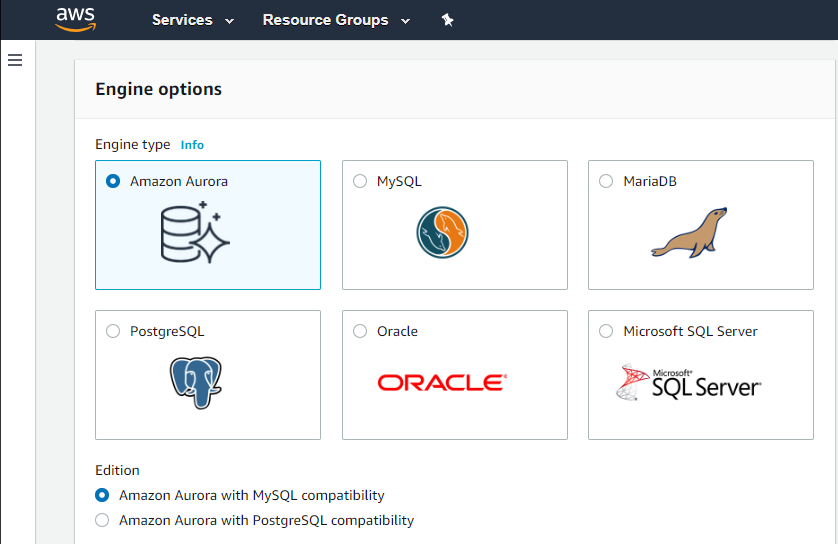
Amazon Relational Database Service (Amazon RDS) is a database-as-a-service (DBaaS) from Amazon Web Services.
N/A
Azure SQL Database
Score 8.4 out of 10
N/A
Azure SQL Database is Microsoft's relational database as a service (DBaaS).
$0.50
Per Hour
Microsoft SQL Server
Score 8.6 out of 10
N/A
Microsoft SQL Server is a relational database.
$1,418
Per License
Pricing
Amazon Relational Database Service (RDS)
Azure SQL Database
Microsoft SQL Server
Editions & Modules
Amazon RDS for PostgreSQL
$0.24 ($0.48)
per hour, R5 Large (R5 Extra Large)
Amazon RDS for MariaDB
$0.25 ($0.50)
per hour, R5 Large (R5 Extra Large)
Amazon RDS for MySQL
$0.29 ($0.58)
per hour, R5 Large (R5 Extra Large)
Amazon RDS for Oracle
$0.482 ($0.964)
per hour, R5 Large (R5 Extra Large)
Amazon RDS for SQL Server
$1.02 ($1.52)
per hour, R5 Large (R5 Extra Large)
2 vCORE
$0.5044
Per Hour
6 vCORE
$1.5131
Per Hour
10 vCORE
$2.52
Per Hour
Subscription
$1,418.00
Per License
Enterprise
$13,748.00
Per License
Offerings
Pricing Offerings
Amazon RDS
Azure SQL Database
Microsoft SQL Server
Free Trial
No
No
No
Free/Freemium Version
No
No
No
Premium Consulting/Integration Services
No
No
No
Entry-level Setup Fee
Optional
No setup fee
No setup fee
Additional Details
—
—
—
More Pricing Information
Community Pulse
Amazon Relational Database Service (RDS)
Azure SQL Database
Microsoft SQL Server
Considered Multiple Products
Amazon RDS
Verified User
Project Manager
Chose Amazon Relational Database Service (RDS)
We used to have On-Premises servers with Microsoft SQL Server and MySQL databases. We used that for years, and we had a hard time and a lot of work involved in securing and updating the server. And not no mention that growth involves a lot of calculations and extra costs. …
we could use Azure SQL for our project but as our other parts of the solutions existed on AWS, it was a better choice to have AWS RDS or else traffic exiting AWS would have taken a lot of cloud changes. Microsoft SQL Server requires license, either core-based or full license …
In a few words, we are just to confortable working with oracle and sql server. Using RDS add another layer of distributed database in order to backup everything we have in case of a disaster and also complies with authorities locally and internacionally. All database we use, …
Amazon Relational Database Service (RDS) offers sql server version compatibility for earlier versions, but azure provides only for the latest version. Amazon Relational Database Service (RDS) offers higher storage for each database instance. I think Amazon Relational Database …
Earlier we were using the Azure Ecosystem but we faced some issues in DevOps side so we decided to migrate towards some other reliable infra so we migrated all our engines, RDS and other services to Amazon Relational Database Service (RDS) and from that time we are using this. …
Amazon Relational Database Service (RDS) is an excellent option for those using AWS already, and provides a scalable, performant, database engine. Unlike Azure SQL Server it has a limit on the number of databases you can hold. However, if you're already in the AWS ecosystem it …
Amazon RDS is more resilient and accepted industry wide when compared to its peers. Also, as we have other services on AWS so it would be easier to integrate with other services like ECS if we go with Amazon RDS. Furthermore, it would be more cost effective if we go with Amazon …
We needed to use PostgreSQL due to it being the database engine that our application vendor uses. Once we were constrained on the database engine choice then Microsoft products (eg. SQL Server), whether on premise or in the cloud, were not appropriate. Therefore the only …
Even though Amazon Relational Database Service (RDS) is costlier than postgre SQL, We prefer Amazon Relational Database Service (RDS) just because of high performance and security features
We prefer RDS to spin up our own MySQL instances via traditional servers, EC2 instances, or containers, and RDS provides all of our DB needs compared to other database products AWS offers. As mentioned, the manageable, operational, security, and reliability features of RDS that …
In my opinion, Amazon Relational Database Service (RDS) has provided better services in terms of Scalability and data Security as compared to its competitor. It helped us to manage our data using RDS server more efficiently and effectively. The high Availability helped us to …
Cloud Engineer - IT Emerging Talent Rotational Program
Chose Amazon Relational Database Service (RDS)
Whether using AWS, GCP, or Azure, you get the most value out of using applications from the same suite. Since my organization is AWS first, I am using RDS because it provides the most value for us using it with the other AWS offerings
We try to use Azure Databases, but we encountered issues of combining services between AWS and Azure, so this is the main reason we decided to move with Amazon RDS. I can say that between services they're quite alike but it all depends what cloud provider you use for the other …
As a POC, we had worked with Azure and GCP's databases as well. One problem with Azure is that it seems slow in supporting new versions of MySQL. With GCP Cloud SQL, the security configuration for the database was not as intuitive as in AWS. The UI in both Azure and GCP was …
I selected AWS RDS over Azure because of the [number] of products AWS has that work together. The cost for RDS was cheaper than Azure's SQL also. I use Azure for MSSQL workloads and AWS for MySQL workloads. Probably the main reason was we wanted to use S3 and Azure doesn't have …
Amazon Relational Database Service (RDS) is very well integrated with AWS services like CloudWatch, Lambda, IAM, Secrets Manager, S3, etc. It is AWS managed database service. It provides a serverless version using Aurora with auto-scaling features. Its features like …
Actually you can have most of these tools through AWS Relational Database Service as they are basically those technologies provided as a service. It is way better to have those products provided as a service through a huge and reliable infrastructure like AWS.
It's hard to identify how Amazon RDS stacks up against the databases they support, because to install and use a relational database in a production environment you need a Database Administrator to help install, configure and manage. Amazon RDS keeps the details simple enough …
We mainly used RDS because our infrastructure was already up and running on AWS so the networking between the systems was quite easy to set up and manage. For our Azure infrastructure, we used their SQL database option instead for the same reasons. If AWS made it easier to use …
Amazon Relational Database Service will probably give you everything you need from a traditional manual DB setup, except everything is managed for you. The only downside is having to pay the premium for the service; however, the trade-off of not having to deal with the …
Amazon Relational Database Service is the other obvious competitor. We were already in Azure, so it's not a serious contender for our business due to that bias already, but I do personally find the marketing and documentation of RDS more intimidating to sort through.
Better and more useful automation tools are available. Better at scaling and hosting your data. Greater security around access of data and encrypting where required. Allows for seamless integration in other Azure solutions which allows for greater flexibility when using the …
I selected Azure SQL because it integrates nicely with the technology stacks we currently maintain. The pricing is right, and clients are happy with that. Scaling is easy. Most of our clients don't want to maintain a full-blown database server, and they don't need one. For …
Amazon's RDS offering is actually very good and is used in other parts of the company, we just have a lot of Azure experience so wanted to leverage that.
Director, eCommerce Analytics and Digital Marketing
Chose Azure SQL Database
The Azure SQL Database, compared to our on premise SQL server installation, is much easier to use in terms of seeing database diagnostics. There is a whole visualization platform that comes with the tool that will allow your database administrator to see what jobs are tying up …
The simplicity and great features and good support of Microsoft as well as the more reasonable flexible price than other competitors is one of the important reasons for choosing it.
It is very easy to setup SQL database on Azure. one can always refer to their documentation for best practices. It is highly available and scalable. It is cheaper than its alternatives and provide better performance than others. As we are using many other services of Azure for …
Being able to manage our databases in the cloud, scale quickly, and only require access to VMs made choosing Azure a no-brainer over a traditional SQL Server installation/integration. We don't have the budget or resources to integrate and maintain servers on our own, so using …
Azure SQL is a clear upgrade to SQL Server 2012 and pretty much has the advantage with all the extra features that it has. Security, queries, exporting tables, T-SQL has all improved. Transitioning 18+ years of an in-house database to the cloud was a struggle, but for the …
As we were early adopters with Azure and landed on the Azure PaaS (Platform as a Service), it made sense to use databases that were on the same platform as the application to save on costs. Also, we were impressed with the simplicity of Azure SQL. From a management perspective …
For our enterprise software, SQL Server has more predictable functionality and tools than the other products we've examined. If we have a question or a problem, it's quite likely someone else has had to deal with the same thing, and it's possible to find help or tips online …
SQL Server is way ahead of the support available and documentation available. Oracle should invest heavily in bringing good technical books on MySQL rather than putting documentation online and expect users to go through it.
Easy to manage all tools without extra cost is a big …
When talking about structured storage, the big three currently are SQL Server, MySQL and Oracle. You can also toss in PostgreSQL into the mix. From a straight forward relational storage stand point, any of these tools will work, and work well. However, SQL Server is superior in …
If your application needs a relational data store and uses other AWS services, AWS RDS is a no-brainer. It offers all the traditional database features, makes it a snap to set up, creates cross-region replication, has advanced security, built-in monitoring, and much more at a very good price. You can also set up streaming to a data lake using various other AWS services on your RDS.
We have found it's a great alternative for making older legacy applications work with online databases instead of only on-premises databases. We've converted over a dozen applications this way, and it has allowed our clients to have a distributed workforce using their applications without incurring the expense of a complete application rewrite.
Microsoft SQL is ubiquitous, while MySQL runs under the hood all over the place. Microsoft SQL is the platform taught in colleges and certification courses and is the one most likely to be used by businesses because it is backed by Microsoft. Its interface is friendly (well, as pleasant as SQL can be) and has been used by so many for so long that resources are freely available if you encounter any issues.
Automated Database Management: We use it for streamlining routine tasks like software patching and database backups.
Scalability on Demand: we use it to handle traffic spikes, scaling both vertically and horizontally.
Database Engine Compatibility: It works amazingly with multiple database engines used by different departments within our organization including MySQL, PostgreSQL, SQL Server, and Oracle.
Monitoring: It covers our extensive monitoring and logging, and also has great compatibility with Amazon CloudWatch
Maintenance is always an issue, so using a cloud solution saves a lot of trouble.
On premise solutions always suffer from fragmented implementations here and there, where several "dba's" keep track of security and maintenance. With a cloud database it's much easier to keep a central overview.
Security options in SQL database are next level... data masking, hiding sensitive data where always neglected on premise, whereas you'll get this automatically in the cloud.
It is a little difficult to configure and connect to an RDS instance. The integration with ECS can be made more seamless.
Exploring features within RDS is not very easy and intuitive. Either a human friendly documentation should be added or the User Interface be made intuitive so that people can explore and find features on their own.
There should be tools to analyze cost and minimize it according to the usage.
One needs to be aware that some T-SQL features are simply not available.
The programmatic access to server, trace flags, hardware from within Azure SQL Database is taken away (for a good reason).
No SQL Agent so your jobs need to be orchestrated differently.
The maximum concurrent logins maybe an unexpected problem.
Sudden disconnects.
The developers and admin must study the capacity and tier usage limits https://docs.microsoft.com/en-us/azure/azure-subscription-service-limits otherwise some errors or even transaction aborts never seen before can occur.
Only one Latin Collation choice.
There is no way to debug T-SQL ( a big drawback in my point of view).
Microsoft SQL Server Enterprise edition has a high cost but is the only edition which supports SQL Always On Availability Groups. It would be nice to include this feature in the Standard version.
Licensing of Microsoft SQL Server is a quite complex matter, it would be good to simplify licensing in the future. For example, per core vs per user CAL licensing, as well as complex licensing scenarios in the Cloud and on Edge locations.
It would be good to include native tools for converting Oracle, DB2, Postgresql and MySQL/MariaDB databases (schema and data) for import into Microsoft SQL Server.
We do renew our use of Amazon Relational Database Service. We don't have any problems faced with RDS in place. RDS has taken away lot of overhead of hosting database, managing the database and keeping a team just to manage database. Even the backup, security and recovery another overhead that has been taken away by RDS. So, we will keep on using RDS.
We understand that the Microsoft SQL Server will continue to advance, offering the same robust and reliable platform while adding new features that enable us, as a software center, to create a superior product. That provides excellent performance while reducing the hardware requirements and the total cost of ownership of our solution.
I've been using AWS Relational Database Services in several projects in different environments and from the AWS products, maybe this one together to EC2 are my favourite. They deliver what they promise. Reliable, fast, easy and with a fair price (in comparison to commercial products which have obscure license agreements).
The interfaces are intuitive once you are familiar with all the functions. The ability to use different tools to interact with the platform, such as directly via a browser or code editors such as VS Code or Visual Studio is a great option and allows for integrating withn the project and other testing and developing tools.
SQL Server mostly 'just works' or generates error messages to help you sort out the trouble. You can usually count on the product to get the job done and keep an eye on your potential mistakes. Interaction with other Microsoft products makes operating as a Windows user pretty straight forward. Digging through the multitude of dialogs and wizards can be a pain, but the answer is usually there somewhere.
I have only had good experiences in working with AWS support. I will admit that my experience comes from the benefit of having a premium tier of support but even working with free-tier accounts I have not had problems getting help with AWS products when needed. And most often, the docs do a pretty good job of explaining how to operate a service so a quick spin through the docs has been useful in solving problems.
We give the support a high rating simply because every time we've had issues or questions, representatives were in contact with us quickly. Without fail, our issues/questions were handled in a timely matter. That kind of response is integral when client data integrity and availability is in question. There is also a wealth of documentation for resolving issues on your own.
We managed to handle most of our problems by looking into Microsoft's official documentation that has everything explained and almost every function has an example that illustrates in detail how a particular functionality works. Just like PowerShell has the ability to show you an example of how some cmdlet works, that is the case also here, and in my opinion, it is a very good practice and I like it.
Other than SQL taking quite a bit of time to actually install there are no problems with installation. Even on hardware that has good performance SQL can still take close to an hour to install a typical server with management and reporting services.
Amazon Relational Database Service (RDS) stands out among similar products due to its seamless integration with other AWS services, automated backups, and multi-AZ deployments for high availability. Its support for various database engines, such as MySQL, PostgreSQL, and Oracle, provides flexibility. Additionally, RDS offers managed security features, including encryption and IAM integration, enhancing data protection. The pay-as-you-go pricing model makes it cost-effective. Overall, Amazon RDS excels in ease of use, scalability, and a comprehensive feature set, making it a top choice for organizations seeking a reliable and scalable managed relational database service in the cloud.
We moved away from Oracle and NoSQL because we had been so reliant on them for the last 25 years, the pricing was too much and we were looking for a way to cut the cord. Snowflake is just too up in the air, feels like it is soon to be just another line item to add to your Azure subscription. Azure was just priced right, easy to migrate to and plenty of resources to hire to support/maintain it. Very easy to learn, too.
[Microsoft] SQL Server has a much better community and professional support and is overall just a more reliable system with Microsoft behind it. I've used MySQL in the past and SQL Server has just become more comfortable for me and is my go to RDBMS.
Increased accuracy - We went from multiple users having different versions of an Excel spreadsheet to a single source of truth for our reporting.
Increased Efficiency - We can now generate reports at any time from a single source rather than multiple users spending their time collating data and generating reports.
Improved Security - Enterprise level security on a dedicated server rather than financial files on multiple laptop hard drives.