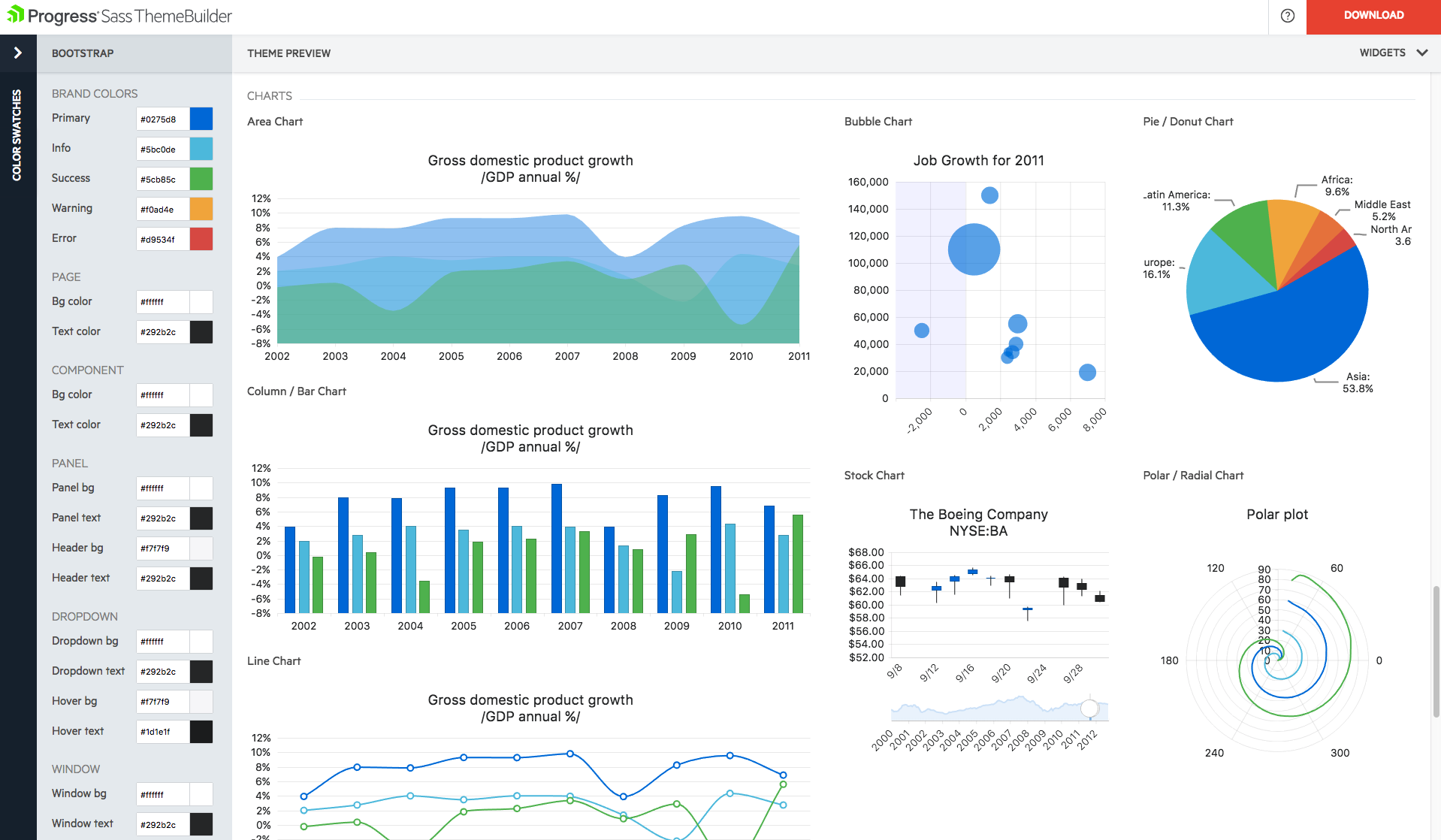
With Telerik UI libraries, Progress aims to equip .NET ninjas with a full arsenal of weapons, helping to create beautiful, modern and future-proof applications quickly and intuitively. The vendor states that with its over 1,250 UI components for all .NET platforms, as well as various themes, skins and customization options, Telerik users report cutting development time by up to 50 percent. Web
We selected Cordova since it provides ease of doing business and ease of use. The best thing about Cordova is that you can code once and run it on multiple platforms. Cordova provides add-ons that connect your code with native features of various mobile platforms. And you do …
Apache Cordova is the mother of all other frameworks. The Ionic developed framework is well suited for development but most of their features are offered by paid services.
As Apache Cordova is open source and has a license to modify it, it has no legal problems to work with it. …
We have not found competitors to Adobe Phone Gap that allows us to be able to code and transfer into alternative languages. The only alternative is to write in the languages required by apple and google in order to launch our apps on their devices and in their app stores. Using …
I have worked on Appcelerator Titanium and also on Apache Cordova and I find Cordova is a much stable, easy, performant and cost effective solution to developing hybrid mobile apps. I will go with Apache Cordova over Appcelerator Titanium any day.
We didn't use SyncFusion for long. We found that if you did anything custom, the controls simply didn't behave the way you would expect. Very annoying for us.
While the more expensive to use for a small shop(for example syncfusion is free to start), the quality paid for itself in no time flat. Other options are either half baked, have lock in and will become quite expensive once you hit a treshhold, or plain simply didn't mesh with …
The Telerik controls were just easier for us to use and implement. Our evaluation of control packages was over 9 years ago, so it is hard to recall the major differences. Generally, the team preferred what Telerik had to offer, particularly the fact that the bundle provided …
Progress Telerik UI provides a large amount of language support, demos, and documentation. While the competition is still great in their own right, Progress Telerik UI has provided enough resources to cover a number of current and future projects without having to expand to …
Telerik UI for Blazor is much more usable than Kendo UI. I was never a fan of Kendo UI, but I like using Telerik UI For Blazor due to the ease of implementation for the components.
Progress Telerik UI is the most complete multi-framework/platform in existence. Without it, you will find yourself having to traverse half a dozen other component providers each with varying degrees of license requirements and update schedules. Sure you might find a single …
I purchased Telerik because its components seemed great and were priced more attractively than Syncfusion. Unfortunately, after hitting major product limitations with Telerik's Document Processing for PDF I now find myself migrating from Telerik to Syncfusion. This has been an …
Telerik Support (pre-progress) is awesome, way better than Infragistics or Syncfusion. Syncfusion is a little cheaper. They all have Grid components (like Excel) then there are a few edge cases of having different controls to another to show off. Once you know what UI tech you …
[Progress Telerik UI] had a specific set of controls that were suited directly to our application space. Telerik also provided a Xamarin solution for very similar pricing, which should allow us to speed up our app development.
Progress Telerik UI ultimately had the smoothest/lowest learning curve for developers and it's an established product that incoming team members likely have some experience with.
The existing Microsoft technologies already support many of the controls provided by Progress Telerik UI and may be used as an alternative, of course. They will not have the full-featured functionality you will find in Progress Telerik UI but are available. There are also other …
Using Progress Telerik UI on the front end and Spring on the back end, you can focus on your business logic in the middle. There is no need to reinvent the wheel. This allows you to focus on what's under the hood. These have both been a pleasure to work with.
We have been implementing our own custom code using the ASP.NET framework, and it has taken us a lot longer to implement functionality. When we transitioned to using Progress Telerik UI components, it exponentially sped up our development time and improved the look of our …
We have not used any other product for UI. We are using Telerik from start and continuing using it. Features offered by Telerik are sufficient for our product and we are fully utilizing all features provided by Telerik. Performance of all UI controls are great so over all …
Super easy to use and integrate into Visual Studio. The MVC helpers greatly simplify development. The controls are easy to implement and the online examples are excellent.
I am much more pleased with what we've gotten from Telerik UI in terms of controls and ease of use. The controls have great functionality and were easy to integrate into what we are wanting to accomplish. DevExpress never wowed us and that's why we went with Progress and have …
Android Studio and IOS SDK are some of the competing programming methods for mobile development that competes with Xamarin. However, these utilize other programming languages like Java, or Objective C. In addition, these methods may be used more directly with Android or IOS …
We use both Xamarin and React Native to create cross-platform applications fast. React Native is relatively new at our company and few developers have embraced coding in it as compared to developers building in Xamarin. I have noticed developers have it easy jumping from coding …
Xamarin allows us to natively code against IOS and Android as opposed to just putting a Skin over it. Because of this native code stack the performance on Xamarin is off the charts better. You can really see the performance when you are using native phone features like GPS, …
As I said before: Code sharing and using existing skills was the most important factor to choose Xamarin. With phonegap code sharing exists but business logic must be written in JS.
Coming from a .NET background I always wanted to like Xamarin. Now that Microsoft bought them and made the product available to all, it's a no brainer.
In Native app development we need to employ specialized developers solving some business problems in different technologies. Xamarin solves that problem to some extent delivering a native application experience. Hybrid has the same code base but suffers from lack of performance.
Xamarin runs natively on MacOS, and the debugger and other integration and auto-complete tools are far better than Eclipse for C# .NET. It also carries much of the plugin/add-on capabilities that are so desirable on Atom. Eclipse is a better for generalized software …
None of the HTML-based cross-platform solutions can easily provide a native look and feel like Xamarin can. I've had to rescue multiple organizations that went down this path only to be disappointed with the results.
Apache Cordova is nothing more than a HTML Web VIew App. I've built an app using Cordova and it was a mess. With Xamarin, you get the platform level capabilities, which make the performance, in theory, no different than real native development. Cordova is not suitable for any …
Xamarin is a good platform compared to Cordova, as it gives better API access, documentation and customer support as well as a robust community. It allows you to develop code using native Visual Studio and helps the developer to reuse the codebase for different platforms, …
If you want to teach your team or students how to program and learn programming languages, you would not want to utilize Phone Gap software. The Phone Gap software creates an easy fix to avoid learning every programming language for mobile devices. This creates a learning curve for some programmers because they no longer need to learn every language to be successful. However, for personal growth, this could pose an issue if programmers need to change jobs and are only capable of programming in web languages and then translate them using Phone Gap. Adobe Phone Gap works wonderfully for what our company uses it for. We use it because we have app launch deadlines and our programmers are invested in the company; therefore, they are aware that output is our goal, not actually learning the various languages, but more making sure the client is happy
Progress Telerik UI is one of the best web design and development solutions for Dot Net based applications. It has extensible support for ASP.NET Core, C#, WCF, and ASP.NET WebForms. It overall improves the design structure for the applications and provides multiple customization options to meet the requirements of clients and end-users.
Xamarin is well suited for several reasons. The first, it allows companies to share code across platforms. If the app has a lot of business logic and a fairly simple UI, Xamarin is great for this use case. Xamarin also works well if the developers who will work on the app are already fluent in .NET. Xamarin is less appropriate if the company has a lot of developers. If there are plenty of resources to develop apps natively then the headache of dealing with Xamarin's issues are not worth the effort. If the UI is very complex and has difficult animations it's difficult to debug visual/performance issues in Xamarin.
Having also done a lot of native mobile development, some of the IDE's features need to emulator their native counterparts. For example, trying to extract a string resource on Android in Xamarin Studio is painful. There are many useful tools in Android Studio that Xamarin should implement.
Xamarin will always be behind on native platform features. They must catch up when Apple and Google release new platform versions.
The biggest pain point is the random issues Xamarin continues to have. Having a large code base on top of a native platform makes it very difficult to debug issues. Every developer must decide if its an issue with Xamarin or the native platform. Bugs don't get fixed very quickly. Hopefully that will change with the Microsoft acquisition.
The Telerik UI has become part of our staple development tools. We can not be as productive without the feature set available to us in the Telerik UI ASP.NET AJAX control package.
Xamarin has been great for developing different projects efficiently and effectively. It's nice to reuse the core business logic across different platforms so that there are less to maintain and little replications are needed. The biggest benefit is that C# programmers do not have to learn a different language to do mobile development.
The UX of their UI is very well thought out, the micro-interactions are intuitive - thus great for your end user as less training is needed. Using the software, there [are] loads to get you going, you can download their whole demo site and see how each demo works. There is more now on github to get you started, also much on an awesome CDN that's well bedded in so your app is speedy and up to date.
If you are required to develop applications that are cross-platformed, Xamarin is a great tool to use. It will help save time and efforts from your development team to be able to build applications seamlessly for android, IOS, windows, and web on a single platform instead of requiring multiple tools to get the job done
Progress Telerik UI customer support is pretty good. The ticketing system allows a thread of questions, answers, and attachments of code and screenshots. Response time is fairly quick and often has code snippets or pointers to online examples that could be relevant. There is a large amount of community support forums to get answers or post questions. In addition there is a forum of posted code samples for the various controls. The Progress update tool easily tells you what products have been updated and allows you to install the updates on your development system. Release notes can be displayed to see what's new.
I never had to contact support for any help. Most of the problems we ran into, we were able to identify and use peer support through blogs and other internet sources to resolve the problems. There are plenty of sources online which provide tutorials, discuss problems, etc. Example: StackOverflow
Just with any programming tasks, have a plan first. Design out the system, spend time to build it correctly the first time and have plenty of testing and user acceptance opportunities. Xamarin was easy to implement for a C# programmer. However, you need to do tutorials to realize the platform's capabilities.
We selected Cordova since it provides ease of doing business and ease of use. The best thing about Cordova is that you can code once and run it on multiple platforms. Cordova provides add-ons that connect your code with native features of various mobile platforms. And you do not need to learn anything new since you can use your javascript skills
The Telerik controls were just easier for us to use and implement. Our evaluation of control packages was over 9 years ago, so it is hard to recall the major differences. Generally, the team preferred what Telerik had to offer, particularly the fact that the bundle provided controls, not just for the ASP.NET context, but also Windows applications, and the cross-platform contexts as well.
Xamarin runs natively on MacOS, and the debugger and other integration and auto-complete tools are far better than Eclipse for C# .NET. It also carries much of the plugin/add-on capabilities that are so desirable on Atom. Eclipse is a better for generalized software development, provided a developer is comfortable switching between the IDE the command line for certain parts of their workflow, like building, package management, or debugging. But for C# .NET development on MacOS specifically, Xamarin is the best product I've used for the job.
Development timeline for making Cordova apps targeting multiple platform is lower than developing individual native apps for each platform.
Its easy to learn and set up. Coming from a native app development background, the learning curve for me was fairly small to get started with my hybrid app.
Provides rapid development - it has helped me create multiple web applications in MVC and Angular within a one-month time frame.
Our clients were facing challenges (taking time to load applications, grid view, and generating reports ) with asp.net web applications. Using Kendo UI we have migrated the ASP.NET application to MVC within a one-month time frame. The client was very happy with the application's performance and responsive UI.
Code Sharing - We were able to launch an Android implementation of our app within weeks after finishing iOS. The amount of time taken to develop a new platform is very small.
Monetization - not the best, but definitely getting better. We've had issues with finding suitable ad networks that work with Xamarin.