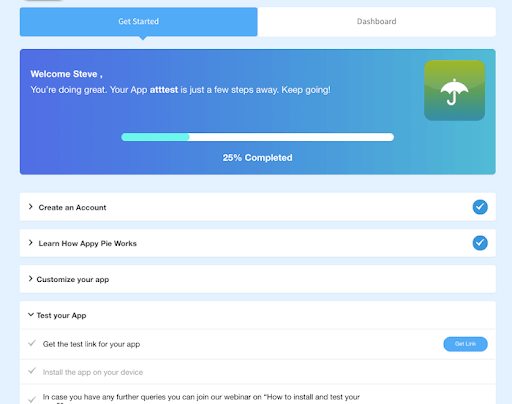
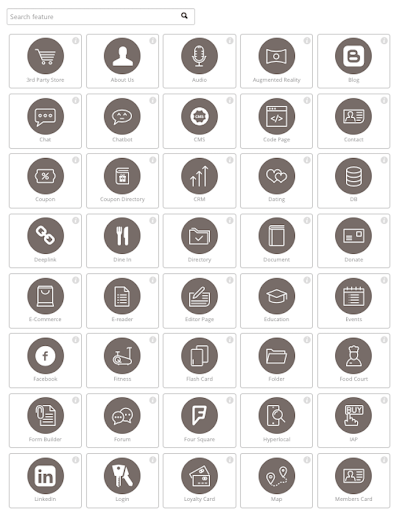
Appy Pie is a diversified no-code development platform. It offers app and web development, helpdesk support, chatbot building, design features, and integration that are helpful when starting, running, or growing a business.
$16
per app/per month
Asana
Score 8.5 out of 10
N/A
Asana is a web and mobile project management app. With tasks, projects, conversations, and dashboards, Asana lets an entire team know who's doing what by when, enabling workload balancing. Users can also add integrations for GANTT charts, time tracking and more.
$13.49
per month per user
Pricing
Appy Pie
Asana
Editions & Modules
Basic
$16
per app/per month
Gold
$36
per app/per month
Platinum
$60
per app/per month
Starter
$13.49
per month per user
Advanced
$30.49
per month per user
Enterprise
Contact Sales
Personal
Free
Offerings
Pricing Offerings
Appy Pie
Asana
Free Trial
Yes
Yes
Free/Freemium Version
No
Yes
Premium Consulting/Integration Services
Yes
Yes
Entry-level Setup Fee
No setup fee
Optional
Additional Details
—
A discount is offered for annual billing.
More Pricing Information
Community Pulse
Appy Pie
Asana
Features
Appy Pie
Asana
Low-Code Development
Comparison of Low-Code Development features of Product A and Product B
Appy Pie
9.0
1 Ratings
7% above category average
Asana
-
Ratings
Visual Modeling
9.01 Ratings
00 Ratings
Drag-and-drop Interfaces
10.01 Ratings
00 Ratings
Platform Security
8.01 Ratings
00 Ratings
Platform Scalability
9.01 Ratings
00 Ratings
Project Management
Comparison of Project Management features of Product A and Product B
Appy Pie
-
Ratings
Asana
8.4
179 Ratings
9% above category average
Task Management
00 Ratings
9.2179 Ratings
Resource Management
00 Ratings
8.1152 Ratings
Gantt Charts
00 Ratings
9.261 Ratings
Scheduling
00 Ratings
8.4162 Ratings
Workflow Automation
00 Ratings
9.2132 Ratings
Team Collaboration
00 Ratings
9.4178 Ratings
Support for Agile Methodology
00 Ratings
8.57 Ratings
Support for Waterfall Methodology
00 Ratings
8.57 Ratings
Document Management
00 Ratings
8.5150 Ratings
Email integration
00 Ratings
8.6142 Ratings
Mobile Access
00 Ratings
8.8149 Ratings
Timesheet Tracking
00 Ratings
6.16 Ratings
Change request and Case Management
00 Ratings
8.44 Ratings
Budget and Expense Management
00 Ratings
7.177 Ratings
Professional Services Automation
Comparison of Professional Services Automation features of Product A and Product B
Based on my personal experience, this application is well-suited for noncoders who are busy setting up their businesses and since coders are expensive for the company in the initial days as in for startups, this application goes hand in hand and is quick and robust along with its amazing features like drag and drop and just the cloud storage facility.
The usability of Asana is broad since it's available in a variety of platforms that are widely used nowadays. I think that it would be great for people who are constantly on the move and switching devices, since it has allowed me to work from my phone, too. I also think that Asana has proven itself to handle a large quantity of work
Through it, we were able to communicate and cooperate with the rest of the team to complete the work in the required manner and at the appropriate time.
The application requires to be run on fast processing computers/laptops
This is a good application that isn't much known among non-coders, it needs to be marketed so that boosts this app developer to add more advanced features
Like I said in previous questions, the no-code application has basic and easy features that are literally a no-brainer and even a person with zero knowledge of coding can do wonders with this as his/her tool. Apart from that, the application is cost-effective while time and money are two key things to be taken care of as a startup owner, this app came hand in hand with me
It is very user-friendly. Takes a new employee an hour to start figuring out how the system works. That's an important factor. You don't want to encounter the issue where employees need a week to understand how the system works. For example, JIRA, I tried using it for a week and I still don't understand the complicated layout. Asana has a simple interface. Once you see it, you get it type of program.
I have been using this for some time now and the website of the no-code application is all self-explanatory that is the reason I never have reached to the support team anytime, but before using this application I have gone through the reviews and read the positive response and I believe it has still gotten stronger since then.
I haven't had to use their support so I can't rate it. The fact that I haven't needed them reflects the ease of use of the product. I would recommend that any new users schedule a complete demo of the product to ensure that they are using it to it's fullest (there's a lot of useful features).
Webflow has quite a lot of complexity in comparison to the no-code app which instead is user-friendly. There are more issues with application getting hung in between working but that isn't a bigger problem in the no-code app. Apart from that, the no-code app has blocks that can be used to edit/add/delete which are literally a no-brainer.
Asana is a top-tier project management software that helps us organize and track projects from start to finish. It allows us to apply tasks/to-dos to multiple projects without duplication, divide complex projects into smaller tasks, and track project progress. It also helps us organize work on Kanban boards or linear lists. It stands out from the crowd in a big way compared to the competition.