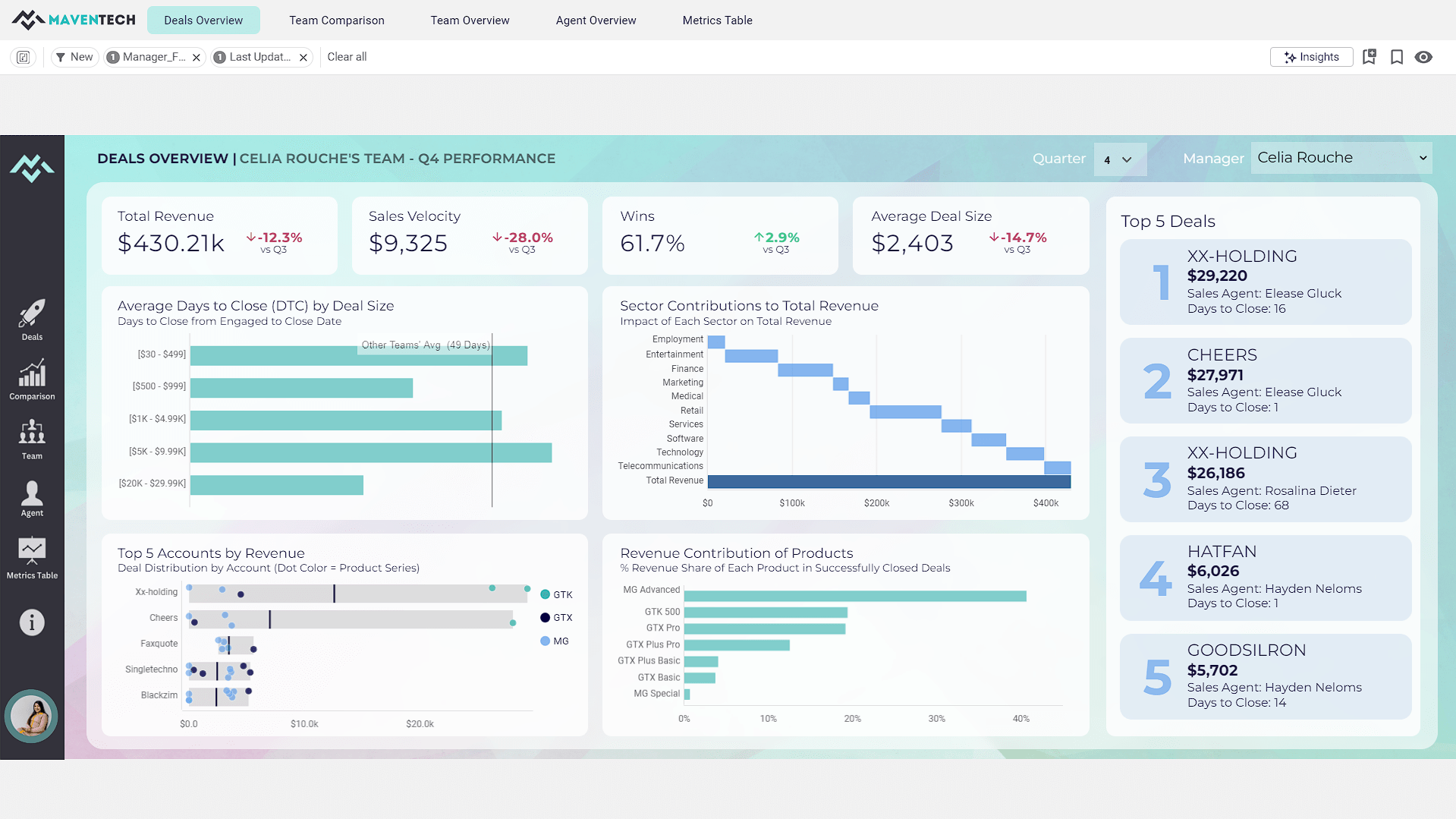
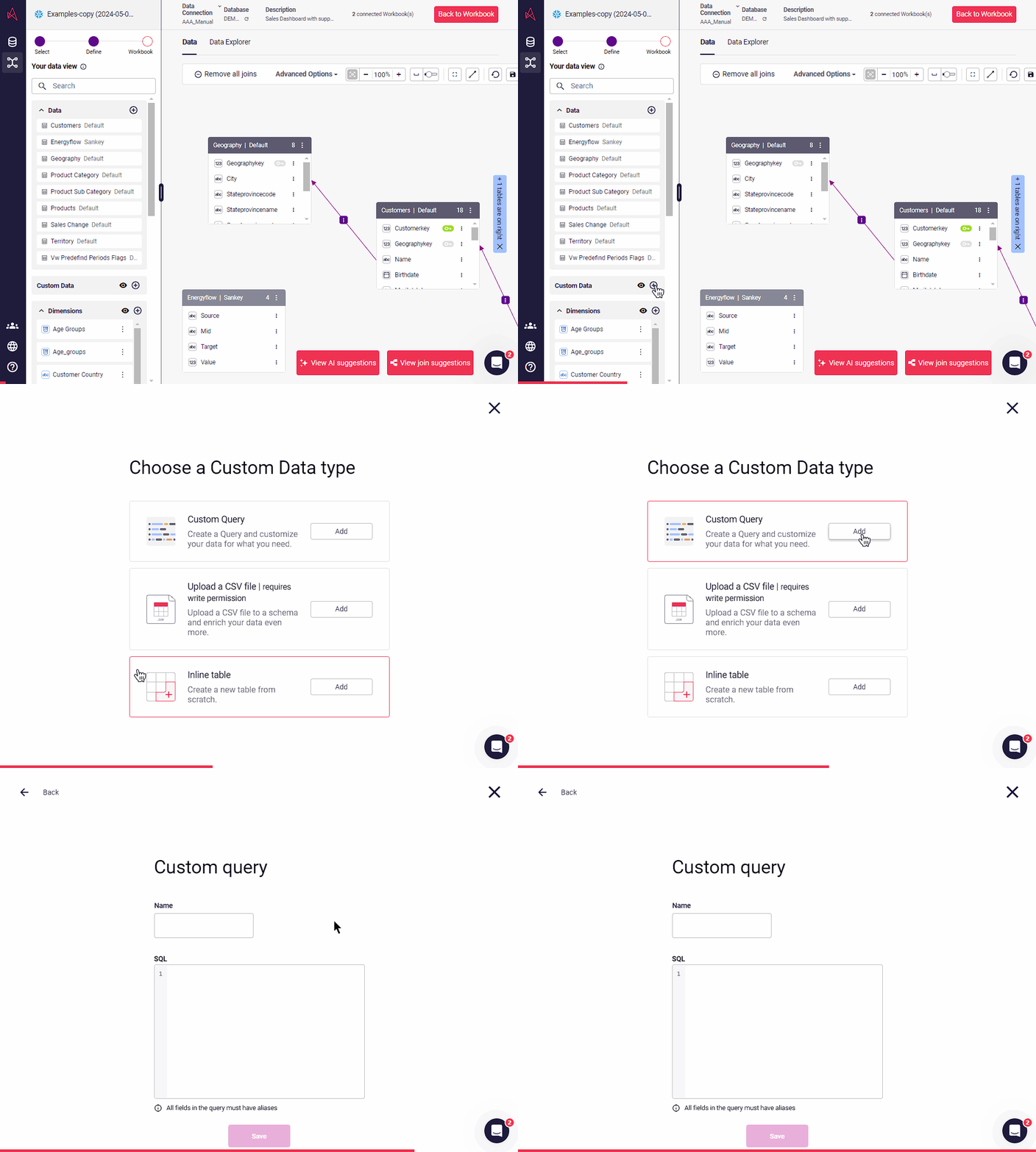
A self-service BI solution, Astrato puts analytics in the hands of every user, enabling them to build their own reports and answer data questions without IT help. Astrato accelerates adoption, speeds up decision-making, and unifies analytics, embedded analytics, data input, and data apps in one platform. With Astrato, Self-Service business users can see and understand data that resides in the Data Cloud (Snowflake, Databricks, BigQuery, Redshift, Dremio,…
$12
per month per user
Tableau Cloud
Score 7.9 out of 10
N/A
Tableau Cloud (formerly Tableau Online) is a self-service analytics platform that is fully hosted in the cloud. Tableau Cloud enables users to publish dashboards and invite colleagues to explore hidden opportunities with interactive visualizations and accurate data, from any browser or mobile device.
Astrato is a cloud-native tool with the ability to manage an effortless live connection to modern cloud data warehouses for real time updates. This sets them apart from legacy platforms which are desktop-centric. Astrato is also capable of a level of dashboard graphics quality …
At the time, Astrato was the only one that provided the ability to embed dashboards into our application and not require a paid license seat for each user. Astrato is the only BI tool that lets you download data into pre-formatted Excel sheets with conditional formatting and …
Astrato Analytics provides a feature-rich application that it easy to use for the non-technical user yet robust enough to create a sophisticated SaaS application. Astrato Analytics provides native integration to all the major large cloud data platforms and the implementation is very straight forward. The value provided through their feature-rich platform and competitive pricing is unmatched.
If you're using Tableau as the primary BI tool, then Tableau Cloud is well suited to publish and share the results with a wide(r) audience. It is well suited for various degrees of self-service proficiency, from pure consumers of analytical work to more advanced users who can use web editing for smaller or larger adjustments, and even for desktop power users who will publish their work to Tableau Cloud. It has many good ways to organize the content and make it easily accessible via search, favorites, folders, collections ("playlists for your data"), or history ("recents"). It might not be ideally suited if there are many on-prem sources to be used (even though there are options to connect them) or if you have very special requirements regarding custom server setup, which is limited in a shared cloud environment like Tableau Cloud.
Writeback to the database is simple and straightforward and allows us to build apps in the tool with a level of interation that is not possible with other BI tools
Version control that is built into the workbooks allows us to quickly deploy changes without the fear of losing the older version and maintianing both a historcal updates and the ability to rollback
Easy connectivity to a wide range of data platforms including Snowflake, Databricks, and Google Workspace within the same tenant allows us to leverage data from each of these platforms for specific use cases
Tableau Online is completely cloud based and that's why the reports and dashboards are accessible even on the go. One doesn't always need to access the office laptop to access the reports.
The visualizations are interactive and one can quickly change the level at which they want to view the information. For example, one person might be more interested in looking at the country level performances rather than client level. This is intuitive and one doesn't need to create multiple reports for the same.
The feature to ask questions in plain vanilla English language is great and helpful. For quick adhoc fact checks one can simply type what they are looking for and the Natural Language Programming algorithms under the hood parse the query, interpret it and then fetch the results accordingly in a visual form.
The product is still young, as a consequence, some features aren't as mature as competitors. Astrato has worked to catch up quickly, by rolling out new features regularly
Better ability to control icons and themes from a central point, instead of having to add/change them on each report
It is a very intuitive system, a pleasure to use, practical and simple, for medium to advanced activities. BI supervisors are delighted with much of the functionality, but highlight some weaknesses that they still have, such as the loading speed in HEIC-type files.
Without a doubt, it is a tool that has become essential in our business routine.
Based on comments from our clients, I awarded it this grade. Non-technical customers frequently compliment us on the ease with which they can utilize Tableau Online. Usability is rarely a source of contention amongst our customers. Few complaints have come from me as a user of our internal products.
I have not had any issues that require customer support from Tableau at this time, which speaks well to Tableau. I have taken an online course with Tableau and it was very professional and well done, so based on that I would assume a similar level of quality for their customer service.
To scale PowerBi, we would have needed a staff of technical folks and a substantial budget, and we still probably could not have created the robust SaaS application we did with Astrato Analytics. Astrato Analytics allowed for a staff of two to create and rollout a SaaS Application in under 60 days and provided hands on support to us as needed. There really is no comparison.
In determining whether to go with Tableau Online versus Alteryx, two important factors stood out in determining our go-to solution. First, while Alteryx is an impressive tool for data cleansing, it did not stack up in terms of data visualization capabilities. Tableau, on the other hand, provided us everything we needed in terms of visualizing our data and analytics. The second factor is cost. Well neither solution would be considered cheap, Tableau was the more cost effective solution for our needs.