
Chartio (discontinued) vs. Conga Grid
Chartio (discontinued) vs. Conga Grid
| Product | Rating | Most Used By | Product Summary | Starting Price |
|---|---|---|---|---|
 Chartio (discontinued) | N/A | Chartio is a visualization tool designed to enable anyone to explore, transform and visualize data on the fly through a drag-and-drop interface. Chartio was acquired by Atlassian in February 2021 so that it's capabilities could be integrated into the Atlassian product portfolio's capabilities. Chartio is no longer available to new customers, standalone. Existing customers must migrate to alternatives by March 2022, when the service will be retired. | $40 per user/per month | |
 Conga Grid | N/A | Conga Grid is a productivity tool within Salesforce that allows users to view, sort, and manage data batches from a single screen. It helps users to find and manage the information and insights needed with fewer clicks and less screen switching. Conga Grid helps its users to save time, improve data quality, get a clear view into needed data, and create a more productive workplace in Salesforce to drive growth across the organization. Using… | N/A |
| Chartio (discontinued) | Conga Grid | |||||||||||||||
|---|---|---|---|---|---|---|---|---|---|---|---|---|---|---|---|---|
| Editions & Modules |
| No answers on this topic | ||||||||||||||
| Offerings |
| |||||||||||||||
| Entry-level Setup Fee | No setup fee | Optional | ||||||||||||||
| Additional Details | — | — | ||||||||||||||
| More Pricing Information | ||||||||||||||||
| Chartio (discontinued) | Conga Grid |
|---|
| Chartio (discontinued) | Conga Grid | |||||||||||||||
|---|---|---|---|---|---|---|---|---|---|---|---|---|---|---|---|---|
| BI Standard Reporting |
| |||||||||||||||
| Ad-hoc Reporting |
| |||||||||||||||
| Report Output and Scheduling |
| |||||||||||||||
| Data Discovery and Visualization |
|
| Chartio (discontinued) | Conga Grid | |
|---|---|---|
| Small Businesses |  Supermetrics Score 9.7 out of 10 | Supermetrics Score 9.7 out of 10 |
| Medium-sized Companies | Supermetrics Score 9.7 out of 10 | Supermetrics Score 9.7 out of 10 |
| Enterprises |  IBM Analytics Engine Score 7.1 out of 10 | IBM Analytics Engine Score 7.1 out of 10 |
| All Alternatives | View all alternatives | View all alternatives |
| Chartio (discontinued) | Conga Grid | |
|---|---|---|
| Likelihood to Recommend | 8.0 (30 ratings) | 9.7 (10 ratings) |
| Likelihood to Renew | 8.0 (24 ratings) | - (0 ratings) |
| Usability | 7.6 (6 ratings) | 7.7 (4 ratings) |
| Availability | 8.6 (2 ratings) | - (0 ratings) |
| Performance | 7.3 (1 ratings) | - (0 ratings) |
| Support Rating | - (0 ratings) | 9.0 (1 ratings) |
| Online Training | 8.2 (1 ratings) | - (0 ratings) |
| Implementation Rating | 7.3 (1 ratings) | - (0 ratings) |
| Product Scalability | 6.8 (2 ratings) | - (0 ratings) |
| Chartio (discontinued) | Conga Grid | |
|---|---|---|
| Likelihood to Recommend |  Discontinued Products
 Kyle Epps Sr. Manager, Business Operations and Technology |  Conga
|
| Pros | Discontinued Products
| Conga
 Jack Borland Senior Manager, Salesforce & Marketing Automation Operations |
| Cons | Discontinued Products
| Conga
|
| Likelihood to Renew | Discontinued Products
 Devin Knight User Researcher | Conga No answers on this topic |
| Usability | Discontinued Products
| Conga
|
| Support Rating | Discontinued Products No answers on this topic | Conga
Jack Borland Senior Manager, Salesforce & Marketing Automation Operations |
| Online Training | Discontinued Products
| Conga No answers on this topic |
| Alternatives Considered | Discontinued Products
| Conga
|
| Scalability | Discontinued Products
 Asa Pogrelis Director of Sales and Marketing | Conga No answers on this topic |
| Return on Investment | Discontinued Products No answers on this topic | Conga
 Kyle Rapaport Supply Chain Recruiter |
| ScreenShots | Chartio (discontinued) Screenshots 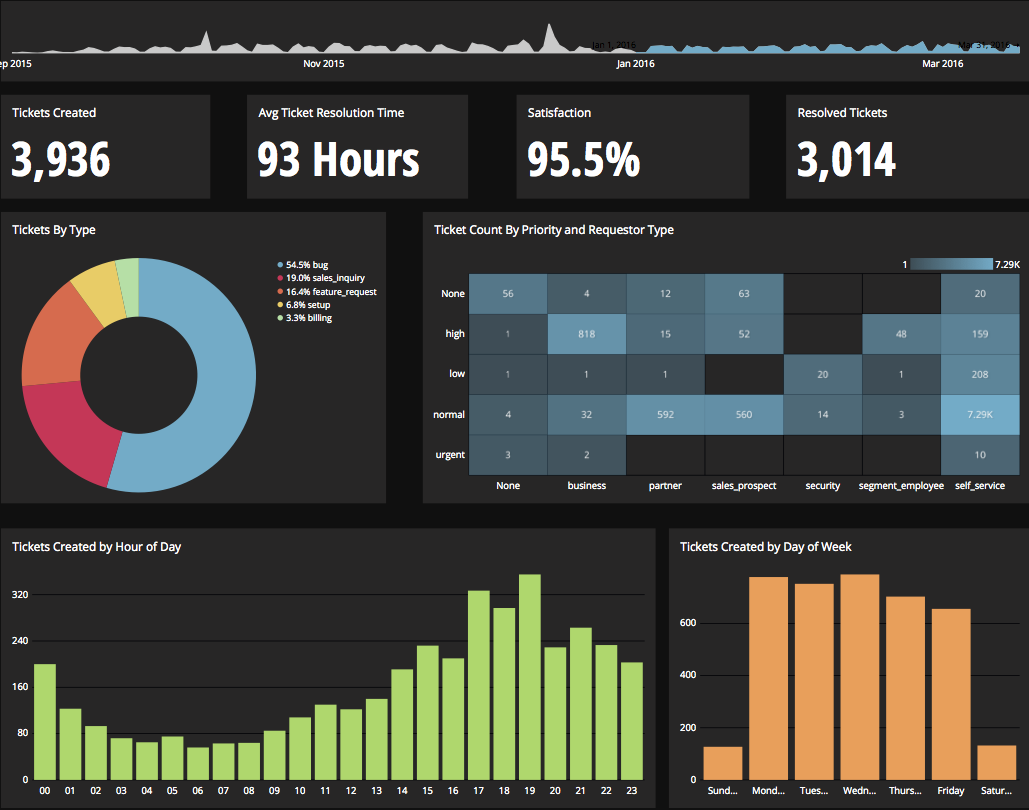     | Conga Grid Screenshots      |