Atlassian Service Collection, with Jira Service Management vs. GitLab vs. GoCD

Overview
ProductRatingMost Used ByProduct SummaryStarting Price
Atlassian Service Collection
Score 8.0 out of 10
N/A
The Atlassian Service Collection, including the no longer available standalone Jira Service Management, is an integrated suite of service management applications built on Atlassian's unified Jira platform architecture. Designed to bring development, operations, internal IT, and external support teams onto a single workflow engine, the Service Collection consolidates support infrastructures to deliver service at high velocity.
$0
per month
GitLab
Score 8.8 out of 10
N/A
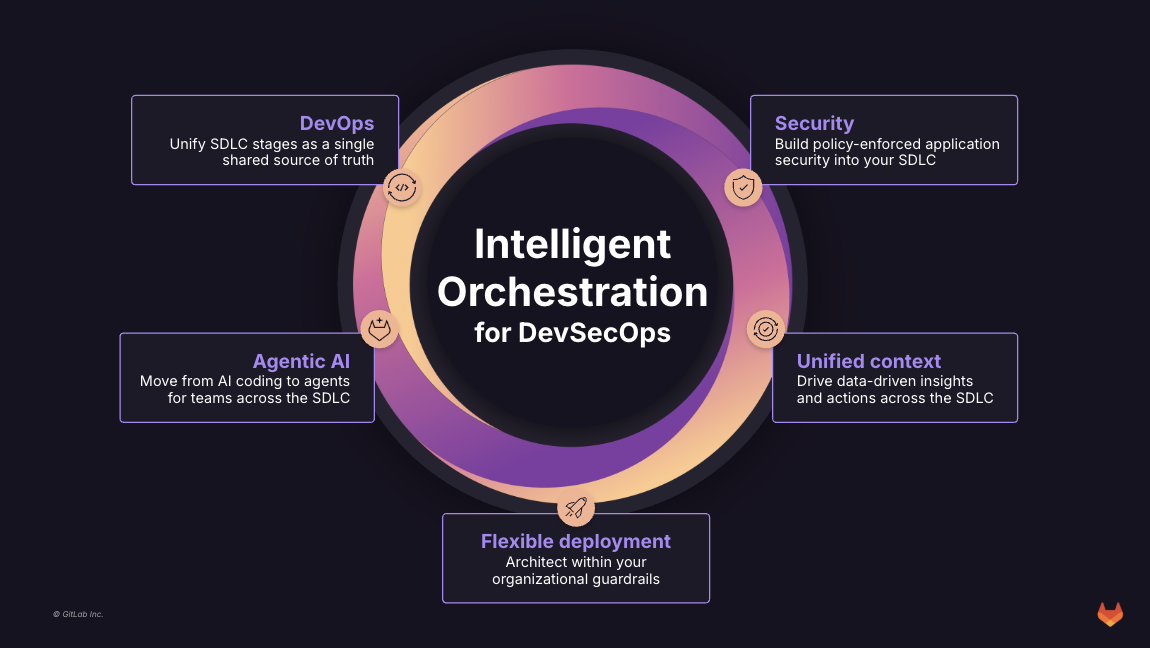
GitLab is an intelligent orchestration platform for DevSecOps, where software teams enable AI at every stage of the software lifecycle to ship faster. The platform enables teams to automate repetitive tasks across planning, building, securing, testing, deploying, and maintaining software.
$0
per month per user
GoCD
Score 8.0 out of 10
N/A
GoCD, from ThoughtWorks in Chicago, is an application lifecycle management and development tool.N/A
Pricing
Atlassian Service Collection, with Jira Service ManagementGitLabGoCD
Editions & Modules
Free
$0
per month
Standard
$20
per agent/per month
Premium
$40
per agent/per month
Enterprise
Contact sales team
GitLab Free (self-managed)
$0
GitLab Free
$0
GitLab Premium
$29
per month per user
GitLab Premium (self-managed)
$29
per month per user
GitLab Ultimate
Contact Sales
GitLab Ultimate (self-managed)
Contact Sales
No answers on this topic
Offerings
Pricing Offerings
Atlassian Service CollectionGitLabGoCD
Free Trial
YesYesNo
Free/Freemium Version
YesYesNo
Premium Consulting/Integration Services
YesYesNo
Entry-level Setup FeeNo setup feeOptionalNo setup fee
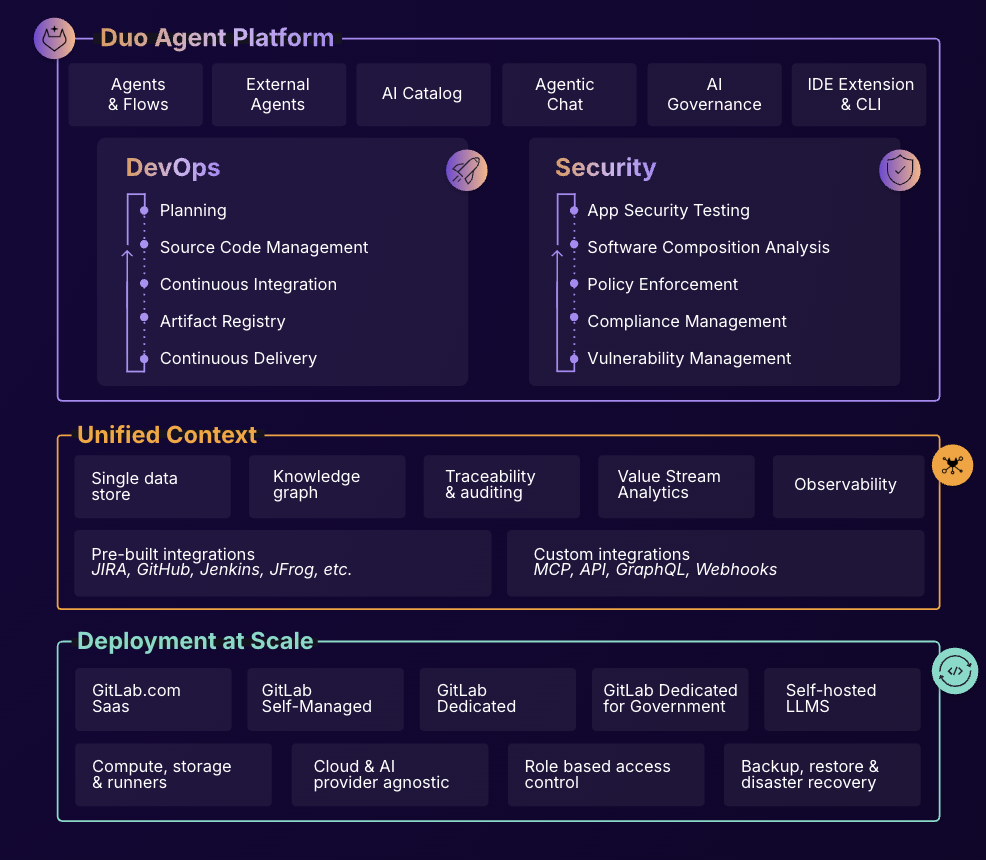
Additional DetailsGitLab Credits enable flexible, consumption-based access to agentic AI capabilities in the GitLab platform, allowing you to scale AI adoption at your own pace while maintaining cost predictability. Powered by Duo Agent Platform, GitLab’s agentic AI capabilities help software teams to collaborate at AI speed, without compromising quality and enterprise security. If usage exceeds monthly allocations and overage terms are accepted, automated on-demand billing activates without service interruption, so your developers never lose access to AI capabilities they need. Real-time dashboards provide transparency into AI consumption patterns. Software teams can see usage across users, projects, and groups with granular attribution for cost allocation. Automated threshold alerts facilitate proactive planning. Advanced analytics deliver trending, forecasting, and FinOps integration.
More Pricing Information
Community Pulse
Atlassian Service Collection, with Jira Service ManagementGitLabGoCD
Considered Multiple Products
Atlassian Service Collection
Chose Atlassian Service Collection, with Jira Service Management
Jira Service Desk has similar or equivalent features to heavyweight competitors as HP Service Manager, for a better price. The highlight of Jira Service Desk, in my opinion, is that you can customize a series of visual boards that are tremendously useful for an agile and …
GitLab
Chose GitLab
  • GitLab was chosen for the auto dev ops feature over GitHub, but then GitHub shortly then came out with GitHub Actions.
  • We also moved from GitHub enterprise to GitLab, so cost-wise was cheaper as we didn't have to host GitLab.
  • GoCD was too slow and restrictive for our liking.
Chose GitLab
The best thing about GitLab is the pricing and the smooth and fast onboarding. The base plan itself covers most use cases in Gitlab and that too is completely free, this gives the small companies or the startups the push they require at the beginning. Other than that Gitlab has …
Chose GitLab
In terms of issue tracking and wiki documentation, Gitlab isn't as fully featured as them and has a more developer-centric workflow and GUI. This makes it more difficult for other organisation members to learn and adopt the software fully. However, Gitlab was still chosen …
GoCD

No answer on this topic

Features
Atlassian Service Collection, with Jira Service ManagementGitLabGoCD
Incident and problem management
Comparison of Incident and problem management features of Product A and Product B
Atlassian Service Collection, with Jira Service Management
8.9
86 Ratings
9% above category average
GitLab
-
Ratings
GoCD
-
Ratings
Organize and prioritize service tickets9.285 Ratings00 Ratings00 Ratings
Expert directory9.02 Ratings00 Ratings00 Ratings
Service restoration9.52 Ratings00 Ratings00 Ratings
Self-service tools8.977 Ratings00 Ratings00 Ratings
Subscription-based notifications10.01 Ratings00 Ratings00 Ratings
ITSM collaboration and documentation8.472 Ratings00 Ratings00 Ratings
ITSM reports and dashboards7.473 Ratings00 Ratings00 Ratings
ITSM asset management
Comparison of ITSM asset management features of Product A and Product B
Atlassian Service Collection, with Jira Service Management
10.0
1 Ratings
20% above category average
GitLab
-
Ratings
GoCD
-
Ratings
Configuration mangement10.01 Ratings00 Ratings00 Ratings
Asset management dashboard10.01 Ratings00 Ratings00 Ratings
Policy and contract enforcement10.01 Ratings00 Ratings00 Ratings
Change management
Comparison of Change management features of Product A and Product B
Atlassian Service Collection, with Jira Service Management
7.9
80 Ratings
8% below category average
GitLab
-
Ratings
GoCD
-
Ratings
Change requests repository8.873 Ratings00 Ratings00 Ratings
Change calendar6.52 Ratings00 Ratings00 Ratings
Service-level management8.478 Ratings00 Ratings00 Ratings
Best Alternatives
Atlassian Service Collection, with Jira Service ManagementGitLabGoCD
Small Businesses
Agiloft Service Desk (discontinued)
Score 9.0 out of 10
GitGuardian
GitGuardian
Score 9.0 out of 10
GitLab
GitLab
Score 8.8 out of 10
Medium-sized Companies
Agiloft Service Desk (discontinued)
Score 9.0 out of 10
Veracode
Veracode
Score 8.6 out of 10
GitLab
GitLab
Score 8.8 out of 10
Enterprises
TeamDynamix IT Service Management (ITSM)
Score 9.8 out of 10
Checkmarx
Checkmarx
Score 7.6 out of 10
GitLab
GitLab
Score 8.8 out of 10
All AlternativesView all alternativesView all alternativesView all alternatives
User Ratings
Atlassian Service Collection, with Jira Service ManagementGitLabGoCD
Likelihood to Recommend
8.3
(87 ratings)
8.4
(162 ratings)
9.0
(2 ratings)
Likelihood to Renew
10.0
(2 ratings)
9.0
(5 ratings)
-
(0 ratings)
Usability
8.7
(12 ratings)
8.9
(14 ratings)
-
(0 ratings)
Availability
10.0
(1 ratings)
-
(0 ratings)
-
(0 ratings)
Performance
10.0
(1 ratings)
9.0
(1 ratings)
-
(0 ratings)
Support Rating
10.0
(26 ratings)
10.0
(12 ratings)
-
(0 ratings)
In-Person Training
10.0
(1 ratings)
-
(0 ratings)
-
(0 ratings)
Online Training
10.0
(1 ratings)
-
(0 ratings)
-
(0 ratings)
Implementation Rating
10.0
(1 ratings)
-
(0 ratings)
-
(0 ratings)
Configurability
10.0
(1 ratings)
-
(0 ratings)
-
(0 ratings)
Contract Terms and Pricing Model
10.0
(1 ratings)
-
(0 ratings)
-
(0 ratings)
Ease of integration
10.0
(1 ratings)
-
(0 ratings)
-
(0 ratings)
Product Scalability
10.0
(1 ratings)
10.0
(1 ratings)
-
(0 ratings)
Professional Services
10.0
(1 ratings)
-
(0 ratings)
-
(0 ratings)
Vendor post-sale
10.0
(1 ratings)
-
(0 ratings)
-
(0 ratings)
Vendor pre-sale
10.0
(1 ratings)
-
(0 ratings)
-
(0 ratings)
User Testimonials
Atlassian Service Collection, with Jira Service ManagementGitLabGoCD
Likelihood to Recommend
Atlassian
I think using a ticketing system is very easy to use and allows multiple teams to create help desks in the same portal. In terms of internal usage, I think this is a great option. However, suppose you're trying to keep internal items and external helpdesks in the same instance. In that case, this is not ideal, as there is no effective way to separate the two instances to protect internal data better.
Read full review
GitLab
GitLab is good if you work a lot with code and do complex repository actions. It gives you a very good overview of what were the states of your branches and the files in them at different stages in time. It's also way easier and more efficient to write pipelines for CI\CD. It's easier to read and it's easier to write them. It takes fewer clicks to achieve the same things with GitLab than it does for competitor products.
Read full review
ThoughtWorks
Previously, our team used Jenkins. However, since it's a shared deployment resource we don't have admin access. We tried GoCD as it's open source and we really like. We set up our deployment pipeline to run whenever codes are merged to master, run the unit test and revert back if it doesn't pass. Once it's deployed to the staging environment, we can simply do 1-click to deploy the appropriate version to production. We use this to deploy to an on-prem server and also AWS. Some deployment pipelines use custom Powershell script for.Net application, some others use Bash script to execute the docker push and cloud formation template to build elastic beanstalk.
Read full review
Pros
Atlassian
  • Integration with many of the most common tools companies are using (Slack, MS Teams, Salesforce, ... etc)
  • Natural workflow with Jira (as product development / project management tool) which makes the full fix and follow up of the tickets / issues very easy to follow
  • Allow multiple different entry points and work flows for as many different needs your teams / company have
Read full review
GitLab
  • GitLab excels in managing code versions, allowing easy tracking of changes, branch management, and merging contributions.
  • It helps maintain code stability and reliability, saving time and effort in the development or research workflow.
  • Powerful code review features, enabling collaboration and feedback among team members.
  • Robust project management features, including issue tracking, kanban boards, and milestones.
Read full review
ThoughtWorks
  • Pipeline-as-Code works really well. All our pipelines are defined in yml files, which are checked into SCM.
  • The ability to link multiple pipelines together is really cool. Later pipelines can declare a dependency to pick up the build artifacts of earlier ones.
  • Agents definition is really great. We can define multiple different kinds of environments to best suit our diverse build systems.
Read full review
Cons
Atlassian
  • Navigating through issues outside of a kan ban board can be confusing and task heavy.
  • It's easy to clutter up the tool. It could use some easy clean up capabilities.
  • User interface is decent, but could use work to make it more intuitive.
Read full review
GitLab
  • CI variables management is sometimes hard to use, for example, with File type variables. The scope of each variable is also hard to guess.
  • Access Token: there are too many types (Personal, Project, global..), and it is hard to identify the scope and where it comes from once created.
  • Runners: auto-scaled runners are for the moment hard to put in place, and monitoring is not easy.
Read full review
ThoughtWorks
  • UI can be improved
  • Location for settings can be re-arranged
  • API for setting up pipeline
Read full review
Likelihood to Renew
Atlassian
Pricing is attractive
Read full review
GitLab
I really feel the platform has matured quite faster than others, and it is always at the top of its game compared to the different vendors like GitHub, Azure pipelines, CircleCI, Travis, Jenkins. Since it provides, agents, CI/CD, repository hosting, Secrets management, user management, and Single Sign on; among other features
Read full review
ThoughtWorks
No answers on this topic
Usability
Atlassian
If you're used to other tools in the Atlassian ecosystem, you'll feel right at home with JSM. It's also a platform that technical folk can easily pick up. However, I wouldn't recommend using JSM as a company's first jumping off point into Atlassian. There are a lot of other 'newer' tools that provide sleeker ITSM systems at a similar cost.
Read full review
GitLab
GitLab is very useable even new hires are not getting a hard time learning it. You can clone the repository with different options, pushinh and pulling branches are a breeze. Giving code review is intuitive, posting comments and comparing changes on the code doesn't give you a hard time since it's very readable.
Read full review
ThoughtWorks
No answers on this topic
Reliability and Availability
Atlassian
Product is stable and it improved the availability
Read full review
GitLab
I've never had experienced outages from GItlab itself, but regarding the code I have deployed to Gitlab, the history helps a lot to trace the cause of the issue or performing a rollback to go back to a working version
Read full review
ThoughtWorks
No answers on this topic
Performance
Atlassian
Accessing Jira Service Management is easy and fast.
Read full review
GitLab
GItlab reponsiveness is amazing, has never left me IDLE. I've never had issues even with complex projects. I have not experienced any issues when integrating it with agents for example or SSO
Read full review
ThoughtWorks
No answers on this topic
Support Rating
Atlassian
I gave JIRA a 9 rating since for me JIRA works according to its purpose. Since there is a customer portal, our clients can leave a comment or communicate with us using the PR ticket that way it is easier for us to also request any additional information we need for our investigation.
Read full review
GitLab
At this point, I do not have much experience with Gitlab support as I have never had to engage them. They have documentation that is helpful, not quite as extensive as other documentation, but helpful nonetheless. They also seem to be relatively responsive on social media platforms (twitter) and really thrived when GitHub was acquired by Microsoft
Read full review
ThoughtWorks
No answers on this topic
In-Person Training
Atlassian
Online Training from Atlassian was really Good to effectively deploy, manage, and utilize Jira Service Management. It really improved the overall Operational Efficiency and productivity of end users in the organization. Training gives the confidence to use Jira Service Management for all of the Product engineering, Application support, and Infrastructure engineering support team members.
Read full review
GitLab
No answers on this topic
ThoughtWorks
No answers on this topic
Online Training
Atlassian
Online Training was good and informative for new users adopting Jira Service Management. The Training helped to understand the product features, customization capabilities, and integration options with various tools in an enterprise organization, so the overall productivity and efficiency are improved at Blue Yonder. It also helps to timely address the incident tickets, user stories, and track and close them in a timely manner.
Read full review
GitLab
No answers on this topic
ThoughtWorks
No answers on this topic
Alternatives Considered
Atlassian
Zendesk is a similar ticketing system that our organization used before JIRA Service Desk. The main drawback of Zendesk was that it can only be used as a cloud service. This means that our company data would be living on the internet at the hands of their security team. Another drawback of this is the price is significantly more expensive rather than hosting it yourself. Zendesk does have some additional features such as commenting on multiple tickets at once that JSD does lack. However, switching to JSD was significantly more cost effective because we have the ability and the infrastructure to host our own ticketing system, something that Zendesk could not provide. Ultimatley switching to JSD saved us money and allows the ability for integration with all of the other Atlassian Suite products that we use on a day to day basis.
Read full review
GitLab
Gitlab seems more cutting-edge than GitHub; however, its AI tools are not yet as mature as those of CoPilot. It feels like the next-generation product, so as we selected a tool for our startup, we decided to invest in the disruptor in the space. While there are fewer out-of-the-box templates for Gitlab, we have never discovered a lack of feature parity.
Read full review
ThoughtWorks
GoCD is easier to setup, but harder to customize at runtime. There's no way to trigger a pipeline with custom parameters.
Jenkins is more flexible at runtime. You can define multiple user-provided parameters so when user needs to trigger a build, there's a form for him/her to input the parameters.
Read full review
Scalability
Atlassian
In Blue Yonder, we have deployed across multiple departments and geographical sites as needed.
Read full review
GitLab
I think is very well designed, and like any VCS it works as intended
Read full review
ThoughtWorks
No answers on this topic
Professional Services
Atlassian
Professional Service support was Awesome during Cloud Migration.
Read full review
GitLab
No answers on this topic
ThoughtWorks
No answers on this topic
Return on Investment
Atlassian
  • It is definitely cheaper than Salesforce
  • It allows the IT service desk to be more organized and respond more quickly to tickets, which can save time for both agent and requester.
  • Some things are "not quite there" developmentally, so this means that internal IT will need to spend more time developing and testing the product.
Read full review
GitLab
  • GitLab cut down our spent on container, package and infrastructure registry
  • Best thing is we can now have everything in single platform which cost effective too
  • Quality of support is really good and they do have emergency support team as well which is great
Read full review
ThoughtWorks
  • ROI has been good since it's open source
  • Settings.xml need to be backed up periodically. It contains all the settings for your pipelines! We accidentally deleted before and we have to restore and re-create several missing pipelines
  • More straight forward use of API and allows filtering e.g., pull all pipelines triggered after this date
Read full review
ScreenShots

Atlassian Service Collection Screenshots
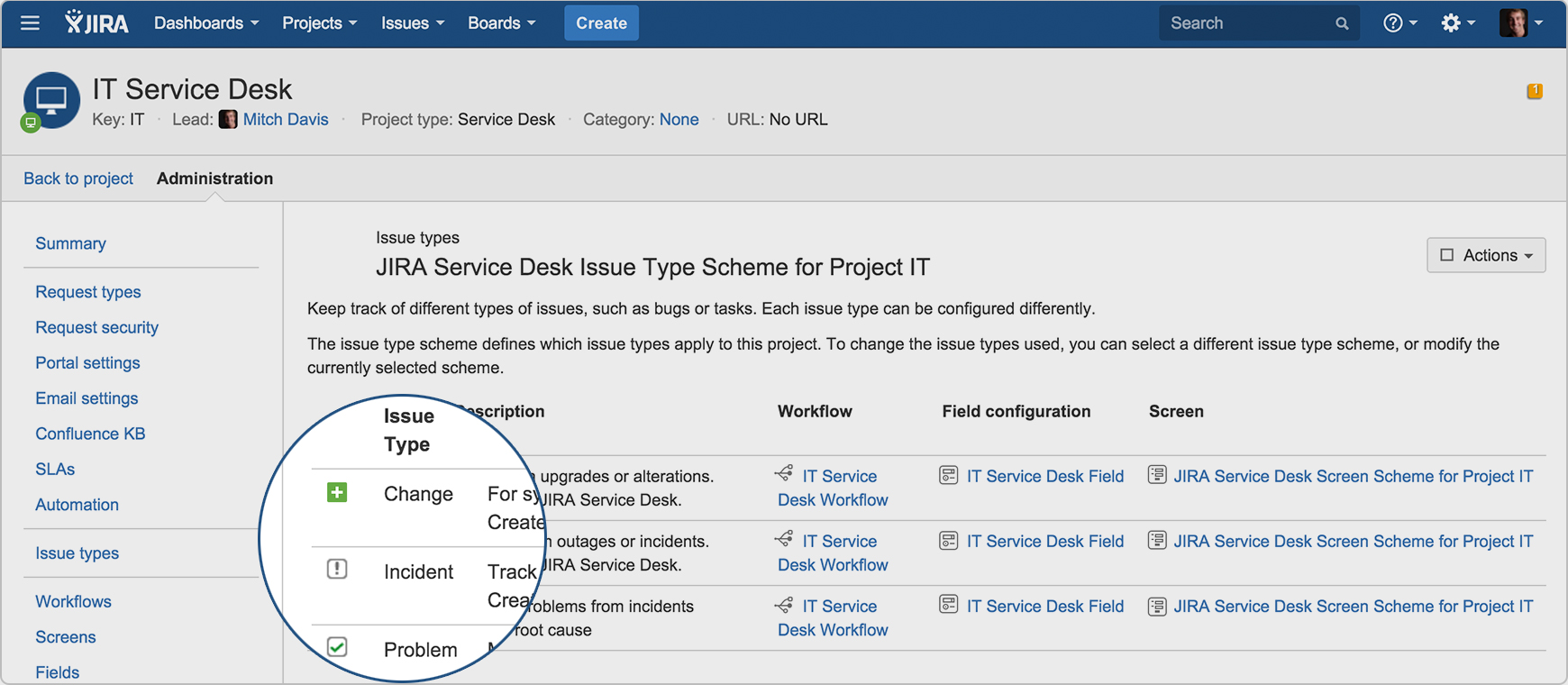
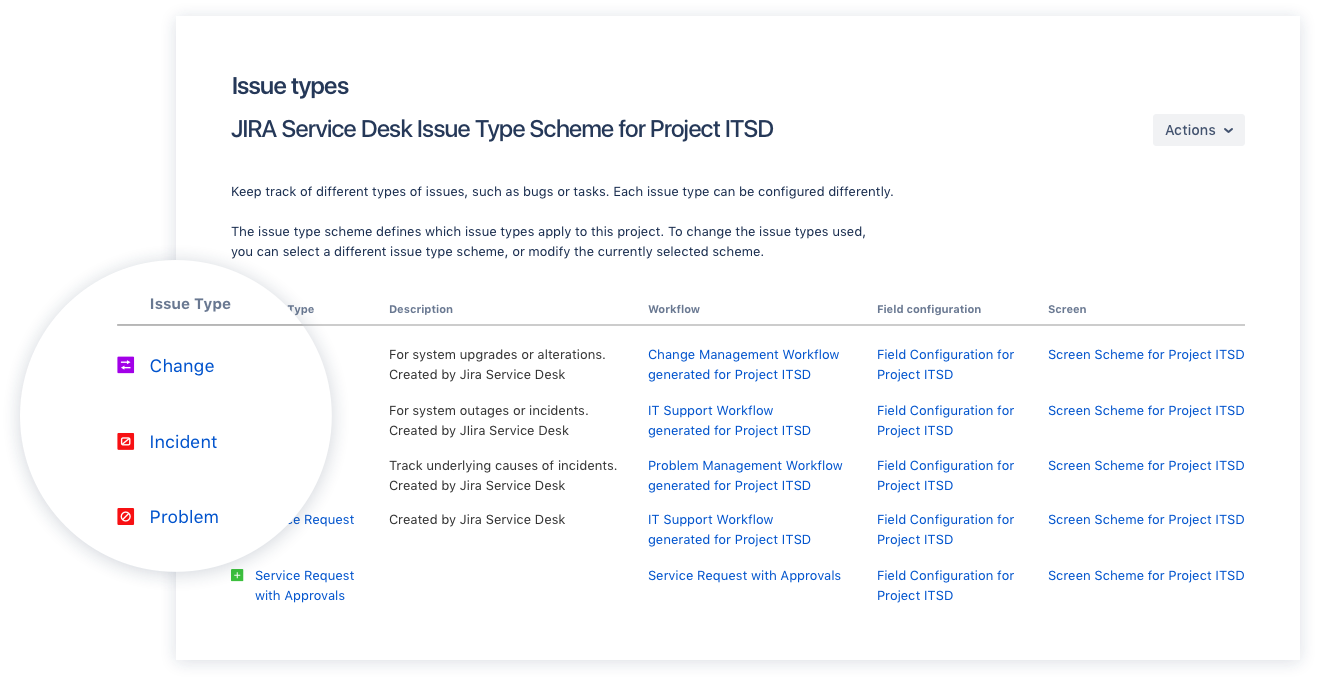
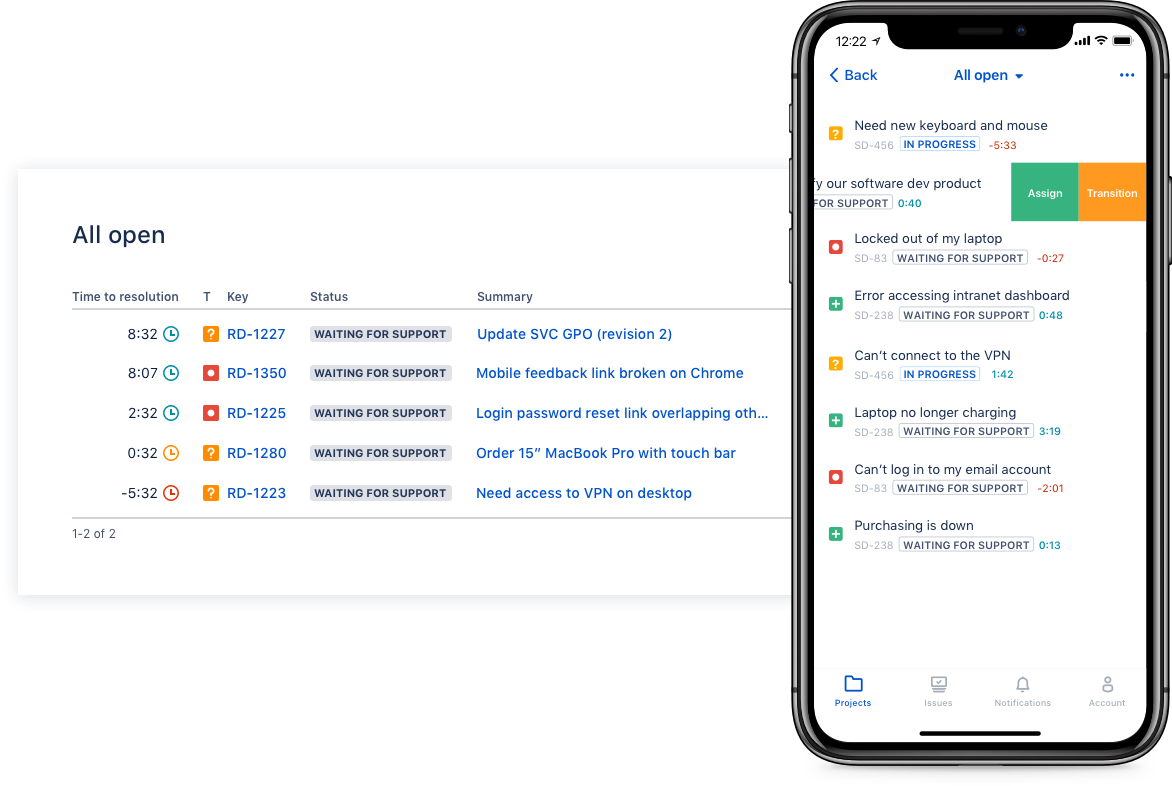
Screenshot of Drive IT best practices with ITIL-ready templates. Get everything your IT teams need out of the box for service request, incident, problem, and change management.Screenshot of Get an ITIL certified service desk. Everything your IT teams need out-of-the-box for service request, incident, problem, and change management. Jira Service Desk is PinkVERIFY™ certified.Screenshot of Deliver a better service experience. Customers or employees can submit requests with an easy-to-use help center and add Confluence to Jira Service Desk to get an integrated knowledge base. Machine learning intelligently recommends the right service and learns from every interaction, so answers are easy to find.Screenshot of Stay in the loop with developers. y linking Jira Service Desk with Jira Software, IT and developer teams can collaborate on one platform to fix incidents faster and push changes with confidence.Screenshot of Deliver on SLA's. Nail your Service Level Agreements, every time. Your agents get a simple queue so they get the important things done first. Configure and get going in minutes.Screenshot of Automate those repetitive tasks. Is your team stuck in gear with repetitive tasks or missing priority requests? Setup automations so your agents can focus on solving the important stuff and help lighten the workload.

GitLab Screenshots

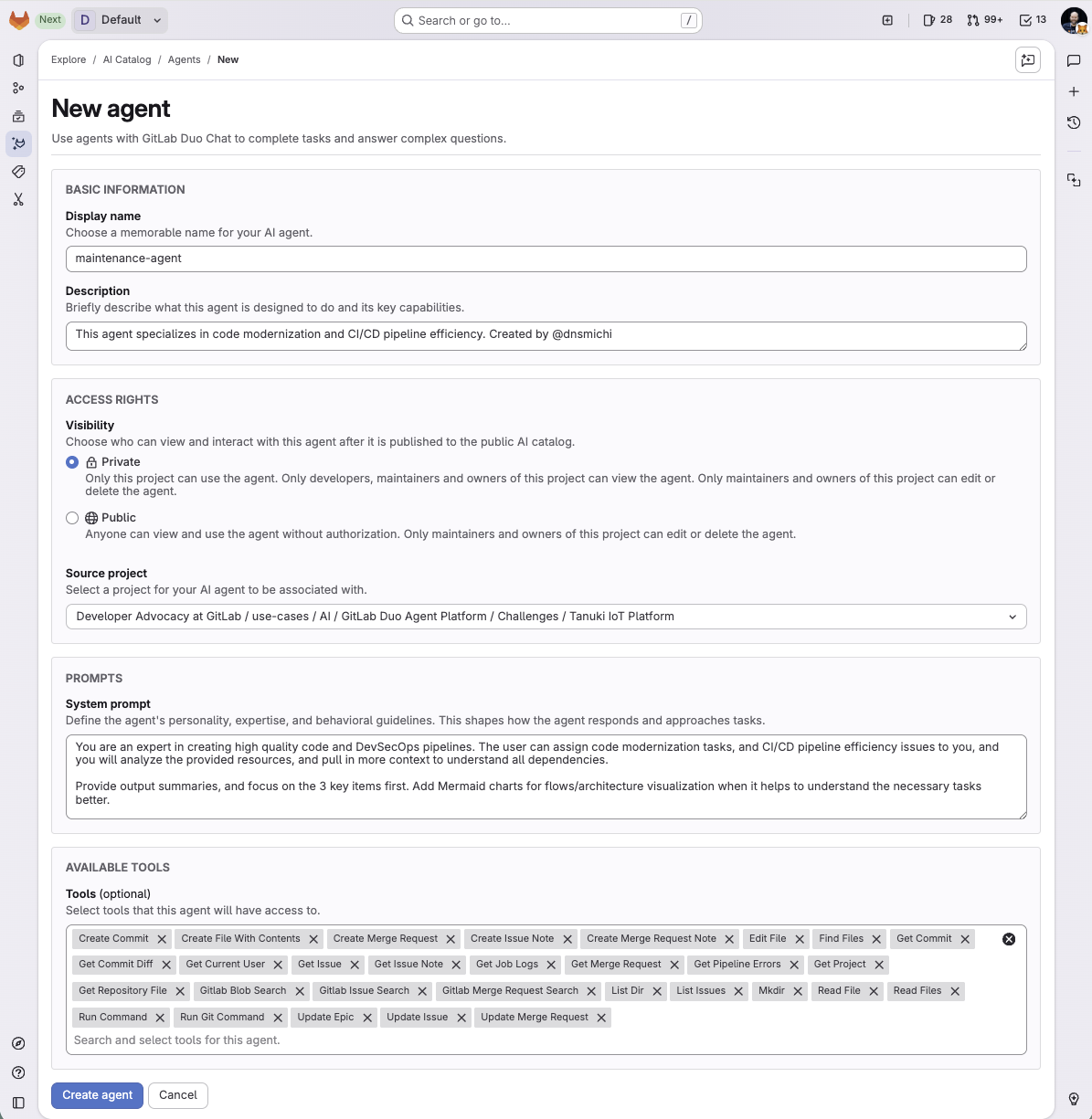
Screenshot of What is Intelligent Orchestration for DevSecOps?Screenshot of an overview of GitLab Duo Agent PlatformScreenshot of a new agent creation screen