Chose Avaza
Avaza takes the easy of Asana and adds the invoicing and bookkeeping capabilities you need all in one place.

| Product | Rating | Most Used By | Product Summary | Starting Price |
|---|---|---|---|---|
 Avaza | Mid-Size Companies (51-1,000 employees) | Avaza is a software suite targeted for all business sizes. It includes modules for project management and collaboration, resource scheduling, team chat, time tracking, expense management, quoting and invoicing. Depending on their business needs, companies can use as many, or as few, of the modules as they need. Avaza offers reporting functionality, and the project management module is designed with both list view and Kanban style task management, so users can choose… | $0 Unlimited Project Collaborators, 1 Admin, 1 Timesheet/ Expense User, 1 Resource Scheduling User | |
 Kintone | N/A | Kintone is a customizable digital workplace platform used to manage data, tasks, and communication. The no-code drag-and-drop interface can be used to create custom applications. | $24 per month per user |
| Avaza | Kintone | |||||||||||||||
|---|---|---|---|---|---|---|---|---|---|---|---|---|---|---|---|---|
| Editions & Modules |
|
| ||||||||||||||
| Offerings |
| |||||||||||||||
| Entry-level Setup Fee | Optional | Optional | ||||||||||||||
| Additional Details | — | Minimum requirement of 5 users. Kintone offers a free prototype to build with using existing process. | ||||||||||||||
| More Pricing Information | ||||||||||||||||
| Avaza | Kintone | |
|---|---|---|
| Considered Both Products |  Avaza  Tristan Boyd Owner Chose Avaza Avaza is the only solution that ties all of our needs together in one platform at a reasonable price.  Veronica M Duckett Managing Partner Chose Avaza This is miles ahead of ActiveCollab. It has more features, the interface is easier to use and the invoicing is easier to use. Across the board better. We migrated from ActiveCollab, but that was just essentially a Fancier Wunderlist. If you just need one project and a few tasks … |  Kintone  Nate Powers Deputy Director Chose Kintone We used to use Facilicase and Kintone is miles above in reliability and customization.  Lori Scarmardo Program Administrator - Public Power Pool (P3) Chose Kintone Kintone is more customisable. Platforms like Zendesk and Monday were much more than we needed, yet also lacked things we wanted. Access, which we used for years, was customisable, but also required us to maintain servers on site and tended to be slow. Kintone was the perfect …  Farshad Karimi Implementation Manager Chose Kintone More customizable in my opinion and free, though Kintone has drag and drop which is excellent and my favorite part.  Caneel Johnson Database Developer Chose Kintone Previously we used, sequalm access, and something called CSST. None of them were as dynamic or easy to build and update as Kintone.  Shin Kishioka PRESIDENT Chose Kintone Salesforce CMS  Carmen Miller Project Manager Chose Kintone Monday.com — I used this in my previous job and loved it for tracking stages and tasks (and I color-code everything), but at the time it was more clunky on raw data. It may have improved in this since then? Kintone is strong on data and I still color-code everything! …  Becca Rusinko Life Coach Chose Kintone We selected Kintone because it was the best combination of price and function. We needed something that could grow and scale with the organization, and that included looking at future prices. We didn't want to invest in something if we would be priced out five new users later. … |
| Avaza | Kintone | |||||||||||||||||||||||||||||||||||||||
|---|---|---|---|---|---|---|---|---|---|---|---|---|---|---|---|---|---|---|---|---|---|---|---|---|---|---|---|---|---|---|---|---|---|---|---|---|---|---|---|---|
| Project Management |
| |||||||||||||||||||||||||||||||||||||||
| Professional Services Automation |
| |||||||||||||||||||||||||||||||||||||||
| Sales Force Automation |
| |||||||||||||||||||||||||||||||||||||||
| Customer Service & Support |
| |||||||||||||||||||||||||||||||||||||||
| Marketing Automation |
| |||||||||||||||||||||||||||||||||||||||
| CRM Project Management |
| |||||||||||||||||||||||||||||||||||||||
| CRM Reporting & Analytics |
| |||||||||||||||||||||||||||||||||||||||
| Customization |
| |||||||||||||||||||||||||||||||||||||||
| Integrations with 3rd-party Software |
| |||||||||||||||||||||||||||||||||||||||
| Platform |
| |||||||||||||||||||||||||||||||||||||||
| Security |
|
| Avaza | Kintone | |
|---|---|---|
| Small Businesses |  Stackby Score 8.9 out of 10 |  Salesmate Score 10.0 out of 10 |
| Medium-sized Companies |  InEight Score 8.2 out of 10 |  Creatio Score 9.3 out of 10 |
| Enterprises | InEight Score 8.2 out of 10 | Creatio Score 9.3 out of 10 |
| All Alternatives | View all alternatives | View all alternatives |
| Avaza | Kintone | |
|---|---|---|
| Likelihood to Recommend | 10.0 (0 ratings) | 9.7 (0 ratings) |
| Likelihood to Renew | 10.0 (0 ratings) | 10.0 (0 ratings) |
| Usability | 9.0 (0 ratings) | 9.3 (0 ratings) |
| Availability | - (0 ratings) | 10.0 (0 ratings) |
| Performance | - (0 ratings) | 10.0 (0 ratings) |
| Support Rating | 10.0 (0 ratings) | 9.4 (0 ratings) |
| Online Training | - (0 ratings) | 10.0 (0 ratings) |
| Implementation Rating | - (0 ratings) | 6.8 (0 ratings) |
| Configurability | - (0 ratings) | 9.0 (0 ratings) |
| Ease of integration | - (0 ratings) | 10.0 (0 ratings) |
| Product Scalability | - (0 ratings) | 10.0 (0 ratings) |
| Vendor post-sale | - (0 ratings) | 10.0 (0 ratings) |
| Vendor pre-sale | - (0 ratings) | 10.0 (0 ratings) |
| Avaza | Kintone | |
|---|---|---|
| Likelihood to Recommend |
|
|
| Pros |
|
Becca Rusinko Life Coach |
| Cons |
|
|
| Likelihood to Renew |
Veronica M Duckett Managing Partner |
Lori Scarmardo Program Administrator - Public Power Pool (P3) |
| Usability |
|
|
| Reliability and Availability | No answers on this topic |
|
| Performance | No answers on this topic |
Farshad Karimi Implementation Manager |
| Support Rating |
Veronica M Duckett Managing Partner |
|
| Online Training | No answers on this topic |
|
| Implementation Rating | No answers on this topic |
Shin Kishioka PRESIDENT |
| Alternatives Considered |
|
|
| Scalability | No answers on this topic |
Farshad Karimi Implementation Manager |
| Return on Investment |
|
|
| ScreenShots | Avaza Screenshots  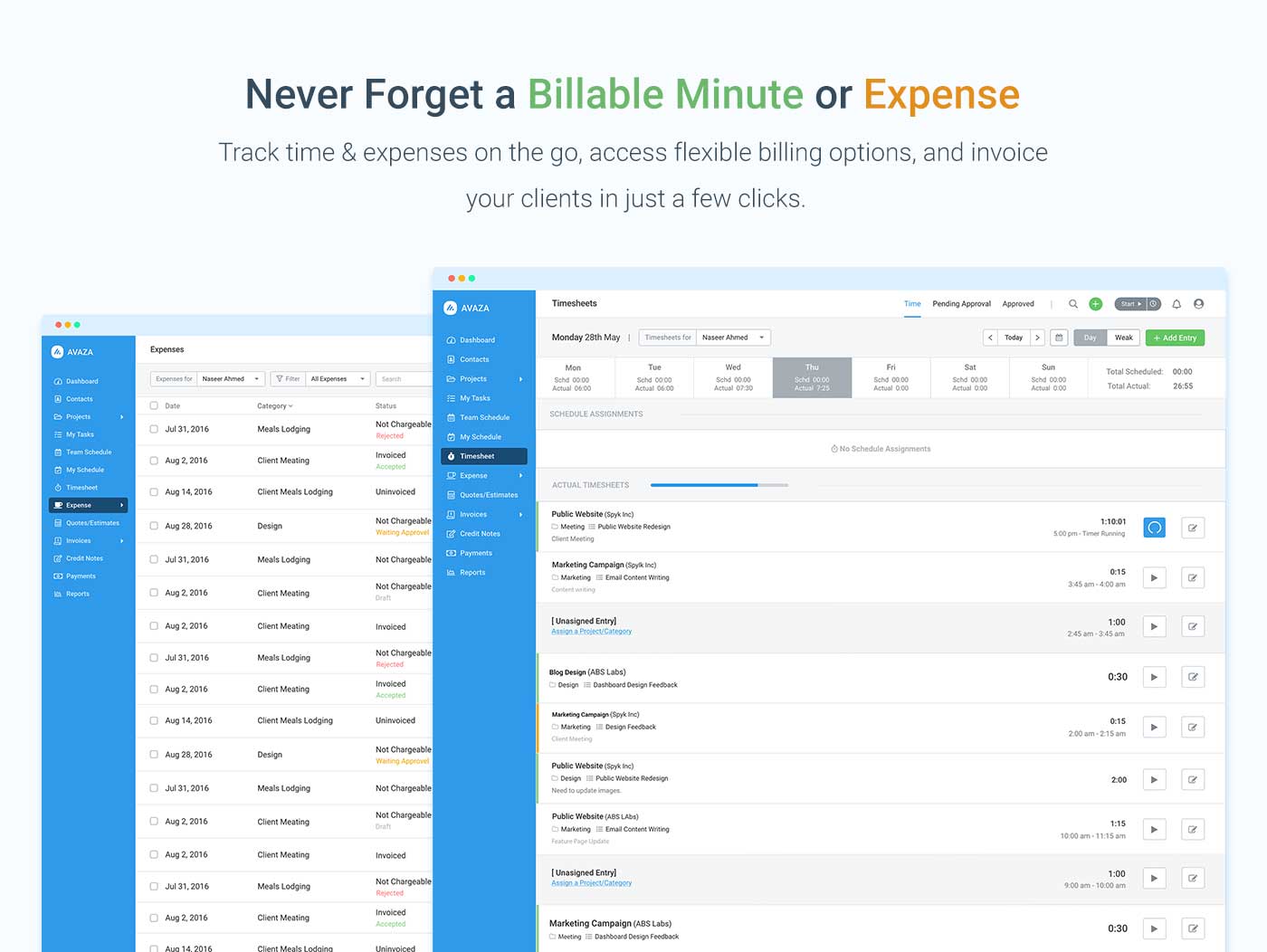    | Kintone Screenshots    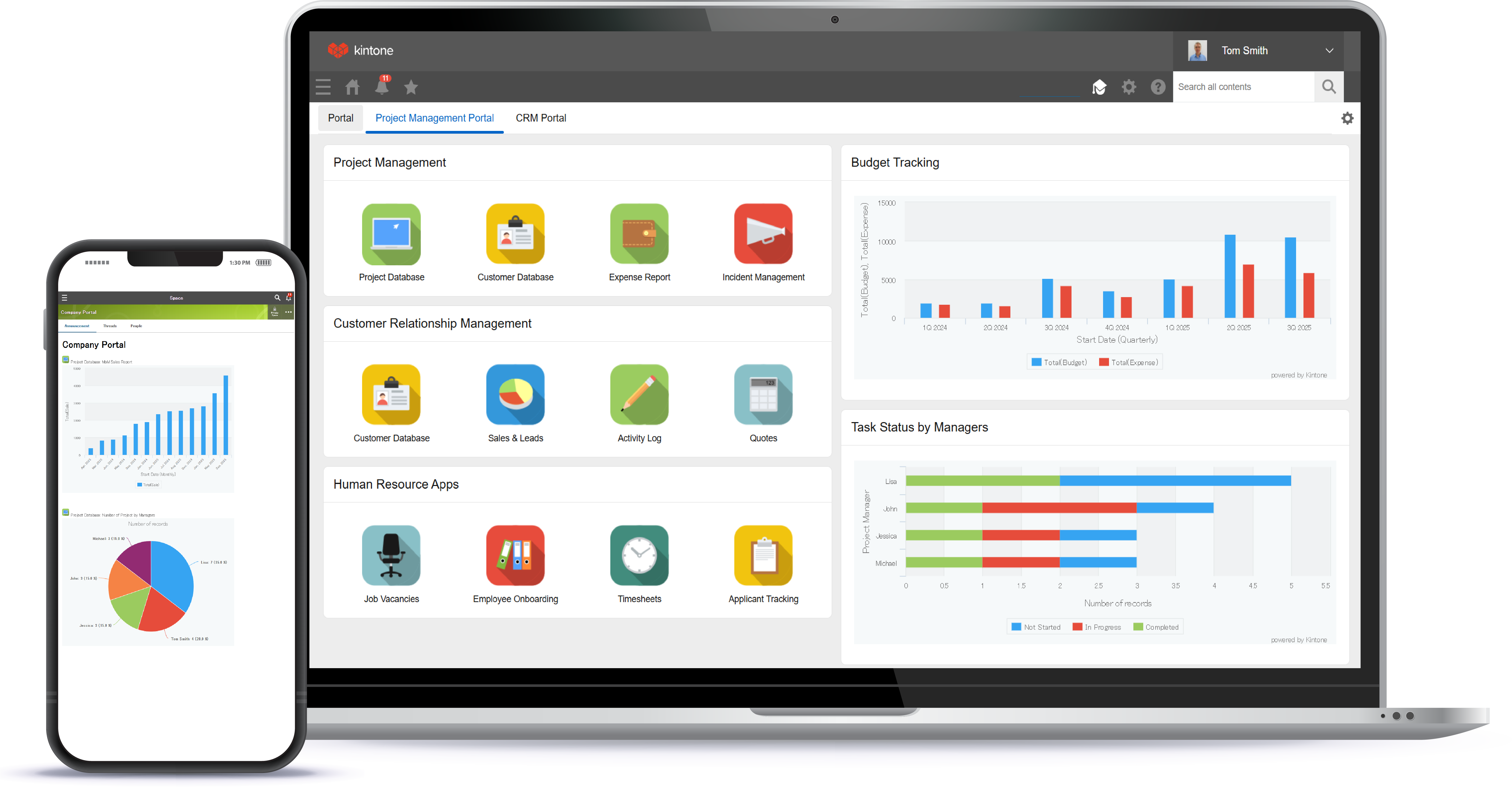 |