
azendoo vs. Kintone
azendoo vs. Kintone
| Product | Rating | Most Used By | Product Summary | Starting Price |
|---|---|---|---|---|
 azendoo | Mid-Size Companies (51-1,000 employees) | Azendoo is a work management application to help teams work more effectively by giving them the tools to communicate, plan and execute together. Azendoo is designed to make teams collaborate in a more transparent and positive way while making work more enjoyable. Conversations are held in threads shared on projects to see through every piece of information and eventually take action by creating a task based on a conversation. Tasks allow team members to see all of their work in one… | $7.50 per user | |
 Kintone | N/A | Kintone is a customizable digital workplace platform used to manage data, tasks, and communication. The no-code drag-and-drop interface can be used to create custom applications. | $120 per month for 5 users (minimum) |
| azendoo | Kintone | |||||||||||||||
|---|---|---|---|---|---|---|---|---|---|---|---|---|---|---|---|---|
| Editions & Modules |
|
| ||||||||||||||
| Offerings |
| |||||||||||||||
| Entry-level Setup Fee | $7.50 per user | Optional | ||||||||||||||
| Additional Details | Add some time tracking: +$5.00 user/month Scheduled and accumulated time per task | Minimum requirement of 5 users. Kintone offers a free prototype to build with using existing process. | ||||||||||||||
| More Pricing Information | ||||||||||||||||
| azendoo | Kintone |
|---|
| azendoo | Kintone | ||||||||||||||||||||||||||||||
|---|---|---|---|---|---|---|---|---|---|---|---|---|---|---|---|---|---|---|---|---|---|---|---|---|---|---|---|---|---|---|---|
| Project Management |
| ||||||||||||||||||||||||||||||
| Professional Services Automation |
| ||||||||||||||||||||||||||||||
| Sales Force Automation |
| ||||||||||||||||||||||||||||||
| Customer Service & Support |
| ||||||||||||||||||||||||||||||
| Marketing Automation |
| ||||||||||||||||||||||||||||||
| CRM Project Management |
| ||||||||||||||||||||||||||||||
| CRM Reporting & Analytics |
| ||||||||||||||||||||||||||||||
| Customization |
| ||||||||||||||||||||||||||||||
| Integrations with 3rd-party Software |
| ||||||||||||||||||||||||||||||
| Platform |
| ||||||||||||||||||||||||||||||
| Security |
|
| azendoo | Kintone | |
|---|---|---|
| Small Businesses | Kintone Score 9.7 out of 10 |  Salesflare Score 10.0 out of 10 |
| Medium-sized Companies | Kintone Score 9.7 out of 10 |  Creatio Score 9.3 out of 10 |
| Enterprises |  Planview AgilePlace Score 7.6 out of 10 | Creatio Score 9.3 out of 10 |
| All Alternatives | View all alternatives | View all alternatives |
| azendoo | Kintone | |
|---|---|---|
| Likelihood to Recommend | 9.0 (3 ratings) | 9.7 (58 ratings) |
| Likelihood to Renew | - (0 ratings) | 10.0 (8 ratings) |
| Usability | - (0 ratings) | 9.4 (16 ratings) |
| Availability | - (0 ratings) | 10.0 (2 ratings) |
| Performance | - (0 ratings) | 10.0 (2 ratings) |
| Support Rating | - (0 ratings) | 9.4 (46 ratings) |
| Online Training | - (0 ratings) | 10.0 (1 ratings) |
| Implementation Rating | - (0 ratings) | 6.8 (4 ratings) |
| Configurability | - (0 ratings) | 9.0 (43 ratings) |
| Contract Terms and Pricing Model | - (0 ratings) | 10.0 (2 ratings) |
| Ease of integration | - (0 ratings) | 10.0 (2 ratings) |
| Product Scalability | - (0 ratings) | 10.0 (2 ratings) |
| Professional Services | - (0 ratings) | 10.0 (2 ratings) |
| Vendor post-sale | - (0 ratings) | 10.0 (2 ratings) |
| Vendor pre-sale | - (0 ratings) | 10.0 (2 ratings) |
| azendoo | Kintone | |
|---|---|---|
| Likelihood to Recommend | azendoo
 Thomas Riffey Child Welfare Specialist | Kintone
|
| Pros | azendoo
| Kintone
 Becca Rusinko Life Coach |
| Cons | azendoo
 Michelli Capecchi Software Developer | Kintone
|
| Likelihood to Renew | azendoo No answers on this topic | Kintone
 Lori Scarmardo Program Administrator - Public Power Pool (P3) |
| Usability | azendoo No answers on this topic | Kintone
|
| Reliability and Availability | azendoo No answers on this topic | Kintone
 Farshad Karimi Implementation Manager |
| Performance | azendoo No answers on this topic | Kintone
|
| Support Rating | azendoo No answers on this topic | Kintone
|
| Online Training | azendoo No answers on this topic | Kintone
|
| Implementation Rating | azendoo No answers on this topic | Kintone
 Shin Kishioka PRESIDENT |
| Alternatives Considered | azendoo
Thomas Riffey Child Welfare Specialist | Kintone
|
| Contract Terms and Pricing Model | azendoo No answers on this topic | Kintone
Farshad Karimi Implementation Manager |
| Scalability | azendoo No answers on this topic | Kintone
Farshad Karimi Implementation Manager |
| Professional Services | azendoo No answers on this topic | Kintone
|
| Return on Investment | azendoo
| Kintone
|
| ScreenShots | azendoo Screenshots 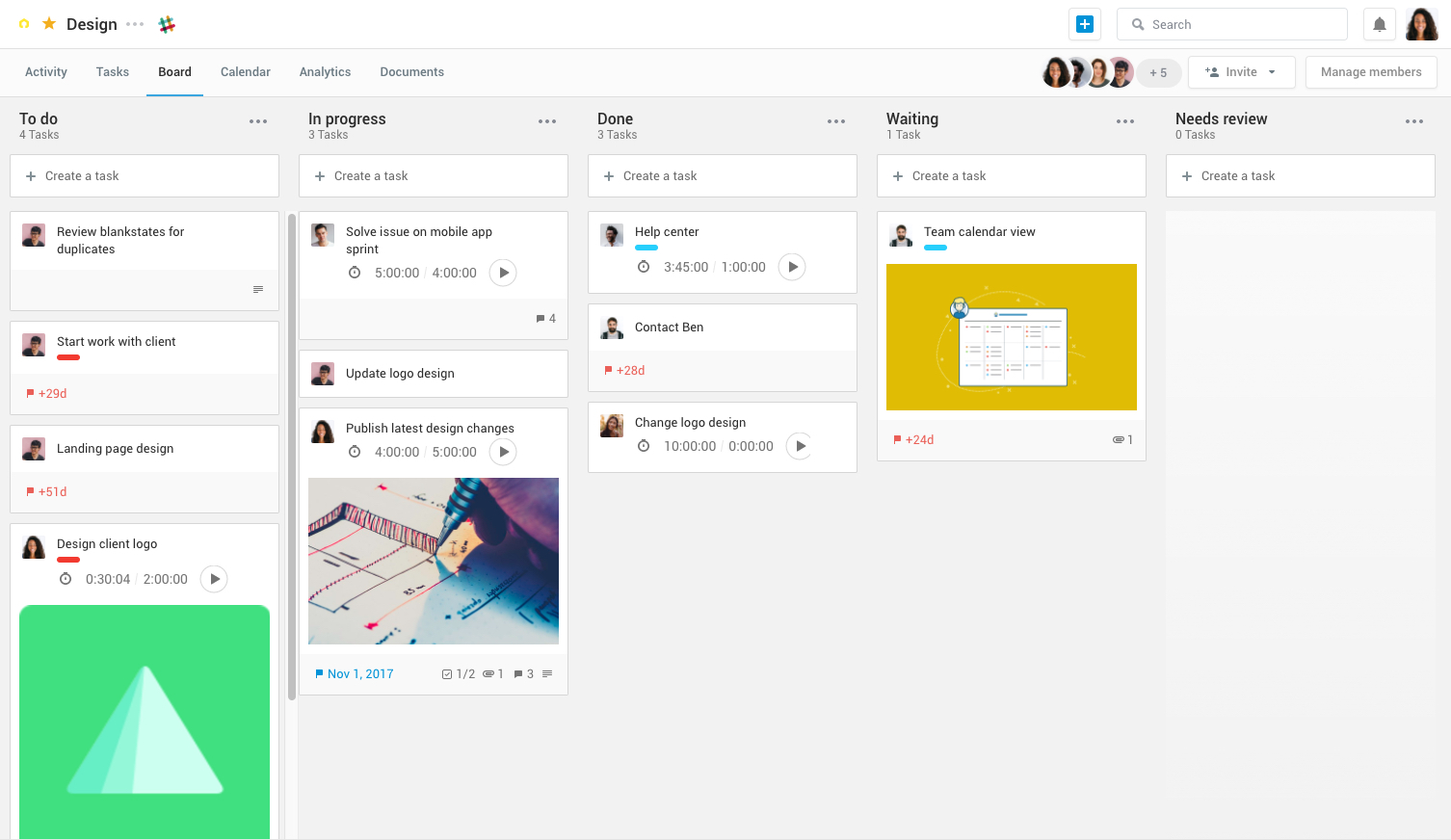 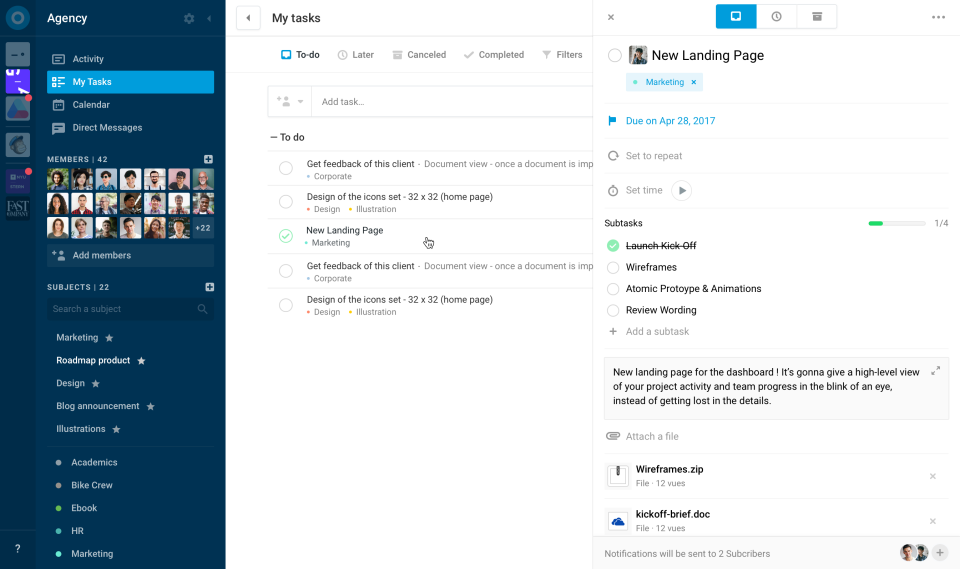  | Kintone Screenshots 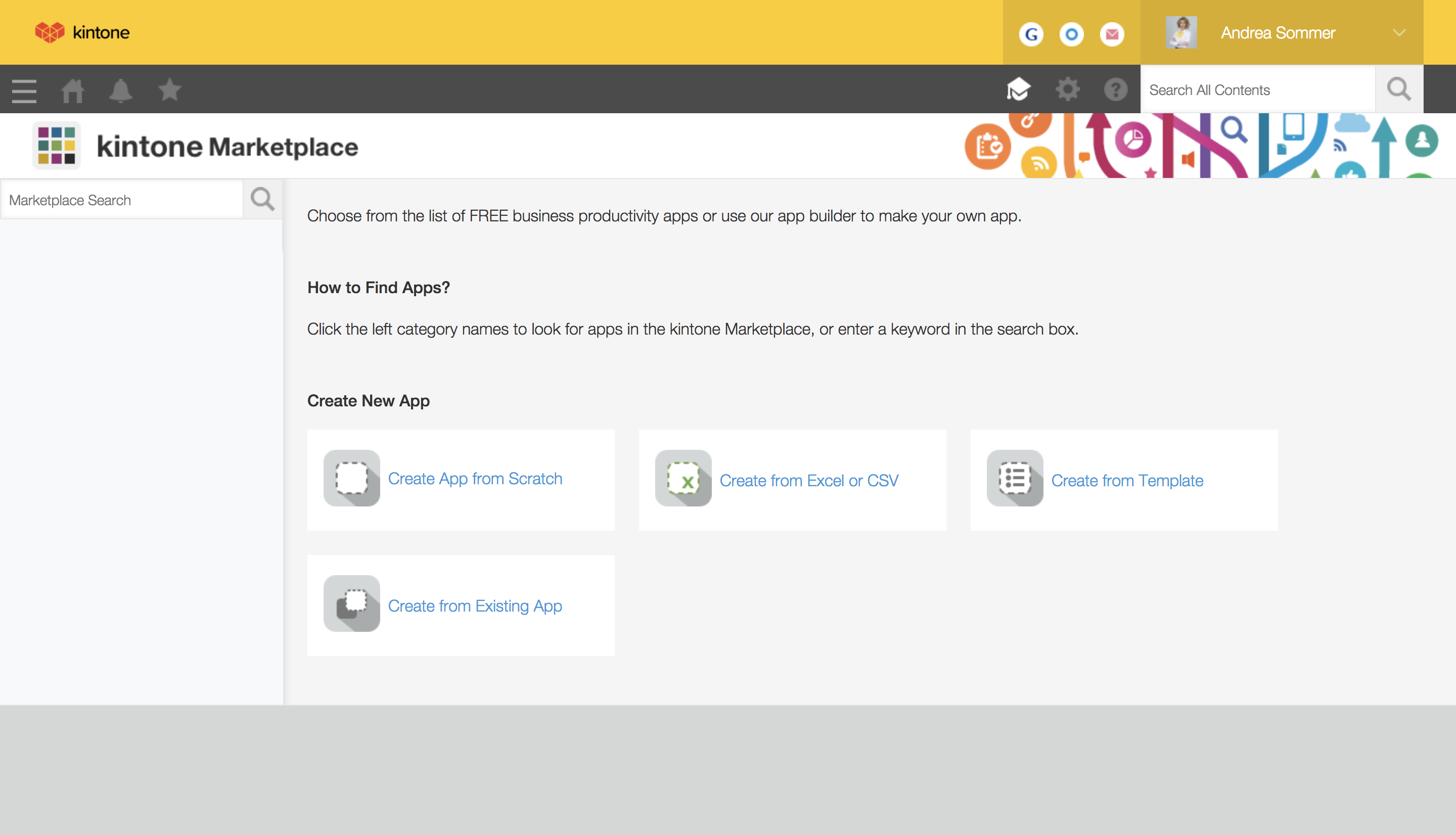   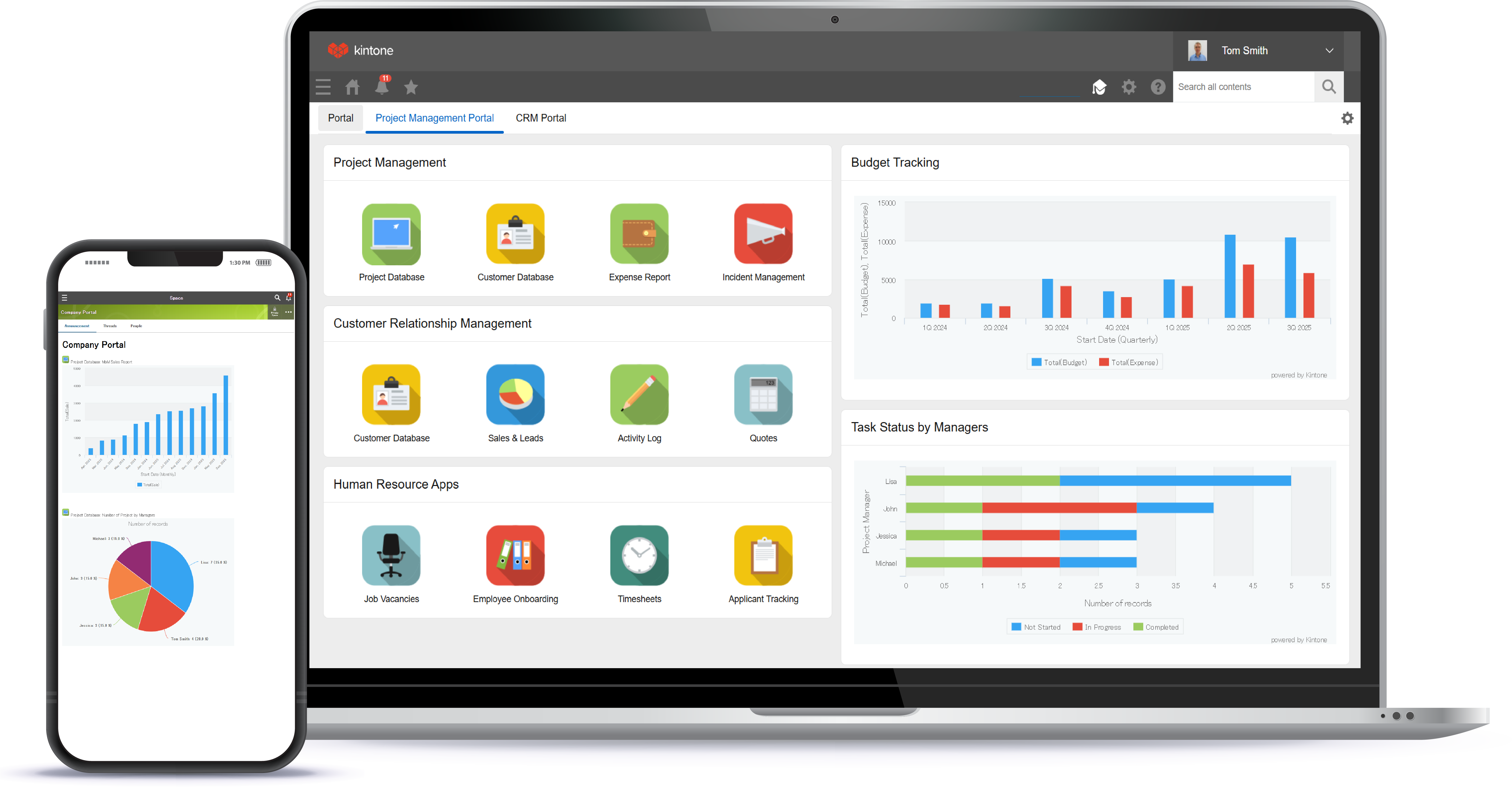 |