
Azure DevOps Server vs. Umbraco CMS
Azure DevOps Server vs. Umbraco CMS
| Product | Rating | Most Used By | Product Summary | Starting Price |
|---|---|---|---|---|
 Azure DevOps Server | N/A | Azure DevOps Server (formerly Team Foundation Server, or TFS) is the on-premise version of Azure DevOps. To license Azure DevOps Server an Azure DevOps license and a Windows operating system license (e.g. Windows Server) for each machine running Azure DevOps Server. | N/A | |
 Umbraco CMS | N/A | Umbraco is an open-source .NET Core CMS with over 700,000 active installs worldwide and with more than 200,000 active community members. It was first released on February 16th, 2005, and is still to this day an open-source project backed by a commercial company. To ensure Umbraco is always running the latest technology, the company has aligned with Microsoft's .NET release schedule to always have the Umbraco CMS… | $0 |
| Azure DevOps Server | Umbraco CMS | |||||||||||||||
|---|---|---|---|---|---|---|---|---|---|---|---|---|---|---|---|---|
| Editions & Modules | No answers on this topic |
| ||||||||||||||
| Offerings |
| |||||||||||||||
| Entry-level Setup Fee | No setup fee | No setup fee | ||||||||||||||
| Additional Details | — | The Umbraco CMS and all of its core features are the same across all plans. | ||||||||||||||
| More Pricing Information | ||||||||||||||||
| Azure DevOps Server | Umbraco CMS |
|---|
| Azure DevOps Server | Umbraco CMS | |||||||||||||||||||||||||||
|---|---|---|---|---|---|---|---|---|---|---|---|---|---|---|---|---|---|---|---|---|---|---|---|---|---|---|---|---|
| Security |
| |||||||||||||||||||||||||||
| Platform & Infrastructure |
| |||||||||||||||||||||||||||
| Web Content Creation |
| |||||||||||||||||||||||||||
| Web Content Management |
|
| Azure DevOps Server | Umbraco CMS | |
|---|---|---|
| Small Businesses |  GitHub Score 9.1 out of 10 |  ManageWP Score 10.0 out of 10 |
| Medium-sized Companies | GitHub Score 9.1 out of 10 |  RWS Tridion Sites Score 9.0 out of 10 |
| Enterprises |  Perforce P4 Score 7.2 out of 10 | RWS Tridion Sites Score 9.0 out of 10 |
| All Alternatives | View all alternatives | View all alternatives |
| Azure DevOps Server | Umbraco CMS | |
|---|---|---|
| Likelihood to Recommend | 9.0 (48 ratings) | 6.0 (12 ratings) |
| Likelihood to Renew | 10.0 (1 ratings) | - (0 ratings) |
| Usability | 6.0 (4 ratings) | 8.0 (2 ratings) |
| Availability | - (0 ratings) | 7.0 (1 ratings) |
| Performance | - (0 ratings) | 3.0 (1 ratings) |
| Support Rating | 8.4 (10 ratings) | 2.0 (1 ratings) |
| Online Training | - (0 ratings) | 3.0 (1 ratings) |
| Implementation Rating | 8.0 (1 ratings) | 7.0 (1 ratings) |
| Ease of integration | 9.0 (2 ratings) | - (0 ratings) |
| Product Scalability | - (0 ratings) | 4.0 (1 ratings) |
| Azure DevOps Server | Umbraco CMS | |
|---|---|---|
| Likelihood to Recommend |  Microsoft
|  Umbraco
 Debbie Marshall Operations Manager |
| Pros | Microsoft
| Umbraco
 Filip Witkowski Web Developer |
| Cons | Microsoft
| Umbraco
 Jason Kelly Data Manager |
| Likelihood to Renew | Microsoft
 Bill Starling Database Administrator | Umbraco No answers on this topic |
| Usability | Microsoft
 Ricardo Noronha Hardware Design | Umbraco
|
| Reliability and Availability | Microsoft No answers on this topic | Umbraco
 Matthew Hardesty Founder |
| Performance | Microsoft No answers on this topic | Umbraco
Matthew Hardesty Founder |
| Support Rating | Microsoft
| Umbraco
Matthew Hardesty Founder |
| Online Training | Microsoft No answers on this topic | Umbraco
Matthew Hardesty Founder |
| Implementation Rating | Microsoft
Bill Starling Database Administrator | Umbraco
Matthew Hardesty Founder |
| Alternatives Considered | Microsoft
| Umbraco |
| Scalability | Microsoft No answers on this topic | Umbraco
Matthew Hardesty Founder |
| Return on Investment | Microsoft
| Umbraco
Debbie Marshall Operations Manager |
| ScreenShots | Umbraco CMS Screenshots    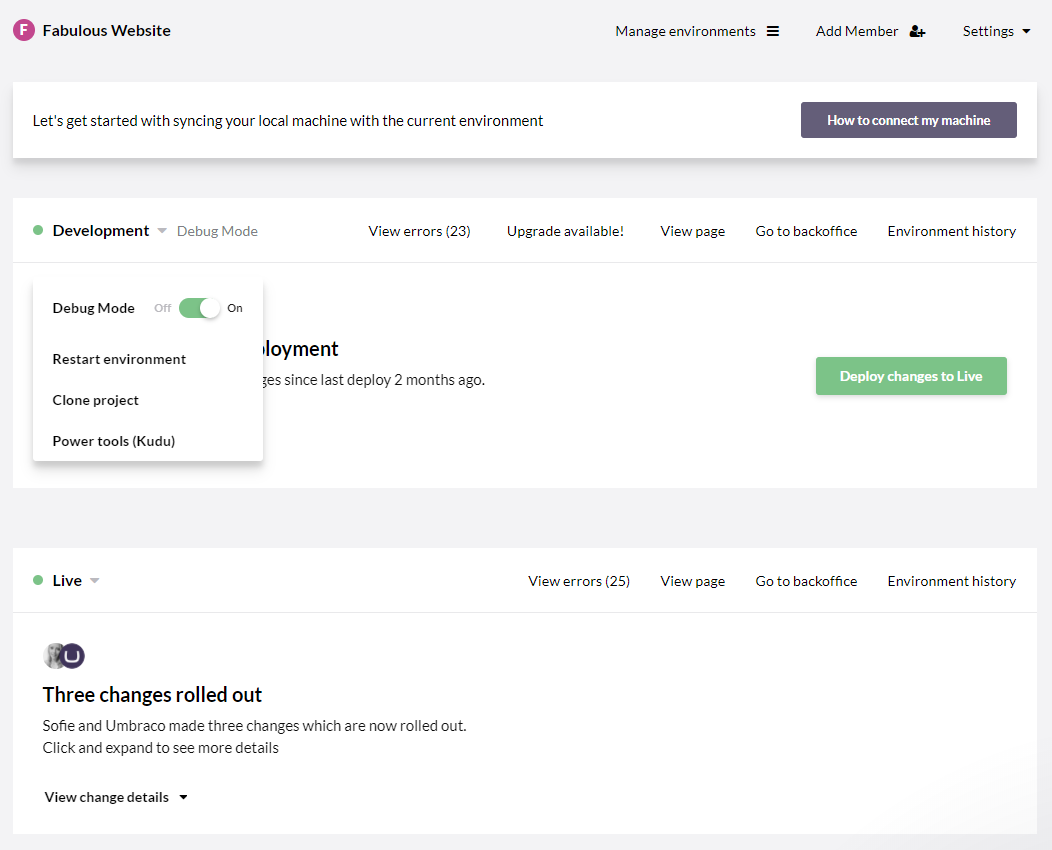 |