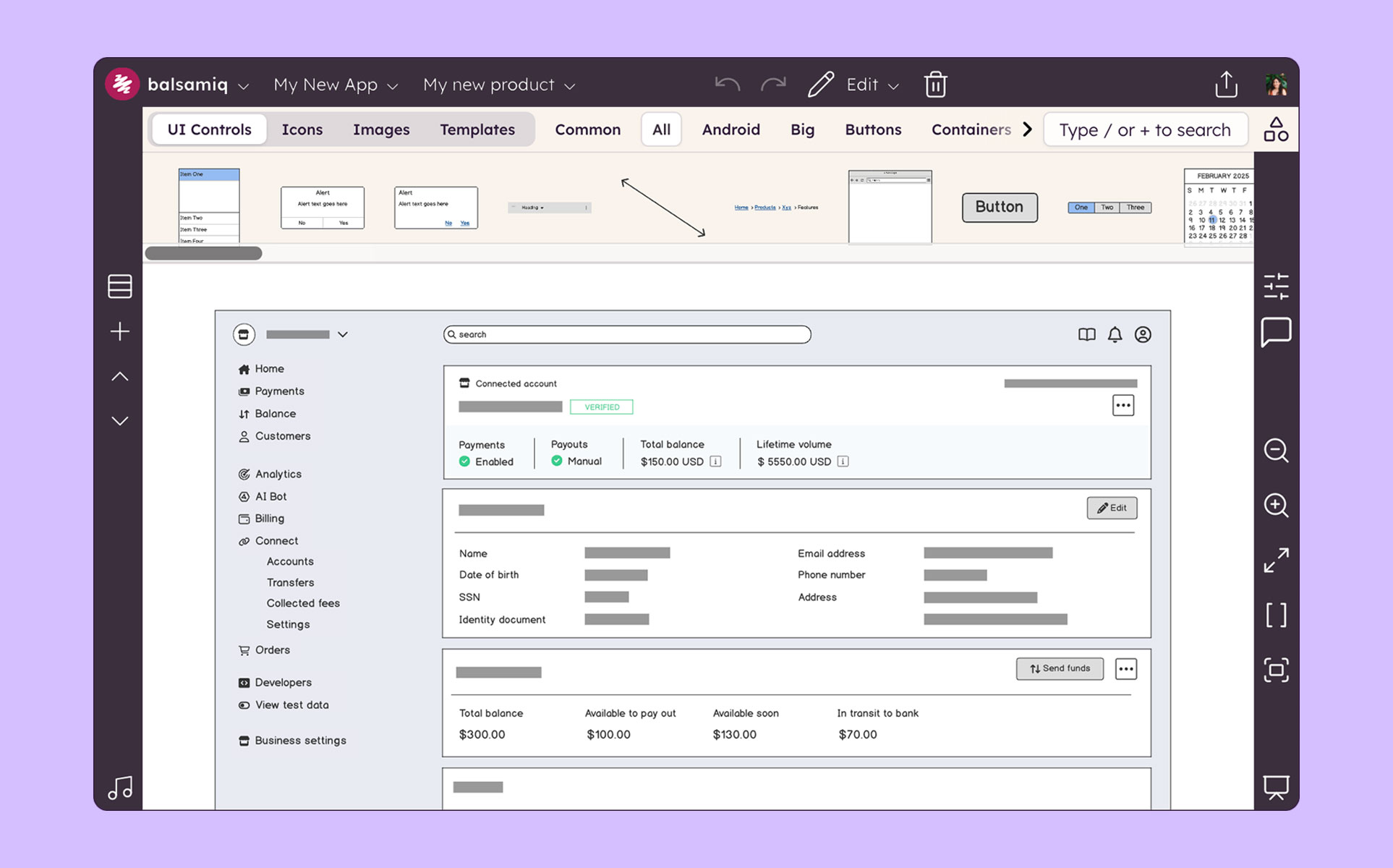
Balsamiq is a wireframing tool that helps lean product teams turn early ideas into clear, actionable direction. The tool helps product managers, founders, and engineers worldwide share concepts, reduce rework, and build better products.
Associate Product Manager in Product Management at ZS Associates (Computer Software, 10,001+ employees)
Chose Balsamiq
Balsamiq is lagging a lot as compared to Figma but it's comparable with respect to MockFlow.
Also, Figma is a full stack solution in designing and hence it was an overkill of my role. Balsamiq is easier to use & know in the industry and hence that helped in decision making.
A de minimis incentive was given to thank the reviewer for their time. The incentive was not used to bias or drive a particular response, nor was the incentive contingent on a positive endorsement. More Info
Solutions Architect at Clearstream Collaborative Inc (Information Technology and Services, 1-10 employees)
Chose Balsamiq
I use Balsamic for ideation, discussion, collaboration and proposals. It is super fast and easy to just drag UI components onto the canvas and move things around or delete things as you need. Its alignment tools are basic and good enough to get the job done. I would use Figma …
A de minimis incentive was given to thank the reviewer for their time. The incentive was not used to bias or drive a particular response, nor was the incentive contingent on a positive endorsement. More Info
Verified User
Chose Balsamiq
In the past I have just used HTML to mock up UIs, but as I've previously mentioned this can cause problems with user's thinking that the system is already built. Balsamiq is far quicker and easier to create wireframes, it is more collaborative and the resulting wireframes …
A de minimis incentive was given to thank the reviewer for their time. The incentive was not used to bias or drive a particular response, nor was the incentive contingent on a positive endorsement. More Info
Consultant in Corporate at HMS Cornerstone Solutions (Information Technology & Services, 11-50 employees)
Chose Balsamiq
We think Balsamiq does a good job compared to Visio and we do go to Balsamiq first. We typically know after trying to put together the first wireframe if it will work well in Balsamiq. And we are familiar enough with both tools to get an idea. If it is not working right away in …
A de minimis incentive was given to thank the reviewer for their time. The incentive was not used to bias or drive a particular response, nor was the incentive contingent on a positive endorsement. More Info
Verified User
Chose Balsamiq
While I love these other tools for many different reasons, Balsamiq is the tool I use for low-fidelity wireframing every time. It’s the most simple and easy-to-use out of the bunch, and it gets the job done without a ton of effort and time required. In the early stages of …
A de minimis incentive was given to thank the reviewer for their time. The incentive was not used to bias or drive a particular response, nor was the incentive contingent on a positive endorsement. More Info
VP Marketing, North America in Marketing at Skyfii (Computer Software, 11-50 employees)
Chose Balsamiq
OmniGraffle can get you to the same place as Balsamiq will, but it will take you longer. Balsamiq has more built-in elements that help you create mockups very quickly. With OmniGraffle, though, you'll be spending more time creating elements by hand. And because OmniGraffle is …
A de minimis incentive was given to thank the reviewer for their time. The incentive was not used to bias or drive a particular response, nor was the incentive contingent on a positive endorsement. More Info
Marketing Specialist in Marketing at E-Brand Marketing Inc. (Marketing and Advertising, 51-200 employees)
Chose Balsamiq
InVision integrates well with Photoshop but Balsamiq has a much more intuitive pick-up-and-play quality that makes it a useful entry tool to marketing teams just getting their feet wet in the design process. The standardized layout and methodology also gives it an edge if you …
A de minimis incentive was given to thank the reviewer for their time. The incentive was not used to bias or drive a particular response, nor was the incentive contingent on a positive endorsement. More Info
Senior Business Analyst in Marketing at Lucid Agency (Marketing and Advertising, 11-50 employees)
Chose Balsamiq
Creating digital wireframes in Photoshop is a nightmare. Photoshop was not really designed for this purpose. It doesn't have good collaboration options and it doesn't allow pattern libraries, which are essential for consistency and efficiency. We use UXPin and Axure for some …
A de minimis incentive was given to thank the reviewer for their time. The incentive was not used to bias or drive a particular response, nor was the incentive contingent on a positive endorsement. More Info
Verified User
Chose Balsamiq
It is very much user-friendly.
It reproduces the experience of sketching on a whiteboard but using a computer.
The handwritten design is unique which lets designer focus on the design.
A de minimis incentive was given to thank the reviewer for their time. The incentive was not used to bias or drive a particular response, nor was the incentive contingent on a positive endorsement. More Info
Software Developer in Information Technology at Incostas S.A. (Mechanical or Industrial Engineering, 201-500 employees)
Chose Balsamiq
We select Balsamiq for product cost and quality. It is intuitive, so it does not require much support or courses to start using it. It does not take up much space on the server, it is very light. It can be used in several operating systems. You can load the Bootstrap library …
A de minimis incentive was given to thank the reviewer for their time. The incentive was not used to bias or drive a particular response, nor was the incentive contingent on a positive endorsement. More Info
Product Manager in Product Management at Omnia Salud (Internet, 1-10 employees)
Chose Balsamiq
We have used some other alternatives and Balsamiq is the best one for fastest results. InVision and Justinmind both work very well and have great tools for collaboration and making interactive mockups. With Justinmind, I have done some app mockups that felt almost functional …
A de minimis incentive was given to thank the reviewer for their time. The incentive was not used to bias or drive a particular response, nor was the incentive contingent on a positive endorsement. More Info
Verified User
Chose Balsamiq
Balsamiq is the only wireframing software I've used. The only other thing that I've used for any wireframing is Microsoft Powerpoint, which does actually increase some customization options, but takes much longer to make a quality wireframe.
I've also used Adobe Illustrator …
A de minimis incentive was given to thank the reviewer for their time. The incentive was not used to bias or drive a particular response, nor was the incentive contingent on a positive endorsement. More Info
Coordinador de desarrollo de software in Research & Development at Ingeniería de Consulta Incostas (Oil & Energy, 51-200 employees)
Chose Balsamiq
Balsamiq is selected for cost and product quality. It is inductive, so it does not require much support or courses to start using it, it does not take up much space on the server, it is very light. It can be used in several operating systems. You can load the Bootstrap library, …
A de minimis incentive was given to thank the reviewer for their time. The incentive was not used to bias or drive a particular response, nor was the incentive contingent on a positive endorsement. More Info
Verified User
Chose Balsamiq
Balsamiq is a quite simple tool; but does exactly what was designed for, it helps with creating mockups, wireframes, and flows. Its simplicity works great for people who are not designers but need to visually represent their ideas. Low-fidelity wireframes work really well in …
A de minimis incentive was given to thank the reviewer for their time. The incentive was not used to bias or drive a particular response, nor was the incentive contingent on a positive endorsement. More Info
Verified User
Chose Balsamiq
I just searched free trials and did a test run of Balsamiq for 30 days at no cost. I didn't even look at another product - this one met the immediate need to get a bunch of drawings done and out the door. At the end of the 30 days my manager didn't care, either, just wanted a …
A de minimis incentive was given to thank the reviewer for their time. The incentive was not used to bias or drive a particular response, nor was the incentive contingent on a positive endorsement. More Info
Verified User
Chose Balsamiq
The Pen tool in Paper is definitely a happy middle between Balsamiq and actual paper prototyping. It has the advantage of being able to copy/paste a section that has already been designed - but even there selecting a specific section is hard - balsamiq's sections are more …
A de minimis incentive was given to thank the reviewer for their time. The incentive was not used to bias or drive a particular response, nor was the incentive contingent on a positive endorsement. More Info
Verified User
Chose Balsamiq
Balsamiq is very simple and easy, select and drag program for wireframing and prototyping for websites and software. It's really meant for beginners and people who put more weight into the workflow rather than design as there aren't very many options for making it personalized …
A de minimis incentive was given to thank the reviewer for their time. The incentive was not used to bias or drive a particular response, nor was the incentive contingent on a positive endorsement. More Info
Senior UX Designer in Marketing at Northern Tool + Equipment (Retail, 1001-5000 employees)
Chose Balsamiq
We also have Adobe Illustrator. Balsamiq is a great choice when you value speed and want to use the pre-built icons to put together an interface. It is also a slimmed down feature set versus Illustrator and gives you just the essentials. Balsamiq is easier for non-graphic …
A de minimis incentive was given to thank the reviewer for their time. The incentive was not used to bias or drive a particular response, nor was the incentive contingent on a positive endorsement. More Info
UX Researcher/Usability at zeal (Information Technology and Services, 11-50 employees)
Chose Balsamiq
Axure vs Balsamiq. I would pick Axure over Balsamiq. The only con is there could be a learning curve to Axure. Sketch gives more interactivity over Balsamiq but is limited to Mac users. UXPin has easier palettes to move around than Balsamiq but Balsamiq is easier to use than UXPi…
A de minimis incentive was given to thank the reviewer for their time. The incentive was not used to bias or drive a particular response, nor was the incentive contingent on a positive endorsement. More Info
Verified User
Chose Balsamiq
I have also used Axure. I feel both these tools have different features to offer. So, it depends on the use case you want to implement.
A de minimis incentive was given to thank the reviewer for their time. The incentive was not used to bias or drive a particular response, nor was the incentive contingent on a positive endorsement. More Info
Principal UX Designer, UX Practice Lead in Product Management at Accruent (Computer Software, 501-1000 employees)
Chose Balsamiq
I think the learning curve for all of the other tools is much greater than that of Balsamiq. PhotoShop, I think, is a poor tool for UX, but is often used by members of my team for its overall prevalence in their past education (many graphics folks). I have found that …
A de minimis incentive was given to thank the reviewer for their time. The incentive was not used to bias or drive a particular response, nor was the incentive contingent on a positive endorsement. More Info
Verified User
Chose Balsamiq
I have used PowerPoint, Pagemaker, Photoshop etc., to do prototyping. None of those tools is made for this job so it is not really a fair comparison.
A de minimis incentive was given to thank the reviewer for their time. The incentive was not used to bias or drive a particular response, nor was the incentive contingent on a positive endorsement. More Info
Product Owner in Research & Development at Hansen Technologies (Telecommunications, 501-1000 employees)
Chose Balsamiq
I used Gliffy as a free trial and only for a few projects. From what I remember it was fairly similar to Balsamic, but I don't remember Gliffy having the same selection in their UI library.
A de minimis incentive was given to thank the reviewer for their time. The incentive was not used to bias or drive a particular response, nor was the incentive contingent on a positive endorsement. More Info
Verified User
Chose Balsamiq
I use a combination of both products, I use Balsamiq for quick wireframes to get the over all UI layout hammered out. I then use Photoshop to better design color scheme and exact padding.
A de minimis incentive was given to thank the reviewer for their time. The incentive was not used to bias or drive a particular response, nor was the incentive contingent on a positive endorsement. More Info
Verified User
Chose Balsamiq
Axure is basically a direct copy of Balsamiq for 4x the price. Moqups is painful to use and it's a monthly subscription. Although I have not used Adobe Comp, the learning curve is so high, it cannot even come close to the ease of Balsamiq. And Illustrator and Photoshop for …
A de minimis incentive was given to thank the reviewer for their time. The incentive was not used to bias or drive a particular response, nor was the incentive contingent on a positive endorsement. More Info
Balsamiq is a great tool for quickly getting ideas into visual form. At first it seems like there are not that many UI assets, but this constraint actually adds to the speed. There are less things for you to fuss over, you can focus on getting your ideas down. This is a tool for lofi rough drawings not a tool for building beautiful prototypes for developers to code to. It is fantastic for ideation because you mostly just drag and drop components onto the canvas and move things around. It's great in a live workshop setting for that reason.
A de minimis incentive was given to thank the reviewer for their time. The incentive was not used to bias or drive a particular response, nor was the incentive contingent on a positive endorsement. More Info
Mock ups are obviously only just mock ups (this is important as if users see mock-ups in HTML, for example, they tend to think the system is ready to use or not far off)
Has a good selection of standard shapes that mock real world fields / controls
Allows not for profit organisations use it for free
A de minimis incentive was given to thank the reviewer for their time. The incentive was not used to bias or drive a particular response, nor was the incentive contingent on a positive endorsement. More Info
The sketch-like style can be off-putting to some stakeholders, and it’s not initially very clear that there is the option to turn this “off.” While I do think there is benefit to the default style, knowing from the start that this flexibility existed would have helped us be able to use this tool more often in the past and in different situations.
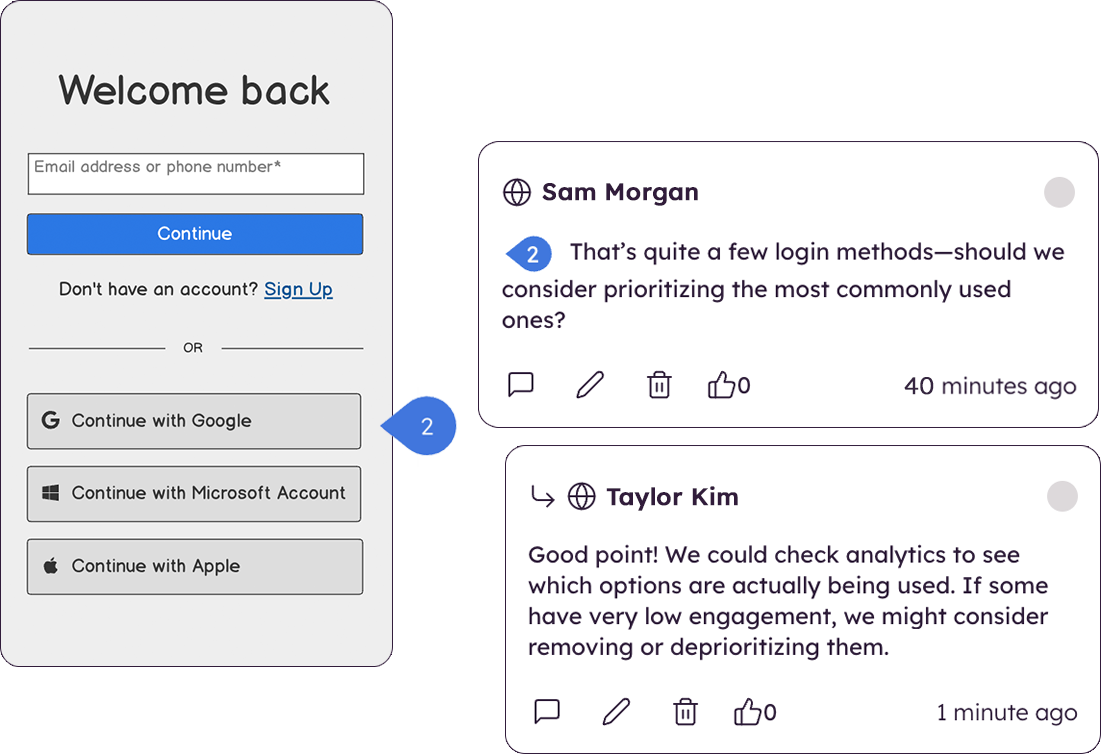
There are very limited collaborative functionalities. When it’s early in the design process, it’s often really helpful to have a number of people in the design to offer in-app feedback so the designer doesn’t have the burden of collecting feedback from many disparate sources in order to incorporate the feedback.
There are limited UI elements. As design evolves, there are more and more UI elements to consider, and many to stop using. Our Balsamiq wireframes would be a lot more effective in communicating design ideas to stakeholders if there was a wider range of UI elements to choose from.
A de minimis incentive was given to thank the reviewer for their time. The incentive was not used to bias or drive a particular response, nor was the incentive contingent on a positive endorsement. More Info
I'm not sure how else we would be able to complete our work without Balsamiq or another similar tool. All of my experience with Balsamiq has been positive and they continue to develop new features so that my job gets easier. I would be very surprised if we didn't renew Balsamiq
A de minimis incentive was given to thank the reviewer for their time. The incentive was not used to bias or drive a particular response, nor was the incentive contingent on a positive endorsement. More Info
Very intuitive and easy to understand. It only takes minutes to get the hang of it and get back to work. For new analysts (like, brand new, fresh out of school) it's not difficult and they need minimal to no hand-holding. The training content that is embedded is easy to find and use.
A de minimis incentive was given to thank the reviewer for their time. The incentive was not used to bias or drive a particular response, nor was the incentive contingent on a positive endorsement. More Info
A de minimis incentive was given to thank the reviewer for their time. The incentive was not used to bias or drive a particular response, nor was the incentive contingent on a positive endorsement. More Info
Creating digital wireframes in Photoshop is a nightmare. Photoshop was not really designed for this purpose. It doesn't have good collaboration options and it doesn't allow pattern libraries, which are essential for consistency and efficiency. We use UXPin and Axure for some time, but found that these platforms were a bit bloated. Balsamiq is much simpler than any of these options. It's a perfect wireframing platform for non-designers or for designers that want to focus on content and element-placement prior to design
A de minimis incentive was given to thank the reviewer for their time. The incentive was not used to bias or drive a particular response, nor was the incentive contingent on a positive endorsement. More Info
The product works very well for showing product owners and developers design ideas for purposes of discussion, debate and refinement.
The products also works very well for specifying new designs for developers. This is best done in a series of screens that show various screen states and user interactions.
I also use the products to document bugs in software products and websites we have developed. This includes outlining and documenting bugs and changes to user interactions and refinements to the usability of completed interfaces and user experiences.
A de minimis incentive was given to thank the reviewer for their time. The incentive was not used to bias or drive a particular response, nor was the incentive contingent on a positive endorsement. More Info