BenchmarkONE vs. MailUp

Overview
ProductRatingMost Used ByProduct SummaryStarting Price
BenchmarkONE
Score 8.0 out of 10
Small Businesses (1-50 employees)
BenchmarkONE (formerly Hatchbuck) is an all-in-one sales and marketing software that includes CRM, marketing automation, and email marketing tools. Users can build online forms, manage and segment contacts, engage prospects with relevant follow-up, manage tasks, and track their pipeline.
$0
per month
MailUp
Score 10.0 out of 10
N/A
MailUp is the eponymous email & SMS platform from the Italian company that was founded in 2002 that now has a modest but respectable presence across the western world with a diverse customer base (Yamaha, Amnesty International, Korean Air, etc.). Mailup's platform combines email marketing, with transactional email and SMS features, and offers SMTP relay and plugins for ecommerce, CRM and CMS systems. Their unusual pricing scheme is tiered just on subscribers but on volume of sends and that…N/A
Pricing
BenchmarkONEMailUp
Editions & Modules
Lite
$0
per month
Pro
$0
Agencies
Special Pricing for Qualifying Agencies
No answers on this topic
Offerings
Pricing Offerings
BenchmarkONEMailUp
Free Trial
YesYes
Free/Freemium Version
YesNo
Premium Consulting/Integration Services
NoNo
Entry-level Setup FeeNo setup feeOptional
Additional Details
More Pricing Information
Community Pulse
BenchmarkONEMailUp
Considered Both Products
BenchmarkONE
Chose BenchmarkONE
I have had more experience with Hatchbuck, and was introduced to it through someone who is quite familiar. My perspective is that for the money, Hatchbuck does all it needs to, and does it well. I'm sure there are comparable products, but this is the first one that I found …
Chose BenchmarkONE
I like Hatchbuck because they're a smaller company so they provide more personalized customer service.
Chose BenchmarkONE
Hatchbuck is my favorite. It's easy to use and it's budget-friendly. It's much more intuitive than SharpSpring or ActiveCampaign. Because of the price of the tool, it's definitely a serious competition to giants like Hubspot. This is a great choice for solopreneurs and smaller …
Chose BenchmarkONE
We really liked the unique mix of a CRM, an email marketing tool, and a sales funnel tool we found with Hatchbuck. Additionally, the software was easy enough to learn so that multiple team members were able to quickly get up and running using the system. Other tools we …
Chose BenchmarkONE
I use Hubspot sales concurrently with Hatchbuck as it offers capabilities not included with Hatchbuck: email tracking not from the system, integration with Facebook advertising, website popups.

Hatchbuck was selected as an entry-level tool focusing on automation and CRM. Though …
Chose BenchmarkONE
For very basic CRM, email and marketing automation, Hatchbuck is a clear winner on feature set, price and ease of use. Lots of bells and whistles are great if you use them. But many of our clients don't want to learn, maintain and pay for that much technology. However, more …
Chose BenchmarkONE
Hatchbuck is in a class by itself.

Hubspot and Infusionsoft are awesome, but, there is too much to understand and layers of tools which sometimes end up taking up more time than the typical small business owner has to invest.
Chose BenchmarkONE
Best tool of it's kind in the market and most affordable by far!
Chose BenchmarkONE
I don't have much experience with similar products at this point in time. Very little experience with Constant Contact and Mail Chimp. What I can tell though is Hatchbuck's features are far more advanced.
Chose BenchmarkONE
Hatchbuck is much better than MailChimp except for MailChimp's ability to send RSS based emails.
Chose BenchmarkONE
Cost wise, Hatchbuck is more expensive than Constant Contact, which it replaced. Feature wise, Hatchbuck provides more functionality and features than Constant Contact.
Chose BenchmarkONE
Not well integrated with ACT! plus the email editing was very hard to use and limited.
Chose BenchmarkONE
Microsoft Dynamics CRM was way too complicated and more [robust] than the needs of the company. Hatchbuck makes it easy to automate, segment, and deliver content. Microsoft Dynamics was extremely customizable but that came at both a financial cost and a productivity cost. No …
Chose BenchmarkONE
I used Constant Contact in the past. Hatchbuck has a much better CRM system and ways to track and segment customers.
Chose BenchmarkONE
I have tested three major competitors in the same field and Hatchbuck stands above them. I do not wish to mention them, but I can say that the visual appeal, intuitive nature, and ease of which I am learning their system is stellar. It takes a bit of time, but you can be up and …
Chose BenchmarkONE
I've used Salesforce Group edition, but it was too robust for our team. Hatchbuck was more suited our company and our stage.
Chose BenchmarkONE
I demo'd MailChimp. They seemed pretty simliar, but honestly I decided on Hatchbuck because the customer service and special attention they provided during the demo stage.
Chose BenchmarkONE
Hatchbuck has much better integration and segmentation features. It easily allows me to send an email to any segment of my list without having duplicate addresses across multiple lists. Any email creation tasks are also much easier.
Chose BenchmarkONE
We've used Salesforce and Streak. Hatchbuck is vastly more robust than Streak and not nearly as burdensomely complicated as Salesforce. It's the perfect solution for a small business.
Chose BenchmarkONE
It made a difference to me to have a live marketing person to assist me.
Chose BenchmarkONE
We made the decision to purchase hatchbuck back in November and couldn't be happier with the product! We are able to manage all aspects of the customer experience and can do it from any computer in any country in the world. This is a great product for any small to medium size …
Chose BenchmarkONE
I probably reviewed seven or eight CRMs, most notably Salesforce and a host of others. Some didn't seem intuitive to use, some had poor customer service, and some had constraints that were a deal breaker. Salesforce, for example has a daily e-mail limit of 250 ... I send out as …
MailUp
Chose MailUp
Mailup has hands down the best editor for creating responsive emails, I've tried almost everything out there and this is the best, I recommend this to colleagues all the time!
Features
BenchmarkONEMailUp
Email & Online Marketing
Comparison of Email & Online Marketing features of Product A and Product B
BenchmarkONE
5.2
Ratings
31% below category average
MailUp
9.5
Ratings
17% above category average
WYSIWYG email editor5.10 Ratings10.00 Ratings
Dynamic content4.20 Ratings10.00 Ratings
Ability to test dynamic content4.10 Ratings8.00 Ratings
Landing pages4.00 Ratings00 Ratings
A/B testing8.90 Ratings00 Ratings
Mobile optimization8.90 Ratings10.00 Ratings
Email deliverability reporting3.30 Ratings00 Ratings
List management4.30 Ratings00 Ratings
Triggered drip sequences4.30 Ratings00 Ratings
Lead Management
Comparison of Lead Management features of Product A and Product B
BenchmarkONE
4.0
Ratings
47% below category average
MailUp
-
Ratings
Lead nurturing automation3.20 Ratings00 Ratings
Lead scoring and grading4.30 Ratings00 Ratings
Data quality management4.30 Ratings00 Ratings
Automated sales alerts and tasks4.30 Ratings00 Ratings
Campaign Management
Comparison of Campaign Management features of Product A and Product B
BenchmarkONE
7.5
Ratings
1% above category average
MailUp
-
Ratings
Calendaring7.90 Ratings00 Ratings
Event/webinar marketing7.10 Ratings00 Ratings
Social Media Marketing
Comparison of Social Media Marketing features of Product A and Product B
BenchmarkONE
3.9
Ratings
51% below category average
MailUp
-
Ratings
Social sharing and campaigns6.40 Ratings00 Ratings
Social profile integration1.40 Ratings00 Ratings
Reporting & Analytics
Comparison of Reporting & Analytics features of Product A and Product B
BenchmarkONE
3.7
Ratings
56% below category average
MailUp
-
Ratings
Dashboards3.30 Ratings00 Ratings
Standard reports1.00 Ratings00 Ratings
Custom reports6.80 Ratings00 Ratings
Platform & Infrastructure
Comparison of Platform & Infrastructure features of Product A and Product B
BenchmarkONE
5.5
Ratings
3% above category average
MailUp
-
Ratings
API2.00 Ratings00 Ratings
Role-based workflow & approvals8.00 Ratings00 Ratings
Customizability2.60 Ratings00 Ratings
Integration with Salesforce.com6.70 Ratings00 Ratings
Integration with Microsoft Dynamics CRM6.90 Ratings00 Ratings
Integration with SugarCRM6.90 Ratings00 Ratings
Best Alternatives
BenchmarkONEMailUp
Small Businesses
LocaliQ
LocaliQ
Score 8.7 out of 10
Mad Mimi
Mad Mimi
Score 10.0 out of 10
Medium-sized Companies
LocaliQ
LocaliQ
Score 8.7 out of 10
VerticalResponse
VerticalResponse
Score 10.0 out of 10
Enterprises

No answers on this topic

Emma by Marigold
Emma by Marigold
Score 8.6 out of 10
All AlternativesView all alternativesView all alternatives
User Ratings
BenchmarkONEMailUp
Likelihood to Recommend
3.0
(0 ratings)
10.0
(0 ratings)
Likelihood to Renew
8.7
(0 ratings)
-
(0 ratings)
Usability
8.2
(0 ratings)
-
(0 ratings)
Availability
8.5
(0 ratings)
-
(0 ratings)
Performance
6.4
(0 ratings)
-
(0 ratings)
Support Rating
9.1
(0 ratings)
-
(0 ratings)
Implementation Rating
8.2
(0 ratings)
-
(0 ratings)
Ease of integration
8.1
(0 ratings)
-
(0 ratings)
User Testimonials
BenchmarkONEMailUp
Likelihood to Recommend
Both small and large companies alike can utilize it. The simplicity is great and automation is a real winner. It is most appropriate in scenarios where you already have a contact list or an established plan to get emails from contacts. A potential customer should simply talk about their current challenges and let Hatchbuck explain how their product would provide a solution.
Read full review
Great for marketing teams looking to quickly deploy emails without the need for HTML coding.
Read full review
Pros
  • Email marketing. Their WYSIWYG email editor has a lot of options for customization, but also offers templates if you're not great with code or you're in a hurry.
  • Keeping contacts organized. There are tons of ways to categorize contacts - using tags, labels, and other data.
  • Automated contact "points." You can set up automations to add or subtract points from contacts based on their behavior (site visits, social media visits, clicks, etc.) to gauge how warm/cold your leads are.
  • Customer service. Their team is really stellar and they really care about their clients!
Read full review
  • Email marketing creation
  • Email design
  • HTML template creation
Read full review
Cons
  • It'd be great if the tool had landing pages and calls to action. It would eliminate the need for multiple tools and streamline the efforts and results.
  • Form design could be better. Although there can be custom coded, the default options are pretty basic.
Read full review
  • Alt tag styling within the editor
Read full review
Likelihood to Renew
It has just about everything I want and then some. What I want but they don't have - calendar and e-mail integration, social media integration, and a mobile app, I believe are all in the works for a future release.
Read full review
No answers on this topic
Usability
Hatchbuck offers on-boarding, training, and has a suite of videos, which makes it super easy to get started. As with any software that is the key. Have a plan, stay focused, and get started. Once, you begin to play with Hatchbuck you will see that it is very user friendly.
Read full review
No answers on this topic
Reliability and Availability
There has never been any downtime for Hatchbuck, which is very reassuring for me as I market and recruit strenuously for the University at Albany's executive Weekend MBA Program. Hatchbuck team members have also been available when I have reached out to them with questions or issues. With one exception, where one of my e-mails became lost in the Internet "black hole," they have gotten back to me in very timely fashion!
Read full review
No answers on this topic
Support Rating
I always get a response within 24 hours, unless I ask on a weekend. The team seems to work together to resolve my issues, answer my questions, and update me on changes. In fact, they have even connected [with] me to ask how they can improve the Hatchbuck software and their service. This is why I love them so much.
Read full review
No answers on this topic
Implementation Rating
Overall very satisfied. More sample please.
Read full review
No answers on this topic
Alternatives Considered
We really liked the unique mix of a CRM, an email marketing tool, and a sales funnel tool we found with Hatchbuck. Additionally, the software was easy enough to learn so that multiple team members were able to quickly get up and running using the system. Other tools we evaluated either had too heavy of a sales focus, were too clunky, or were lacking some flexibility within their automation or email options that were important to us.
Read full review
Mailup has hands down the best editor for creating responsive emails, I've tried almost everything out there and this is the best, I recommend this to colleagues all the time!
Read full review
Return on Investment
  • I personally experience approximately 10-12 positive prospect interactions due to Hatchbuck.
  • It makes it easy to see how many times attachments are viewed, and projects a prospects interest.
  • It guides you to some degree as to when to reach out again.
Read full review
  • Faster email development
  • More team members able to contribute to the email development process
  • Better templates
Read full review
ScreenShots

BenchmarkONE Screenshots

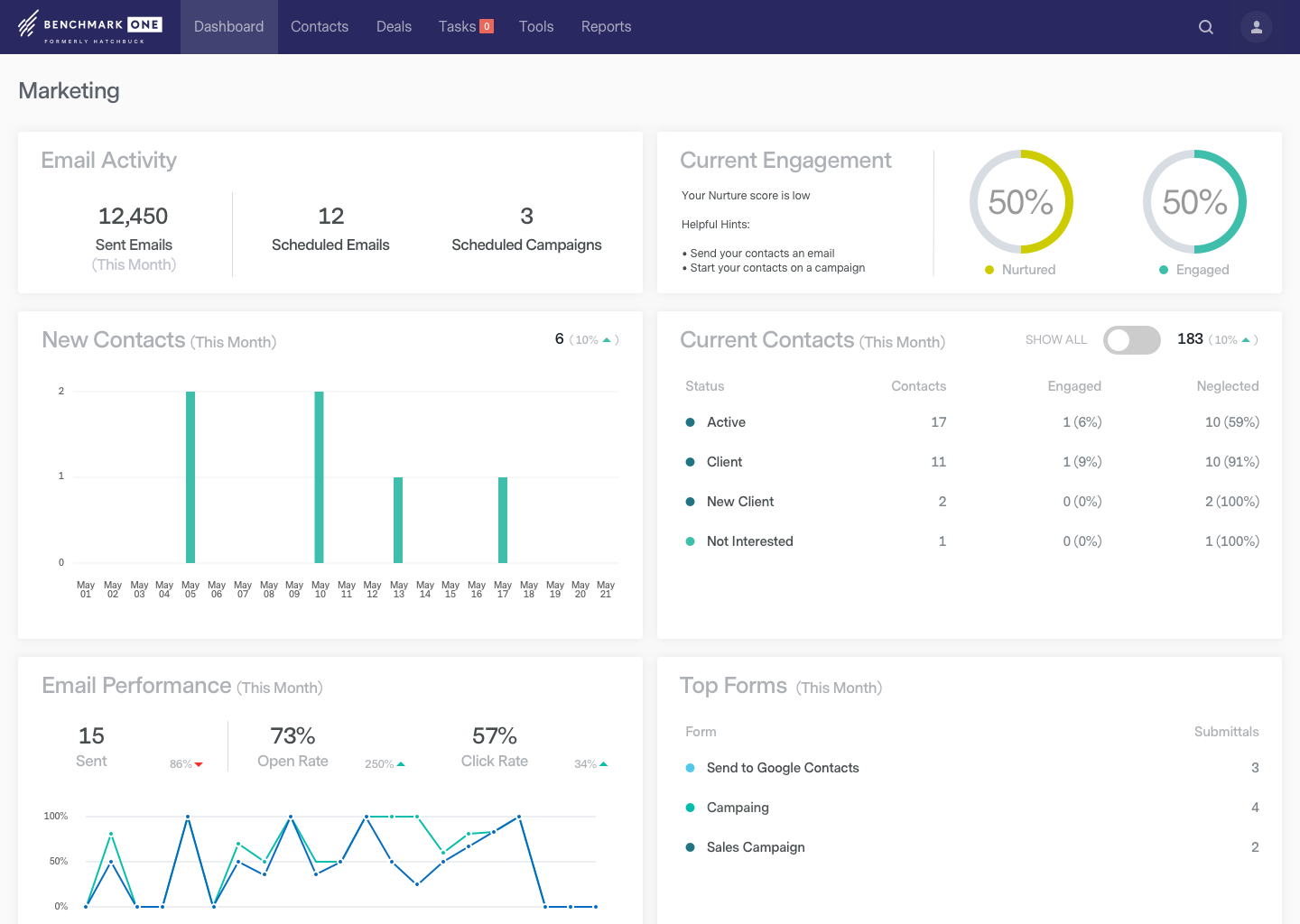
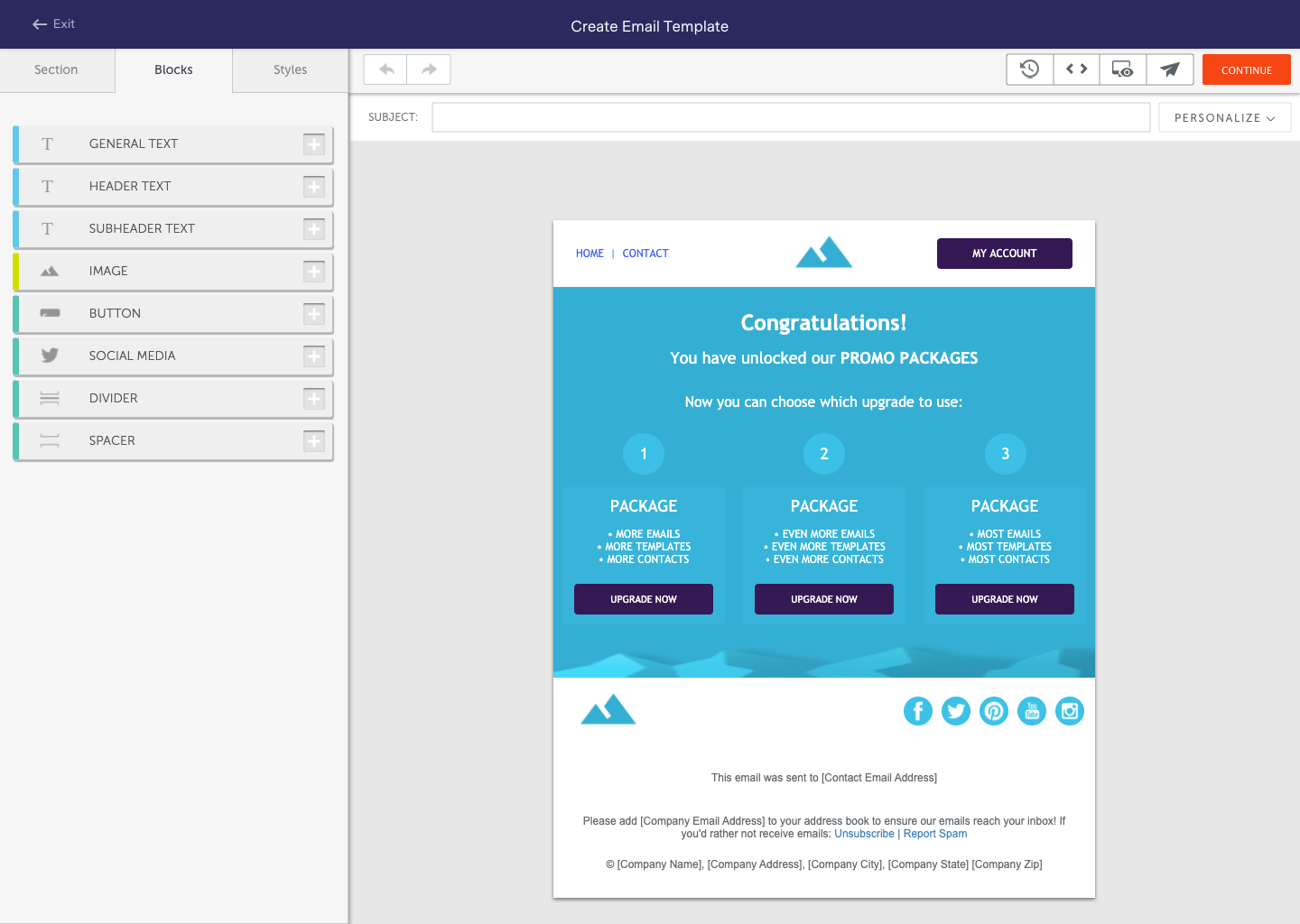
Screenshot of See your progress at a glance. BenchmarkONE's dashboard gives you valuable insight into which areas of sales and marketing you should focus on the most.Screenshot of BenchmarkONE's small business CRM makes it simple to track and manage all of your contacts in one spot. BenchmarkONE notifies you when important tasks are due and even sends you hot lead alerts when prospects are ready to buy.Screenshot of Automatically track the pages your contacts have visited on your site, the emails they have been sent, the emails they've opened and the links they've clicked.  Understand their interests to put relevant conversations with prospects and customers at your fingertips.Screenshot of Setting up Email Nurturing campaigns are a snap in BenchmarkONE. You can easily drip relevant content to sales leads and contacts that nurtures them throughout the entire buying process, saving you valuable time and skyrocketing response rates.Screenshot of Create great looking emails using BenchmarkONE's drag and drop email builder, or select a template from our extensive email template library.

MailUp Screenshots

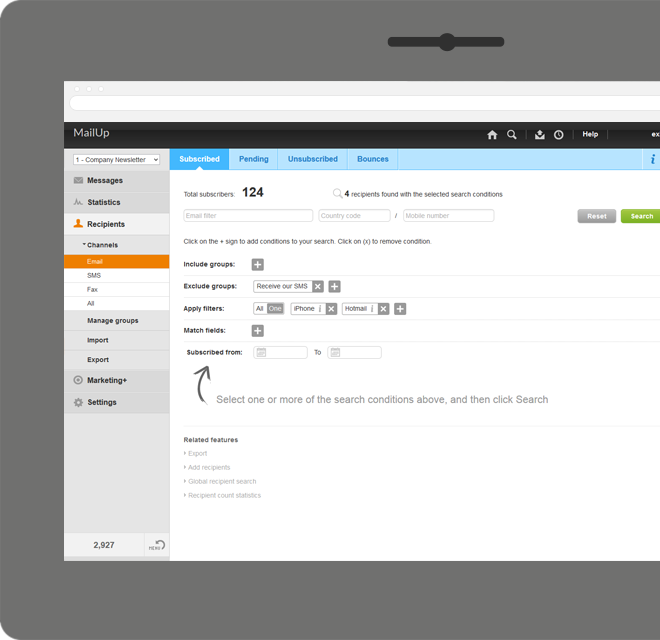
Screenshot of Manage lists. With MailUp, you can manage mailing lists, groups and sending profiles, automatically eliminating duplicate addresses and handling users who cancel their subscription. The procedure is guided, quick and safe. The utmost simplicity, with no need to install additional software. Not bad, right?Screenshot of he winning variable, with mathematical certainty
With A/B testing, discover, prior to mailing, what your recipients prefer to read, by automatically testing several versions of the same text, measuring its effectiveness on a select group. Opening results improve by up to 30% and, for each version, you have more statistical information. Mailing after mailing, you can only do better!Screenshot of Creating emails for mobile devices is easy
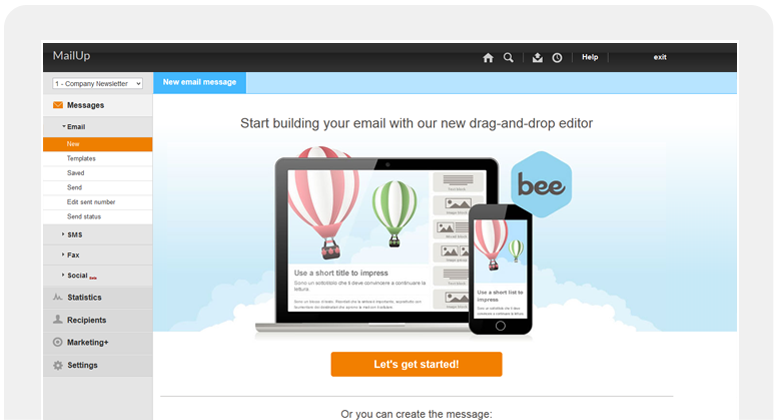
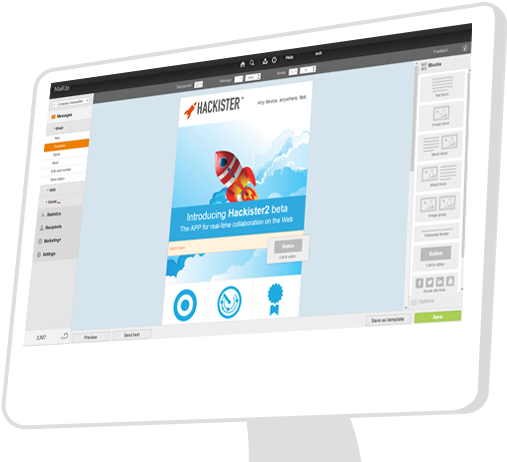
Free your creativity and create emails and newsletters that have great visual impact, optimised for mobile devices. While you concentrate on the content of your campaign, MailUp takes care of the rest with the aid of an intelligent editor and plenty of cutting-edge functions. Not bad, right?Screenshot of Countless ways to create your messages.

There's not only BEE with which create messages. You can start with HTML documents, RSS/Atom, URL or choose from hundreds of graphic models. Starting with an empty email? The convenient WYSIWYG editor helps you put your messages together with just a few clicks. It's all up to you!Screenshot of .and you can do the same with unsubscribe lists.

Automatic management of unsubscribe lists allows you to activate the UNSUBSCRIBE button directly in the email client interface. The unsubscribers list also shows a list of users who performed this action, which may be edited and exported. This function also allows you to make up random groups of users, specifying the number of subscribers. This makes it easier to manage random sampling and A/B testing.Screenshot of