A now discontinued accounting solution, QuickBooks Self-Employed featured tools to help the self-employed drive growth and financial stability. It is replaced by the more advanced QuickBooks Solopreneur.
N/A
Xero
Score 8.4 out of 10
N/A
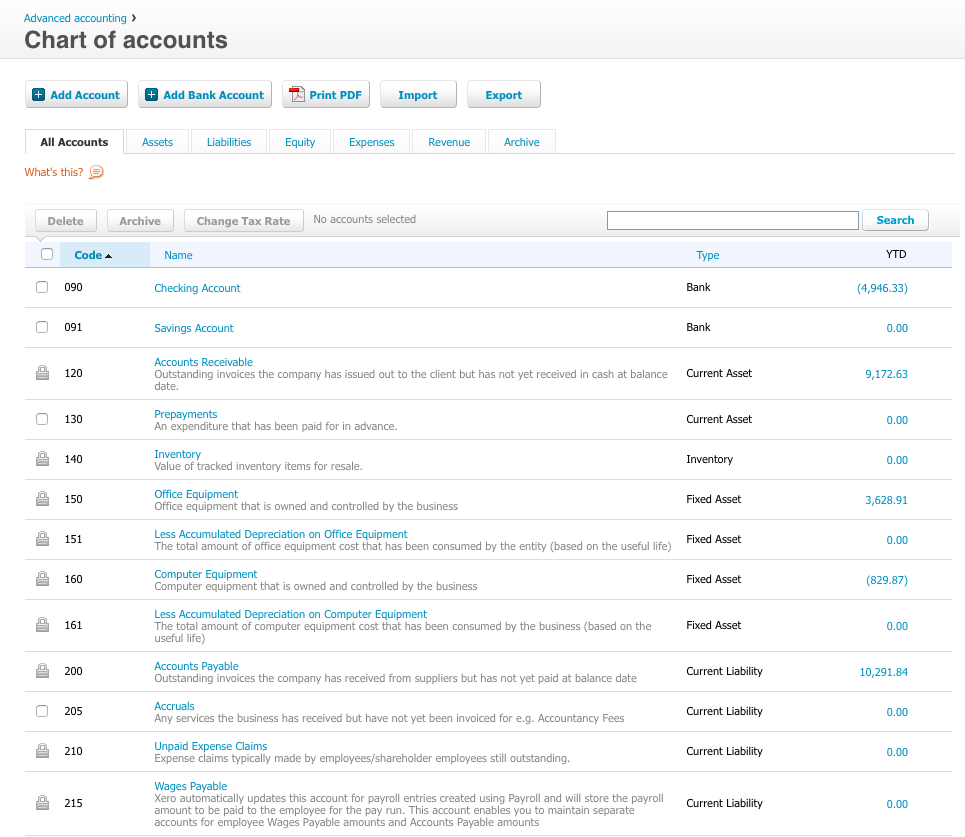
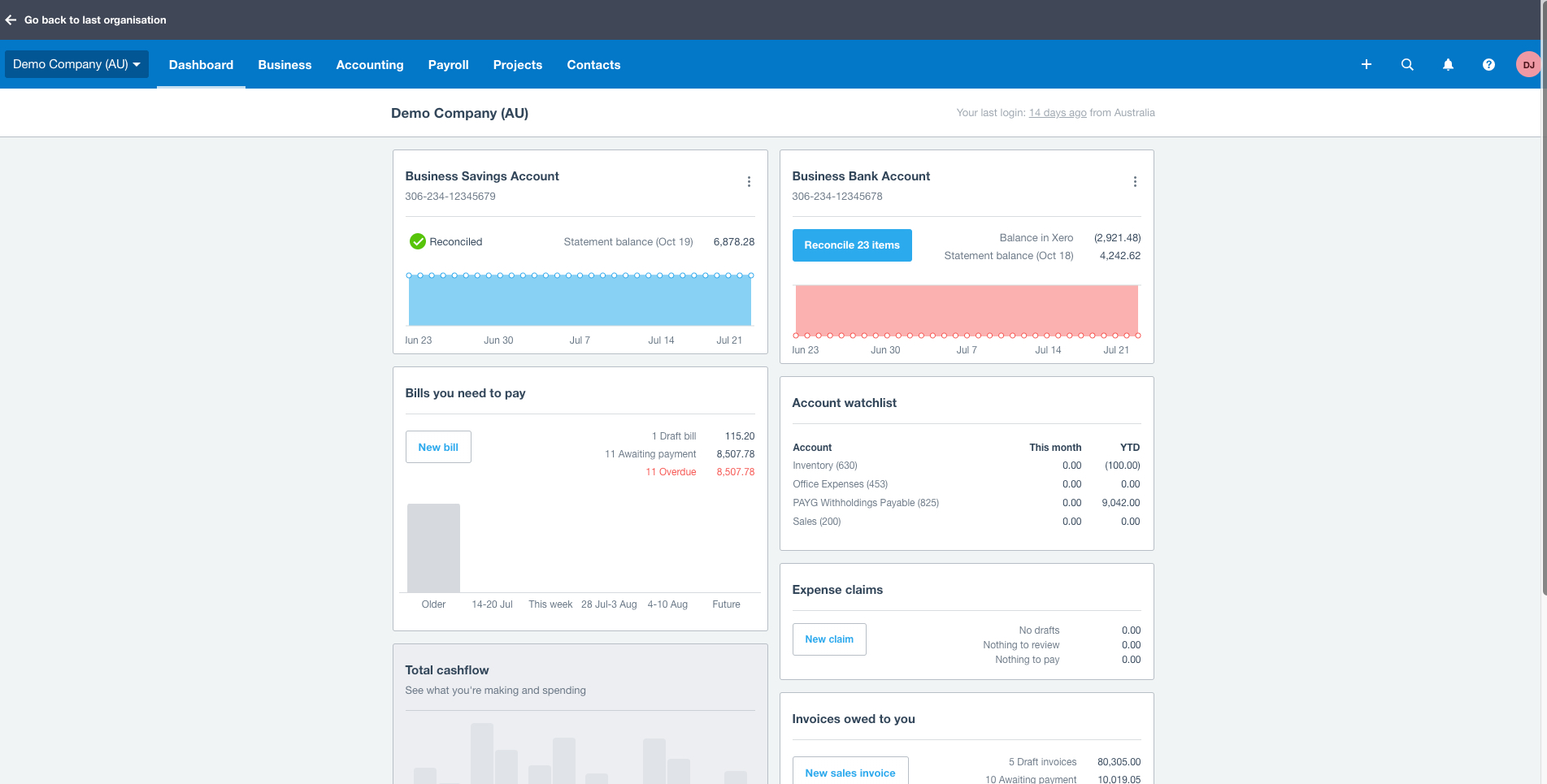
Xero is an online accounting software product for small businesses and personal finance. Its features beyond general ledger and double-bookkeeping include quotable invoicing, bank reconciliation, purchase order and expense management, and tax management. Third party apps can extend its features further.
$13
per month
Pricing
Bind ERP
QuickBooks Self-Employed (discontinued)
Xero
Editions & Modules
Basic
$350
per month
No answers on this topic
Early
$13
per month
Growing
$37
per month
Established
$70
per month
Offerings
Pricing Offerings
Bind ERP
QuickBooks Self-Employed (discontinued)
Xero
Free Trial
No
No
Yes
Free/Freemium Version
No
No
No
Premium Consulting/Integration Services
No
No
No
Entry-level Setup Fee
No setup fee
No setup fee
No setup fee
Additional Details
—
—
Prices in table are in USD and just apply to the US - other markets & prices are listed below:
Canada - Starter $18 CAD/month, Standard $45 CAD/month, Premium 5 $58 CAD/month
UK - Starter £14/month, Standard £28/month, Premium £36/month
AU - Starter $29 AUD/month, Standard $59 AUD/month, Premium 5 $76 AUD/month
NZ - Starter $31 NZD/month, Standard $66 NZD/month, Premium $84 NZD/month
Freshbooks limited my ability to categorize transactions, specifically removing duplicates or excluding them. I selected QuickBooks Self-Employed because it allowed me to be in control of items. Sometimes accounting is just making sure things are organized the way YOU think, …
Honestly, this was the only option for me when I launched my business. I didn't even look at different companies for account services, since QuickBooks Self-Employed had the features and benefits that I needed to run daily operations of my business. Eventually, I will need to …
To be honest, I haven't shopped around for a bookkeeping package. I've been using TurboTax for well over a decade, and adding on QuickBooks Self-Employed (once I made the switch to freelancing) was a no-brainer. I probably could have used the program to help me keep track of …
President/Client Strategy Partner, Business Development/Government Relations Services
Chose QuickBooks Self-Employed (discontinued)
I selected QBSE because no other system fit my needs as a freelancer and as of now, I've not become aware of a program like this that I would opt out for.
Xero is fundamentally more advanced than Zoho with regard to financial accessibility. Whilst Zoho has great invoice customisation and accounts payable/receivable tracking, it falls down in more sophisticated management reporting.
Xero is user-friendly and easy to navigate and learn how it works. The system adopts to modernization and keeps improving. There is a wide range of third-party applications you can integrate.
Quick books is also the similar kind of service but it does not provide the extensive API support that Xero provides. Also, the cost of QB is higher than Xero. UI of QB is also not that good like the Xero, Xero has very well UI standards then the QBO.
We prefer Zoho Invoice for doing the actual invoices to send to clients as we don't like the Xero interface and client side experience (we can customise the invoices and emails in Zoho) but Zoho Invoice doesn't have all the accountancy features that Xero has so we use both.
I originally used Xero, but felt let down as a small business when functionality was removed, such as payroll, but pricing remained, and I now have to pay more for a payroll solution from a third party. I am evaluating Odoo as a potential replacement.
Xero is more suitable for small and medium enterprises. Intacct is more suited for large scale operations. Reporting is more fluid and more customizable in intacct than Xero. Both the applications fare well in case of the third party integrations.Consolidation and entity …
We have another business that uses QuickBooks Online and we find more problems with it. Xero is the software we have recommended to friends and associates looking for an accounting system. Also Xero is reasonably priced.
I really enjoyed using Wave as it was very user-friendly, well designed and slick as a business touchpoint with our clients, but I was forced to move away from it as Wave decided to restrict its use to only North American customers whereas I'm in the UK.
I formerly have used, Quicken, Quickbooks, My Advanced Invoices and another one whos name is not coming to mind. I found Xero to do everything in an organozed way and I've stayed with it.
MYOB has always seemed well behind in the functionality. We recently discontinued our DEAR subscription due to astronomical increase in subscription fees. While Xero doesn't do as much in terms of inventory management we can manage without that function for the lower price.
QuickBooks is a great tool for new SoleTraders that need basic accounting software and require digital invoicing for their clients to send via email and access key features via a mobile app on the go. QuickBooks is a straightforward tool to use with a simple design and learning curve for business owners that are not very tech-savvy. For businesses that operate on a larger scale and need to provide access to other users on their team, QuickBooks is limited. This type of business may also require more insights into the business outside of accounting, and QuickBooks won't be able to supply insights outside of that.
I am a massage and physical therapist. We are not a fancy business but business admin can take a lot of time and effort. Xero came recommended to me by colleagues in the sector. You raise invoices, you get paid. and you pay your bills. These are all daily scenarios for most businesses and Xero does this particularly well. Since my accountant can query my records directly, this greatly saves on bookkeeping time when it is time to do the company returns.
Repeating invoices (most of my business is monthly recurring invoices) - it does these very well.
Reporting - particularly being able to dig into the different lines of the P&L statement.
Tracking categories - I assign a category to every line of every invoice so it's easy to see how much has been sold of each type of service every month and year, and compare them to previous periods.
There are a number of unnecessary and ongoing prompts to do small tasks, like creating a rule for certain transactions. I could do without those.
There are also occasional glitches with bank setup that produce duplicate transactions which can be a pain to deal with. I also haven't been able to find a way to effectively edit transactions.
I also wish that QBSE integrated with software like Freshbooks, Tripit and Expensify.
Limit unit price decimals to 2 digits, currently shows 3 or more after the decimal on invoices.
Discounted rates for multiple entities within the same group e.g. if you have a group of 3 or more companies looking to move to Xero, incentivize those clients with discounted monthly rates.
Easier way to reconcile loan accounts across multiple entities.
In addition to the matters covered in this review, my reason for renewing this product is that Xero's functionality and the constant updates that the company provides, makes the software even more business friendly. The software therefore builds a brand loyalty among customers.
I have been using this software for several years now and it has always put out my data in beautiful generated reports that I can use for verification purposes with my financial institute and the IRS. It has all the tools I need to run my business without loosing track of anything
As a standalone software, it allows users to fulfill most of the basic functions (e.g. transaction input and report generation) simply and conveniently. It also allows for multiple APIs to help augment various tasks that accounting-adjacent (e.g. claims processing). The cloud based model and portability to mobile devices allows tasks to be carried out in a more convenient way.
We have been actively using and 100% Xero based for our ecommerce accounting practice for over 4 years. There has on been one real outage for more than 5 minutes. Xero was open and transparent about the outage, what they were doing to resolve the issue, and provided 15 minute updates. Showing how they care about their customers and partners. Plus, showing that their customers care too, were understanding, and went surfing or in our case took a nap. Couldn't run our business without Xero as a partner.
On a good day, things worked but after upgrades, things began to slow and or not work at all at times. I coined the moving circle while I waited as the "Xero Wheel of Death". Sometimes it never stopped and force quitting was necessary.
I have never faced any difficulties that required me to contact QuickBooks customer service. QuickBooks has plenty of online tutorials, blog posts, and helpful tips and advice for almost any issues you may face using the desktop or app version of the software. Even if you can not find the right answer on the QuickBooks webpages, there are loads of YouTube videos from experts.
Always respond and keep issues open until you are satisfied with the result. Generally good responses, in the past, I had some support responses that were really basic and really annoying. They type where "have your tried restarting your computer" style of answers. Well, of course, I went through all the basics before contacting them. Duh, but I suppose not everyone does. Otherwise, it would be a 10. The last year has shown a marked improvement in the support responses however.
All of Xero's training is online and available for anyone (business owner or accountants) to learn and become experts in their system. There is a range of content from product training to real world webinars from their partners. Xero is beautiful accounting software and their training is the same.
If it can be done, time the implementation near a new fiscal year so you can start clean. Otherwise, you have to go back and do historical data from the beginning of the fiscal year, which can be brain draining.
To be honest, I haven't shopped around for a bookkeeping package. I've been using TurboTax for well over a decade, and adding on QuickBooks Self-Employed (once I made the switch to freelancing) was a no-brainer. I probably could have used the program to help me keep track of employee expenses as I was working for others in the past.
MYOB has always seemed well behind in the functionality. We recently discontinued our DEAR subscription due to astronomical increase in subscription fees. While Xero doesn't do as much in terms of inventory management we can manage without that function for the lower price.
I have yet to fully stress test the product given the size of the company where I am using it. I am sure as we scale to more customers, more vendors and more reporting requirements, I will have a better understanding of what it is capable of in terms of bandwidth and processing
A positive impact on my business is, of course, keeping track of income and expenses, and approximate quarterly taxes. QuickBooks is a little better at this than Quicken, I think.
By using QuickBooks (and Quicken) it saves me having to spend money on an accountant. (At least up to this point.)
However, the time I spend on daily or weekly entries takes billable time away from other things.
Xero is a basic accounting system that performs basic accounting tasks easily and accurately. For that, it provides a positive impact on our day to day accounting operations.
Because of Xero's basic structure, I feel it lacks some of the sophistication that some users want and need. The ability to create unique custom reports would enhance the impact Xero would have on meeting business objectives by providing current and useful accounting information.
In my opinion, Xero's lack of focus on their customers - their users - is a real issue with me. In my opinion, those of us that are in the trenches that work with the system on a daily basis have to deal with the shortcomings of the system with the knowledge that Xero support refuses to address the operational issues that make their user's lives difficult. I feel if Xero would focus on truly making their software better from a users point of view, it has the potential to be a great system.