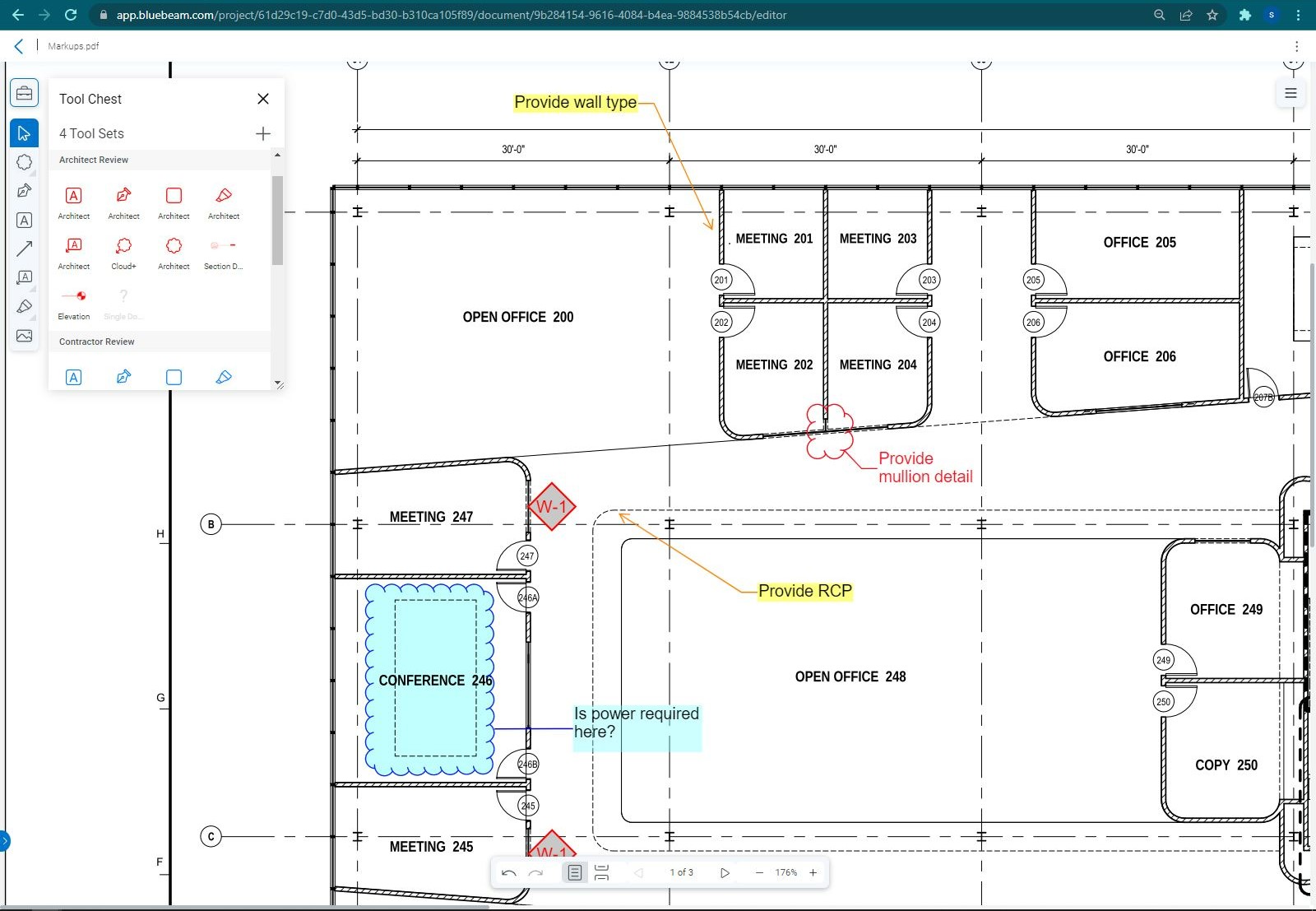
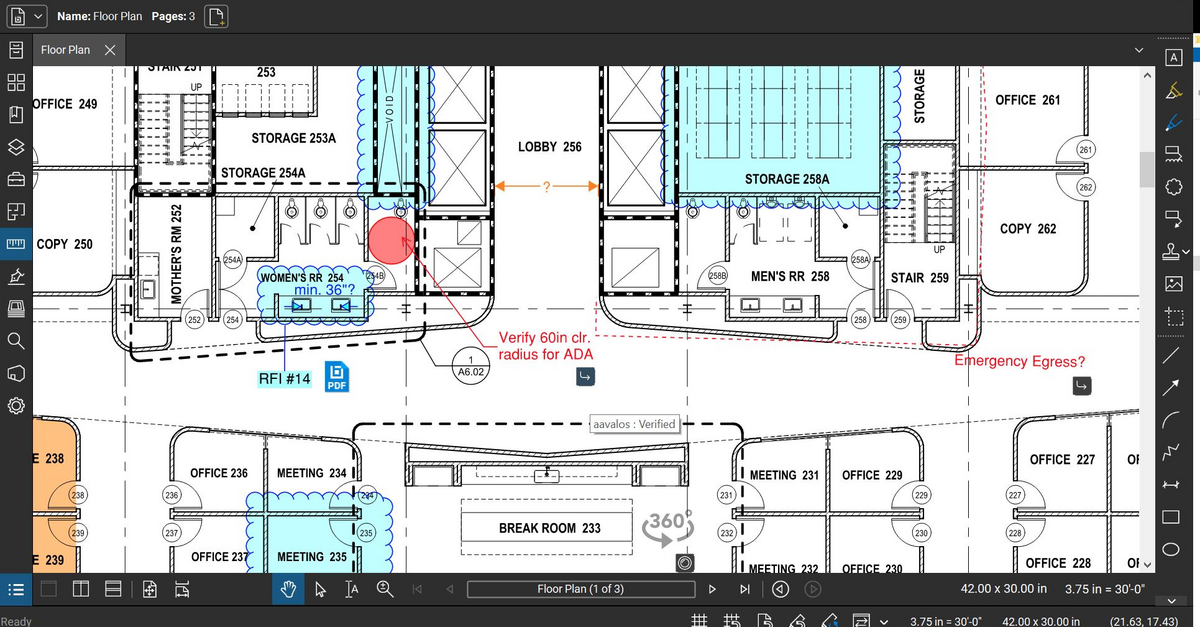
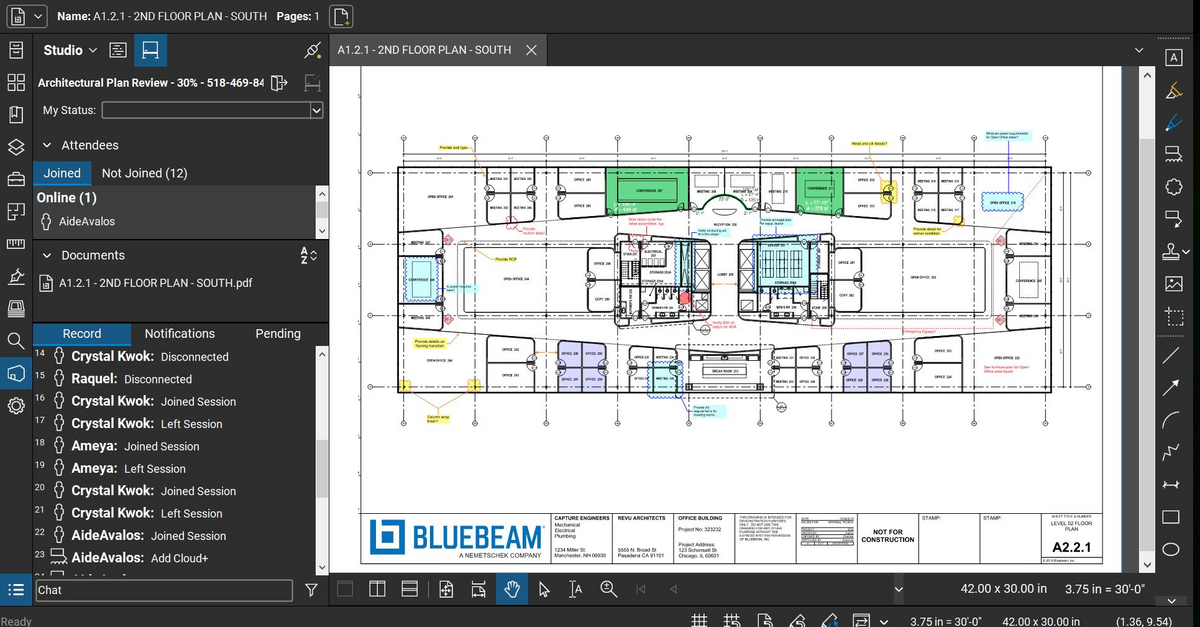
Bluebeam Revu is a PDF management, control, and editing tool. It enables collaboration and markup within shared documents across projects’ life cycles and has takeoff and bid creation capabilities.
$260
per year per user
e-Builder
Score7.3 out of 10
N/A
e-Builder is a cloud-based construction program management solution that manages capital program cost, schedule, and documents. It allows owners to measure and manage the capital project delivery process from planning, design, procurement, construction and operations.
N/A
RSMeans data, from Gordian (Costworks)
Score10 out of 10
N/A
RSMeans data, from Gordian (formerly Costworks) is a construction and estimation software offering acquired by the Gordian Group in 2014. It includes cost books and construction project estimating software tools.
Eastern Regional Estimating Manger of Design in Engineering at McKissack & McKissack (Architecture & Planning, 10,001+ employees)
Chose RSMeans data, from Gordian (Costworks)
CostWorks is a unique software for estimating as compared to the other softwares I have listed above. PACES is mostly used for federal modeling and really cannot be compared to Costworks. It has its own developed modeling database and has its own quirkiness and issues.
A de minimis incentive was given to thank the reviewer for their time. The incentive was not used to bias or drive a particular response, nor was the incentive contingent on a positive endorsement. More Info
The program is great for editing construction drawings, stamping/approving official documents and overlaying revised documents to see design changes. You can use it as an estimating takeoff tool, estimating database, document control, cloud document storage, the list goes on! Bluebeam poses many applications for the user to utilize for the desired needs. There may be some other software that has one specific function that can perform the specific task better, but Bluebeam is a holistic program with many tools for use.
A de minimis incentive was given to thank the reviewer for their time. The incentive was not used to bias or drive a particular response, nor was the incentive contingent on a positive endorsement. More Info
Well suited for the owner's side of managing multiple projects as it allows for all aspects of a project from development to closeout to be managed on one platform. Not as appropriate for a general contractor as there is better software out there. e-Builder's app is not as effective as others.
A de minimis incentive was given to thank the reviewer for their time. The incentive was not used to bias or drive a particular response, nor was the incentive contingent on a positive endorsement. More Info
Well Suited: Construction cost estimates for new larger projects where the construction will start within the next 6-9 months. Budgetary estimates for future buildings through its square foot models. Not Well Suited: Not accurate enough on small projects where labor, travel to sites, and OH&P are a higher percentage of unit costs than on larger projects where these costs are spread out across more units.
A de minimis incentive was given to thank the reviewer for their time. The incentive was not used to bias or drive a particular response, nor was the incentive contingent on a positive endorsement. More Info
Once you set Bluebeam Revu as your default PDF handler, it launches immediately when clicking a PDF to open. The speed with which it opens documents is impressive.
Creating PDF's out of other documents, such as Word, Excel, JPG's, etc. is simple.
Digitally signing documents is a simple, secure process. You can keep your signature password-protected, yet still access it quickly.
The Bluebeam Revu mobile application ( I use the iOS version on an iPad Pro), is awesome. Not only does it handle PDF's like you would expect it to, it allows for effortless digital signing of documents on the fly. Nice to be able to quickly sign a document and email right back out from the tablet no matter where I am.
A de minimis incentive was given to thank the reviewer for their time. The incentive was not used to bias or drive a particular response, nor was the incentive contingent on a positive endorsement. More Info
Provide a document structure that is easy to navigate. All documents, even within a process, are stored in the document structure and easily accessed by those with the correct permissions.
Scheduling, especially with the new module is easy. It is helpful with a large organization where many hands touch projects to be able to forecast workloads (we have an in house engineering team who reviews all projects during their design phase)
Allows for easy interface with contractors and makes the submittal process more straightforward.
A de minimis incentive was given to thank the reviewer for their time. The incentive was not used to bias or drive a particular response, nor was the incentive contingent on a positive endorsement. More Info
CostWorks is very good at generating quick and valid estimates for standardized facilities such as office buildings, schools, etc. It allows you to validate other cost estimates at the UniFormat level when doing an estimate validation.
CostWorks' database of detailed line-items is a very resourceful asset when it comes to finding a very specific line-item. Sometimes, when using Success or MII, I will have CostWorks open on the other screen so I can find an item that the other softwares just don't have and build it into the other software from the CostWorks entry.
CostWorks does a very good job of generating reports that are both well-developed and have enough detail at the summary level to be able to sit with a client or a project manager and have them follow along and understand without being overwhelmed with detail and numbers.
A de minimis incentive was given to thank the reviewer for their time. The incentive was not used to bias or drive a particular response, nor was the incentive contingent on a positive endorsement. More Info
If you have several tabs open and you try to drag one out for a side by side view then you do not have all the modification options and you have to combine them back together.
There is a lag time when hitting the print option.
There is also a lag time when opening files, sometimes I think the window is frozen.
I wish the basic version also had basic file editing, as in editing a document as Adobe does.
A de minimis incentive was given to thank the reviewer for their time. The incentive was not used to bias or drive a particular response, nor was the incentive contingent on a positive endorsement. More Info
The restrictions in formatting, and sorting of information rendered, in a way, affects the reporting output.
At certain times of day, e-Builder traffic causes the loading of filtered searches to take a while. This is probably common regardless of the site or software used.
More complicated reporting has some limitation, though the program is highly efficient in assisting with simple format reports.
A de minimis incentive was given to thank the reviewer for their time. The incentive was not used to bias or drive a particular response, nor was the incentive contingent on a positive endorsement. More Info
A de minimis incentive was given to thank the reviewer for their time. The incentive was not used to bias or drive a particular response, nor was the incentive contingent on a positive endorsement. More Info
Bluebeam is a powerful PDF viewer and mark-up tool. We are more familiar with it than Adobe Acrobat Pro or other viewers, and it has more features geared towards construction document managers than Acrobat Pro does.
A de minimis incentive was given to thank the reviewer for their time. The incentive was not used to bias or drive a particular response, nor was the incentive contingent on a positive endorsement. More Info
A de minimis incentive was given to thank the reviewer for their time. The incentive was not used to bias or drive a particular response, nor was the incentive contingent on a positive endorsement. More Info
I'm constantly finding that Bluebeam Revu does more than I knew it could. And when I find something that it can't do, I've found that Bluebeam truly listens to its user base and will work to incorporate any good suggestion when feasible.
A de minimis incentive was given to thank the reviewer for their time. The incentive was not used to bias or drive a particular response, nor was the incentive contingent on a positive endorsement. More Info
Simple, because have a used it for the past two years, so i'm very familiar with the particular aspects of its program that I need to accomplish my tasks.
A de minimis incentive was given to thank the reviewer for their time. The incentive was not used to bias or drive a particular response, nor was the incentive contingent on a positive endorsement. More Info
Its hard for me to give a rating on this one as we rarely have to use the support feature for Bluebeam. However, when we have used it, they have been ultra supportive in helping us get exactly what we needed. I know another engineer was trying to figure out a feature and the rep gave a detailed tutorial on how to complete the task
A de minimis incentive was given to thank the reviewer for their time. The incentive was not used to bias or drive a particular response, nor was the incentive contingent on a positive endorsement. More Info
Again, because our technical support is great. He doesn't always answer the phone but he definitely responds to emails fairly quickly. In addition, I like that he actually resolves an issue and I have yet to encounter the same issue twice. Actually, I haven't encountered many issues at all in the two years I have used the software.
A de minimis incentive was given to thank the reviewer for their time. The incentive was not used to bias or drive a particular response, nor was the incentive contingent on a positive endorsement. More Info
A de minimis incentive was given to thank the reviewer for their time. The incentive was not used to bias or drive a particular response, nor was the incentive contingent on a positive endorsement. More Info
1. Set up the time to get training on the sytem before you go all in.
2. Listen, ask questions and actually practice using the tools and features while in class. It helps tremendously with becoming comfortable and remembering how things work.
3. Don't be afraid to mess up. They are helpful and will help resolve your issue in a timely manner
A de minimis incentive was given to thank the reviewer for their time. The incentive was not used to bias or drive a particular response, nor was the incentive contingent on a positive endorsement. More Info
We feel there is not another program out there that would compare to Bluebeam at this current time. Some of the other programs out there do not include studio or the overlaying process which is one of our main uses. The ease of hyperlinking makes this product stand out the most.
A de minimis incentive was given to thank the reviewer for their time. The incentive was not used to bias or drive a particular response, nor was the incentive contingent on a positive endorsement. More Info
We have not compared other plans since the boss prefers this program from personal experience. But from using this program for 2 years I can see why we don't need to compare. Why fix something that isn't broken? It gets the job done, yes we might run into some issues but I feel like with all companies that can happen
A de minimis incentive was given to thank the reviewer for their time. The incentive was not used to bias or drive a particular response, nor was the incentive contingent on a positive endorsement. More Info
CostWorks is a unique software for estimating as compared to the other softwares I have listed above. PACES is mostly used for federal modeling and really cannot be compared to Costworks. It has its own developed modeling database and has its own quirkiness and issues. MII has been developed for the USACE and utilized a user-developed folder structure and RS Means Database. I use CostWorks along side this software to find line-items that are not in the MII RS Means Database. Success has been developed for NAVFAC and again, utilizes a user-developed folder structure and RS Means Database. When I use this software, I ALWAYS have CostWorks open on the other screen as Success' RS Means database is extremely lacking when it comes to the number of detail line-items. Timberline is by SAGE and I use it mostly for DOS and FAA work. Of the 3 RS Means Database softwares, this one has the most detailed database for reference, however, there are times when I do have to look up an item that Timberline does not have and the first software I open is CostWorks.
A de minimis incentive was given to thank the reviewer for their time. The incentive was not used to bias or drive a particular response, nor was the incentive contingent on a positive endorsement. More Info
A major positive aspect is being able to take your computer home without taking the entire set of paper drawings. They have made it so easy to navigate a set of drawings that I can work at home using only the digital drawings.
Collaboration with owners and architects has been a great feature. Setting up a Bluebeam studio and having everyone get in and mark things up, then having the architect be able to go in and see what markups have been added, has made the constructability review process much much better.
Even when not working on drawings, Bluebeam is a very good tool for working with standard PDF documents. The markup tools are very easy to use.
The negative aspect is the takeoff function because some people would like estimators to use the Bluebeam takeoff because it would make their job easier down the road; however, the actual act of doing a full scale takeoff in Bluebeam would require much more time.
A de minimis incentive was given to thank the reviewer for their time. The incentive was not used to bias or drive a particular response, nor was the incentive contingent on a positive endorsement. More Info
A de minimis incentive was given to thank the reviewer for their time. The incentive was not used to bias or drive a particular response, nor was the incentive contingent on a positive endorsement. More Info
I don't really see any "negative" impacts on my business or my ROI by purchasing CostWorks. It's a valuable tool that we use, however, some of my colleagues do not use it or use it very infrequently.
I find it well worth the cost even though we don't develop complete estimates in CostWorks due to client dictated softwares.
It has provided very quickly-built estimating models that let our team and project managers know that the RFP or the task that they are contemplating bidding on or starting to work on is actually feasible to construction given the budget and directive.
A de minimis incentive was given to thank the reviewer for their time. The incentive was not used to bias or drive a particular response, nor was the incentive contingent on a positive endorsement. More Info