BombBomb in Colorado Springs offers a video messaging and marketing platform to accelerate and personalize sales processes. The video, which integrates with Gmail, Salesforce, and Outlook, provides open tracking and video response capabilities, reminder and notifications, reusable text for sales emails, and content library custom branded content for integration with emails.
$38
per month
Cincopa
Score9.8 out of 10
N/A
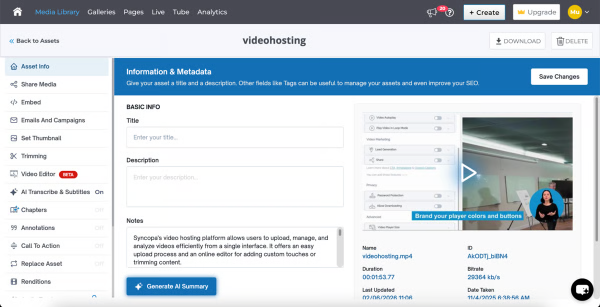
Cincopa is a video knowledge management platform that converts video and document assets into searchable, structured knowledge environments. The solution utilizes Artificial Intelligence (AI) to index multimedia content, allowing users to query libraries using natural language to locate specific information within media files. Key Capabilities Structured Knowledge Environments: The platform organizes Video Assets and Digital Documents into categorized…
A de minimis incentive was given to thank the reviewer for their time. The incentive was not used to bias or drive a particular response, nor was the incentive contingent on a positive endorsement. More Info
BombBomb is great for direct, individually-sent emails where you want to custom the email, particularly with a video message. BombBomb is not the best mass email tool that I have seen on the market. In my experience, they penalize you when people unsubscribe, even if they NEED to be receiving your emails. We have people who unsubscribe and then miss info they need for work. That's not our fault. But, in our experience, BombBomb displays that we are not a good company to mass email because of it.
A de minimis incentive was given to thank the reviewer for their time. The incentive was not used to bias or drive a particular response, nor was the incentive contingent on a positive endorsement. More Info
I would say that Cincopa is a first-stop for any dev project without an internal gallery option. This is especially true if the person in charge of content or building the galleries is not a coder. Cincopa makes designing a good looking gallery and inserting it into nearly any webpage a pretty simple process, so it is a great starting place. There may be other options that would fit a different development project better (internal gallery functions or a full-scale DAM with importable galleries), but for our purposes Cincopa was (and is) a perfect fit.
A de minimis incentive was given to thank the reviewer for their time. The incentive was not used to bias or drive a particular response, nor was the incentive contingent on a positive endorsement. More Info
I like BombBomb's animated GIF preview of our video content. I think it's definitely more attention-grabbing than traditional email.
BombBomb's automation tools are simple and easy to use. You can program a series of emails to go out X number days following the previous one and at a certain point in time.
BombBomb's email builder is also pretty easy to use, once you get the hang of it. (If you've used other email tools, Constant Contact, MailChimp, etc. --- this one should be a snap.)
A de minimis incentive was given to thank the reviewer for their time. The incentive was not used to bias or drive a particular response, nor was the incentive contingent on a positive endorsement. More Info
A de minimis incentive was given to thank the reviewer for their time. The incentive was not used to bias or drive a particular response, nor was the incentive contingent on a positive endorsement. More Info
The number of pictures for the upload should be slightly higher.
The previous calculation of the traffic is difficult.
If many pictures have to be deleted from a gallery, that does not happen so fast, because only 50 pictures are loaded. Then you have to scroll all the way down and wait until the next 50 images are loaded, in order to be able to mark them for deletion. This takes a while with 800 pictures for example.
As said before, the usability is very straightforward and the customization options are good enough to get the job done. There is a mobile app to help with real-time engagement so that is useful too. They offer plenty of training and best practices to make sure you are getting the most out of BombBomb.
A de minimis incentive was given to thank the reviewer for their time. The incentive was not used to bias or drive a particular response, nor was the incentive contingent on a positive endorsement. More Info
Cincopa is very easy to use, especially to the uninitiated. You don't need a degree in CS or years of experience to set-up a fantastic looking gallery. The interface is self-explanatory for the most part and very easy to use. The drag-and-drop functionality makes it simple and inviting for all users.
A de minimis incentive was given to thank the reviewer for their time. The incentive was not used to bias or drive a particular response, nor was the incentive contingent on a positive endorsement. More Info
Overall it's very easy to use and the video emails stand out. Everything loads quickly and they make it easy to set up. It features CRM-like functionality to view opens, clicks, time watched, etc., but it doesn't port that info over to your existing CRM which is where some of the friction occurs. Still, it's amazing for what it does. I recommend giving it a try for our outreach.
A de minimis incentive was given to thank the reviewer for their time. The incentive was not used to bias or drive a particular response, nor was the incentive contingent on a positive endorsement. More Info
A few times over the years I have asked for features to be added to BombBomb and I am amazed at how fast they can implement. Zapier integration is a perfect example. They implemented the connection to Zapier within 30 days of my feature request. It took a much larger company, Keller Williams Realty over 10 years to implement the same request.
A de minimis incentive was given to thank the reviewer for their time. The incentive was not used to bias or drive a particular response, nor was the incentive contingent on a positive endorsement. More Info
I believe my customer service director looked into a couple of other companies before deciding on BombBomb and I know the Outlook integration was a big deal. I think they really liked how easy the program is to use too.
A de minimis incentive was given to thank the reviewer for their time. The incentive was not used to bias or drive a particular response, nor was the incentive contingent on a positive endorsement. More Info
Cincopa has nice templates that are easy to use. The images can be moved about, more images added, and the size changed.
I particularly like the Pinterest style template, as it fits in well with the number of images that I need to display on my website. The more choices displayed, the more likely customers are to order.
A de minimis incentive was given to thank the reviewer for their time. The incentive was not used to bias or drive a particular response, nor was the incentive contingent on a positive endorsement. More Info
Overall, I think BombBomb has given us a positive ROI on our email marketing efforts. I don't have numbers to support that claim, but it's more affordable and better positioned for what we needed to do than many other tools out in the marketplace. If you need to differentiate your email, the video component is a great way to go.
A de minimis incentive was given to thank the reviewer for their time. The incentive was not used to bias or drive a particular response, nor was the incentive contingent on a positive endorsement. More Info
The video that we uploaded to our website will show prospects in the area around our apartment community and hopefully give them a good idea of how close they can be to work/school.
Our video will result in more apartments being rented which will have a positive impact on our ROI.
Our video will give residents and prospects a positive image of our community.
A de minimis incentive was given to thank the reviewer for their time. The incentive was not used to bias or drive a particular response, nor was the incentive contingent on a positive endorsement. More Info