Bridge LMS, Skills & Performance Management vs. Canvas

Overview
ProductRatingMost Used ByProduct SummaryStarting Price
Bridge LMS, Skills & Performance Management
Score 7.4 out of 10
Mid-Size Companies (51-1,000 employees)
Bridge is an integrated talent management platform that combines learning management, performance management, career development, and engagement measurement into one platform. Bridge enables companies to develop their people with live, virtual, on-demand and experience based training, manager/employees 1:1s, and career development plans. Used by more than 1000 companies worldwide, Bridge helps companies achieve their strategic people development goals by facilitating connection, alignment, and…N/A
Canvas
Score 8.6 out of 10
N/A
Instructure is an educational software company based in Sandy, Utah. It is the developer of the Canvas learning management system, which is a comprehensive software package that competes with such systems as Blackboard Learning System, SumTotal and Saba.N/A
Pricing
Bridge LMS, Skills & Performance ManagementCanvas
Editions & Modules
Learn (LMS)
Contact Sales
Talent Suite (LMS and Skills)
Contact Sales
Full Suite (LMS, Skills and Performance)
Contact Sales
No answers on this topic
Offerings
Pricing Offerings
Bridge LMS, Skills & Performance ManagementCanvas
Free Trial
NoYes
Free/Freemium Version
NoYes
Premium Consulting/Integration Services
NoNo
Entry-level Setup FeeRequiredNo setup fee
Additional DetailsMust contact vendor for pricing information.
More Pricing Information
Community Pulse
Bridge LMS, Skills & Performance ManagementCanvas
Considered Both Products
Bridge LMS, Skills & Performance Management
Chose Bridge LMS, Skills & Performance Management
Bridge Learning Platform integrates smoothly into our HRIS system. I have used Bridge with both Ceridian Dayforce and UKG and the integration is seamless with both programs. There is a high level of customizability with regards to the data import/export capabilities of Bridge. …
Chose Bridge LMS, Skills & Performance Management
I have not used many competing software to Bridge. Most other companies use and manage this training manually. This can cause a lot of headache. BirdDogHR is a software with a similar goal to Bridge, I found the user interface to be very hard to navigate and there is basically …
Chose Bridge LMS, Skills & Performance Management
Bridge was more intuitive, flexible, user-friendly, aesthetically pleasing.
Chose Bridge LMS, Skills & Performance Management
Bridge is more open and more compliant with modern technologies than other systems we looked into. Some of them wouldn't run SCORM 2004 (only 1.2). Others wouldn't give back the SCORM data we fed to the system. Bridge also had the simplest interface out of any of the systems we …
Chose Bridge LMS, Skills & Performance Management
I didn't have any hand in selecting Bridge; I just use it at work. But I find that it works well for my team's purposes. We have a private space to work, as well as public (to our organization) areas where forms can be filled out, etc, by other employees and departments who …
Chose Bridge LMS, Skills & Performance Management
We haven't used any other products like Bridge. It is working well for us though!
Chose Bridge LMS, Skills & Performance Management
Bridge provides a much simpler user experience. Bridge Learn has remained true to its user focus...even at the expense or frustration of the administrator. Our high user adoption rate is proof that Bridge Learn is working for our organization.
Chose Bridge LMS, Skills & Performance Management
Easier to use and didn't have all the bells and whistles that we didn't need.
Chose Bridge LMS, Skills & Performance Management
Bridge is much more modern and intuitive. It is easy to use as an author and even easier as a user. The system looks clean and concise.
Chose Bridge LMS, Skills & Performance Management
Our previous LMS was Symphony. Hands down, there is no comparison. Switching to Bridge was the best decision made by our management team. All we used Symphony for was for our monthly compliance training. Many times people would complain that they would need to retake their …
Chose Bridge LMS, Skills & Performance Management
We love having better insight on our data at every level!
Chose Bridge LMS, Skills & Performance Management
The API capabilities puts you way ahead of the others we have evaluated. You did not have on your list CourseMill LMS or NetExam LMS which are the two LMS systems we have used over the past 11 years. Bridge is so much more interactive and user friendly. Your on-boarding …
Chose Bridge LMS, Skills & Performance Management
Bridge was the obvious choice. I started exploring Canvas and discovered that the university was testing Bridge for possible acquisition. I became an early adopter and user. The single sign-on and integration with PeopleSoft data were huge.
Chose Bridge LMS, Skills & Performance Management
Customer service is much more responsive.
Chose Bridge LMS, Skills & Performance Management
We vetted over 20 LMS providers 3 years ago when we looked to partner with Bridge. I can attest that there is not a better solution on the market that is built with the end user at the center of design and implementation.
Chose Bridge LMS, Skills & Performance Management
Easy to use from start to finish - all of the features are already there.
Chose Bridge LMS, Skills & Performance Management
Bridge is the first LMS we have used that solves all of our business needs. It has a much better UX than Topyx. More flexible authoring tool than Brainshark. And better admin features than Higher Logic.
Chose Bridge LMS, Skills & Performance Management
I really like their offerings, very cutting edge and almost too far out to convince Leadership to adapt to, but it's where we should be going.
Chose Bridge LMS, Skills & Performance Management
None
Chose Bridge LMS, Skills & Performance Management
We looked at Ruzuku and Lightspeed VT also. Ruzuku lacked some features we considered 'must haves'. Lightspeed VT is a very powerful program but too expensive.
Chose Bridge LMS, Skills & Performance Management
I've used Learnwise, Bridge is more friendly and fast.
Canvas
Chose Canvas
This is much easier to use than Blackboard. Everything is easy to locate. The interface is clean and intuitive, which makes navigation smooth for both instructors and students. Assignments, grades, and messages are all centralized, reducing confusion. Setup is quick, and the …
Chose Canvas
Canvas is much more robust, has more features, and is more accessible. In canvas it can be specified to your specific organization and have its own domain which I do not think that Coursera can do. Coursera is good for sharing a single course or CEU but does not have the same …
Chose Canvas
Canvas is in the experience way better than Google Classroom. Canvas has a more robust agenda system that also allows adding in new personal deadlines. [Assignments] can be submitted past [the] deadline (if allowed),
Chose Canvas
Canvas is more secure, has a cleaner design, and has more features. For the features, they have in common canvas still stacks up against [Smart school] by going for the extra mile. Besidfor e that, [the] canvas looks a lot more [professional] than [Smart school]. I didn't make …
Chose Canvas
Canvas is a stronger platform. I used it as a teacher AND as a student in graduate school, and it is just the most put-together, professional version of a learning management system that I've used or seen. I do assume that Canvas is more expensive than its competitors, which …
Chose Canvas
I believe Canvas is worse than all of them. In my experience, it is harder to use, uglier to look at.
Chose Canvas
Moodle is open source and it is free. So we can implement our own server with Moodle very easily. But it is not very customizable. When we need a new feature, it is very hard to change as we do not have the ability to change. Canvas has been great help in this because we can …
Chose Canvas
Canvas is a powerful learning management tool that combines so many key elements of an actual classroom and allows teachers to mirror their classroom environment into a virtual platform. It is simply amazing what can be done on Canvas. Grading systems/analysis, progress …
Chose Canvas
Canvas takes the better parts of both Skyward and Google Classroom and combines them to work pretty seamlessly - grading, assignments, attendance, document/file sharing - all integrated into one platform. In addition, the internal communication feature makes communication …
Chose Canvas
Canvas was far easier to use, more feature rich, and much better supported. Teachers and students prefer it to the other solutions we've evaluated or used in the past. Anything that kids can use with minimal instruction is a major win for schools.
Chose Canvas
Simple design interface combines with powerful functionality within the platform.
Chose Canvas
How content is delivered using Moodle is not up to the mark when compared to Canvas. The user interface is clunky when compared to a much simple and easy to understand user interface that of Canvas. Configuring Moodle can be quite tedious if one comes from a non-IT background. …
Chose Canvas
I was not part of the team that selected Canvas, however, I used Blackboard as a student and very little as a staff member. Blackboard was especially difficult in navigating organizations or shared sites. I used it to organize mandatory training for students in one of my …
Chose Canvas
Canvas has some unique features that are superior to Google Classroom, but I prefer Google Classroom because of its ease of use. It does have some of the same problems as Canvas though in terms of assigning work to particular students.
Chose Canvas
I have not used any other platforms for this type of experience. I appreciated the thorough introduction that was offered to onboard onto the platform. It made it easy to use right off the bat.
Chose Canvas
Canvas surpasses Blackboard not only visually, but technically as well. It offers more customization options, as well as more features for students and teachers a like in regard to grading, notifications, and uploading files. It also seems to stream videos more successfully, …
Chose Canvas
Canvas is a pricey option, at least when compared to something open source like Moodle. Personally, I don't feel that Canvas has the same ability to customize as Moodle. However, the customer support from Canvas makes it stand out. With an open-source platform, it might be …
Chose Canvas
Canvas is more cost-effective when compared to Blackboard Learn. Canvas has lately worked on features improvement especially in the grade center, for example, moving columns around like an Excel sheet, a feature not found in Blackboard Learn.
Chose Canvas
The Canvas interface is easier for students to use and navigate. It is also cleaner so students enjoy using the tool more than Sakai. Canvas was easier for our IT department to implement. Training faculty on how to use Canvas was easier than Sakai. The analytics in Canvas are …
Chose Canvas
Canvas's ease of use and ease of administration were huge deciding factors in the decision to use Canvas as our preferred LMS. We found that on average Canvas took 1/3 the clicks to accomplish the same tasks as Blackboard, and the structure of data in Canvas is far superior to …
Chose Canvas
I believe Canvas out does all of these because of its robustness. It allows for more design opportunities including HTML and HTML5 and has many built-in features that are not offered by all of the other LMSs. Some of those features are discussions, assignments, pages, quizzes, …
Features
Bridge LMS, Skills & Performance ManagementCanvas
Learning Management
Comparison of Learning Management features of Product A and Product B
Bridge LMS, Skills & Performance Management
7.6
Ratings
8% below category average
Canvas
9.8
Ratings
19% above category average
Course authoring8.00 Ratings9.90 Ratings
Course catalog or library8.00 Ratings9.80 Ratings
Player/Portal5.00 Ratings9.90 Ratings
Learning content8.00 Ratings9.90 Ratings
Mobile friendly3.00 Ratings9.90 Ratings
Progress tracking & certifications10.00 Ratings9.90 Ratings
Assignments10.00 Ratings9.90 Ratings
Compliance management10.00 Ratings9.80 Ratings
Learning administration10.00 Ratings9.90 Ratings
Learning reporting & analytics10.00 Ratings9.90 Ratings
Social learning2.00 Ratings9.90 Ratings
Gamification00 Ratings9.60 Ratings
Single Sign On (SSO) Enabled Learning00 Ratings9.80 Ratings
Best Alternatives
Bridge LMS, Skills & Performance ManagementCanvas
Small Businesses
iSpring LMS
iSpring LMS
Score 9.6 out of 10
iSpring LMS
iSpring LMS
Score 9.6 out of 10
Medium-sized Companies
iSpring LMS
iSpring LMS
Score 9.6 out of 10
Schoology Learning
Schoology Learning
Score 8.0 out of 10
Enterprises
AITalent LMS
AITalent LMS
Score 9.3 out of 10
Schoology Learning
Schoology Learning
Score 8.0 out of 10
All AlternativesView all alternativesView all alternatives
User Ratings
Bridge LMS, Skills & Performance ManagementCanvas
Likelihood to Recommend
10.0
(0 ratings)
9.6
(0 ratings)
Likelihood to Renew
8.8
(0 ratings)
9.3
(0 ratings)
Usability
9.1
(0 ratings)
10.0
(0 ratings)
Support Rating
9.1
(0 ratings)
9.0
(0 ratings)
In-Person Training
-
(0 ratings)
10.0
(0 ratings)
Online Training
-
(0 ratings)
8.0
(0 ratings)
Implementation Rating
8.2
(0 ratings)
8.5
(0 ratings)
Product Scalability
-
(0 ratings)
8.0
(0 ratings)
User Testimonials
Bridge LMS, Skills & Performance ManagementCanvas
Likelihood to Recommend
Bridge is suited for scenarios where you need ppl to complete steps in order or test that they received the correct amount of knowledge after watching a video. I do think Bridge is less appropriate for companies that use it in external training scenarios as there is some key functionality missing. We gotten very good at brainstorming and finding solutions/ways to get Bridge to work the way that we need it to
Read full review
If you have a school you can let teachers easily create new deadlines which [automatically] get shown in the calendar. Teachers can also [temporarily] hide deadlines [until] they've given the explanation about the tasks. [Besides] that the teacher can also choose what should be uploaded, should it be a link, file, pdf, link,...
Read full review
Pros
  • Superb Customer Support: Getting help from Bridge is so accessible; whether it's via our customer relations rep, the chat or email option. I know I can always get immediate help when I need it.
  • Events: The Bridge annual conference is a wonderful way to connect with Bridge and other companies who use it to get inspired and share ideas.
  • Constantly improving: Every Bridge comes out with additions and improvements to make the user experience better.
Read full review
  • Learning management - Even as the educational landscape rapidly shifts due to current events, Canvas is a great LMS for providing a consistent learning environment for students.
  • Mobile accessibility - Students can access their courses on Canvas from a variety of devices, including their smartphones.
  • Rich content - Instructors have the ability to create dynamic and engaging content for their courses.
Read full review
Cons
  • There is a 'language' that is used by Bridge staff which takes some getting used to. So many terms are 'tech speak' and it does take some extra time to learn those terms.
  • The menus and links to reports, etc. are not as intuitive as they could be. I find myself frustrated at times trying to navigate. I don't automatically relate terms like 'insights' and 'instance' in the way they are used by Bridge.
  • I've asked for a notification via email when a user completes the program. I recognize that this has been a work in progress but it seems like it should be a relatively simple fix.
  • Initially, Bridge provided sessions which were designed to educate a new user on every aspect of everything Bridge has to offer. Much of this was a waste of time in our case. The training sessions should have asked first what we intended to do and provided only the information needed to get us going. We needed only a push in the right direction, not an overview of every possibility we may encounter.
Read full review
  • Their integration with Big Blue Button was a bust for distance learning. Would be great to see them collaborate with Zoom or Google Meets.
  • Their "feature request" process is slow and cumbersome at times because it relies on user "up votes" to get ideas addressed by the developers.
  • They seem to have a lot of turn-over with their staff. We get a new Customer Success Manager far more frequently than with other vendors.
Read full review
Likelihood to Renew
It has been very useful to our organization in getting compliance training complete. We have a 24/7/365 organization with some folks only working 2 days a week during the summer only, many work full-time jobs elsewhere and can't make weekday programs and facilities don't have to alter schedules to get mass numbers of people through training like you have to do with live training..
Read full review
Several factors contribute to my "10" rating. First, our university just made an enormous switch to Canvas, after we were with Blackboard for almost a decade. So garnering buy-in was critical, and not something we took lightly. After nearly 18 months (start to finish) of training faculty, educating stakeholders, and migrating courses, I am not looking to make a change again anytime soon. But I am happy with the result and the product overall and that is also demonstrated in my rating.
Read full review
Usability
Even our folks who fought using it realized how easy it was once they took their first course.
Read full review
The functions in Canvas are well integrated and consistent across the application, and mostly intuitive. Overall navigation and setup is streamlined through integrated features and navigation. The feedback we've gotten from our program participants is that it is easy to learn to use. It also integrates well with third party software like Google Docs and Blackboard Collaborate web conferencing software
Read full review
Support Rating
Always timely and knowledgeable assistance. Very patient explaining answers to novice users.
Read full review
I do not personally use Canvas support since we have a central office that helps us. However, our central office always has the answers we need and are always able to solve our issues - so I would assume that get great support from the Canvas team on their end. They also offer great training, which uses materials directly from Canvas
Read full review
In-Person Training
No answers on this topic
The training sessions were broken down into several days as well as different levels depending upon the knowledge of the user
Read full review
Online Training
No answers on this topic
The online tutorials and videos are very clear and addressed the issues/questions that I had about using the system.
Read full review
Implementation Rating
Our challenges were internal - nothing with Bridge. We had regular, productive meetings with our implementation representative.
Read full review
Once you purchase and sign the contract there is nothing to install or hardware to buy. You can almost immediately start using it and have courses up and going within weeks. We signed in December and had pilot courses online ready to go for the start of school in January
Read full review
Alternatives Considered
Our previous LMS was Symphony. Hands down, there is no comparison. Switching to Bridge was the best decision made by our management team. All we used Symphony for was for our monthly compliance training. Many times people would complain that they would need to retake their compliance course as Symphony would lose records. It became a hassle having to retake a course because you didn't save a copy of the completion certificate. Bridge allows for more than just compliance training AND we are able to see if learners didn't complete their courses via the reports.
Read full review
Canvas is in the experience way better than Google Classroom. Canvas has a
more robust agenda system that also allows adding in new personal
deadlines. [Assignments] can be submitted past [the] deadline (if allowed),
this isn't allowed by Google [Classroom], If you're too late you can't
submit anything anymore. In Classroom [assignments], presentations/theory, and [announcements] are all put in 1 feed instead which gets confusing way
faster.
Read full review
Return on Investment
  • Bridge has allowed us to centralize our compliance training allowing for easy tracking. Bridge Learn has also made it easy for managers to track employee up-skilling from a learning perspective.
  • Bridge Learn's native authoring tool makes it easy for SMEs to enter content directly into Bridge.
  • One of the unexpected results of using Bridge Learn has been the high demand for professional development material. Employees want to use Bridge to learn more about the careers that they aspire to. This has increased learner engagement significantly on the platform.
Read full review
  • Teachers have consolidated their content onto one platform which has decreased reliance of students on so much support staff assistance to access content.
  • Canvas has helped make technology transitions more seamless for the school community.
  • Once teachers have set up their page, Canvas really takes care of it all- they have much more time to focus on content creation and synthesis rather than the actual learning management system.
Read full review
ScreenShots

Bridge LMS, Skills & Performance Management Screenshots

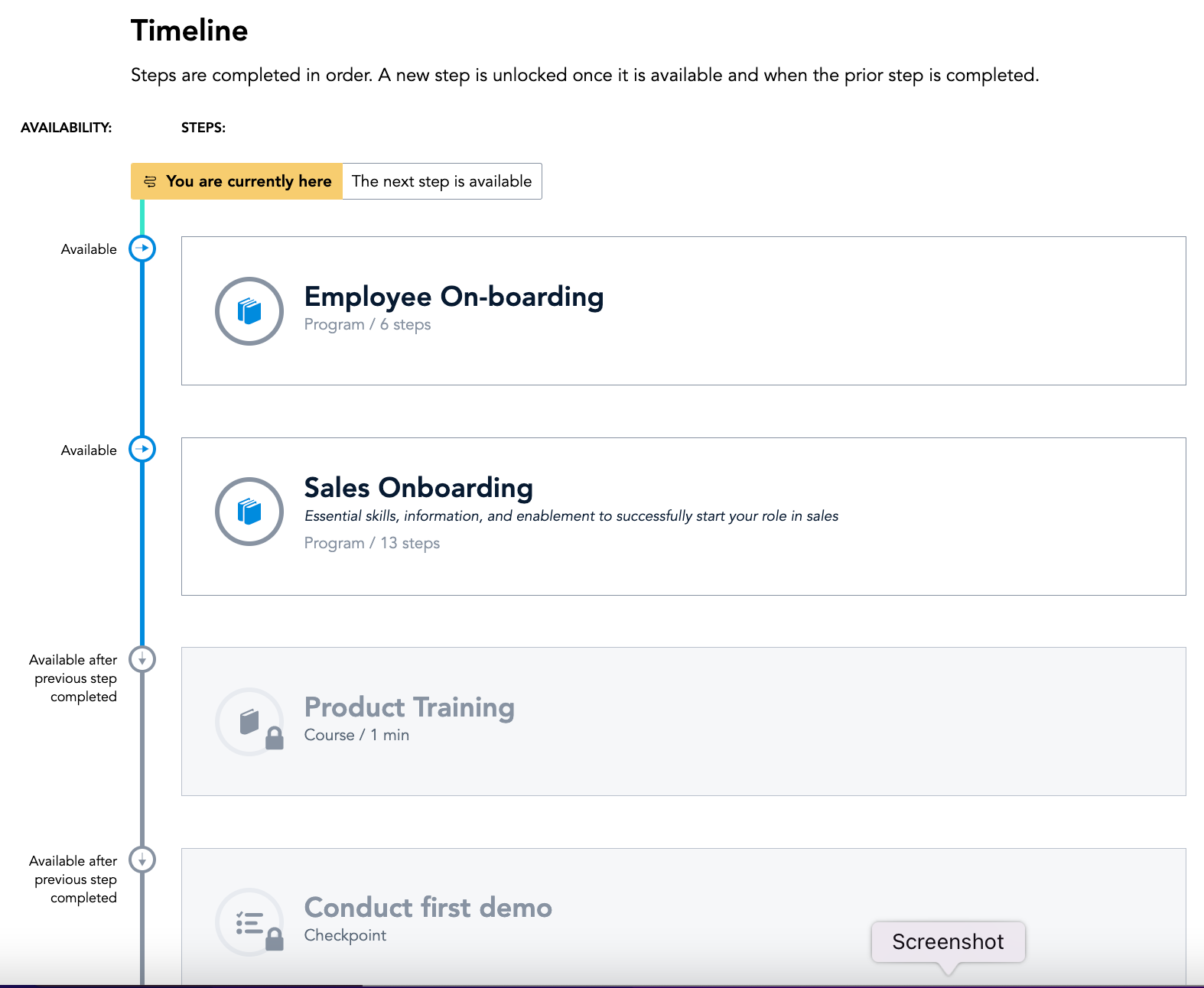
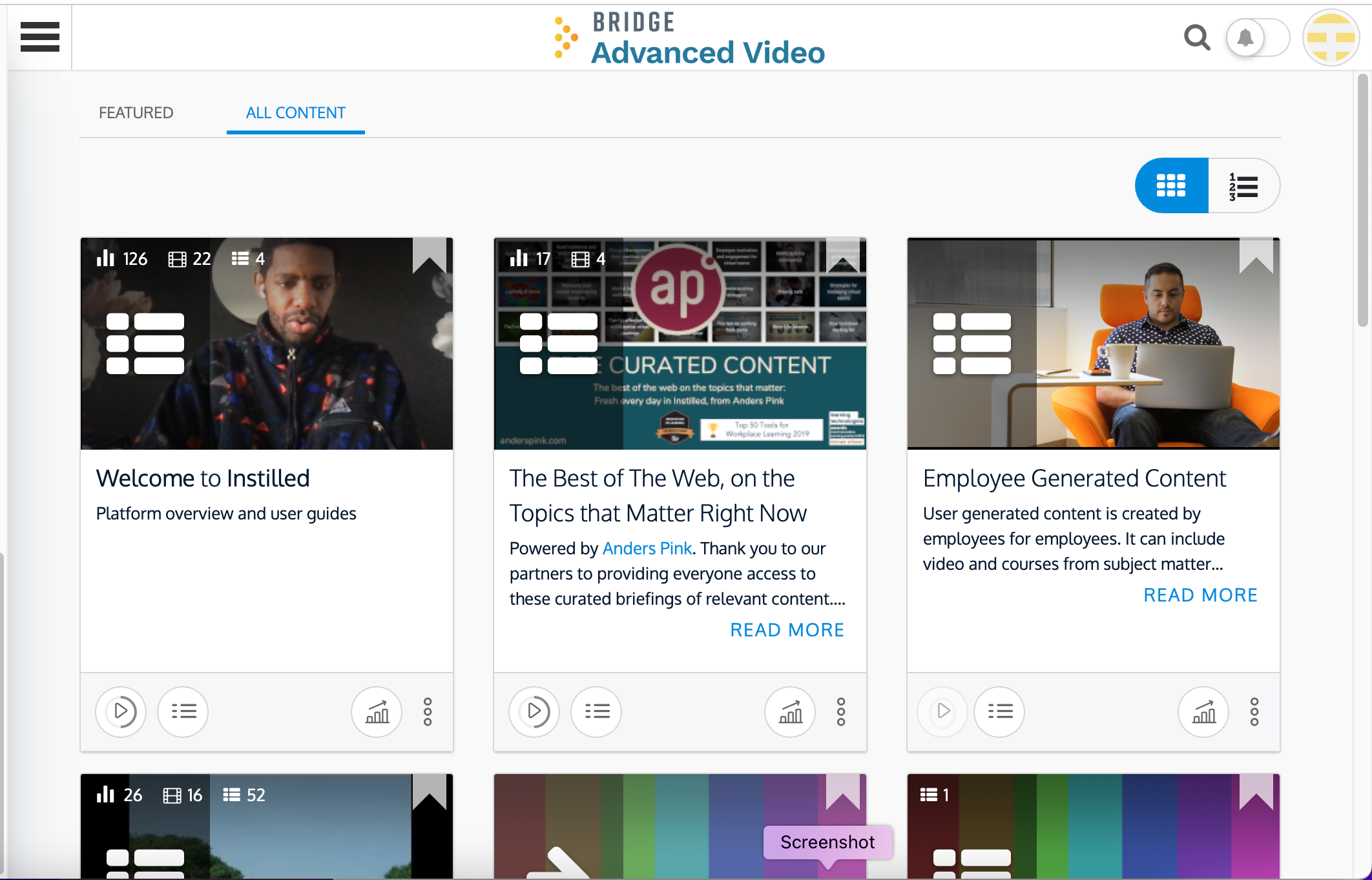
Screenshot of Bridge's Employee Home Page: See courses, programs, 1:1s, Goals, learning tasks, all in one place.Screenshot of Bridge's Journeys: Journeys helps you build the courses you want and deliver an engaging training experience—every timeScreenshot of Bridge's Learning Page: Incredibly intuitive interface makes it easy to find, engage with, and complete assigned and optional learningScreenshot of Bridge's Career Vision Page: Identify career vision, core drivers, and needed skills and then map a plan with courses and activitiesScreenshot of Bridge's Analysis Overview: From custom reports, scheduled data delivery, to simply downloading the dashboard as a PDF, understanding your data is quick, easy and intuitiveScreenshot of Bridge Advanced Video: Video based LXP that provides users with an enhanced video learning experience that is easy to use, quick to deploy and critical for retaining top talent and providing meaningful engagement with employees